
Product Overview
The XINJIA Digital Watch is a robust and versatile timepiece designed for daily wear and various activities such as running, cycling, or hiking. It features a high-quality digital movement housed in a durable plastic case with a comfortable silicone strap.
Key features include a clear digital display, backlight function for low-light conditions, stopwatch, and alarm functions. The watch is designed with four intuitive buttons for easy operation and setting adjustments.
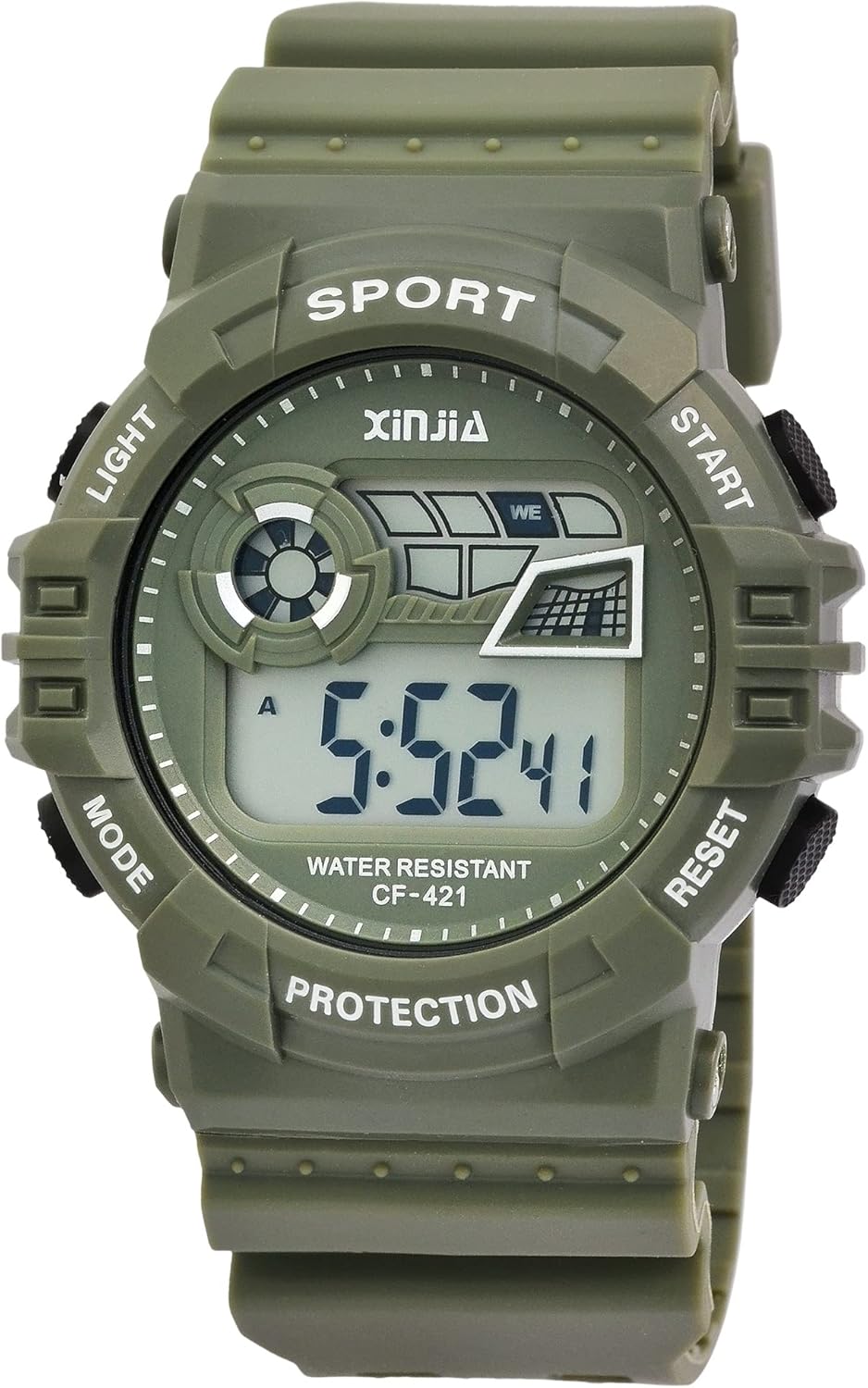
Figure 1: Front view of the XINJIA Digital Watch. The display shows the time, and the watch face indicates button functions such as LIGHT, MODE, START, and RESET.
Package Contents
- XINJIA Digital Watch (Model: 2400018)
- Pre-installed LR44 battery
- User Manual (this document)
Setup
Initial Time Setting
Your XINJIA digital watch comes with a pre-installed battery. Upon first use, you may need to set the current time and date.
- Identify Buttons: The watch has four buttons located around the case. Refer to Figure 2 for button identification.

Figure 2: Side view showing the four control buttons. These buttons are used for navigating modes and adjusting settings.
- Enter Setting Mode: Press the MODE button repeatedly until the time digits begin to flash. This indicates you are in setting mode.
- Adjust Time: Use the START or RESET buttons to adjust the flashing digits (hours, minutes, seconds). Press MODE again to cycle through the different time components (e.g., hours, then minutes).
- Set Date and Day: Continue pressing MODE to move to date and day settings. Adjust these using the START or RESET buttons as needed.
- Exit Setting Mode: Once all settings are adjusted, press the MODE button one last time to exit the setting mode and return to the normal time display.
Operating Instructions
Display Modes
Press the MODE button to cycle through the different display modes:
- Time Display: Shows current time (hours, minutes, seconds), day of the week, and date.
- Alarm Mode: Allows setting and activating the alarm.
- Stopwatch Mode: For timing events.
Using the Backlight
To illuminate the display in low-light conditions, press the LIGHT button. The backlight will remain active for a few seconds.
Using the Stopwatch
- Press the MODE button until you reach the Stopwatch mode (usually indicated by "00:00:00" or similar).
- Press the START button to begin timing.
- Press START again to pause the stopwatch.
- Press the RESET button to clear the stopwatch to zero.
Setting the Alarm
- Press the MODE button until you reach the Alarm mode.
- Press the START or RESET buttons to adjust the alarm time (hours and minutes).
- Press MODE to confirm the alarm time and exit the setting.
- To activate or deactivate the alarm, typically a combination of buttons (e.g., START and RESET simultaneously in alarm mode, or a dedicated alarm ON/OFF indicator) is used. Refer to the display for an alarm icon.
Maintenance
Cleaning
To clean your watch, wipe it gently with a soft, damp cloth. Avoid using harsh chemicals, solvents, or abrasive cleaners, as these can damage the case or strap.
Water Resistance
This watch has a water resistance rating of 3 BAR (30 meters). This means it is suitable for daily use, splashes, rain, and accidental immersion. It is not suitable for showering, bathing, swimming, snorkeling, or any water sports involving high-velocity water or prolonged submersion.
Do not operate the buttons while the watch is wet or submerged, as this can compromise the water resistance.
Battery Replacement
The watch uses one LR44 battery. When the display becomes dim or the watch stops functioning, it's time to replace the battery. Battery replacement should ideally be performed by a qualified watch technician to ensure proper sealing and maintain water resistance.

Figure 3: Rear view of the watch, showing the stainless steel case back. This is where the battery compartment is located.
Troubleshooting
| Problem | Possible Cause | Solution |
|---|---|---|
| Display is blank or dim. | Low or depleted battery. | Replace the LR44 battery. |
| Time is incorrect. | Time not set correctly or accidental button press. | Refer to the "Initial Time Setting" section to reset the time. |
| Buttons are unresponsive. | Watch may be in a locked mode or internal issue. | Try removing and reinserting the battery (if comfortable). If issue persists, contact support. |
| Condensation inside the display. | Exposure to extreme temperature changes or compromised water resistance. | Avoid extreme temperature changes. If condensation persists, water resistance may be compromised; seek professional repair. |
Specifications
- Brand: XINJIA
- Model Number: 2400018
- Movement: Digital Quartz
- Case Material: Plastic
- Case Diameter: 46 mm
- Case Height: 16 mm
- Strap Material: Silicone
- Strap Width: 29 mm
- Total Length: 26 cm
- Back Cover: Stainless Steel, secured with four screws
- Water Resistance: 3 BAR (30 meters)
- Battery Type: 1 x LR44 (included)
- Product Dimensions: 26 x 4.6 x 1.6 cm
- Product Weight: 54.43 grams
Warranty and Support
Specific warranty information for your XINJIA Digital Watch may be provided at the point of purchase or on the manufacturer's official website. Please retain your proof of purchase for any warranty claims.
For technical support or further assistance, please refer to the contact information provided by your retailer or the XINJIA brand's official support channels.