
Introduction
This manual provides detailed instructions for the XINJIA Digital Quartz Watch, Model 2400017-001. Please read this guide thoroughly to understand the watch's features, setup, operation, and maintenance. Proper use and care will ensure the longevity and optimal performance of your watch.
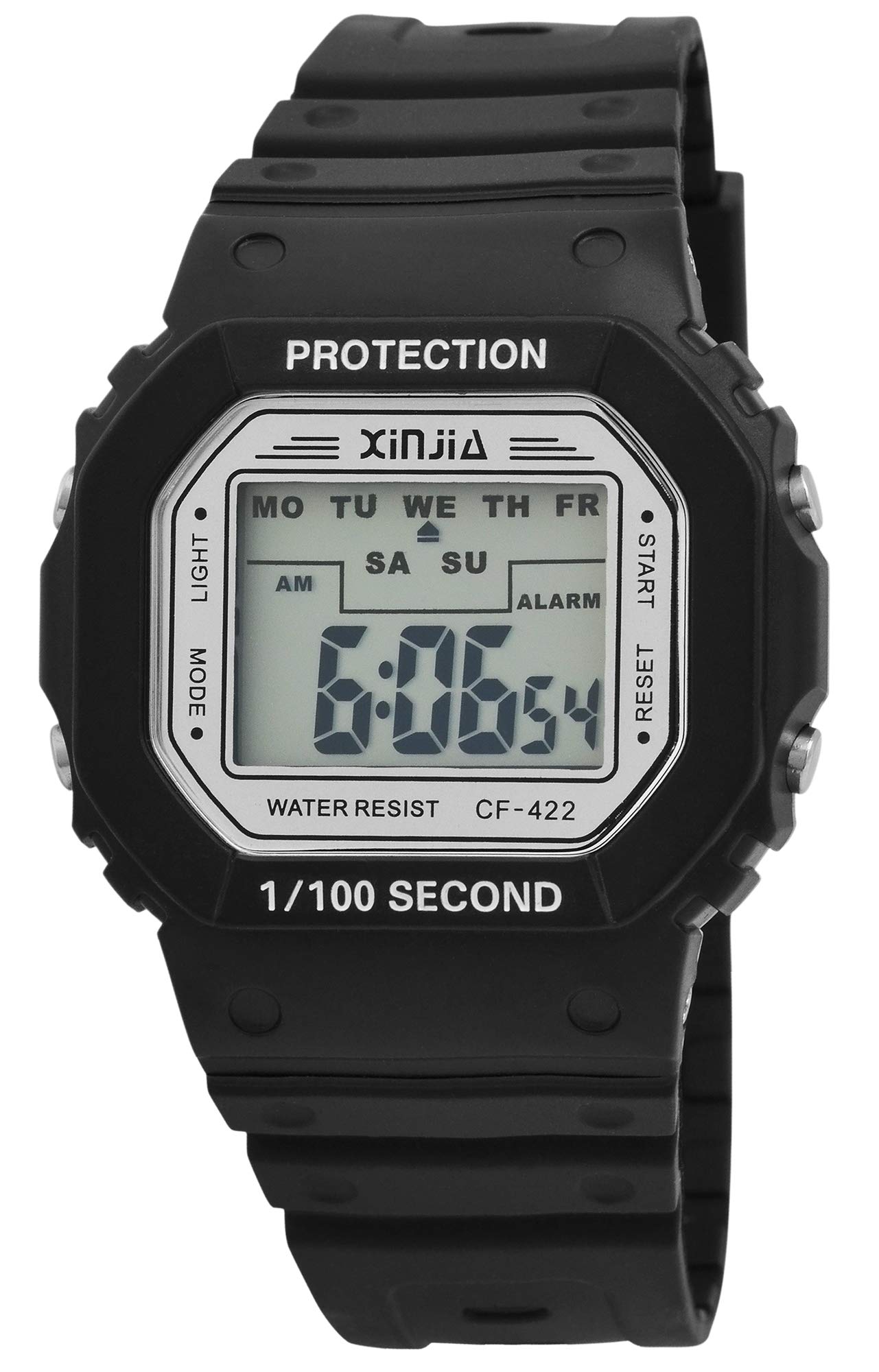
This image displays the XINJIA Digital Quartz Watch, featuring a black silicone strap and a clear rectangular digital display.
Setup
Initial Time and Date Setting
Your XINJIA Digital Quartz Watch comes with a pre-installed battery. To set the time and date:
- Press the MODE button (usually on the bottom left) repeatedly until the time display starts flashing.
- Use the SET button (usually on the top right) to adjust the flashing digit (hours, minutes, seconds).
- Press the MODE button again to move to the next setting (e.g., minutes, then month, day, year).
- Once all settings are correct, press the MODE button one last time to exit the setting mode.
Strap Adjustment
The watch features a silicone strap with a buckle clasp. Adjust the strap by inserting the pin into the desired hole for a comfortable and secure fit on your wrist.
Operating Instructions
Time and Date Display
In normal mode, the watch displays the current time (hours, minutes, seconds). Press the MODE button once to cycle through different display modes, which may include date (month, day, year).
Alarm Function
To set the alarm:
- Press the MODE button until the alarm setting screen appears (often indicated by 'AL' or a bell icon).
- Use the SET button to adjust the alarm hour and minute.
- Press MODE to confirm and exit.
To activate/deactivate the alarm, press the SET button while in the alarm display mode.
Stopwatch Function
To use the stopwatch:
- Press the MODE button until the stopwatch screen appears (often indicated by 'ST' or 'STOP').
- Press the SET button to start the stopwatch.
- Press SET again to pause/resume.
- To reset, press the LIGHT button (if available) while the stopwatch is paused.
Backlight
Press the LIGHT button (usually on the top left) to illuminate the display for a few seconds in low-light conditions.
Maintenance
Cleaning
Wipe the watch case and strap with a soft, damp cloth. Avoid using harsh chemicals or abrasive materials, as these can damage the plastic and silicone components.
Water Resistance
While the watch is designed for daily wear, specific water resistance ratings are not provided. Avoid prolonged exposure to water, swimming, or showering to prevent internal damage.
Battery Replacement
The watch is powered by a quartz movement with one battery. When the display dims or functions become erratic, it may be time to replace the battery. It is recommended to have battery replacement performed by a qualified watch technician to ensure proper sealing and function.
Troubleshooting
- Watch not displaying time: Check if the battery needs replacement. Ensure no buttons are stuck.
- Incorrect time/date: Follow the 'Initial Time and Date Setting' instructions to reset.
- Alarm not sounding: Ensure the alarm is activated in the alarm setting mode. Check battery level.
- Display is dim: This usually indicates a low battery. Replace the battery.
If problems persist after attempting these solutions, contact customer support or a professional watch repair service.
Specifications
| Brand | XINJIA |
| Model Number | 2400017-001 |
| Display Type | Digital |
| Movement Type | Quartz |
| Power Source | Battery Powered |
| Case Material | Plastic |
| Strap Material | Silicone |
| Clasp Type | Buckle |
| Case Diameter | 44 Millimeters |
| Case Thickness | 12.00 Millimeters |
| Band Width | 30 Millimeters |
| Band Length | 240 Millimeters |
| Item Weight | 54.43 Grams |
Warranty and Support
Specific warranty information for the XINJIA Digital Quartz Watch, Model 2400017-001, is not provided in the product data. For details regarding warranty coverage, service, or technical support, please refer to the product packaging or contact the manufacturer directly.