
Introduction
This manual provides detailed instructions for the assembly, operation, and maintenance of your Mount-It! MI-1860 Floor TV Stand. This stand is designed to support televisions ranging from 32 to 55 inches, with VESA patterns up to 400x400mm, and features tempered glass shelves for media devices. Please read all instructions carefully before beginning assembly to ensure safe and correct installation.

Image: The Mount-It! MI-1860 Floor TV Stand, shown with a television mounted and media devices on its tempered glass shelves, illustrating its complete setup.
Safety Information
WARNING: Failure to read and follow all instructions can result in personal injury or damage to property. If you have any questions, please contact customer support.
- Do not exceed the maximum weight capacity of 88 pounds (40 kg) for the TV mount.
- Ensure the VESA mounting pattern of your TV is compatible with the stand (Min: 100x100mm, Max: 400x400mm).
- Always use two people to lift and position the television during installation.
- Place the stand on a level and stable surface.
- Keep children and pets away from the assembly area.
- Do not overtighten screws, as this may cause damage.
- Periodically check all connections to ensure they remain secure.
Package Contents
Please verify that all components are present and undamaged before assembly. If any parts are missing or damaged, do not proceed with assembly and contact customer support.
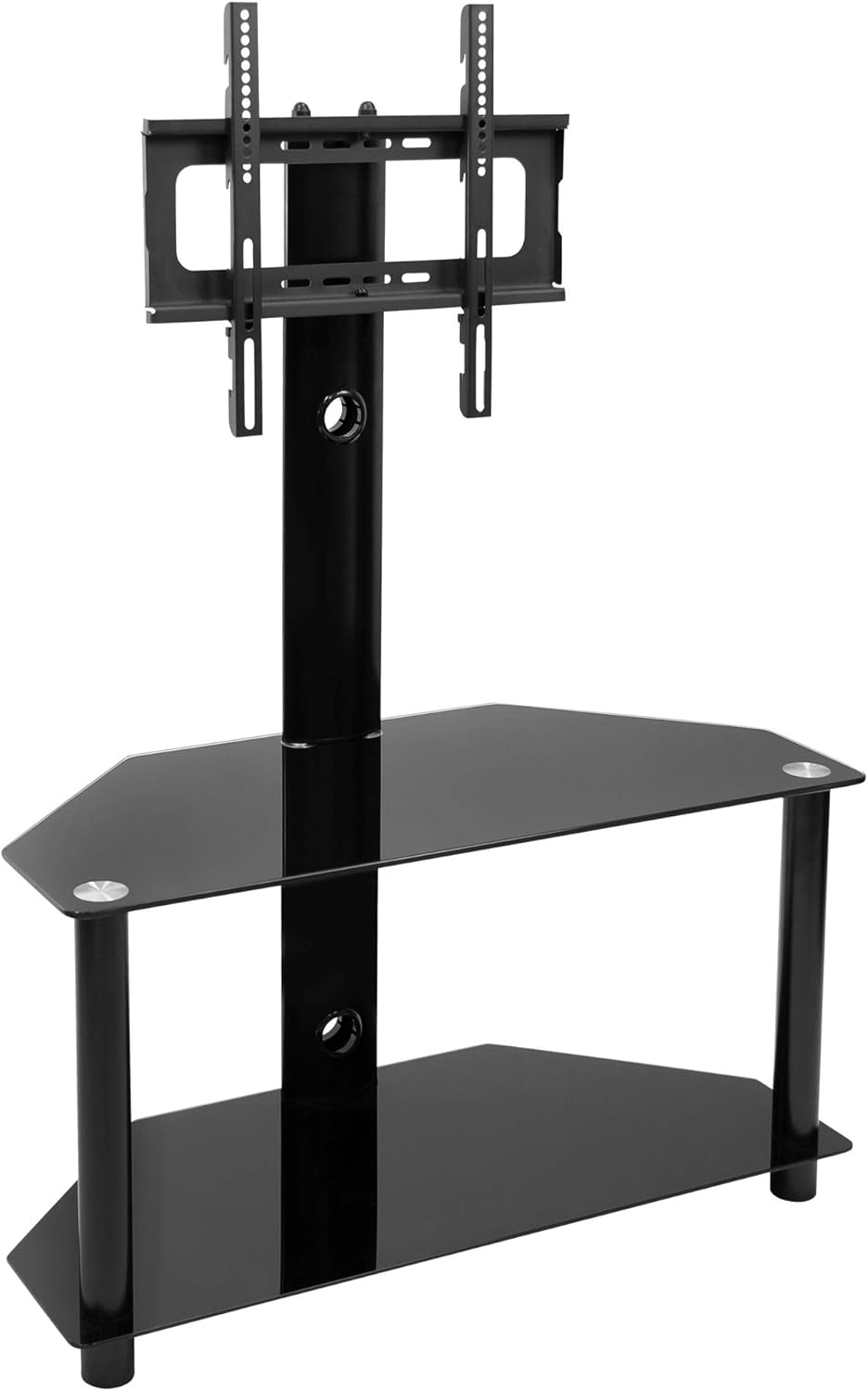
Image: The Mount-It! MI-1860 Floor TV Stand shown without a television, highlighting its structural components and tempered glass shelves.
Typical package contents include:
- Base plate (tempered glass)
- Middle shelf (tempered glass)
- Support columns (metal)
- TV mounting bracket assembly
- Various screws, washers, and spacers for assembly and TV attachment
- Cable management clips/ties
- Assembly tools (e.g., Allen wrench)
Setup and Assembly
Follow these steps carefully for proper assembly. It is recommended to have a second person assist with TV mounting.
- Assemble the Base: Attach the support columns to the base tempered glass plate using the provided screws and tools. Ensure all connections are secure.
- Install Middle Shelf: Secure the middle tempered glass shelf to the designated support columns.
- Attach TV Mount Column: Connect the main TV mount column to the base assembly.
- Prepare TV for Mounting:
- Identify the VESA mounting holes on the back of your television.
- Select the appropriate screws, washers, and spacers from the hardware kit that fit your TV's mounting holes.
- Attach the vertical TV brackets to the back of your television. Ensure they are level and securely fastened.
- Mount the TV: With assistance, carefully lift the television and hook the attached TV brackets onto the main TV mount column. Ensure the brackets are properly seated.
- Secure the TV: Use the safety screws or locking mechanisms provided to prevent the TV from accidentally lifting off the mount.
- Adjust Height: The TV brackets allow for height adjustment. Loosen the securing bolts, adjust the TV to the desired height, and re-tighten the bolts. Refer to the 'Operating' section for more details.
- Cable Management: Utilize the integrated cable management system within the main column and the provided cable ties to route and conceal TV and media device cables for a clean appearance.

Image: An exploded diagram illustrating key features of the MI-1860 TV stand, including adjustable brackets, safety screw, cable management, and tempered glass shelving.
Operating Instructions
Your Mount-It! MI-1860 TV stand offers flexibility for optimal viewing.
TV Swivel Function
The TV mount allows for a 30-degree swivel to the left and right. Gently grasp the sides of your television and rotate it to achieve your desired viewing angle. Avoid forcing the TV beyond its intended swivel range.
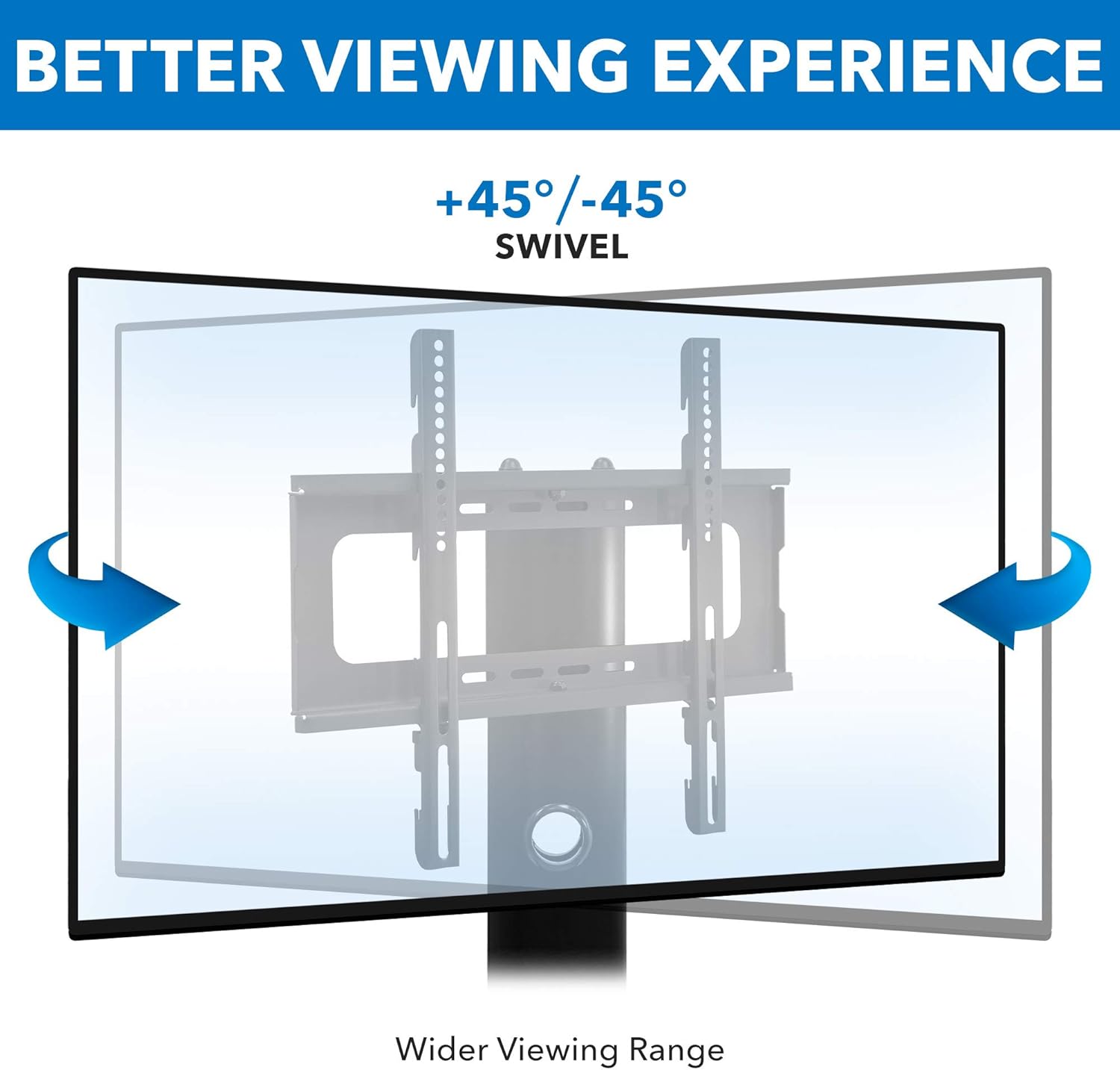
Image: A diagram demonstrating the 45-degree left and right swivel capability of the TV mount, providing a wider viewing range.
Height Adjustment
The TV mounting brackets can be adjusted vertically to achieve a comfortable viewing height. To adjust:
- With assistance, carefully support the television.
- Loosen the securing bolts on the vertical TV brackets that attach to the main column.
- Slide the TV up or down to the desired position.
- Ensure the TV is level, then securely re-tighten all securing bolts.

Image: A diagram illustrating the height adjustment mechanism of the TV mount, showing how the brackets can be raised or lowered in 2.4-inch increments.
Maintenance
Regular maintenance will help prolong the life and appearance of your TV stand.
- Cleaning Glass Surfaces: Use a soft, lint-free cloth and a non-abrasive glass cleaner. Avoid harsh chemicals that may damage the tempered glass finish.
- Cleaning Metal Surfaces: Wipe metal parts with a soft, damp cloth. For stubborn marks, a mild soap solution can be used, followed by drying thoroughly.
- Check Connections: Periodically (e.g., every 6 months) inspect all screws and bolts to ensure they remain tight and secure. Re-tighten if necessary.
- Avoid Overloading: Do not place items heavier than the specified weight capacity on the shelves or mount.
Troubleshooting
If you encounter issues with your TV stand, refer to the following common problems and solutions:
| Problem | Possible Cause | Solution |
|---|---|---|
| Stand is wobbly or unstable. | Loose connections; uneven floor. | Ensure all screws are tightened. Move stand to a level surface or use shims if necessary. |
| TV is not level. | Brackets unevenly installed; stand not level. | Re-check TV bracket installation. Ensure stand is on a level surface. |
| Cannot attach TV to mount. | Incorrect VESA pattern; wrong screws/spacers. | Verify your TV's VESA pattern matches the stand's compatibility. Use the correct hardware for your TV model. |
| Missing parts during assembly. | Packaging error. | Do not proceed with assembly. Contact Mount-It! customer support immediately for replacement parts. |
Specifications
- Model: MI-1860
- Material: Tempered Glass, Steel
- Color: Black
- TV Size Compatibility: 32" - 55"
- VESA Compatibility: 100x100mm, 200x100mm, 200x200mm, 300x300mm, 400x200mm, 400x300mm, 400x400mm
- Maximum TV Weight Capacity: 88 lbs (40 kg)
- Swivel Range: ±30 degrees
- Item Weight: Approximately 38.2 lbs
- Dimensions (Overall): Refer to diagram for detailed measurements.

Image: A detailed diagram showing the minimum and maximum dimensions of the MI-1860 TV stand, including height, width, and depth measurements.

Image: A diagram illustrating the various VESA mounting patterns supported by the MI-1860 TV stand, ranging from 100x100mm to 400x400mm, along with its 110 lb capacity (note: product description states 88lb capacity, always refer to product specific documentation).
Warranty Information
Mount-It! products are designed and manufactured to high-quality standards. This product is covered by a limited warranty against defects in materials and workmanship. For specific warranty terms and conditions, please refer to the warranty card included with your product or visit the official Mount-It! website.
Customer Support
If you have any questions regarding the assembly, operation, or maintenance of your Mount-It! MI-1860 Floor TV Stand, please contact our customer support team.
Website: www.mount-it.com
Email: Refer to website for contact form or email address.
Phone: Refer to website for phone support options.


