
1. Introduction
Thank you for choosing the OneConcept Streamo Chef Under-Cabinet Kitchen Radio. This device combines a powerful Internet radio with a CD player, Bluetooth connectivity, and Wi-Fi, offering a wide range of entertainment options. It features a 2.4-inch HCC display for clear information, app control, and practical functions like a sleep timer and alarm. This manual provides essential information for safe operation, installation, and maintenance of your radio.
2. Safety Instructions
- Read all instructions carefully before using the device.
- Keep this manual for future reference.
- Do not expose the device to dripping or splashing water.
- Ensure proper ventilation; do not block any ventilation openings.
- Use only attachments/accessories specified by the manufacturer.
- Unplug the device during lightning storms or when unused for long periods.
- Refer all servicing to qualified service personnel.
- Do not open the device casing; there are no user-serviceable parts inside.
3. Package Contents
- 1 x OneConcept Streamo Chef Kitchen Radio
- 1 x Power Adapter
- 1 x Mounting Kit (screws, spacers, mounting template)
- 1 x Instruction Manual (this document)
4. Product Overview
The OneConcept Streamo Chef radio features a sleek design suitable for under-cabinet mounting. It includes a front-loading CD player, a 2.4-inch color display, and intuitive controls.

Image: Close-up view of the radio's 2.4-inch HCC display and control panel, showing buttons for Menu, Local, Preset, Timer, Volume, and navigation.
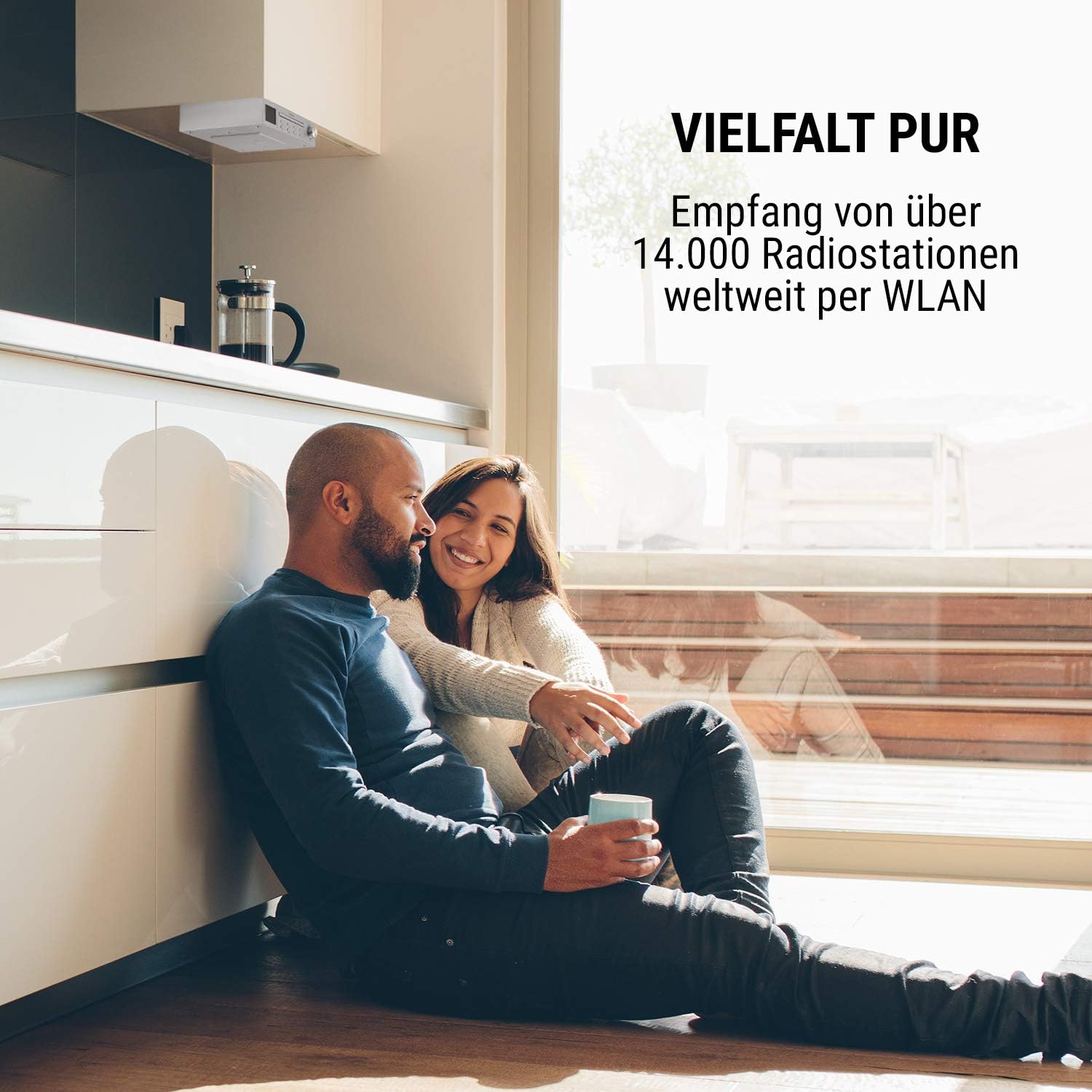
Image: The OneConcept Streamo Chef radio is shown mounted discreetly under a kitchen cabinet, highlighting its space-saving design and integration into a modern kitchen environment. The image emphasizes the radio's ability to receive over 14,000 radio stations worldwide via WLAN.
5. Setup
5.1 Mounting the Radio
The Streamo Chef is designed for under-cabinet installation to save space. Use the provided mounting kit for secure attachment.
- Select a suitable location under a kitchen cabinet or shelf. Ensure there is enough space for the CD tray to open and for cable connections.
- Use the mounting template (if provided) to mark the drilling points on the underside of the cabinet.
- Drill pilot holes at the marked positions.
- Attach the mounting plate (if separate) or the radio directly using the supplied screws and spacers. Ensure the radio is level and securely fastened.

Image: A top-down view of the OneConcept Streamo Chef radio, showing the CD compartment cover open. This image highlights the compact and thoughtful design for space-saving installation under kitchen cabinets or shelves.
5.2 Power Connection
Connect the supplied power adapter to the DC input port on the back of the radio, then plug the adapter into a standard wall outlet (100-240 V ~ | 50/60 Hz).
5.3 Initial Setup (Wi-Fi)
Upon first power-on, the radio will guide you through the initial setup process, including language selection and Wi-Fi network configuration.
- Follow the on-screen prompts to select your preferred language.
- The radio will scan for available Wi-Fi networks. Select your network from the list.
- Enter your Wi-Fi password using the controls. The radio supports WEP, WPA, and WPA2(PSK) encryption.
- Once connected, the radio will confirm the connection and be ready for Internet radio streaming.
6. Operating Instructions
6.1 Internet Radio
Access over 14,000 radio stations worldwide via Wi-Fi.
- Navigate to the 'Internet Radio' mode using the Menu button.
- Browse stations by genre, location, or search for specific stations.
- Select a station to begin streaming.
- Use the 'Preset' buttons to save your favorite stations for quick access.
6.2 CD Player
The integrated CD player supports common audio formats.
- Press the 'CD' button or select 'CD' from the main menu.
- Gently open the CD tray.
- Place an audio CD onto the tray with the label side facing up.
- Close the CD tray. The radio will automatically begin playing the CD.
- Use the play/pause, skip forward/backward buttons to control playback.

Image: A close-up view of the OneConcept Streamo Chef radio's CD player, showing a white disc partially inserted into the tray. This illustrates the powerful CD player's ability to play common formats.
6.3 Bluetooth Mode
Stream music wirelessly from your smartphone, tablet, or PC.
- Select 'Bluetooth' mode from the radio's menu. The radio will enter pairing mode.
- On your external device (smartphone, tablet, PC), enable Bluetooth and search for available devices.
- Select 'Streamo Chef' from the list of devices to pair.
- Once paired, you can play audio from your device through the radio's speakers.

Image: A hand holds a smartphone displaying a Wi-Fi signal icon, indicating wireless connectivity. In the background, the OneConcept Streamo Chef radio is mounted under a kitchen shelf, demonstrating its Bluetooth streaming capability from a smartphone, tablet, or PC.
6.4 App Control
Control your radio remotely using the Air Music Control app.
- Download the 'Air Music Control' app from your device's app store (available for iOS and Android).
- Ensure your smartphone/tablet is connected to the same Wi-Fi network as the radio.
- Open the app; it should automatically detect your Streamo Chef radio.
- You can now control all radio functions, including mode selection, station browsing, and volume, directly from the app.

Image: A hand holds a smartphone displaying the 'Air Music Control' app interface. The screen shows various options for controlling the radio, including 'Local Station', 'Internet Radio', 'Media Center', 'CD', and 'Bluetooth', illustrating the optional app control feature.
6.5 Sleep Timer and Alarm Function
The radio includes a sleep timer to automatically turn off the device and an alarm function to wake you up.
- Sleep Timer: Access the 'Timer' menu. Select the desired duration (e.g., 10, 20, 30 minutes) after which the radio will switch to standby.
- Alarm Function: In the 'Alarm' settings, configure up to two independent alarms. Set the time, alarm source (buzzer, Internet radio, CD), and volume.

Image: A graphic representation of a sleep timer and alarm function, featuring a clock icon and a person sleeping, surrounded by a circular timer indicating various time increments. This highlights the practical features of the radio, including its sleep timer and alarm clock.
7. Maintenance
- Cleaning: Disconnect the power before cleaning. Use a soft, dry cloth to wipe the exterior. Do not use abrasive cleaners or solvents.
- CD Player: Keep the CD tray clean and free of dust. Handle CDs by their edges to avoid scratches.
- Storage: If not used for an extended period, store the radio in a dry, dust-free environment.
8. Troubleshooting
| Problem | Possible Cause | Solution |
|---|---|---|
| No power | Power adapter not connected or faulty outlet. | Check power connections. Try a different outlet. |
| Cannot connect to Wi-Fi | Incorrect password, weak signal, or router issue. | Verify password. Move radio closer to router. Restart router. |
| Internet radio buffering/disconnecting | Slow internet connection or weak Wi-Fi signal. | Check internet speed. Improve Wi-Fi signal strength. |
| CD not playing | CD inserted incorrectly, scratched, or unsupported format. | Ensure CD is clean and inserted correctly. Try another CD. |
| Bluetooth pairing fails | Device not in pairing mode, or too far away. | Ensure radio is in Bluetooth pairing mode. Keep devices within range. |
9. Specifications
| Feature | Detail |
|---|---|
| Model Number | KC15-RF-047 SI |
| Brand | OneConcept |
| Color | Silver |
| Rated RMS Power | 2 x 2 W |
| Wi-Fi Standard | 802.11b/g/n |
| Wi-Fi Encryption | WEP, WPA, WPA2(PSK), WPS |
| Streaming Protocols | UPnP, DLNA |
| Supported File Formats | WMA, MP3 |
| Power Supply | 100-240 V ~ | 50/60 Hz |
| Display | 2.4" HCC Color Display |
| Connectivity Technology | Bluetooth, Wi-Fi |
| Special Features | Integrated Clock, Sleep Timer, Alarm Function, App Control |
| Material | Plastic |
| Dimensions (W x H x D) | Approx. 27.5 x 6.5 x 23 cm |
| Weight | Approx. 0.79 kg |

Image: A technical drawing illustrating the precise dimensions of the OneConcept Streamo Chef radio, indicating a width of 27.5 cm, a height of 6.5 cm, and a depth of 23 cm.
10. Warranty and Support
OneConcept products are manufactured with quality and care. For warranty information, please refer to the terms and conditions provided at the point of purchase or visit the official OneConcept website. For technical support or service inquiries, please contact your retailer or the OneConcept customer service department.
Please note that availability of spare parts and software updates may vary. Information regarding these aspects is not available in this document.