
1. Introduction
Thank you for choosing the BETOPPER Mini DJ Par Light, Model LPC180. This manual provides essential information for the safe and efficient operation of your new stage lighting fixture. Please read this manual thoroughly before installation and use, and retain it for future reference.
2. Safety Information
- Always connect the fixture to a grounded power outlet.
- Ensure the voltage of the power supply matches the voltage specified on the unit.
- Do not operate the fixture if the power cord is damaged.
- Avoid direct eye exposure to the light source.
- Ensure adequate ventilation around the fixture to prevent overheating.
- Do not open the housing; there are no user-serviceable parts inside. Refer all servicing to qualified personnel.
- Keep the fixture away from flammable materials and liquids.
- This fixture is designed for indoor use only.
3. Package Contents
Verify that all components are present and in good condition upon unpacking.
- 1 x BETOPPER Mini DJ Par Light (LPC180)
- 2 x Mounting Brackets
- 1 x Power Cord
- 2 x Fixing Screws
- 1 x User Manual

Figure 3.1: Contents of the BETOPPER Mini DJ Par Light package.
4. Product Overview
The BETOPPER Mini DJ Par Light LPC180 is a compact and powerful LED stage lighting fixture featuring 60x3W RGB 3-in-1 LEDs. It offers versatile control options and a robust design suitable for various applications.

Figure 4.1: Front view of the BETOPPER Mini DJ Par Light.
4.1 Key Features
- Light Source: 60x3W RGB 3-in-1 LEDs for vibrant color mixing.
- Control Modes: Auto, Sound Activated, Master-Slave, and DMX 512.
- Heat Dissipation: Built-in fan for effective cooling and extended lifespan.
- Mounting: Double-bracket yoke allows for hanging or use as a floor stand.
- Beam Angle: 28 degrees for focused light projection.
- Compact Design: Slim profile with a width of approximately 4.0 inches (10.07 cm).
4.2 Design Improvements
The LPC180 model features an upgraded one-piece light panel design, enhancing light uniformity and brightness while reducing dark areas. This design also contributes to a lighter and more portable unit.

Figure 4.2: Comparison of upgraded light panel (left) and old style (right).
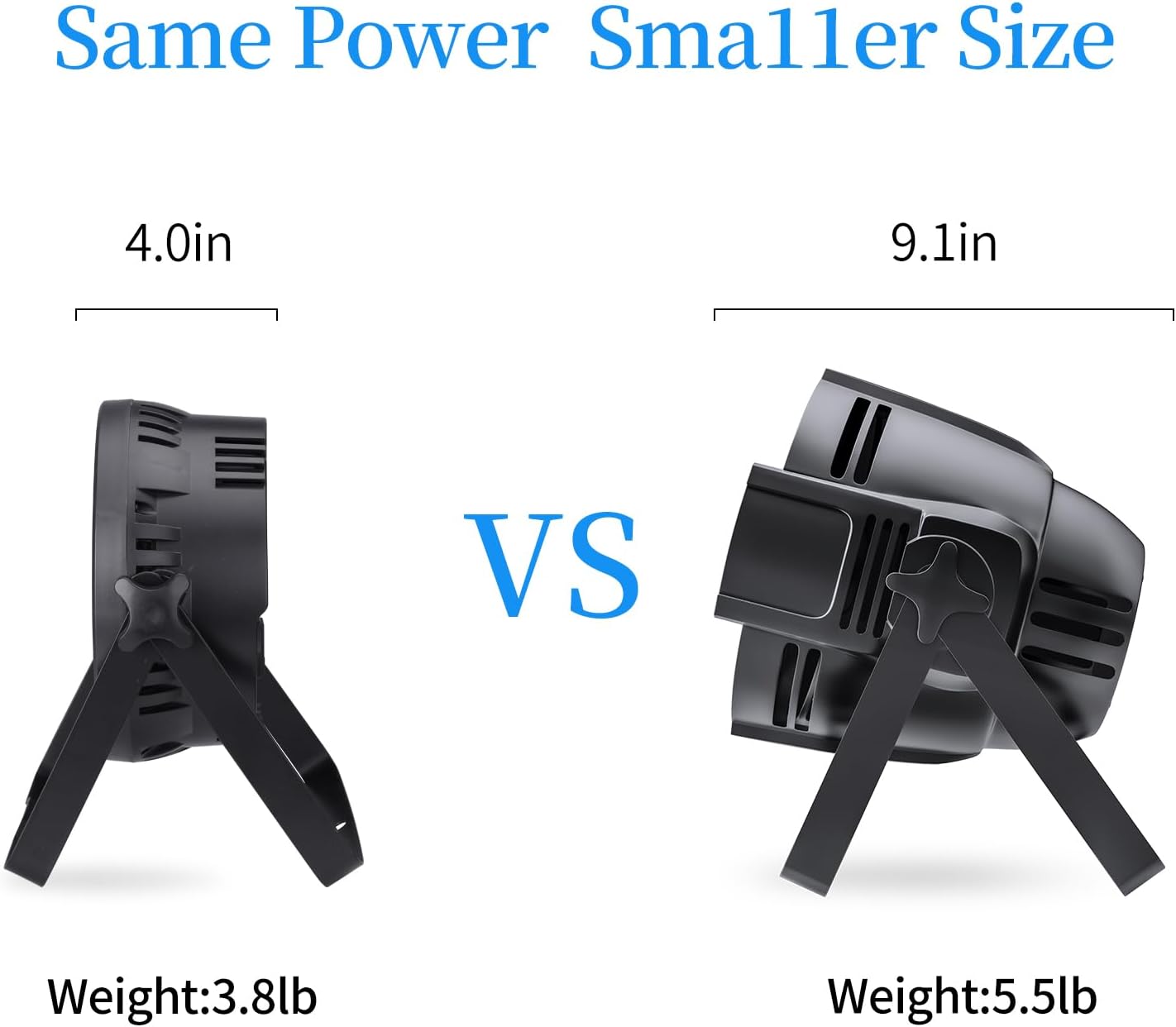
Figure 4.3: Size comparison: LPC180 (left) is more compact.

Figure 4.4: Internal components of the light fixture.
5. Setup Instructions
5.1 Mounting
- Attach the two included brackets to the sides of the light fixture using the provided screws.
- The double-bracket yoke allows for flexible positioning. You can hang the fixture from a truss using appropriate clamps (not included) or place it on a flat surface as a floor stand.
- Ensure the fixture is securely mounted and stable before operation.
5.2 Power Connection
- Connect the power cord to the power input on the back of the fixture.
- Plug the other end of the power cord into a grounded electrical outlet (AC 110V).
- The fixture will power on and typically enter an automatic mode.
6. Operating Modes
The BETOPPER Mini DJ Par Light offers several operating modes, selectable via the control panel on the rear of the unit.
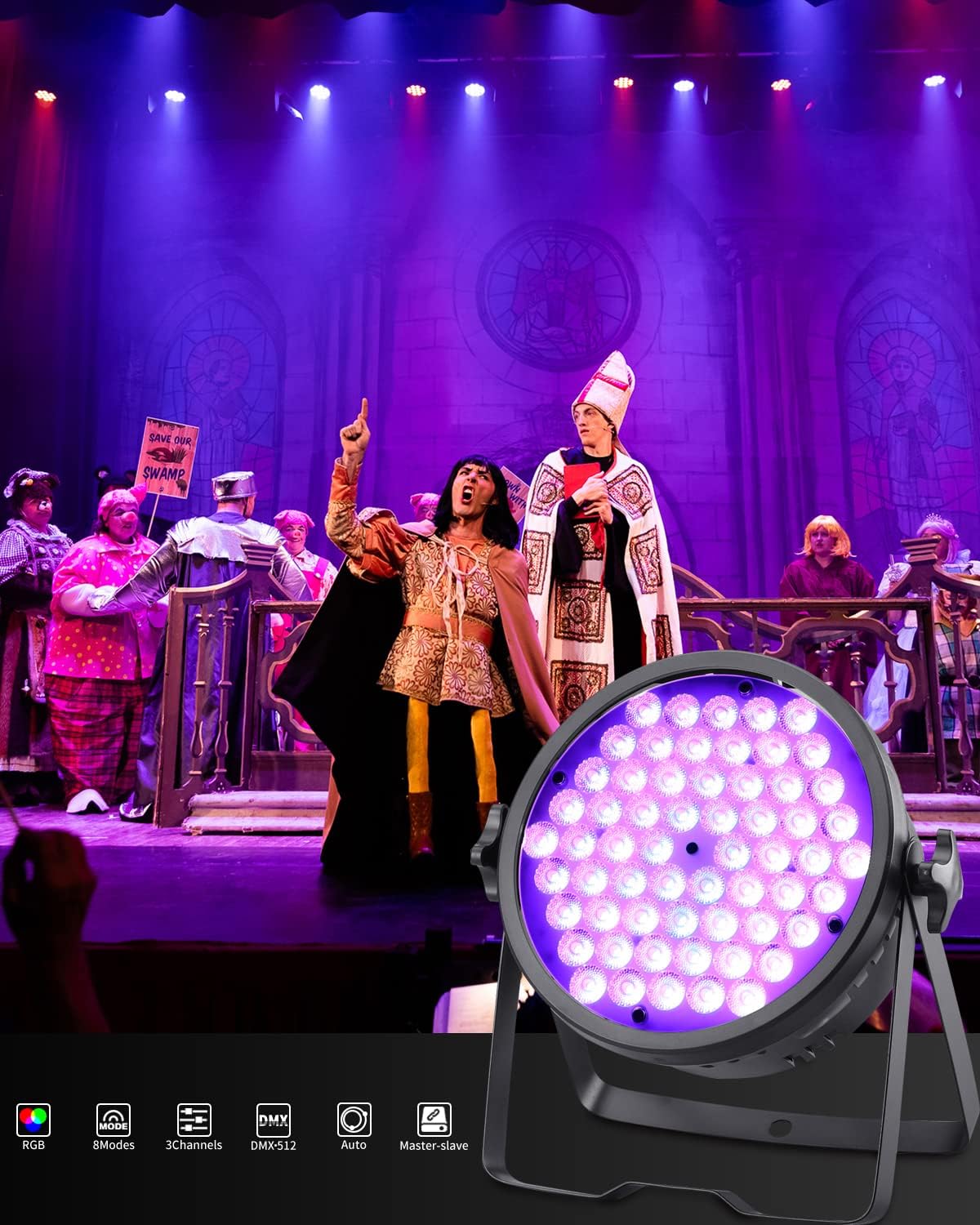
Figure 6.1: Available light effects and operating modes.
6.1 Auto Mode
In Auto mode, the fixture cycles through pre-programmed light shows and color changes automatically. This mode is ideal for quick setup without external control.
6.2 Sound Activated Mode
The Sound Activated mode allows the light to react to ambient sound or music. An internal microphone detects sound, and the light patterns change in sync with the beat.
6.3 Master-Slave Mode
To synchronize multiple LPC180 fixtures, connect them in a master-slave configuration. One unit acts as the master, controlling all other connected slave units. Connect the DMX OUT of the master unit to the DMX IN of the first slave unit, and continue daisy-chaining to subsequent slave units.
6.4 DMX 512 Control Mode
For advanced control, the fixture can be operated via a DMX 512 controller. This allows for precise control over color, dimming, strobe, and other effects. Refer to the DMX channel chart in the full user manual (PDF) for detailed channel assignments.
- Connect a DMX cable from your DMX controller's output to the DMX IN port of the first fixture.
- For multiple fixtures, connect the DMX OUT of the first fixture to the DMX IN of the next, and so on.
- Set a unique DMX address for each fixture or group of fixtures using the control panel.
7. Maintenance
7.1 Cleaning
Regular cleaning helps maintain optimal light output and extends the fixture's lifespan.
- Disconnect the power before cleaning.
- Use a soft, lint-free cloth to wipe the exterior and lens.
- Do not use abrasive cleaners or solvents.
- Periodically clean the cooling fan vents to ensure proper airflow.
7.2 Storage
When not in use, store the fixture in a dry, dust-free environment, preferably in its original packaging or a protective case.
8. Troubleshooting
If you encounter issues with your BETOPPER Mini DJ Par Light, refer to the following common problems and solutions:
| Problem | Possible Cause | Solution |
|---|---|---|
| Fixture does not power on | No power supply; damaged power cord; faulty outlet. | Check power connection; test power cord; try a different outlet. |
| Light output is weak or inconsistent | Incorrect mode selection; DMX signal issue; internal fault. | Verify operating mode; check DMX connections and address; contact support if issue persists. |
| Fan is excessively noisy | Dust accumulation; fan malfunction. | Clean fan vents; if noise persists, contact support. |
| DMX address resets or changes randomly | Power interruption; internal memory issue. | Ensure stable power supply; re-set DMX address after power cycle. If persistent, contact support. |
| Some LEDs show incorrect colors | Internal LED fault. | Contact support for assistance. |
9. Specifications
| Feature | Specification |
|---|---|
| Model Number | LPC180 |
| Light Source | 60 x 3W RGB 3-in-1 LEDs |
| Power Consumption | 180 Watts (Max) |
| Voltage | AC 110V |
| Amperage | 0.75 Amps |
| Beam Angle | 28 Degrees |
| Control Modes | Auto, Sound Activated, Master-Slave, DMX 512 |
| Material | Acrylonitrile Butadiene Styrene (ABS) |
| Color | Black |
| Product Dimensions | 8.74 x 8.73 x 4.02 inches (22.2 x 22.17 x 10.21 cm) |
| Item Weight | 3.83 pounds (1.74 kg) |
| Manufacturer | BETOPPER |
| UPC | 732376642859 |
10. Warranty and Support
BETOPPER products are designed for reliability and performance. For warranty information, technical support, or service inquiries, please contact BETOPPER customer service through your purchase platform or the official BETOPPER website. Please have your model number (LPC180) and purchase details available when contacting support.
