
LifePro Hovert Vibration Platform
Lifepro Hovert 3D Heavy Duty Vibration Plate Machine User Manual
Model: Hovert Vibration Platform
1. Introduction
This manual provides essential information for the safe and effective use of your Lifepro Hovert 3D Heavy Duty Vibration Plate Machine. Please read all instructions carefully before operation to ensure proper setup, usage, and maintenance. Retain this manual for future reference.
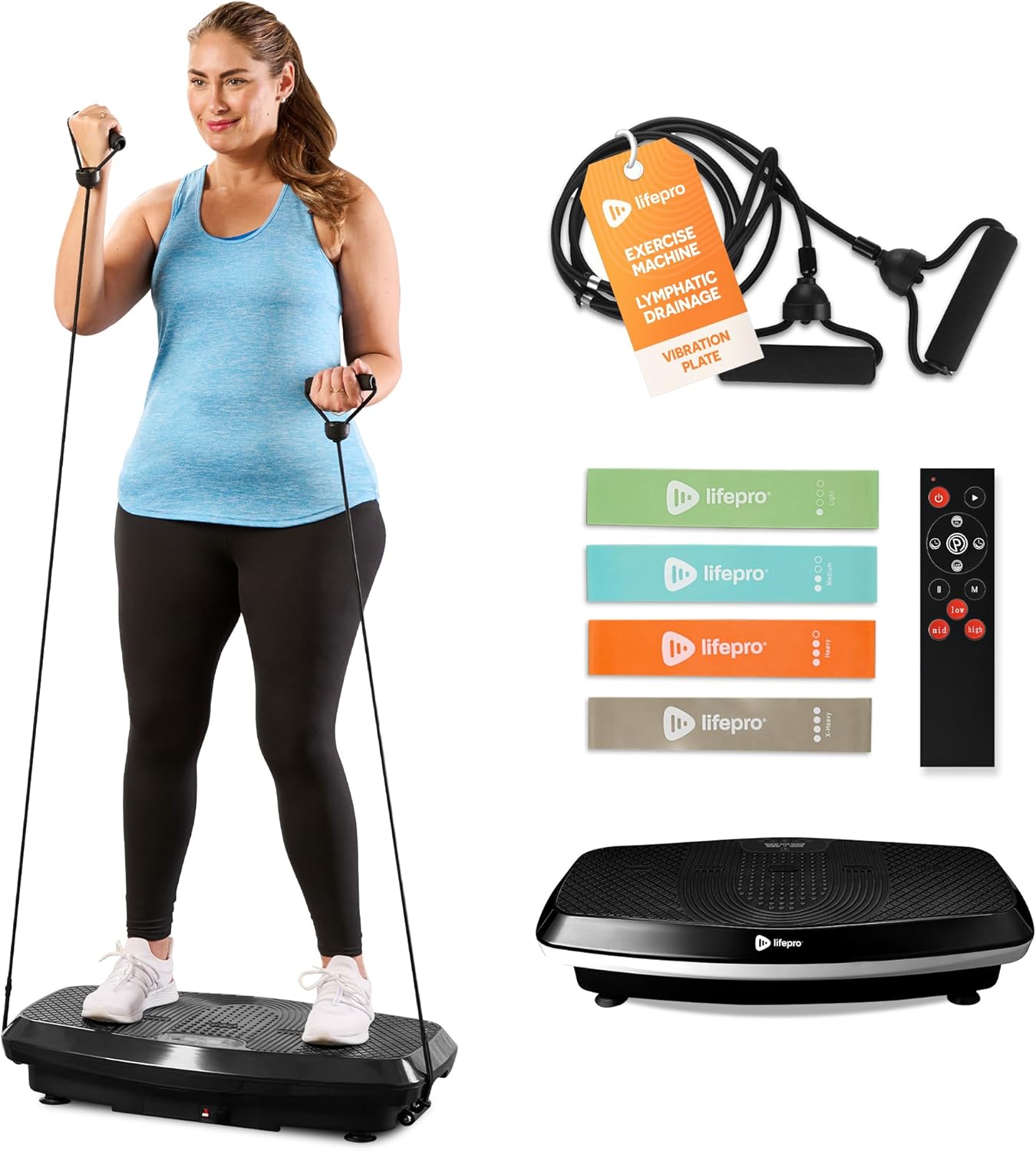
Image 1.1: The Lifepro Hovert 3D Vibration Plate Machine with a user demonstrating an exercise using resistance bands, alongside included accessories like additional resistance bands and a remote control.
2. Safety Information
Before using the Lifepro Hovert 3D, consult with a healthcare professional, especially if you have pre-existing medical conditions, are pregnant, or have recently undergone surgery. Adhere to the following safety guidelines:
- Ensure the machine is placed on a stable, level surface.
- Do not exceed the maximum weight capacity of 330 pounds.
- Keep children and pets away from the machine during operation.
- Do not use the machine if you experience pain, dizziness, or discomfort.
- Unplug the machine from the power outlet when not in use or before cleaning.
- Avoid placing hands or feet under the machine during operation.
3. Product Components
Your Lifepro Hovert 3D Vibration Plate Machine package includes the following items:
- Lifepro Hovert 3D Vibration Plate
- Remote Control
- Resistance Bands (with handles)
- Additional Resistance Loop Bands
- Power Cord
- User Manual (this document)
4. Setup Instructions
- Unpacking: Carefully remove all components from the packaging.
- Placement: Position the vibration plate on a firm, level surface with adequate space around it for safe movement. Ensure the power cord can reach an outlet without being stretched.
- Power Connection: Plug the power cord into the machine's power input, then into a standard electrical outlet.
- Initial Check: Before first use, ensure all parts are securely in place and there are no visible damages.

Image 4.1: A man demonstrates moving the vibration plate, highlighting the built-in rollers for easy transport and storage.
5. Operating Instructions
5.1 Control Panel and Remote
The Lifepro Hovert 3D can be operated using the integrated digital control panel or the wireless remote control. The digital display shows current settings such as time, speed, and program mode.

Image 5.1: A detailed view of the machine's control panel, showing the LED display and buttons, along with the remote control for convenient operation.
5.2 Operating Modes
The Hovert 3D features dual motors, allowing for three distinct motion types:
- Oscillation: Mimics a seesaw motion, promoting balance and muscle engagement.
- Lateral: Produces side-to-side movement, beneficial for stability and core strength.
- Combination (3D Motion): Utilizes both oscillation and lateral movements simultaneously for a comprehensive workout.
You can select one, two, or all three motion types depending on your exercise goals. The machine offers 99 speed levels and 8 preset programs for varied intensity and duration.

Image 5.2: A visual representation of the oscillation, lateral, and combination (3D) motion types, demonstrating various user positions for each.
6. Exercise Guide
The Lifepro Hovert 3D can be used for a variety of exercises to target different muscle groups and achieve various fitness goals. Start with shorter durations and lower intensity, gradually increasing as your body adapts.
6.1 Basic Stances
- Standing: Position your feet at different widths on the plate to adjust vibration intensity. Wider stance increases intensity.
- Squat: Perform squats while standing on the plate to engage leg and glute muscles.
- Plank: Place forearms or hands on the plate for core engagement.

Image 6.1: A user demonstrates a squat position on the vibration plate, utilizing a resistance band for added challenge and to improve balance.
6.2 Advanced Exercises
Utilize the included resistance bands for upper body and full-body exercises.
- Split Squats: Perform lunges with one foot on the plate.
- Lateral Raises: Stand on the plate and use resistance bands for shoulder exercises.
- Bicep Curls: Stand on the plate and use resistance bands for arm exercises.
- Crunches: Sit on the plate and perform abdominal crunches.

Image 6.2: A collage illustrating several exercises that can be performed on the Hovert 3D, such as split squats, planks, lateral raises, and bicep curls, demonstrating its versatility.

Image 6.3: A user performing crunches on the vibration plate, illustrating how the machine can contribute to benefits such as increased bone density, improved circulation, calorie burn, and muscle recovery.
7. Maintenance
Regular maintenance ensures the longevity and optimal performance of your Lifepro Hovert 3D.
- Cleaning: Wipe the machine with a soft, damp cloth after each use. Do not use abrasive cleaners or solvents.
- Storage: Store the machine in a cool, dry place away from direct sunlight and moisture.
- Inspection: Periodically check the power cord for any damage. Ensure all connections are secure.
8. Troubleshooting
If you encounter issues with your Lifepro Hovert 3D, refer to the following common troubleshooting steps:
| Problem | Possible Cause | Solution |
|---|---|---|
| Machine does not power on. | Power cord not securely plugged in; power outlet issue. | Ensure power cord is fully inserted into both the machine and the wall outlet. Test the outlet with another device. |
| Remote control not working. | Dead batteries; remote out of range. | Replace remote control batteries. Ensure remote is pointed towards the machine's receiver. |
| Unusual noise during operation. | Loose components; machine not on a level surface. | Check for any loose parts. Ensure the machine is on a flat, stable surface. If noise persists, discontinue use and contact support. |
For issues not resolved by these steps, please contact Lifepro customer support.
9. Specifications
| Feature | Detail |
|---|---|
| Brand | LifePro |
| Model Name | Hovert Vibration Platform |
| Product Dimensions (LxWxH) | 31"D x 18"W x 7"H |
| Item Weight | 35 Pounds |
| Maximum Weight Recommendation | 330 Pounds |
| Controls Type | Remote |
| Display Type | Digital |
| Number of Resistance Levels | 99 |
| Operation Mode | Automatic |
| Power Source | Corded Electric |
| Material | Rubber |

Image 9.1: The vibration plate with key dimensions (31"D x 18"W x 7"H) and maximum weight capacity (330 lbs) indicated.
10. Warranty and Support
The Lifepro Hovert 3D Vibration Plate Machine comes with a lifetime support warranty, as detailed in the product specifications. This includes access to a comprehensive library of training videos and live support from Lifepro's customer service team.
For warranty claims, technical assistance, or additional guidance, please refer to the contact information provided on the official Lifepro website or within your product registration materials.
Ask a question about this manual
Ask about setup, troubleshooting, compatibility, parts, safety, or missing instructions. Manuals+ will review the question and use this page’s manual context to help answer it.