
PureGear 62950PG
PureGear 7.5W/10W Qi-Certified Fast Wireless Charging Pad User Manual
Model: 62950PG
Product Overview
The PureGear 7.5W/10W Qi-Certified Fast Wireless Charging Pad provides efficient and convenient wireless charging for compatible devices. This pad supports both 7.5W fast charging for Apple devices and 10W fast charging for Samsung Galaxy devices, ensuring quick power delivery without the need for cables directly connected to your phone.
What's Included
- 1 Wireless Charging Pad
- 1 USB-A to USB-C Cable
- 1 User Manual
Setup Guide
Connecting the Charger
- Connect the included USB-A to USB-C cable to the USB-C port on the PureGear Wireless Charging Pad.
- Plug the USB-A end of the cable into a compatible USB wall adapter (not included) or a powered USB port. For optimal fast charging, use a Quick Charge 2.0/3.0 or Power Delivery compatible adapter.
- Once connected to power, the charging pad's indicator light will illuminate briefly, then turn green when not in use, indicating it is ready for a device.

Image: The PureGear Wireless Charging Pad with its USB-C cable connected, ready for use.
Operating Instructions
Charging Your Device
- Ensure the charging pad is connected to a power source and the indicator light is green.
- Place your Qi-compatible smartphone or AirPods case directly onto the center of the charging pad.
- The indicator light on the charging pad will turn blue to confirm that your device is charging.
- For optimal charging, ensure your device is centered on the pad. The charging pad is designed to work with phone cases up to 5mm thick made from rubber, plastic, or TPU.
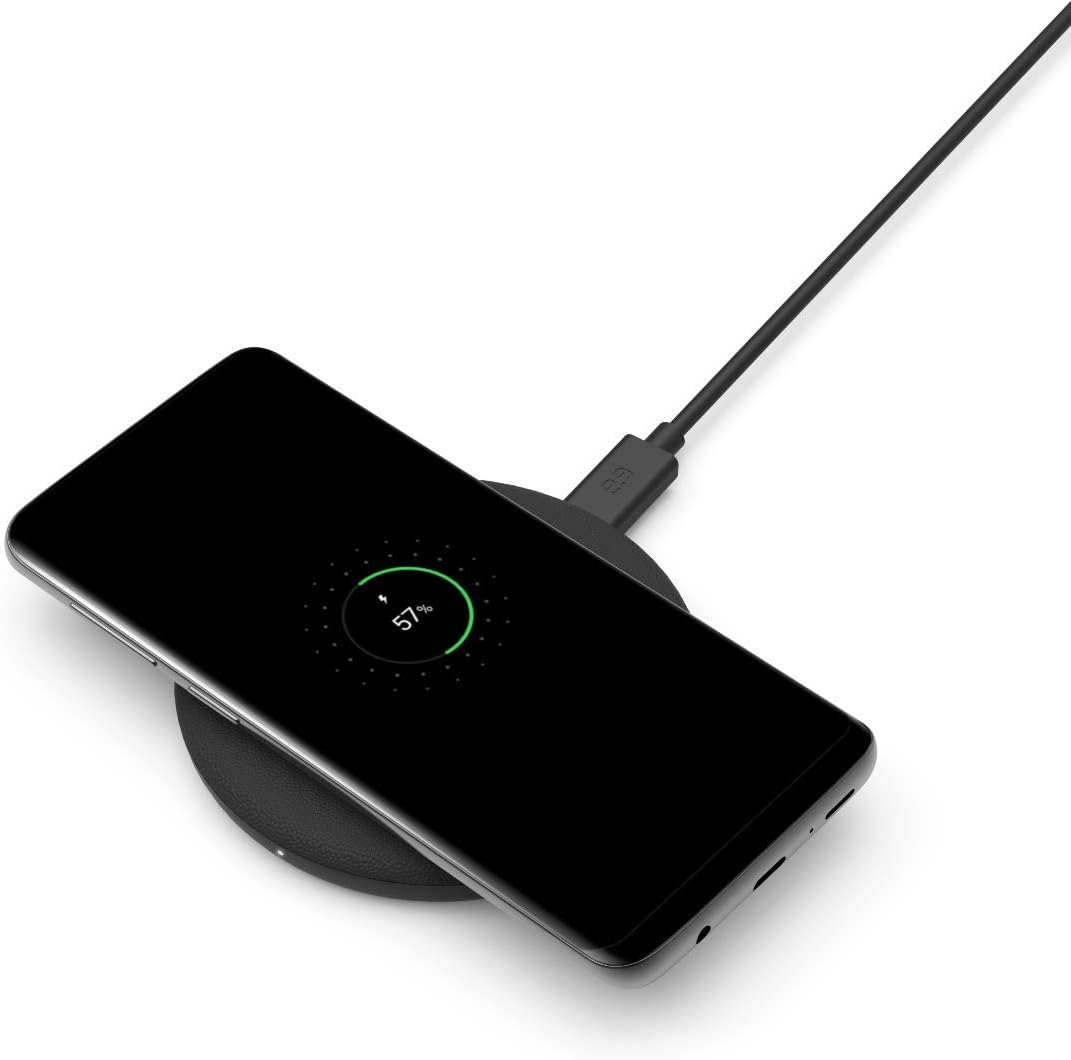
Image: A smartphone placed on the PureGear Wireless Charging Pad, indicating active charging.
Compatibility
This wireless charging pad is compatible with a wide range of Qi-enabled devices, including:
- 10W Fast Charging: Samsung Galaxy S20 FE, S20, S20+, S20 Ultra, Galaxy Note 20, Note 20 Ultra, Note 10+, Note 10, Note 9, Note 8, Galaxy S10+, S10, S10E, Galaxy S9+, S9, Galaxy S8+, S8.
- 7.5W Fast Charging: Apple AirPods, iPhone 12 Mini, 12 Pro, 12 Pro Max, SE, 11, 11 Pro, 11 Pro Max, Xs Max, XR, Xs, X, 8, 8+ with latest iOS.
- Other Qi-compatible devices at standard wireless charging speeds.
Care and Maintenance
To ensure the longevity and optimal performance of your PureGear Wireless Charging Pad, follow these care instructions:
- Cleaning: Disconnect the charging pad from the power source before cleaning. Use a soft, dry, lint-free cloth to wipe the surface. Do not use harsh chemicals, cleaning solvents, or strong detergents.
- Storage: Store the charging pad in a cool, dry place away from direct sunlight and extreme temperatures.
- Handling: Avoid dropping the device or subjecting it to strong impacts. Do not disassemble or attempt to repair the charging pad yourself.
- Environment: Keep the charging pad away from water, moisture, and flammable materials.
Troubleshooting
If you encounter issues with your PureGear Wireless Charging Pad, refer to the following common problems and solutions:
| Problem | Possible Cause | Solution |
|---|---|---|
| Device not charging / Indicator light not blue | Device not properly aligned; incompatible phone case; insufficient power input; foreign object detected. | Reposition the device on the center of the pad. Remove thick or metallic phone cases. Ensure power adapter meets specifications (e.g., Quick Charge 2.0/3.0). Remove any metal objects between the phone and pad. |
| Charging is slow | Power adapter not fast-charging compatible; device not optimally placed; background apps on device. | Use a Quick Charge 2.0/3.0 or Power Delivery wall adapter. Ensure device is centered. Close unnecessary apps on your device. |
| Indicator light flashes orange | Foreign object detection (FOD) or device misalignment. | Remove any metal objects or cards from between the phone and the charging pad. Realign the device on the pad. |
| Pad feels warm during charging | Normal operation; excessive heat due to poor ventilation or misalignment. | A slight warmth is normal. Ensure the pad is on a flat, well-ventilated surface. Realign the device. If excessively hot, disconnect and allow to cool. |
Note: The charging light indicator is green when not in use, turns blue when charging a device, and may flash orange if a foreign object is detected or the device is not properly placed.
Product Specifications
| Model Number | 62950PG |
| Input Voltage | 240 Volts (via compatible adapter) |
| Output Power | 7.5W (Apple devices), 10W (Samsung devices) |
| Connectivity Technology | Wireless (Qi-Certified) |
| Connector Type | USB Type C (for input) |
| Color | Black |
| Item Weight | 4.6 ounces |
| Package Dimensions | 5.51 x 4.25 x 0.98 inches |
| Special Features | Charging Indicator, Fast Wireless Charging |
Warranty and Support
The PureGear 7.5W/10W Qi-Certified Fast Wireless Charging Pad comes with a 1-year limited warranty from the date of purchase. This warranty covers defects in materials and workmanship under normal use.
Additionally, PureGear offers a 30-day money-back guarantee. If you are not satisfied with your purchase within 30 days, you may be eligible for a full refund.
For warranty claims, technical support, or any inquiries, please refer to the contact information provided on the PureGear official website or the packaging of your product. Please have your proof of purchase and product model number (62950PG) ready when contacting support.
For more information, visit the PureGear Store on Amazon.
Related documents62950PG

Ask a question about this manual
Ask about setup, troubleshooting, compatibility, parts, safety, or missing instructions. Manuals+ will review the question and use this page’s manual context to help answer it.