
Introduction
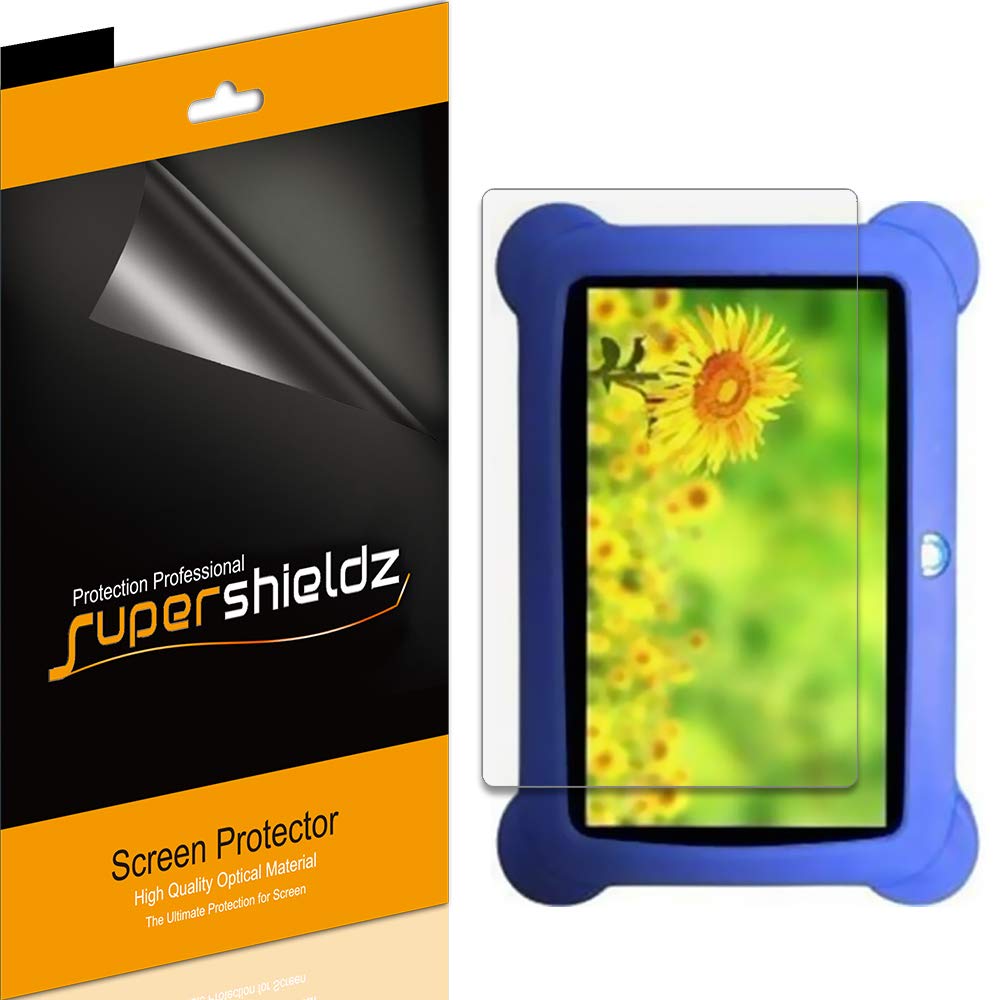
The Supershieldz High Definition Clear Screen Protector is specifically designed to safeguard the screen of your Zeepad Kids 7 inch (DRK-Q) tablet. This protective film is made from high-quality PET material, offering robust scratch resistance while preserving the original touch sensitivity and display clarity of your device.
This manual provides detailed instructions for the proper installation, usage, and maintenance of your screen protector to ensure optimal performance and longevity.
Product Features
- High-Quality Material: Made from Japanese PET film for durability and clarity.
- Easy Installation: Designed for straightforward application with no residue upon removal.
- High Definition Transparency: Ensures maximum resolution and maintains original screen brightness.
- Real Touch Sensitivity: Provides a natural feel and flawless touch screen accuracy.
- Comprehensive Protection: Shields your screen from daily scratches, dust, and scrapes.
- Multi-Pack: Includes 3 screen protectors for extended use or multiple devices.

Package Contents
Please verify that all items are present in your package:
- 3 x Supershieldz Screen Protectors
- 1 x Microfiber Cleaning Cloth
- 1 x Dust Removal Sticker
- 1 x Squeegee Card
Setup: Installation Guide
Follow these steps carefully for a bubble-free installation:
- Prepare Your Workspace: Choose a clean, dust-free environment. Wash your hands thoroughly to avoid transferring oils or dirt to the screen.
- Clean the Device Screen: Use the provided microfiber cleaning cloth to wipe the tablet screen. For stubborn smudges, a screen cleaner (not included) can be used. Ensure the screen is completely dry.
- Remove Dust: Use the dust removal sticker to dab the screen and lift any remaining dust particles. Inspect the screen under good lighting to ensure it is spotless.
- Peel Off Layer 1: Carefully peel back the protective film labeled 'Layer 1' (or similar indicator) from one end of the screen protector. Avoid touching the adhesive side.
- Align the Screen Protector: Align the exposed adhesive edge of the screen protector with one edge of your tablet screen. Use the tablet's speaker, camera, or home button as alignment guides.
- Apply the Screen Protector: Slowly and steadily lower the screen protector onto the tablet screen, allowing the adhesive to make contact. As you apply, use the squeegee card to gently push out air bubbles from the center towards the edges.
- Remove Remaining Bubbles: If small bubbles remain, use the squeegee card to push them towards the nearest edge. For persistent bubbles, you may gently lift a corner of the protector and reapply, pushing the bubble out.
- Remove Layer 2: Once the screen protector is fully adhered and free of bubbles, carefully peel off the top protective film labeled 'Layer 2' (or similar indicator).
- Final Wipe: Give the newly installed screen protector a final wipe with the microfiber cloth to remove any fingerprints.
Operating Instructions
Once properly installed, the Supershieldz screen protector functions passively to protect your device's screen. No specific operational steps are required. The screen protector is designed to maintain the full functionality and touch sensitivity of your Zeepad Kids 7 inch (DRK-Q) tablet.
Maintenance
To keep your screen protector clean and clear:
- Regular Cleaning: Use a soft, lint-free microfiber cloth (like the one provided) to gently wipe the screen protector.
- Stubborn Smudges: For fingerprints or smudges, lightly dampen the microfiber cloth with water or a screen-safe cleaning solution. Avoid harsh chemicals, alcohol, or abrasive materials, as these can damage the film.
- Avoid Sharp Objects: While the protector is scratch-resistant, avoid contact with sharp objects to prevent deep scratches that could affect visibility.
Troubleshooting
Here are solutions to common issues you might encounter:
- Bubbles After Installation:
- Small Bubbles: Many small bubbles will disappear naturally within 24-48 hours.
- Large Bubbles: Use the squeegee card to push them towards the nearest edge. If a bubble is caused by a dust particle, gently lift the nearest corner of the screen protector, use a dust removal sticker to lift the dust, and then reapply.
- Dust Under the Protector: If dust is trapped, carefully lift the nearest corner of the screen protector using a piece of tape or a dust removal sticker. Use another dust removal sticker to gently dab the underside of the protector and the tablet screen to remove the dust. Reapply the protector slowly.
- Misalignment: If the screen protector is significantly misaligned, it is best to carefully remove it, clean the screen again, and attempt reinstallation with a new protector from the pack.
- Reduced Touch Sensitivity: Ensure the screen protector is fully adhered without any air gaps. If the issue persists, ensure your tablet's touch settings are calibrated correctly (refer to your tablet's user manual).
Specifications
| Feature | Detail |
|---|---|
| Brand | Supershieldz |
| Compatible Devices | Zeepad Kids 7 inch (DRK-Q) Tablet |
| Material | Polyethylene Terephthalate (PET) |
| Item Hardness | 3H |
| Product Dimensions | 6.77"L x 4.1"W |
| Special Feature | Scratch Resistant |
| Finish Type | Glossy |
| Unit Count | 3.0 Count |
| Screen Size | 7 Inches |
Warranty and Support
Supershieldz products are designed for quality and durability. For any questions regarding installation, product defects, or warranty claims, please contact Supershieldz customer service directly through their official website or the retailer where the product was purchased. Please retain your proof of purchase for warranty purposes.