
1. Introduction
Thank you for choosing the Breo WOWOS Hand Massager. This device is designed to provide a soothing and effective massage experience for your hands, helping to relieve discomfort from conditions such as finger numbness, palm arthritis, and general hand pain. Featuring compression, heating, and APP control, the WOWOS offers a customizable and luxurious experience. Please read this manual thoroughly before use to ensure proper operation and maintenance.
2. Important Safety Precautions
To ensure safe operation and prevent injury or damage, please observe the following precautions:
- This product is not intended for self-diagnosis or self-treatment of conditions that should be managed by a qualified health care provider.
- Persons undergoing treatment with medication or suffering from medical conditions should consult their physician before using this product. Stop the operation immediately if you feel any discomfort.
- Children should not play with the appliance. Cleaning and maintenance of the device must not be carried out by children without supervision.
- The massager has a heat compression function (fingertip). Users who are insensitive to temperature variations should be careful when using it.
- Do not cover the hand massager while it is in operation. This could lead to an increase in the motor temperature and subsequent malfunction.
- Always use the provided USB cable for charging.
- Do not immerse the device in water or any other liquid.
3. Product Overview
3.1 Components
The Breo WOWOS Hand Massager features a sleek design with high-quality materials for comfort and durability.
- Outer Casing: Constructed with soft PU Leather and Aluminum Alloy for a luxurious and durable appearance.
- Inner Lining: Features a dot-matrix-embossed lining for enhanced comfort.
- Air Bags: Five independent air bags target nails, fingers, middle of palm, left palm, and right palm for precise massage.
- Control Panel: Intuitive buttons for power, mode selection, and intensity adjustment.

Figure 3.1: Front view of the Breo WOWOS Hand Massager, showing the display and control buttons.

Figure 3.2: Side view of the Breo WOWOS Hand Massager, illustrating its dimensions (250mm height, 145mm width, 90mm depth for hand insertion).
3.2 Key Features
The Breo WOWOS Hand Massager is equipped with several features to enhance your massage experience:
- Air Compression Massage: Utilizes five independent air bags for precise and dynamic pressure.
- Heating Function: Provides gentle heat compression, particularly at the fingertips, for added comfort and relief.
- APP Control: Personalize your massage experience using the Breo app, offering 5 default massaging modes and 3 strength levels, with an option for customized settings.
- Pain Relief: Designed to knead your hand gently, providing relief for conditions like carpal tunnel syndrome, arthritis, and joint pain.
- Portability: Compact design suitable for use at home, in the office, or even while resting.

Figure 3.3: The Breo WOWOS Hand Massager highlighting its key features: air pressure massage, adjustable intensity, reflexology massage, fingertip heating, 5 independent air bags, and APP control.
4. Setup
Follow these steps to set up your Breo WOWOS Hand Massager:
- Place the massager on a flat, stable surface.
- Ensure the device is charged. Connect the provided USB cable to the massager and a power source if the battery is low.
- Download the Breo app from your device's app store (iOS/Android) to unlock full customization options.

Figure 4.1: A user preparing to use the Breo WOWOS Hand Massager, demonstrating proper placement on a flat surface.
5. Operating Instructions
Operating your Breo WOWOS Hand Massager is simple:
- Power On: Turn on the massager using the power button located on the control panel.
- Select Mode and Strength: Use the Breo app or the physical buttons on the device to select your desired massaging mode and strength. There are 5 default modes and 3 strength levels available.
- Position Hand: Place your hand into the massager, ensuring your fingers, palm, and wrist are properly positioned over the five independent air bags for optimal contact.
- Enjoy Massage: The massage session typically lasts up to 15 minutes. Relax and enjoy the compression and heating.
- Power Off: The device may automatically shut off after a session, or you can manually turn it off using the power button.
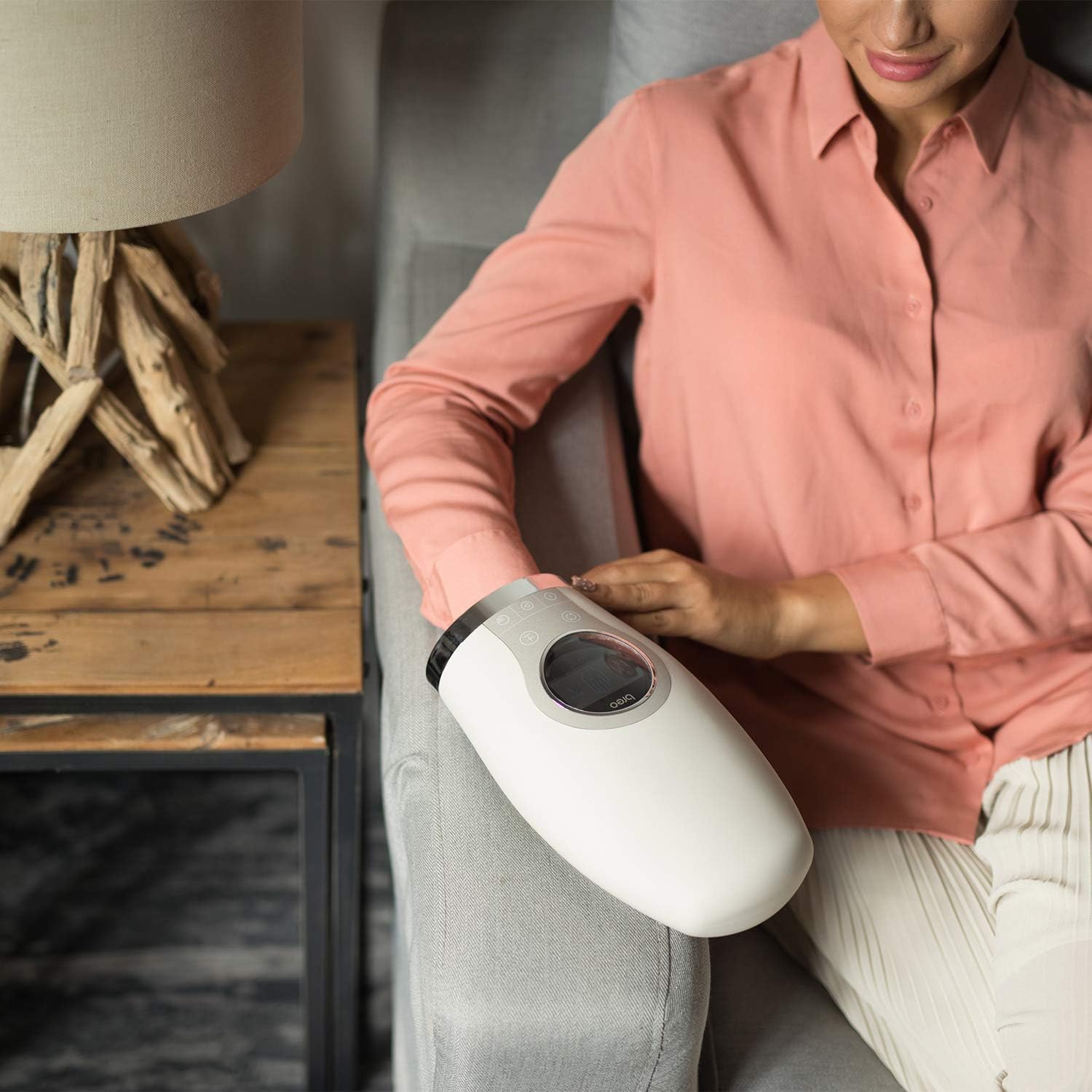
Figure 5.1: A user relaxing comfortably while receiving a hand massage from the Breo WOWOS device.

Figure 5.2: The Breo WOWOS Hand Massager being used on the lower arm, demonstrating its versatility beyond just the hand.
6. Maintenance
Proper care and maintenance will extend the life of your Breo WOWOS Hand Massager:
- Cleaning: After each use, clean the massager with a damp cloth. Do not use abrasive cleaners or immerse the device in water.
- Storage: Store the massager in a cool, dry place away from direct sunlight and extreme temperatures.
- Charging: Charge the massager using the provided USB cable when the battery indicator shows low power. Avoid overcharging.

Figure 6.1: Illustration of hand care steps, including applying hand cream, wearing gloves, and utilizing heat therapy, which the Breo WOWOS can provide.
7. Troubleshooting
If you encounter any issues with your Breo WOWOS Hand Massager, please refer to the following common solutions:
| Problem | Possible Cause | Solution |
|---|---|---|
| Device does not turn on | Low battery; Power button not pressed correctly | Charge the device fully; Press and hold the power button for a few seconds. |
| Weak or no massage pressure | Incorrect mode/strength setting; Hand not positioned correctly | Adjust the strength setting via the app or buttons; Reposition your hand to ensure proper contact with air bags. |
| Heating function not working | Heating function not activated; Device malfunction | Ensure the heating function is enabled in the app or via controls; If issue persists, contact customer support. |
| App connectivity issues | Bluetooth off; App outdated; Device not discoverable | Ensure Bluetooth is enabled on your phone; Update the Breo app; Restart both the massager and your phone. |
If the problem persists after trying these solutions, please contact Breo customer support for further assistance.
8. Specifications
Detailed specifications for the Breo WOWOS Hand Massager:
| Specification | Detail |
|---|---|
| Brand | Breo |
| Model Name | WOWOS (Manufacturer reference: ipalm) |
| Units | 1.00 Count |
| Package Dimensions | 30.1 x 18.9 x 13.11 cm |
| Item Weight | 1.28 kg |
| Use For | Hands |
| Power Source | Battery Powered |
| Material | Aluminium, PU Leather |
| Color | White |
| Special Features | Heat, APP Control, Air Compression |
| Product Benefits | Pain Relief |
| Cordless | No (Implies it needs to be plugged in for operation or charging, but is battery powered for portability) |
| Date First Available | 24 October 2019 |
9. Warranty and Support
Breo is committed to providing high-quality products and customer satisfaction. While specific warranty details are not provided in this manual, please refer to the product packaging or the official Breo website for the most up-to-date warranty information.
For any product inquiries, technical support, or warranty claims, please contact Breo customer service through the official brand store or website. Information regarding returns policy can typically be found where the product was purchased.
Note: No official product videos with 'Seller' as creator type were found in the provided data to be embedded in this manual.


