
1. Introduction
Thank you for choosing Philips Bluetooth Neckband Headphones. This manual provides essential information for the safe and efficient use of your device. Please read it carefully before using the product and retain it for future reference.
These water-resistant wireless headphones feature a slim neckband for convenient use. The Vibration Mode alerts you to incoming calls, and the headphones offer up to 14 hours of playtime.
2. Safety Information
Please observe all warnings and instructions provided to ensure safe operation and prevent damage to the device or injury.
- Hearing Safety: Avoid listening at high volume levels for extended periods to prevent hearing damage.
- Driving Safety: Do not use headphones while driving or cycling, as this may distract you and cause an accident.
- Water Resistance: The headphones are IPX4 rated, meaning they are resistant to splashing water. Do not submerge them in water or expose them to strong jets of water.
- Choking Hazard: Keep the product and its accessories out of reach of children to prevent accidental swallowing.
- Battery Safety: Do not expose the battery to excessive heat, direct sunlight, or fire. Do not disassemble, puncture, or short-circuit the battery.
- Cleaning: Use a soft, dry cloth for cleaning. Do not use abrasive cleaners or solvents.
3. Package Contents
Verify that all items are present in your package:
- Philips Bluetooth Neckband Headphones
- USB Charging Cable
- Ear Caps (3 sizes: Small, Medium, Large)

Image: Philips Bluetooth Neckband Headphones packaging and included product.
4. Product Overview
Familiarize yourself with the components of your Philips Bluetooth Neckband Headphones.

Image: Front view of the Philips Bluetooth Neckband Headphones, showing the neckband and attached earbuds.

Image: Close-up view of the earbuds, highlighting their design and ear tips.
4.1 Ergonomic Design
The headphones feature a slender neckband and lightweight design for comfortable all-day wear. The earbuds are designed for a secure fit.

Image: Diagram illustrating the ergonomic design, secure fit, lightweight nature, and magnetic earbud design for easy storage.
5. Setup
5.1 Charging the Headphones
Before first use, fully charge the headphones. Use the provided USB cable to connect the headphones to a power source (e.g., computer USB port or USB wall adapter).
- A full charge takes approximately 1.5 hours.
- Rapid charge feature: 5 minutes of charging provides approximately 2 hours of talk time.
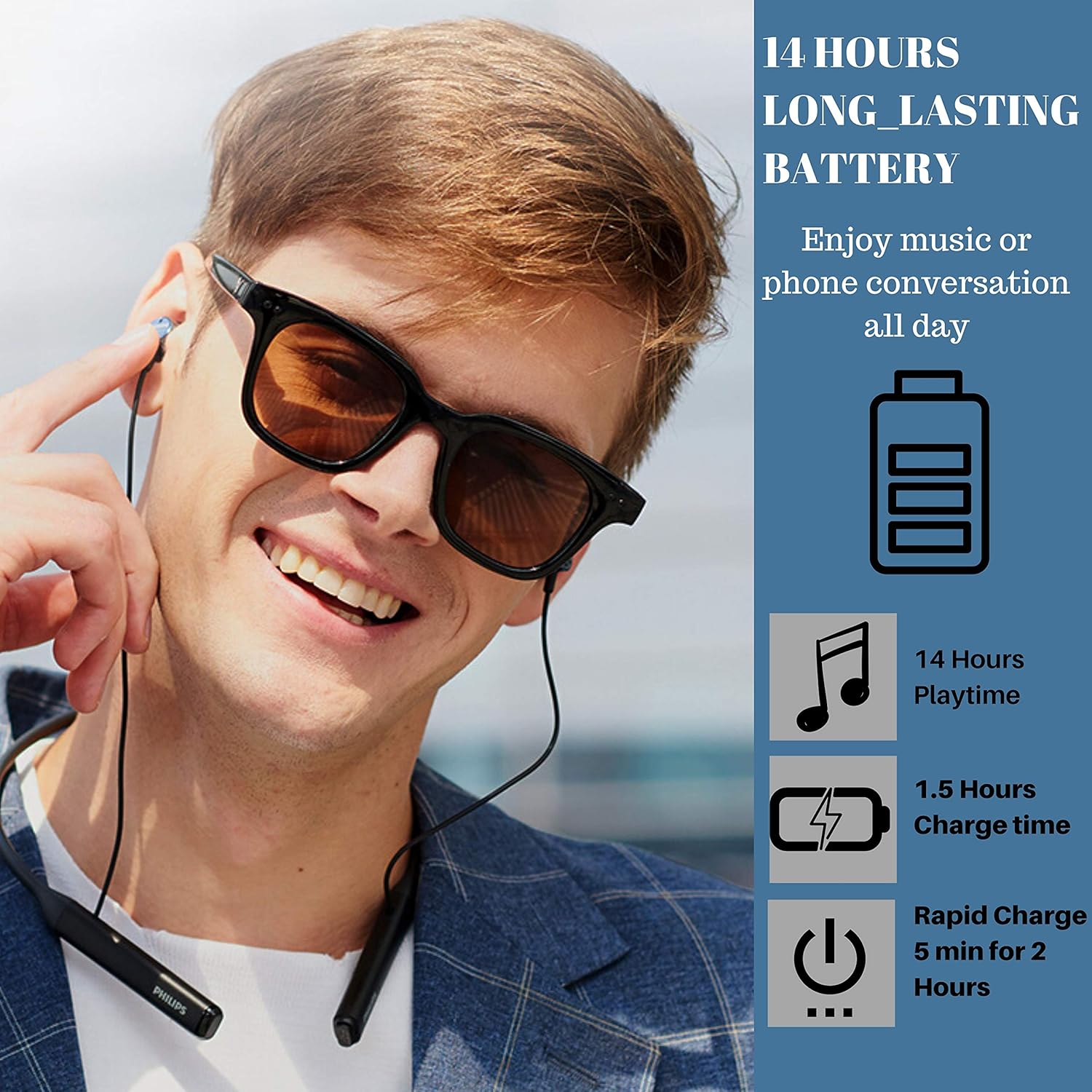
Image: A man wearing the headphones, with graphics indicating 14 hours playtime, 1.5 hours charge time, and 5 minutes rapid charge for 2 hours.
5.2 Pairing with a Bluetooth Device
The headphones are ready to pair the instant you switch on Bluetooth. Once paired, they remember the last device they were paired with.
- Ensure the headphones are charged and powered off.
- Press and hold the power button until the LED indicator flashes blue and red, indicating pairing mode.
- On your Bluetooth-enabled device (smartphone, tablet, etc.), go to the Bluetooth settings and search for available devices.
- Select "Philips TAPN402BK" (or similar name) from the list.
- Once connected, the LED indicator will flash blue slowly.

Image: Diagram illustrating Advanced Bluetooth 5.0 connectivity, showing compatibility with various operating systems and devices.
6. Operating Instructions
6.1 Power On/Off
- Power On: Press and hold the power button until the LED indicator lights up blue.
- Power Off: Press and hold the power button until the LED indicator lights up red and then turns off.
6.2 Call Management
- Vibration Mode: The neckband vibrates when a call comes in, ensuring you won’t miss a call, even if you’re deep into your music or have the earbuds around your neck.
- Answering/Ending Calls: Press the multi-function button once.
- Rejecting Calls: Press and hold the multi-function button for 2 seconds.
- Echo Cancellation: With acoustic echo cancellation, you always get a clear, undisturbed connection during calls.
6.3 Audio Playback
- Play/Pause: Press the multi-function button once.
- Next Track: Press and hold the volume up button.
- Previous Track: Press and hold the volume down button.
- Volume Up/Down: Press the volume up/down buttons.
- Sound Quality: The 12.2mm neodymium drivers are tuned to deliver clear midrange frequencies and deep bass.
6.4 Water Resistance (IPX4)
These headphones boast an IPX4 waterproof rating, which means they’re resistant to sustained moisture, such as splashes or light rain. They are suitable for sports and exercise, but not for swimming or submersion.

Image: A man wearing the headphones, with water splashes in the background, illustrating the IPX4 waterproof feature.
7. Maintenance
7.1 Cleaning
- Wipe the headphones with a soft, damp cloth.
- Do not use cleaning agents containing alcohol, ammonia, benzene, or abrasives, as these may damage the unit.
- Clean the ear caps regularly with a soft, dry cloth.
7.2 Storage
- When not in use, store the headphones in a dry, dust-free environment.
- Avoid storing in extreme temperatures.
8. Troubleshooting
If you encounter issues with your headphones, refer to the following common problems and solutions:
| Problem | Solution |
|---|---|
| Headphones do not power on. | Ensure the headphones are fully charged. Connect to a power source using the USB cable. |
| Cannot pair with Bluetooth device. | Ensure headphones are in pairing mode (flashing blue/red LED). Make sure Bluetooth is enabled on your device and it's within range (10 meters). Forget previous pairings on your device and try again. |
| No sound or low volume. | Check volume levels on both headphones and your connected device. Ensure headphones are properly connected to your device. |
| Call quality is poor. | Ensure you are in an area with good network coverage. Move closer to your connected device. |
9. Specifications
| Feature | Detail |
|---|---|
| Model Number | TAPN402BK |
| Connectivity | Bluetooth 5.0 |
| Bluetooth Range | 10 Meters |
| Audio Driver Size | 12.2 Millimeters |
| Battery Life | Up to 14 Hours Playtime |
| Charging Time | Approx. 1.5 Hours (5 min for 2 hours talk time) |
| Water Resistance | IPX4 (Splash-proof) |
| Weight | 1.13 ounces (0.03 Kilograms) |
| Dimensions (L x W x H) | 0.39 x 6.42 x 7.44 inches |
| Included Components | Headphones, USB Cable, Ear Caps |
| Special Features | Lightweight, Microphone Included, Sports & Exercise, Water Resistant, Vibration Call Alert, Echo Cancellation |
10. Product Video Demonstration
Video: Official product video demonstrating the features and usage of the Philips Bluetooth Neckband Wireless Earphones. This video highlights key aspects such as waterproof protection, smart alerts, and design elements.
11. Warranty and Support
Philips products are designed and manufactured to the highest standards. For detailed warranty information and customer support, please refer to the warranty card included in your package or visit the official Philips support website.
Keep your proof of purchase for warranty claims.


