
SteelSeries 64539
SteelSeries Apex 5 Hybrid Mechanical Gaming Keyboard User Manual
Model: 64539
Product Overview
The SteelSeries Apex 5 combines the high performance and tactile click feel of a mechanical keyboard with the extreme durability and convenience of IP32 water resistance. Built from the ground up for gaming, it also includes a premium magnetic wrist rest, OLED Smart Display, and per-key RGB illumination.
Key Features
- Hybrid mechanical gaming switches – The tactile click of a blue mechanical switch plus a smooth membrane
- OLED smart display – Customize with gifs, game info, discord messages, and more. OS-Windows, Mac OS X, Xbox, and PlayStation. USB port required
- Aircraft-grade aluminum alloy frame – Manufactured for unbreakable durability and sturdiness
- Dynamic per-key RGB illumination – Gorgeous color schemes and reactive effects for every key
- Premium magnetic wrist rest – Provides full palm support and comfort
- 900 x 300 x 4 millimeter; 35.43 inches x 11.81 inches

The SteelSeries Apex 5 keyboard features hybrid mechanical switches, per-key RGB illumination, an aircraft-grade aluminum alloy frame, and an OLED Smart Display. It also includes a premium magnetic wrist rest for enhanced comfort.
Setup Guide
Package Contents
- SteelSeries Apex 5 Hybrid Mechanical Gaming Keyboard
- Premium Magnetic Wrist Rest
- USB Cable (attached)
- Product Information Guide
Connecting Your Keyboard
The SteelSeries Apex 5 connects via USB. Plug the USB cable into an available USB port on your computer or gaming console. The keyboard is plug-and-play and should be recognized automatically by most operating systems.
Software Installation (Optional)
For full customization of RGB illumination, macros, and OLED Smart Display features, download and install the SteelSeries GG software from the official SteelSeries website. The software is compatible with Windows and Mac OS X.
Operating Instructions
Hybrid Mechanical Switches
The Apex 5 features Hybrid Blue switches, offering a tactile and clicky feel similar to traditional mechanical switches, combined with the smooth durability of a membrane. This design provides a satisfying typing experience with enhanced longevity.
OLED Smart Display and Media Controls
The integrated OLED Smart Display allows for on-the-fly adjustments and information display. Use the clickable metal roller and media key to control volume, skip tracks, and access keyboard settings. The display can show game info, Discord messages, and custom GIFs.
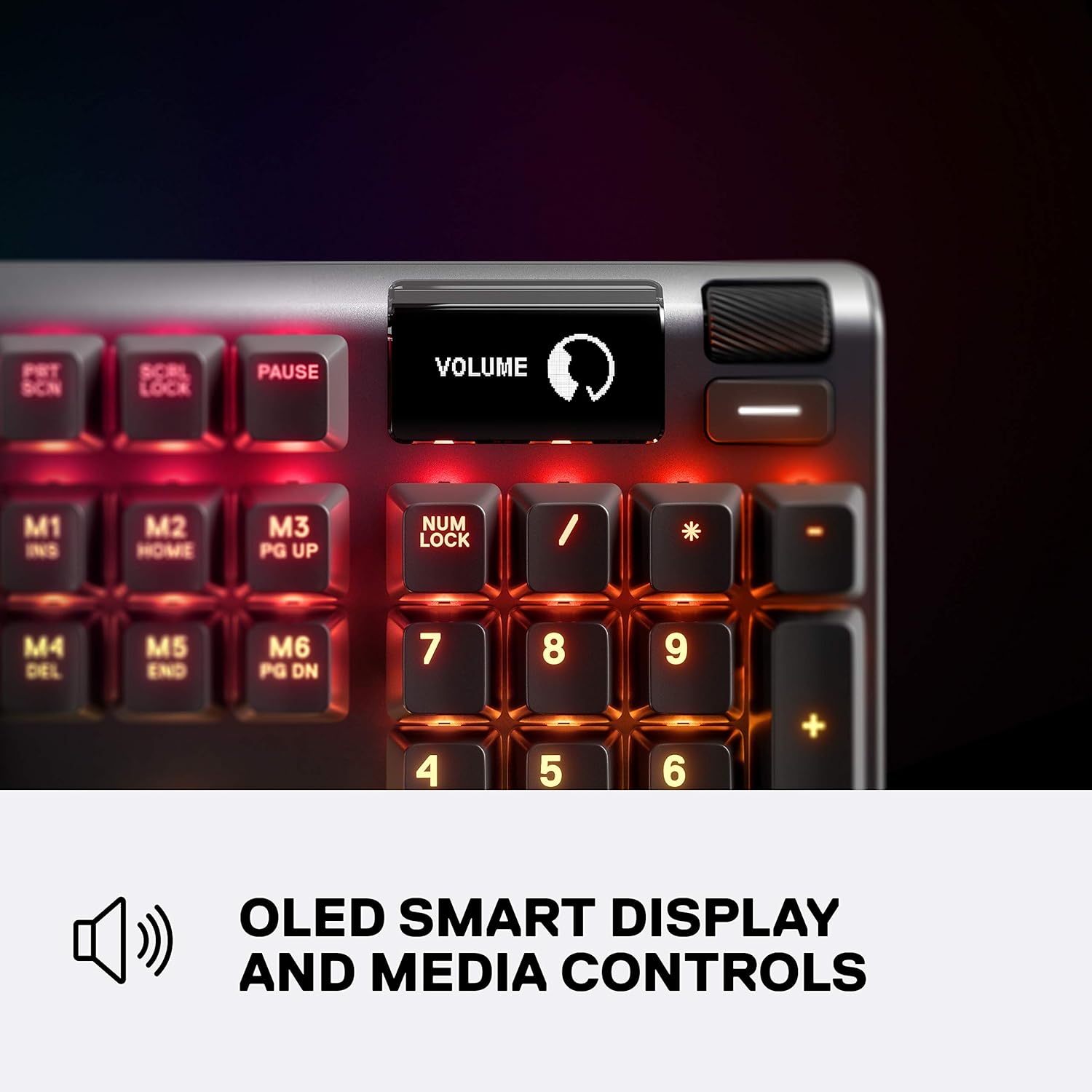
The OLED Smart Display provides real-time information and allows for quick adjustments. The clickable metal roller next to the display controls volume and other media functions.
Per-Key RGB Illumination
Customize the lighting for each individual key using the SteelSeries GG software. Choose from millions of colors and various reactive effects to personalize your keyboard, creating unique visual experiences that react to your gameplay or typing.
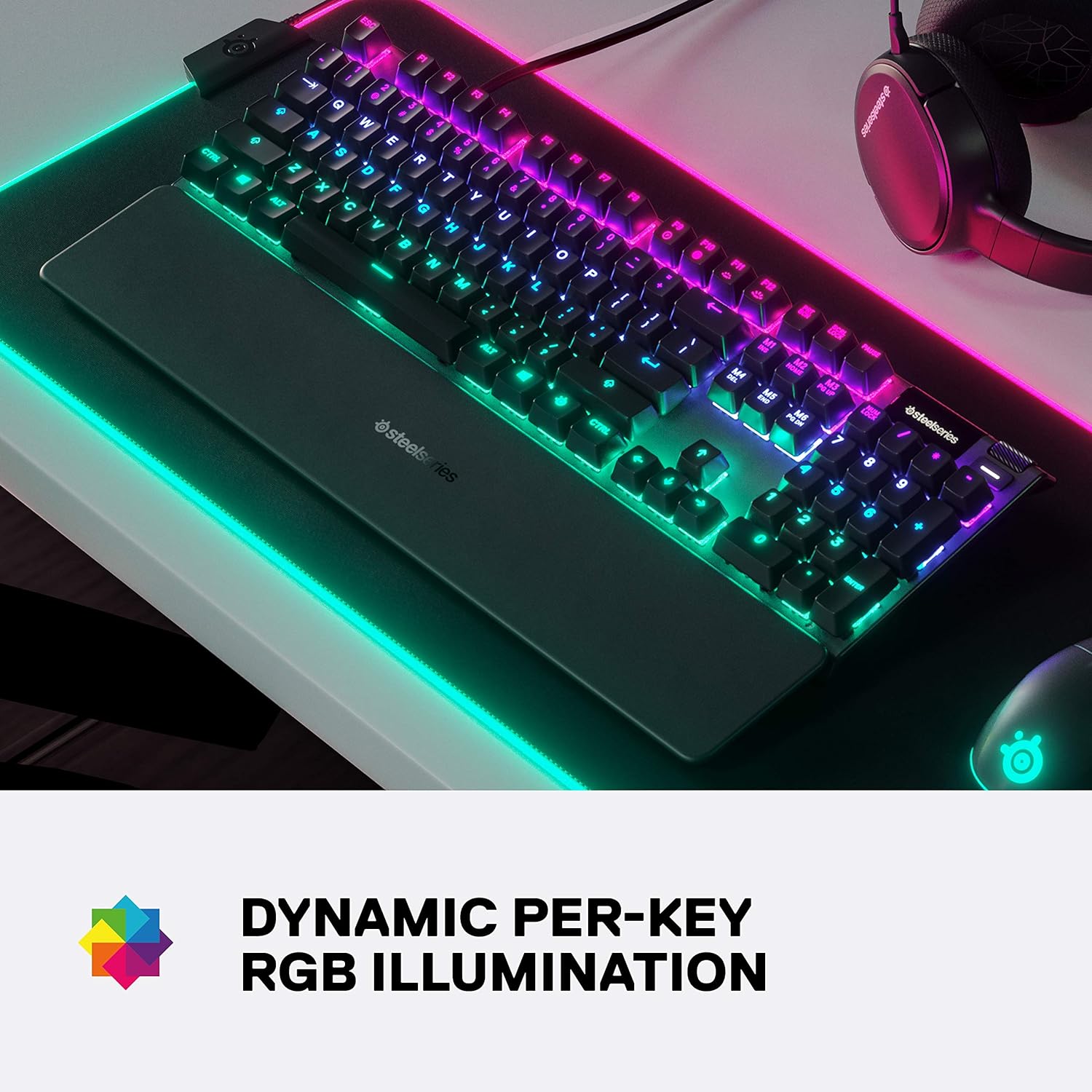
The keyboard features vibrant per-key RGB illumination, allowing users to customize lighting effects and colors for each individual key to create unique visual experiences.
Macro Programming
Utilize the SteelSeries GG software to program custom macros and key rebindings for enhanced gaming and productivity. This allows for complex commands to be executed with a single key press.
Maintenance
Cleaning the Keyboard
To keep your Apex 5 clean, use a soft, lint-free cloth slightly dampened with water or a mild cleaning solution to wipe down the keycaps and frame. Avoid excessive moisture, especially around the switches and OLED display. Do not submerge the keyboard.
Wrist Rest Care
The premium magnetic wrist rest can be wiped clean with a damp cloth. Ensure it is completely dry before reattaching it to the keyboard to prevent moisture buildup.
Troubleshooting
Keyboard Not Responding
- Ensure the USB cable is securely connected to both the keyboard and the computer.
- Try plugging the keyboard into a different USB port.
- Restart your computer.
RGB Lighting Issues
- Verify that the SteelSeries GG software is running and updated.
- Check lighting settings within the software to ensure effects are enabled and brightness is adjusted.
OLED Display Not Working
- Confirm the keyboard is properly connected and receiving power.
- Check SteelSeries GG software settings for OLED display options and ensure no conflicting applications are running.
Specifications
| Feature | Detail |
|---|---|
| Brand | SteelSeries |
| Model Number | 64539 |
| Switch Type | Hybrid Blue Mechanical |
| Illumination | Per-Key RGB |
| Frame Material | Aircraft-Grade Aluminum Alloy |
| Display | OLED Smart Display |
| Connectivity | USB |
| Operating System Compatibility | Windows, Mac OS X, Xbox, PlayStation (USB port required) |
| Item Weight | 2.04 pounds |
| Product Dimensions | 5.51 x 17.52 x 1.59 inches |
| Special Feature | Premium Magnetic Wrist Rest |
Warranty and Support
Warranty Information
For detailed warranty information regarding your SteelSeries Apex 5 keyboard, please refer to the official SteelSeries website or the product information guide included in the box.
User Manual (PDF)
A comprehensive user manual is available for download in PDF format:
Contact Support
For further assistance or technical support, visit the official SteelSeries support page or their store on Amazon:
Related documents64539


Ask a question about this manual
Ask about setup, troubleshooting, compatibility, parts, safety, or missing instructions. Manuals+ will review the question and use this page’s manual context to help answer it.