1. Introduction
Thank you for choosing the Aobosi FS-IRC108 Dual Induction Cooktop. This manual provides essential information for the safe and efficient operation, maintenance, and troubleshooting of your new appliance. Please read these instructions thoroughly before use and retain them for future reference.
2. Safety Information
To prevent injury to yourself and others or damage to the appliance, please observe the following safety precautions:
- Ensure the cooktop is placed on a stable, heat-resistant surface.
- Do not immerse the appliance in water or any other liquid.
- Keep children and pets away from the cooktop during operation.
- Use only induction-compatible cookware. Non-compatible cookware will not heat.
- Do not touch the hot surface immediately after cooking; residual heat may be present.
- Ensure adequate ventilation around the appliance.
- Unplug the cooktop when not in use and before cleaning.
- Do not operate the appliance if the power cord or plug is damaged.
3. Product Overview
The Aobosi FS-IRC108 is a portable dual induction cooktop designed for efficient and convenient cooking. It features a crystal glass surface, sensor touch controls, and two independent cooking zones.
Control Panel Layout

The control panel features intuitive touch buttons for power, temperature, timer, and special functions. Each cooking zone has its own set of controls for independent operation.
- On/Off Button: Powers the unit on or off.
- Function Button: Selects different cooking modes (e.g., Power, Temperature).
- Max/Min Buttons: Quick access to maximum or minimum power/temperature settings.
- Keep Warm Button: Activates the keep warm function (maintains 80°C).
- +/- Buttons: Adjusts power, temperature, or timer settings.
- Lock Button: Locks the control panel to prevent accidental changes.
- Digital Display: Shows current power, temperature, or timer settings.
4. Setup
4.1 Unpacking and Placement
- Carefully remove the cooktop from its packaging.
- Place the cooktop on a flat, stable, and dry surface. Ensure there is sufficient space around the unit for proper ventilation (at least 10 cm from walls or other appliances).
- Avoid placing the cooktop near heat sources, water, or flammable materials.
4.2 Power Connection
- Plug the power cord into a grounded electrical outlet. Ensure the voltage matches the requirements specified on the product label.
- Do not use extension cords or adapters unless absolutely necessary and ensure they are rated for the appliance's power consumption (3500W).
4.3 Cookware Compatibility
The Aobosi FS-IRC108 is compatible with magnetic induction cookware. To check if your cookware is compatible, place a small magnet on the bottom of the pot or pan. If the magnet sticks, the cookware is compatible.

Compatible materials include cast iron, enameled iron, and stainless steel with a magnetic bottom. Non-compatible materials include aluminum, ceramic, copper, and glass cookware. Use pots and pans with a flat bottom and a diameter between 12 cm and 26 cm.
5. Operating Instructions
5.1 Basic Operation
- Place compatible cookware with food on the desired cooking zone.
- Press the On/Off button to power on the cooktop. The digital display will illuminate.
- Select the desired cooking zone by pressing its corresponding Function button.
- Choose between Power (W) or Temperature (°C) mode by pressing the Function button repeatedly.
- Adjust the power or temperature using the + and - buttons. Power levels range up to 2000W per zone (total 3500W), and temperature settings range from 60°C to 240°C.
- To turn off a cooking zone, press its On/Off button. To turn off the entire cooktop, press the main On/Off button.
5.2 Temperature and Power Settings
The cooktop offers 10 temperature levels, allowing precise control for various cooking needs.

Use lower temperatures for simmering and keeping food warm, and higher temperatures for boiling, frying, and searing.
5.3 Timer Function
The integrated digital timer can be set for up to 4 hours (240 minutes). Once the set time expires, the cooktop will automatically shut off.
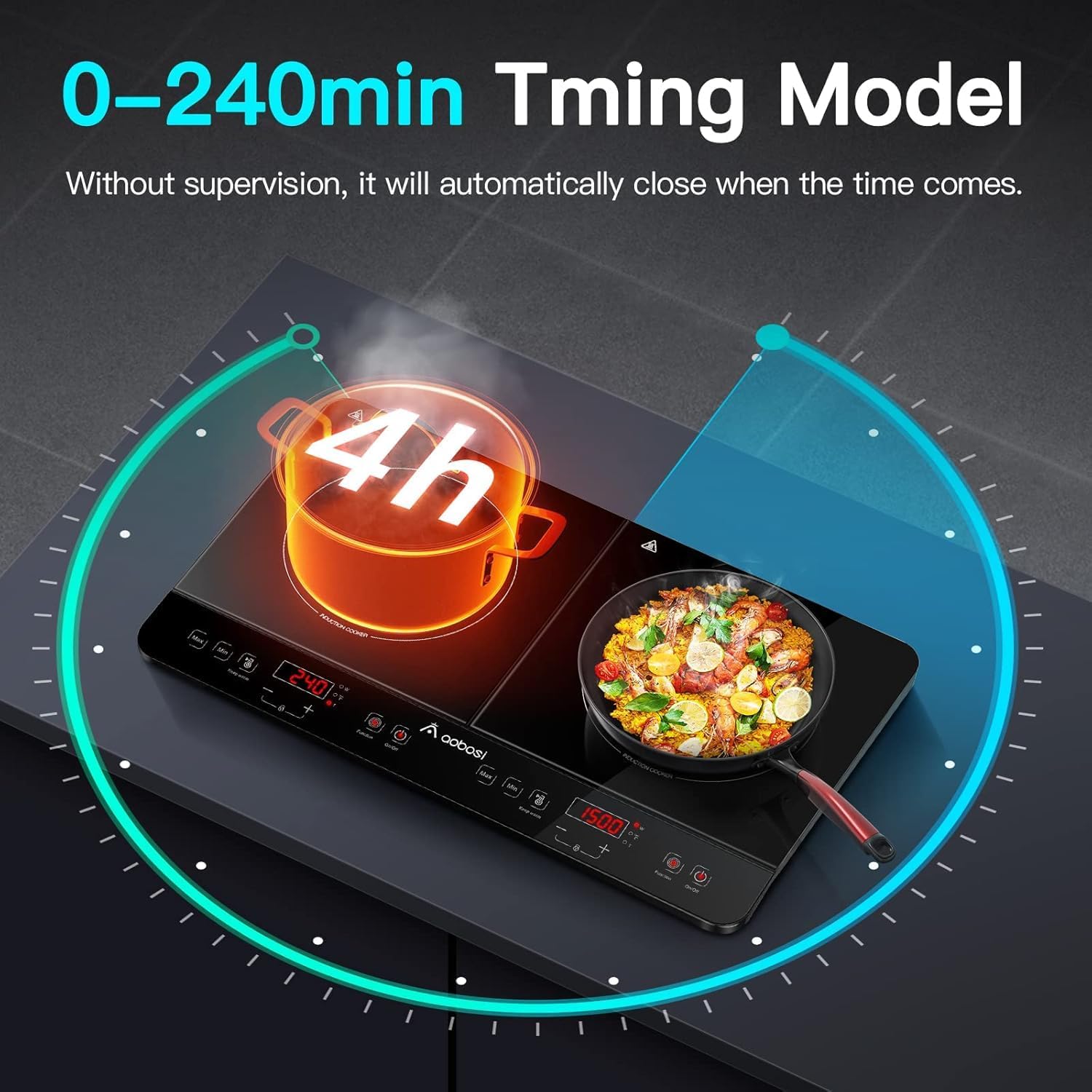
- While a cooking zone is active, press the Timer button.
- Use the + and - buttons to set the desired cooking duration.
- The timer will begin counting down, and the cooktop will switch off automatically when it reaches zero.
5.4 Keep Warm Function
Activate the Keep Warm function to maintain food at approximately 80°C, ideal for serving or holding food until ready to eat.
5.5 Child Lock Function
To prevent accidental operation, especially by children, press and hold the Lock button (often indicated by a padlock icon) for a few seconds to activate or deactivate the child lock.
6. Maintenance
6.1 Cleaning
Regular cleaning ensures optimal performance and extends the lifespan of your cooktop.

- Always unplug the cooktop and allow it to cool completely before cleaning.
- Wipe the crystal glass surface with a soft, damp cloth and a mild detergent. For stubborn stains, use a non-abrasive cleaner specifically designed for glass cooktops.
- Do not use abrasive pads, harsh chemicals, or steam cleaners, as these can damage the surface.
- Dry the surface thoroughly with a clean, soft cloth to prevent water spots.
- Clean the ventilation openings regularly to prevent dust buildup.
6.2 Storage
When not in use for extended periods, store the cooktop in a dry, cool place, away from direct sunlight and moisture. Ensure it is clean and completely dry before storage.
7. Troubleshooting
If you encounter issues with your cooktop, refer to the following common problems and solutions:
| Problem | Possible Cause | Solution |
|---|---|---|
| Cooktop does not turn on. | Not plugged in; power outage; faulty outlet. | Check power connection; verify power supply; try a different outlet. |
| Cookware not heating. | Non-compatible cookware; cookware too small/large; no cookware present. | Use induction-compatible cookware; ensure cookware is within 12-26 cm diameter. |
| Display shows an error code. | Specific internal error. | Refer to the specific error code in a more detailed troubleshooting guide (if available) or contact customer support. Try resetting the unit by unplugging and replugging. |
| Unusual noise during operation. | Normal fan operation; resonance from cookware. | A low humming sound from the cooling fan is normal. Some cookware may produce a slight buzzing sound due to vibration; this is not a defect. |
If the problem persists after attempting these solutions, please contact customer support.
8. Specifications
| Feature | Detail |
|---|---|
| Brand | AAOBOSI |
| Model Number | FS-IRC108 |
| Color | Black (2 Fourneaux - Dual Hobs) |
| Product Dimensions (L x W x H) | 58 x 35 x 6.3 cm |
| Power | 3500 Watts |
| Material | Crystal Glass |
| Special Features | Induction cooking, Sensor control, 4-hour timer, Keep Warm function |
| Item Weight | 5.31 Kilograms |
| Heating Elements | 2 |
| Power Source | Electric (Induction) |
| Included Components | Electric cable, two hot plates |

Note: Dimensions are approximate and subject to minor variations.
9. Warranty and Support
9.1 Warranty Information
The Aobosi FS-IRC108 Dual Induction Cooktop is covered by a 24-month warranty from the date of purchase against manufacturing defects. This warranty does not cover damage caused by misuse, accident, unauthorized modification, or normal wear and tear.
9.2 Customer Support
For any questions, technical assistance, or warranty claims, please contact Aobosi customer service. Please have your model number (FS-IRC108) and proof of purchase ready when contacting support.
Contact details can typically be found on the product packaging, the official Aobosi website, or through your retailer.


