
SAMSON CL8A
SAMSON CL8a Multi-Pattern Condenser Microphone Instruction Manual
Model: CL8A | Brand: SAMSON
Introduction
The Samson CL8A is a large-diaphragm, multi-pattern condenser microphone designed to deliver balanced, detailed sound. It is suitable for various recording applications, including expressive solo vocals, acoustic instruments like guitar or flute, and upright bass. The microphone features three selectable pickup patterns: cardioid, omnidirectional, and bidirectional (figure 8), expanding its versatility for different miking techniques. Its dual 1.1" gold-sputtered 4-micron thick diaphragm ensures a lush, balanced sound. Additional features include a selectable two-pole high-pass filter at 100 Hz to reduce low-frequency noise and a switchable 10 dB pad for handling high sound pressure levels up to 147dB, making it suitable for recording loud sources like guitar cabinets, drums, and bass.
What's in the Box
Upon unboxing your SAMSON CL8a, you should find the following components:
- SAMSON CL8a Multi-Pattern Condenser Microphone
- Microphone Mount/Clip
- Carrying Pouch
- Owner's Manual
- Warranty Information
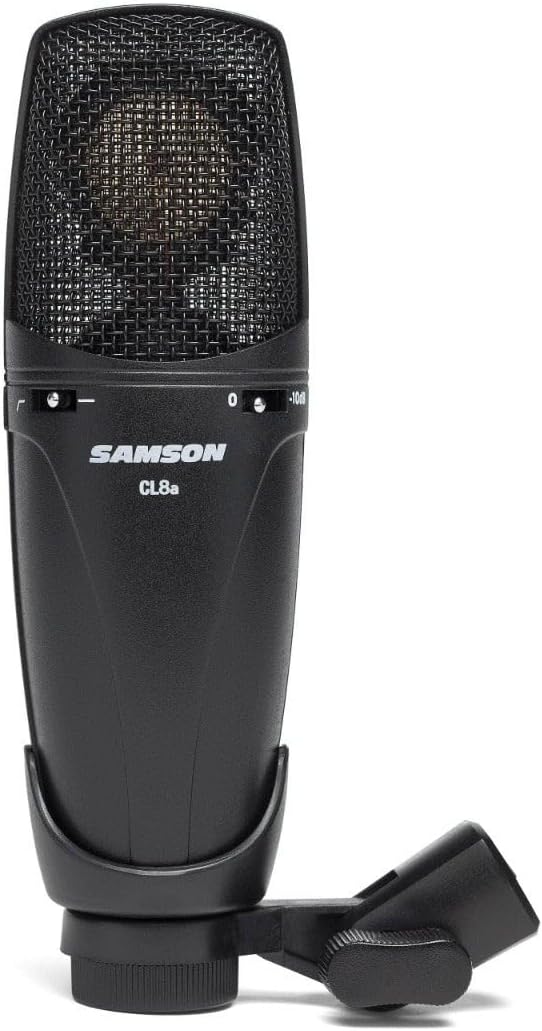
Figure 1: The SAMSON CL8a microphone with its included mount.
Setup
Follow these steps to set up your SAMSON CL8a microphone:
- Attach the Microphone Mount: Securely attach the provided microphone mount to the base of the CL8a microphone. Ensure it is tightened to prevent movement.
- Mount to Stand: Connect the microphone (with its attached mount) to a microphone stand or boom arm. The mount includes a thread reducer for compatibility with various stand types.
- Connect XLR Cable: Plug a standard XLR cable into the XLR connector at the base of the microphone. Connect the other end of the XLR cable to an audio interface, mixer, or preamplifier that provides phantom power. The CL8a requires +48V phantom power to operate.
- Position the Microphone: Place the microphone in the desired position relative to the sound source. Consider the chosen polar pattern for optimal sound capture.

Figure 2: The SAMSON CL8a mounted on a microphone stand, ready for use.
Video 1: An unboxing and initial setup guide for the Samson CL8a Multi-Pattern Condenser Microphone. This video demonstrates the physical components and how to connect them.
Operating
The SAMSON CL8a offers several features to optimize your recording experience:
- Polar Pattern Selection: The microphone features a switch on the rear to select between three polar patterns:
- Cardioid: Picks up sound primarily from the front, rejecting sound from the sides and rear. Ideal for solo vocals and instruments.
- Omnidirectional: Picks up sound equally from all directions. Suitable for capturing room ambiance or multiple sound sources.
- Bidirectional (Figure 8): Picks up sound from the front and rear, rejecting sound from the sides. Useful for recording two vocalists facing each other or for specific stereo miking techniques.
- 10 dB Pad Switch: Located on the front of the microphone, this switch attenuates the input signal by 10 dB. Use this when recording very loud sound sources to prevent distortion and clipping.
- High-Pass Filter (100 Hz): Also on the front, this two-pole switch activates a high-pass filter at 100 Hz. This helps to reduce unwanted low-frequency noise such as stage rumble, air conditioning hum, or proximity effect.

Figure 3: Front view of the SAMSON CL8a, showing the 10 dB pad and high-pass filter switches.
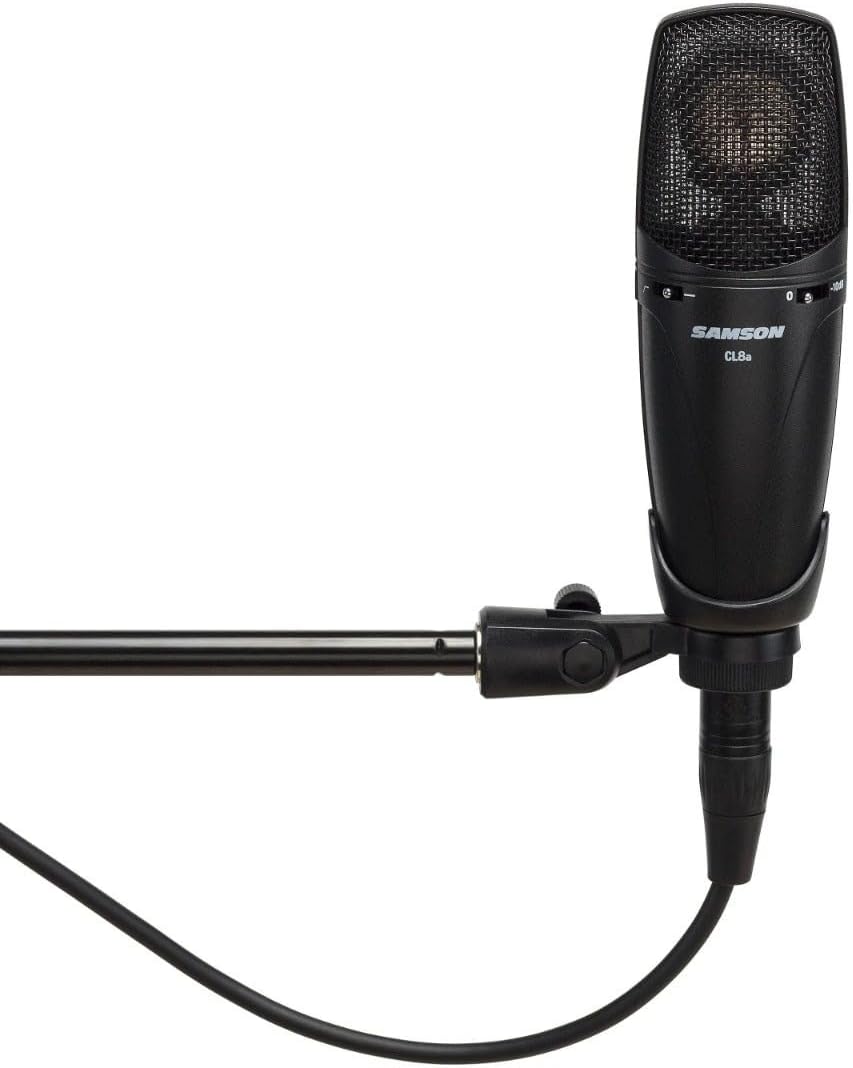
Figure 4: Rear view of the SAMSON CL8a, highlighting the polar pattern selection switch.
Maintenance
To ensure the longevity and optimal performance of your SAMSON CL8a microphone, follow these maintenance guidelines:
- Storage: When not in use, store the microphone in its provided carrying pouch to protect it from dust, moisture, and physical damage.
- Cleaning: Use a soft, dry cloth to clean the microphone body. Avoid using abrasive cleaners or solvents, as these can damage the finish and internal components.
- Handling: Handle the microphone with care. Avoid dropping it or subjecting it to strong impacts, which can affect its delicate internal components.
- Environmental Conditions: Avoid exposing the microphone to extreme temperatures, high humidity, or direct sunlight for extended periods.
Troubleshooting
If you encounter issues with your SAMSON CL8a, refer to the following troubleshooting tips:
- No Sound Output:
- Ensure phantom power (+48V) is enabled on your audio interface or mixer. The CL8a requires phantom power to operate.
- Check all XLR cable connections to ensure they are secure and properly seated.
- Verify that the input gain on your audio interface/mixer is set appropriately.
- Test with a different XLR cable to rule out cable malfunction.
- Distorted or Clipped Sound:
- Engage the 10 dB pad switch on the microphone if recording very loud sound sources.
- Reduce the input gain on your audio interface or mixer.
- Ensure the microphone is not too close to the sound source, especially for loud instruments or vocals.
- Excessive Low-Frequency Noise:
- Activate the high-pass filter (100 Hz) switch on the microphone to reduce unwanted low-end rumble.
- Adjust microphone placement to minimize proximity effect or environmental low-frequency interference.
Specifications
| Feature | Specification |
|---|---|
| Microphone Form Factor | Large Diaphragm |
| Polar Pattern | Cardioid, Omnidirectional, Bidirectional |
| Frequency Response | 20 Hz to 20 kHz |
| Signal-to-Noise Ratio | 147 dB |
| Connectivity Technology | XLR |
| Switchable High-Pass Filter | 12 dB per octave at 100 Hz |
| Switchable Pad | 10 dB |
| Item Weight | 1.52 pounds (0.69 Kilograms) |
| Product Dimensions | 10 x 4 x 3 inches |
| Model Number | CL8A |
| Brand | SAMSON |
Warranty and Support
For detailed warranty information and support, please refer to the documentation included with your product or visit the official SAMSON website. Warranty terms and conditions may vary by region and retailer.
Related documentsCL8A


Ask a question about this manual
Ask about setup, troubleshooting, compatibility, parts, safety, or missing instructions. Manuals+ will review the question and use this page’s manual context to help answer it.