
1. Introduction
The EMOS EV023 Stainless Steel Digital Kitchen Scale is a professional tool designed for accurate weighing of various ingredients, including food, dry goods, and liquids. It provides high precision measurements up to 1 gram and supports a maximum load capacity of 15 kg. This scale features an illuminated LCD display for clear readability, a convenient tare function, and an automatic shut-off feature to conserve battery life. Its slim design and stainless steel construction make it a durable and practical addition to any kitchen.
2. Safety Information
- Always place the scale on a firm, flat, and stable surface to ensure accurate measurements.
- Do not immerse the scale in water or other liquids. Clean with a damp cloth only.
- Avoid exposing the scale to extreme temperatures, direct sunlight, or high humidity.
- Do not overload the scale beyond its maximum capacity of 15 kg, as this may cause damage.
- Keep the scale out of reach of children.
- If the scale is not used for an extended period, remove the batteries to prevent leakage.
3. Package Contents
Please check that all items are present and in good condition:
- 1 x EMOS EV023 Stainless Steel Digital Kitchen Scale
4. Product Features
- Professional scale for weighing food, dry ingredients, and liquids in grams (g), ounces (oz), pounds (lb), and kilograms (kg).
- High precision up to 1 gram.
- Maximum load capacity of 15 kg.
- Overload display indicator.
- LCD screen with backlight for easy reading.
- Tare function for zeroing out container weight.
- Automatic shut-off function after 35 seconds of inactivity.
- Power supply: 2 x 1.5 V AAA batteries (not included).
- Extra thin design with a large weighing surface.
- Constructed from rust-proof stainless steel.
- Features an extendable hanging hook for convenient storage.
- Includes a kitchen timer/timer function.
5. Setup
5.1 Battery Installation
The scale requires 2 x 1.5 V AAA batteries (not included). Locate the battery compartment on the underside of the scale. Open the compartment cover, insert the batteries according to the polarity indicators (+/-), and close the cover securely.
5.2 Placement
Place the scale on a hard, flat, and stable surface. Uneven surfaces can affect accuracy. Ensure there are no obstructions beneath the scale's feet.

Figure 1: Front view of the EMOS EV023 Digital Kitchen Scale. This image shows the stainless steel weighing platform, the illuminated LCD display, and the 'SET/UNIT' and 'ON/ZERO' buttons.
6. Operating Instructions
6.1 Power On/Off
Press the ON/ZERO button to turn the scale on. The display will show '8888' and then '0 g' (or the last used unit). To turn off the scale, press and hold the ON/ZERO button for a few seconds, or wait for the automatic shut-off after 35 seconds of inactivity.
6.2 Unit Conversion
With the scale powered on, press the SET/UNIT button to cycle through the available weighing units: grams (g), ounces (oz), pounds (lb), and kilograms (kg).
6.3 Tare Function
The tare function allows you to weigh items in a container by subtracting the container's weight. Place an empty container on the scale. Once the weight stabilizes, press the ON/ZERO button. The display will reset to '0'. You can now add ingredients to the container, and only the weight of the ingredients will be displayed.
6.4 Weighing Procedure
- Turn on the scale by pressing ON/ZERO.
- Select your desired unit using the SET/UNIT button.
- If using a container, perform the tare function as described above.
- Place the item(s) to be weighed onto the center of the weighing platform.
- Read the stable weight displayed on the LCD screen.
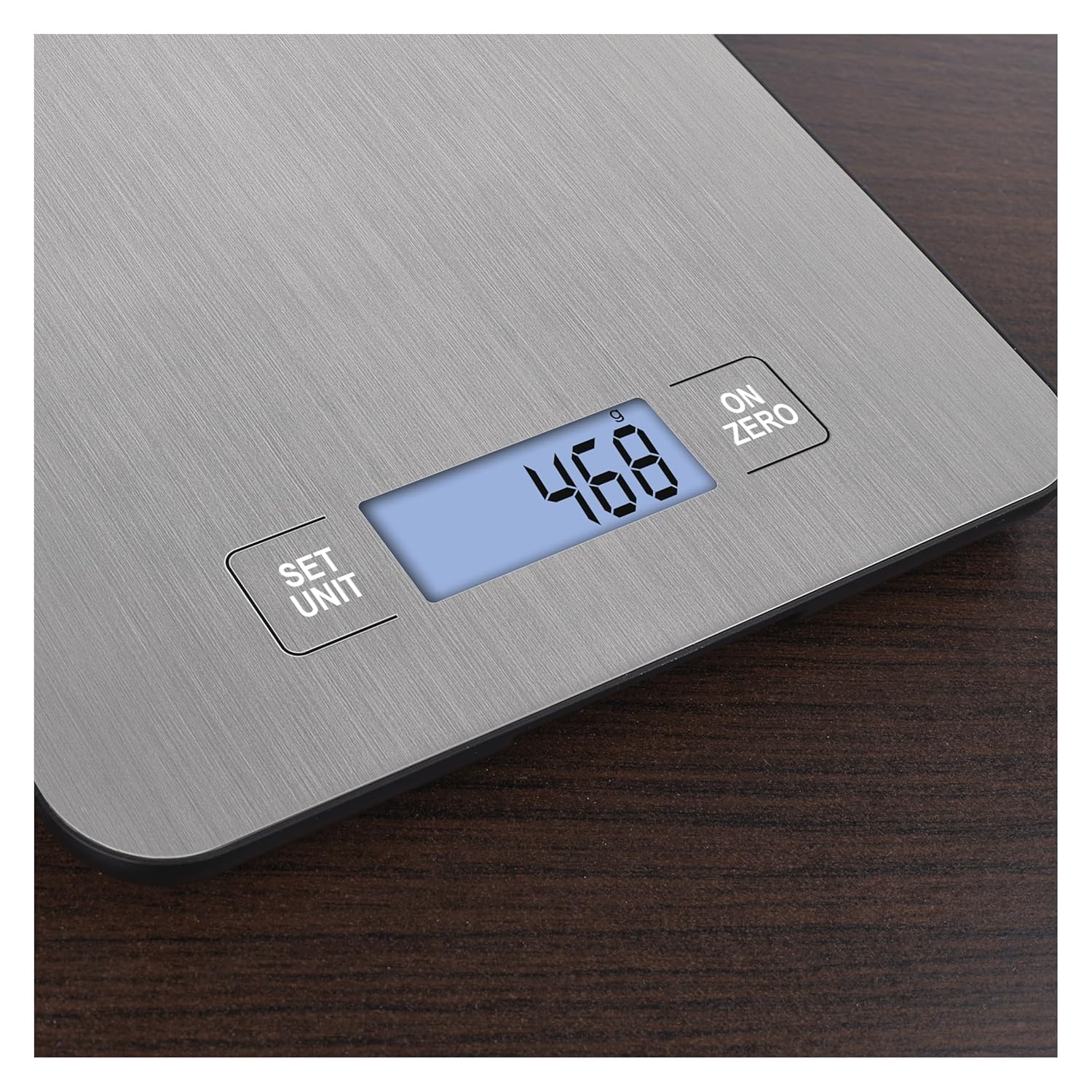
Figure 2: Close-up view of the illuminated LCD display showing a weight of '468' and the 'SET/UNIT' and 'ON/ZERO' buttons.
6.5 Timer Function
The scale includes a kitchen timer function. Refer to the specific instructions provided with the scale for setting and using the timer, as its operation may vary depending on the firmware version.

Figure 3: Overview of the EMOS EV023 Digital Kitchen Scale highlighting key features: Stainless Steel surface, Wall Mount hook, Various Weight Units selection, Display with Backlight, and Automatic Shut-off.
7. Maintenance
7.1 Cleaning
Wipe the scale's stainless steel surface and display with a soft, damp cloth. Do not use abrasive cleaners, harsh chemicals, or immerse the scale in water. Ensure the scale is completely dry before storage or next use.
7.2 Battery Replacement
When the battery low indicator appears on the display, replace both AAA batteries. Follow the battery installation steps in Section 5.1.
7.3 Storage
Store the scale in a cool, dry place. The integrated hanging hook allows for convenient wall storage, saving counter space.
8. Troubleshooting
- Display shows 'Lo' or no display: Batteries are low or incorrectly installed. Replace batteries or check polarity.
- Display shows 'EEEE' or 'O-Ld': The scale is overloaded. Remove items immediately to prevent damage. The maximum capacity is 15 kg.
- Inaccurate readings: Ensure the scale is on a flat, stable surface. Avoid vibrations or drafts. Recalibrate by turning the scale off and on, then re-tare if using a container. Ensure no objects are touching the scale during weighing.
- Scale does not turn on: Check battery installation and ensure batteries are fresh.
9. Specifications
| Brand | EMOS |
| Model Number | EV023 |
| Material | Stainless Steel |
| Color | Silver |
| Weight Limit | 15 Kilograms |
| Readout Accuracy | 1 Gram |
| Display Type | LCD (Illuminated) |
| Power Supply | 2 x 1.5 V AAA Batteries (not included) |
| Product Dimensions | 8.5 x 6.93 x 0.59 inches (216 x 176 x 15 mm) |
| Item Weight | 0.44 Kilograms (15.5 ounces) |

Figure 4: Diagram showing the dimensions of the EMOS EV023 Digital Kitchen Scale: 216 mm length, 176 mm width, and 15 mm thickness.
10. Warranty and Support
For warranty information, please refer to the documentation provided at the time of purchase or contact your retailer. For technical support or inquiries, please reach out to the EMOS customer service department or the authorized distributor from whom you purchased the product.

