
Tronsmart T6Miniblack
TRONSMART Element T6 MINI Portable Speaker User Manual
Model: T6Miniblack
1. Product Overview
The TRONSMART Element T6 MINI is a compact and powerful portable Bluetooth speaker designed for on-the-go audio. It features 360-degree sound, deep bass, and a robust IPX6 waterproof rating, making it suitable for various environments. With Bluetooth 5.0 connectivity, a built-in microphone for hands-free calls, and support for True Wireless Stereo (TWS) pairing, it delivers a versatile audio experience.

A front view of the TRONSMART Element T6 MINI portable speaker in black, showcasing its cylindrical design and fabric mesh exterior.
Key Features:
- 360-degree Surround Sound
- Enhanced Deep Bass
- IPX6 Waterproof Rating
- Up to 24 Hours Playtime
- True Wireless Stereo (TWS) Pairing
- Ultra-Portable Design
- Bluetooth 5.0 Connectivity
- Voice Assistant Support
- USB-C Charging
- Removable Lanyard

A graphic displaying key features of the TRONSMART Element T6 MINI speaker through icons: 360-degree sound, detailed bass, IPX6 waterproof rating, 24-hour playtime, True Wireless Stereo, ultra-portable size, Bluetooth 5.0, Voice Assistant support, USB-C charging, and a removable strap.
2. Package Contents
Please check the package contents carefully upon unboxing:
- 1 x TRONSMART Element T6 MINI Portable Speaker
- 1 x USB-C Charging Cable
- 1 x 3.5mm Audio Cable
- 1 x User Manual
- 1 x Warranty Card
3. Product Layout and Controls
Familiarize yourself with the speaker's layout and control buttons for optimal use.

An illustration detailing the dimensions of the TRONSMART Element T6 MINI speaker (92mm diameter, 120mm height) and a diagram of its top panel controls (Power, Volume -, Volume +, Play/Pause) and rear ports (TF/Micro SD card slot, USB-C charge).
Control Buttons:
- Power On/Off / TWS Pairing Button: Press and hold to power on or off. Double press to initiate TWS pairing.
- Volume - / Previous Track Button: Short press to decrease volume. Long press to go to the previous track.
- Play/Pause / Hands-Free Phone Call / Voice Assistant Button: Short press to play or pause music. Short press to answer/end a call. Long press to activate voice assistant.
- Volume + / Next Track Button: Short press to increase volume. Long press to go to the next track.
Ports:
- TF/Micro SD Card Slot: Insert a Micro SD card for direct music playback.
- USB-C Charge Port: Connect the USB-C cable for charging the speaker.
- AUX-in Port: Connect external audio devices via a 3.5mm audio cable.
4. Setup
4.1. Charging the Speaker
Before first use, fully charge the speaker. Connect the provided USB-C charging cable to the speaker's USB-C port and the other end to a USB power adapter (not included) or a computer's USB port. The charging indicator light will show the charging status.

A close-up view of the TRONSMART Element T6 MINI speaker's USB-C charging port, highlighting its modern and convenient charging interface.
4.2. Powering On/Off
- To Power On: Press and hold the Power button for 2-3 seconds until you hear an audible prompt.
- To Power Off: Press and hold the Power button for 2-3 seconds until you hear an audible prompt.
4.3. Bluetooth Pairing
- Ensure the speaker is powered on and in Bluetooth pairing mode (the LED indicator will flash blue).
- On your device (smartphone, tablet, etc.), enable Bluetooth and search for available devices.
- Select "TRONSMART Element T6 MINI" from the list of devices.
- Once connected, the LED indicator will turn solid blue, and you will hear a confirmation sound.
4.4. True Wireless Stereo (TWS) Pairing
TWS allows you to pair two TRONSMART Element T6 MINI speakers together for a true stereo sound experience.

Two TRONSMART Element T6 MINI speakers are depicted, one standing on a table and another hanging, with a smartphone nearby, illustrating the True Wireless Stereo (TWS) pairing capability for enhanced sound.
- Ensure both T6 MINI speakers are powered on and not connected to any other Bluetooth device.
- On one speaker (this will be the primary speaker), double press the Power button. It will enter TWS pairing mode.
- The two speakers will automatically connect to each other. Once connected, the primary speaker's LED will flash blue, and the secondary speaker's LED will be solid blue.
- Now, connect your device to the primary speaker via Bluetooth as described in section 4.3.
5. Operating Instructions
5.1. Playing Audio
- Play/Pause: Short press the Play/Pause button.
- Volume Up: Short press the Volume + button.
- Volume Down: Short press the Volume - button.
- Next Track: Long press the Volume + button.
- Previous Track: Long press the Volume - button.
- Micro SD Card Playback: Insert a Micro SD card into the TF/Micro SD card slot. The speaker will automatically switch to Micro SD card mode and begin playing music.
- AUX-in Playback: Connect an audio device to the AUX-in port using a 3.5mm audio cable. The speaker will automatically switch to AUX-in mode.
5.2. Hands-Free Calling
When connected to your smartphone via Bluetooth, you can use the speaker for hands-free calls.
- Answer/End Call: Short press the Play/Pause button.
- Reject Call: Long press the Play/Pause button.
5.3. Voice Assistant
Activate your device's voice assistant (Siri, Google Assistant, etc.) through the speaker.
- Activate Voice Assistant: Long press the Play/Pause button.
6. Maintenance and Care
To ensure the longevity and optimal performance of your TRONSMART Element T6 MINI speaker, please follow these care instructions:
- Keep the speaker away from extreme temperatures, direct sunlight, and dusty environments.
- Clean the speaker with a soft, dry cloth. Do not use abrasive cleaners or solvents.
- Ensure all ports are dry before charging.
- The speaker has an IPX6 waterproof rating, meaning it is protected against high-pressure water jets from any direction. It is suitable for use in rainy conditions or near splashes, but it should not be submerged in water.
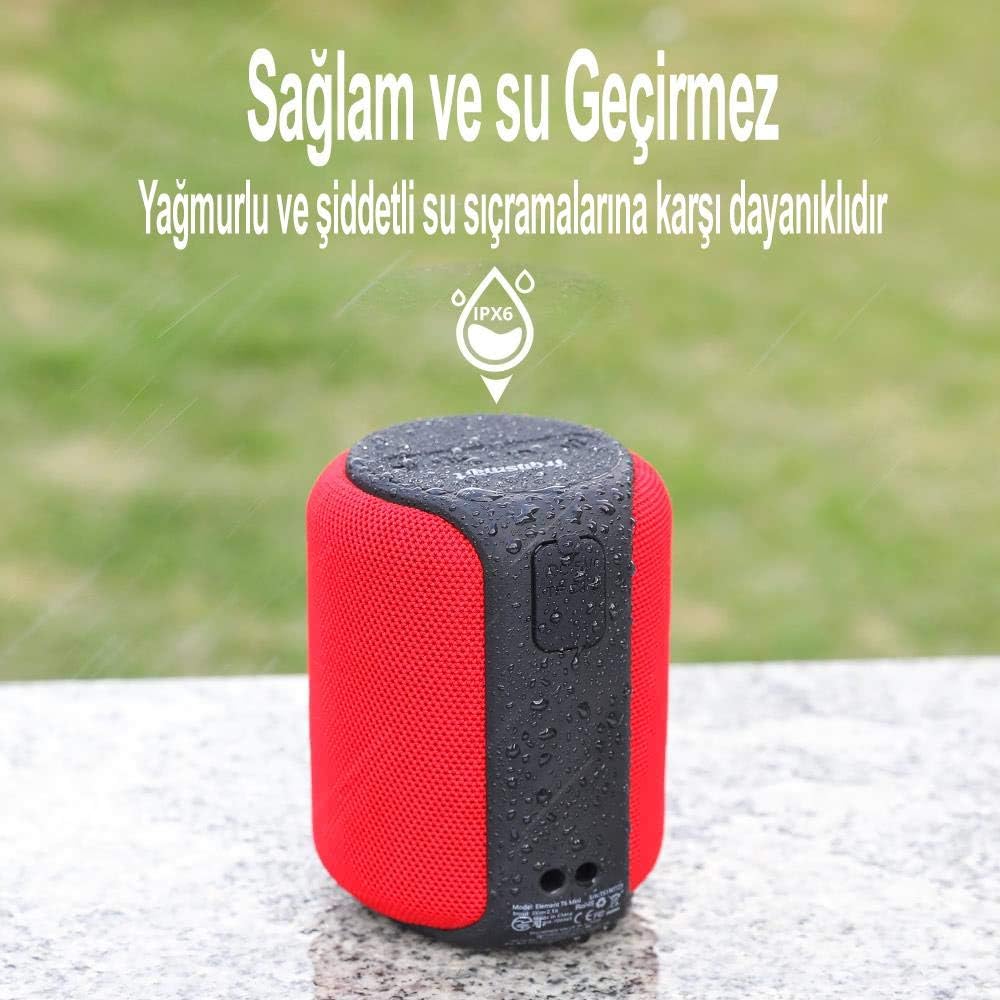
A red TRONSMART Element T6 MINI speaker with water droplets on its surface, set against a blurred outdoor background, visually confirming its IPX6 waterproof rating.
7. Troubleshooting
If you encounter any issues with your speaker, please refer to the following table for common problems and solutions.
| Problem | Possible Cause | Solution |
|---|---|---|
| Speaker does not power on. | Low battery. | Charge the speaker fully. |
| Unable to pair with Bluetooth device. | Speaker is not in pairing mode or already connected to another device. Device's Bluetooth is off. | Ensure speaker is in pairing mode. Disconnect from other devices. Turn on Bluetooth on your device. |
| No sound or low volume. | Volume too low on speaker or device. Device not connected properly. | Increase volume on both speaker and device. Re-pair Bluetooth or check AUX cable connection. |
| TWS pairing failed. | Speakers are too far apart or already connected to other devices. | Ensure both speakers are close to each other and not connected to any other Bluetooth devices before initiating TWS pairing. |
| Poor sound quality. | Interference or device too far from speaker. | Move speaker closer to the device. Avoid obstacles between speaker and device. |
If the problem persists, please contact customer support.
8. Specifications
| Feature | Specification |
|---|---|
| Model Name | Element T6 MINI |
| Model Number | T6Miniblack |
| Bluetooth Version | 5.0 |
| Output Power | 15 Watts |
| Frequency Response | 20Hz - 20KHz (Typical) |
| Waterproof Rating | IPX6 |
| Playtime | Up to 24 hours (at 50% volume) |
| Charging Time | Approx. 3 hours |
| Battery Type | Lithium-ion |
| Charging Port | USB-C |
| Dimensions (L x W x H) | 17.6 x 11 x 5.4 cm (6.93 x 4.33 x 2.13 inches) |
| Weight | 200 Grams (0.44 lbs) |
| Material | Plastic |
| Audio Output Mode | Stereo |
| Compatible Devices | Smartphone, Tablet, Personal Computer |
9. Warranty and Support
TRONSMART products are built to the highest quality standards. This product is covered by a limited warranty from the date of purchase. For detailed warranty terms and conditions, please refer to the warranty card included in your package or visit the official Tronsmart website.
If you experience any issues or have questions regarding your TRONSMART Element T6 MINI speaker, please do not hesitate to contact our customer support team. Our dedicated team is available to assist you with troubleshooting, product information, and any other inquiries you may have.
Customer Support Contact:
Website: www.tronsmart.com
Email: support@tronsmart.com (Example email, please refer to actual product documentation for correct contact information)
Please have your model number (T6Miniblack) and purchase details ready when contacting support.
Related documentsT6Miniblack


Ask a question about this manual
Ask about setup, troubleshooting, compatibility, parts, safety, or missing instructions. Manuals+ will review the question and use this page’s manual context to help answer it.