
Introduction
This manual provides detailed instructions for the setup, operation, and maintenance of your CAMRY CR 1166 Weather Station. Please read this manual thoroughly before using the device to ensure proper function and longevity.
Safety Instructions
- Keep the device away from water and high humidity.
- Do not expose the device to extreme temperatures or direct sunlight for extended periods.
- Use only the specified power adapter or batteries.
- Do not attempt to disassemble or repair the device yourself. Contact qualified service personnel.
- Keep out of reach of children.
Package Contents
Verify that all components are present in the package:
- CAMRY CR 1166 Weather Station (Main Unit)
- Remote Outdoor Sensor
- AC Power Adapter
- Instruction Manual

Image: Main unit, remote sensor, and power adapter included in the package.
Setup
1. Powering the Main Unit
- Using AC Power: Connect the provided AC power adapter to the main unit and plug it into a standard electrical outlet.
- Using Batteries (Optional): Open the battery compartment on the back of the main unit and insert the required batteries (not included), observing polarity.
2. Setting up the Remote Outdoor Sensor
- Open the battery compartment of the remote sensor and insert the required batteries (not included), observing polarity.
- Place the remote sensor in a sheltered outdoor location, away from direct sunlight and rain, to ensure accurate temperature and humidity readings. Ensure it is within range of the main unit (connectivity technology: 433 MHz, 868 MHz).
3. Initial Synchronization
Once both the main unit and the remote sensor are powered, they should automatically synchronize. The outdoor temperature and humidity will appear on the main unit's display. If synchronization fails, refer to the Troubleshooting section.
Operating Instructions
Display Overview
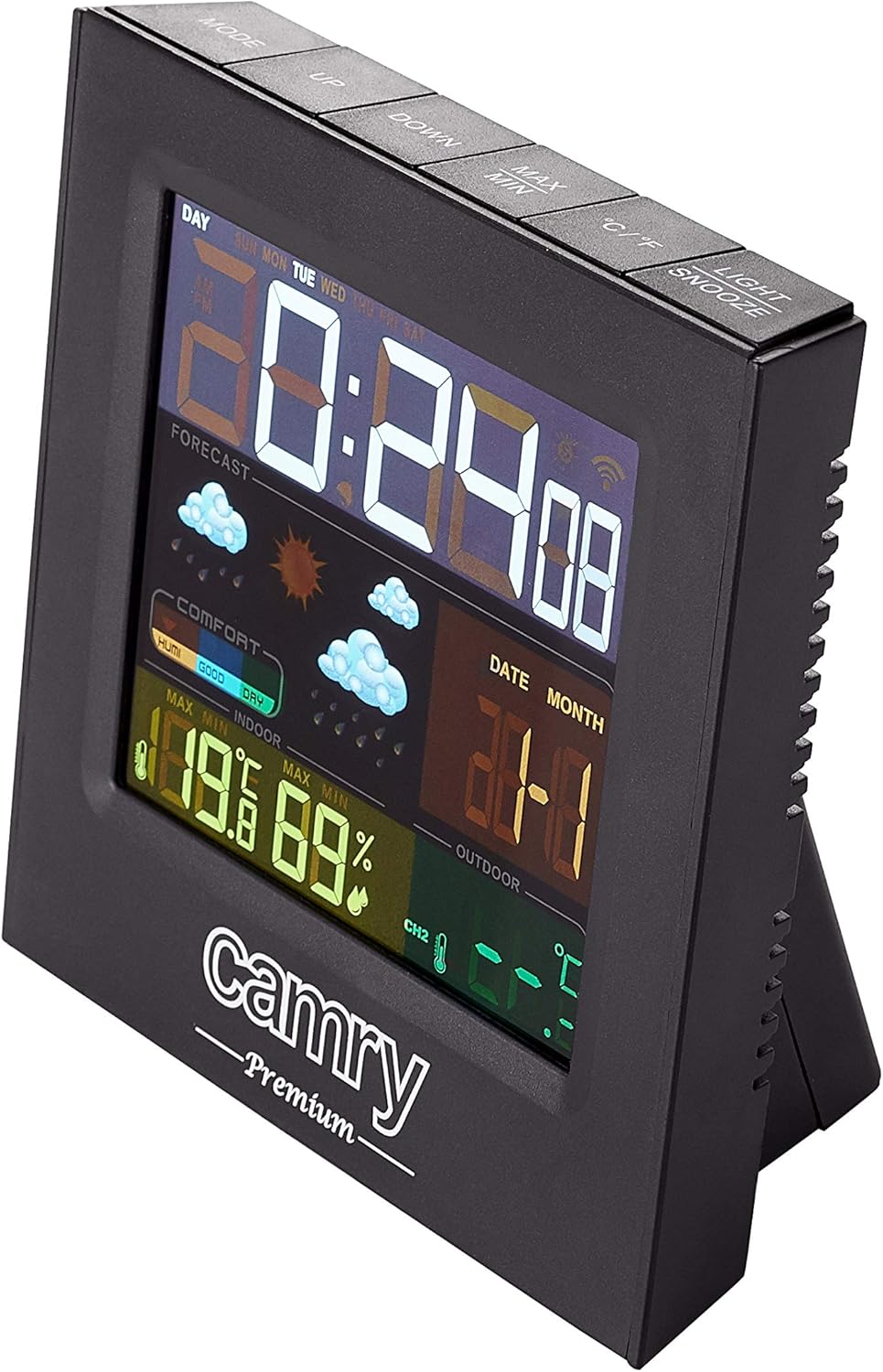
Image: Detailed view of the weather station's multi-colored LCD display.
The multi-colored LCD display shows various information:
- Time and Date: Displays current time and date.
- Weather Forecast: Icons indicate predicted weather conditions (e.g., sunny, cloudy, rainy).
- Indoor Temperature & Humidity: Current readings for the indoor environment.
- Outdoor Temperature & Humidity: Current readings from the remote sensor.
- Comfort Level Indicator: Shows indoor comfort based on temperature and humidity.
Setting Time and Date
Refer to the buttons on the top of the unit (e.g., MODE, UP, DOWN).
- Press the MODE button to enter time/date setting mode.
- Use the UP and DOWN buttons to adjust values.
- Press MODE again to confirm and move to the next setting.
Alarm Function
The device includes an alarm clock function.
- Press the MODE button repeatedly until the alarm time is displayed.
- Use UP and DOWN to set the alarm time.
- Activate/deactivate the alarm using the designated button (e.g., ALARM ON/OFF or a long press of MODE).
Temperature Unit Selection (°C/°F)
Press the °C/°F button to switch between Celsius and Fahrenheit.
Maintenance
- Cleaning: Wipe the device with a soft, dry cloth. Do not use abrasive cleaners or solvents.
- Battery Replacement: Replace batteries in both the main unit and the remote sensor when the low battery indicator appears on the display.
- Sensor Placement: Periodically check the outdoor sensor's placement to ensure it remains protected from direct weather elements and is within effective range.
Troubleshooting
| Problem | Possible Cause | Solution |
|---|---|---|
| No display on main unit. | No power or dead batteries. | Check AC adapter connection or replace batteries. |
| Outdoor readings not displayed or inaccurate. | Sensor out of range, dead sensor batteries, or interference. |
|
| Inaccurate indoor temperature/humidity. | Unit placed near heat/cold source or in high humidity. | Move the main unit to a location with stable ambient conditions. |
Specifications
| Model: | CR 1166 |
| Brand: | CAMRY |
| Product Dimensions (L x W x H): | 24 x 24 x 76 cm |
| Weight: | 384 grams |
| Material: | Plastic |
| Color: | Black |
| Display Type: | LCD |
| Power Source: | AC Adapter or Battery |
| Connectivity Technology: | 433 MHz, 868 MHz |
| Temperature Accuracy: | 1-2 °C |
| Included Components: | Outdoor sensor, remote-controlled sensor |
| Country of Origin: | China |
Warranty and Support
For warranty information or technical support, please refer to the documentation provided with your purchase or contact CAMRY customer service.

