
Product Overview
The Frigidaire 35 Pint Dehumidifier is designed to reduce humidity levels in your home, creating a more comfortable and healthier environment. This Energy Star Most Efficient appliance features an easy-to-clean washable filter and custom humidity control for optimal performance. Its front-loading bucket with a carrying handle and splash guard simplifies water disposal.
Key Features
- Easy-to-Clean Washable Filter: Captures dust and maintains efficient operation.
- Custom Humidity Control: Allows precise adjustment of room humidity levels.
- Continuous Drain Option: Enables continuous water drainage, eliminating manual bucket emptying.
- Automatic Shut Off: Unit automatically turns off when the water bucket is full.
- Front Loading Bucket with Carrying Handle and Splash Guard: Provides convenient access and mess-free emptying.
Components and Controls

Figure 1: Front view of the Frigidaire 35 Pint Dehumidifier. This image displays the overall design of the unit, including the water level indicator on the front.

Figure 2: Close-up of the control panel. This image highlights the digital display for humidity settings, fan speed controls (Hi, Med, Lo), Filter Reset, Timer, and On/Off buttons. The 'Bucket Full' indicator light is also visible.

Figure 3: The front-loading water bucket being removed from the dehumidifier. The bucket features a clear section for water level visibility and a carrying handle for easy transport.

Figure 4: The washable air filter located at the back of the unit. This filter is easily accessible for cleaning to maintain air quality and unit efficiency.
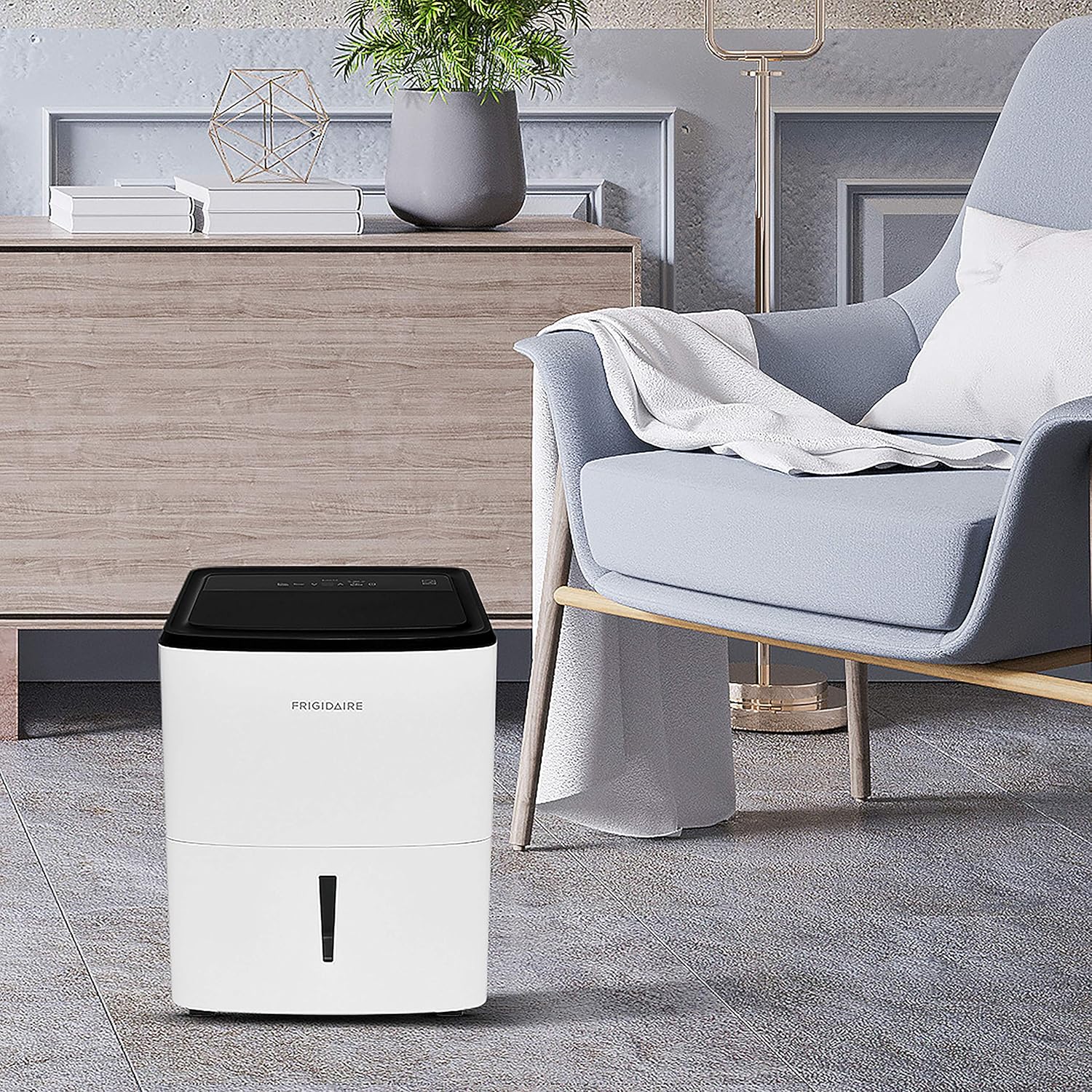
Figure 5: Rear view showing the continuous drain port. This port allows for a hose connection for continuous water removal, bypassing the need to empty the bucket manually.
Setup
Unpacking
Carefully remove the dehumidifier from its packaging. Inspect the unit for any shipping damage. Remove all packing materials, including any tape or protective films.
Placement
- Place the dehumidifier on a level surface.
- Ensure there is at least 12 inches (30 cm) of air space on all sides of the unit for proper air circulation.
- Avoid placing the unit near heat sources or in direct sunlight.
- The unit is equipped with casters for easy movement between rooms.
Power Connection
Plug the power cord into a grounded 110-volt electrical outlet. Do not use extension cords or adapter plugs.
Operating Instructions
Power On/Off
- Press the Power button on the control panel to turn the unit on or off.
Setting Desired Humidity
- Use the Humidity Up (^) or Humidity Down (v) buttons to set your desired humidity level. The display will show the target humidity.
- The unit will operate until the room's humidity reaches the set level, then cycle on and off to maintain it.
Fan Speed Adjustment
- Press the Fan Speed button to cycle through available fan speeds: High (Hi), Medium (Med), and Low (Lo).
- Higher fan speeds will dehumidify faster but may produce more noise.
Continuous Operation
- To run the dehumidifier continuously regardless of the humidity level, set the humidity to the lowest possible setting (often indicated as 'CO' or 'Continuous' on the display).
Timer Function
- Press the Timer button to set a delayed start or stop time for the unit.
- Use the Up (^) or Down (v) buttons to adjust the desired time in hours.
Water Removal Options
Manual Emptying
- When the 'Bucket Full' indicator light illuminates, the unit will automatically shut off.
- Carefully pull out the front-loading water bucket using its handle.
- Empty the collected water. The splash guard helps prevent spills.
- Slide the empty bucket back into the unit until it clicks into place. The unit will resume operation.
Continuous Gravity Drain
- For continuous operation without manual emptying, attach a standard garden hose (not included) to the continuous drain port located on the back of the unit.
- Ensure the hose is sloped downwards to allow gravity to drain the water to a suitable floor drain or receptacle.
- Verify the connection is secure to prevent leaks.
Continuous Pump Drain (Optional)
- Some models may support an external condensate pump (not included) for draining water uphill or over longer distances.
- Connect the pump's hose to the designated pump drain port (if available) and follow the pump manufacturer's instructions for installation and operation.
Maintenance
Cleaning the Washable Filter
- The 'Filter Reset' indicator light will illuminate when it's time to clean the filter.
- Remove the filter from the back of the unit.
- Wash the filter with warm, soapy water. Rinse thoroughly and allow it to air dry completely before reinserting.
- Press the 'Filter Reset' button to clear the indicator light.
Cleaning the Water Bucket
- Regularly clean the water bucket to prevent mold and mildew growth.
- Wash with warm water and a mild detergent. Rinse thoroughly.
Storage
- If storing the unit for an extended period, ensure the water bucket is empty and clean, and the filter is clean and dry.
- Wrap the power cord neatly using the integrated cord holder on the back of the unit.
- Store the unit in an upright position in a clean, dry place.
Product Specifications
| Specification | Value |
|---|---|
| Brand | Frigidaire |
| Model Name | Frigidaire 35 Pint Dehumidifier |
| Item Model Number | FFAD3533W1 |
| Capacity | 35 Pints per Day |
| Tank Volume | 2.11 Gallons |
| Floor Area Coverage | 4500 Square Feet |
| Product Dimensions | 12.19"D x 15.97"W x 24.25"H |
| Item Weight | 40 Pounds |
| Voltage | 110 Volts |
| Number of Speeds | 3 |
| Operation Mode | Continuous |
| Special Feature | Manual |
| Color | White |
| Material | Plastic, Metal, Activated Carbon/Hepa Filter |
| Recommended Uses | Residential |
| UPC | 012505283598 |
Warranty Information
This Frigidaire dehumidifier comes with a 1-year manufacturer's warranty. Please refer to the warranty card included with your product for full details on coverage and terms.
Instructional Videos
Video 1: Frigidaire Dehumidifiers Overview. This video provides a general overview of Frigidaire dehumidifiers, highlighting key features and benefits.
Video 2: Dehumidifier Feature Video. This video demonstrates various features of the Frigidaire dehumidifier, including its controls and water removal options.


