
Weiser 9GED18500-002
Contents
Weiser Aura Bluetooth Smart Lock User Manual
Model: 9GED18500-002
Introduction
This manual provides comprehensive instructions for the installation, operation, maintenance, and troubleshooting of your Weiser Aura Bluetooth Smart Lock. Please read this manual thoroughly before installation and use to ensure proper function and security.
The Weiser Aura Bluetooth Smart Lock offers keyless entry with a light-up keypad and SmartKey technology. It allows for convenient control via the Weiser App within Bluetooth range, enabling you to lock/unlock your door and manage user access codes.
What's in the Box

This image displays all components included with the Weiser Aura Bluetooth Smart Lock. You should find the exterior and interior assembly units, an adjustable latch, strike plate, mounting plate, installation hardware, two Weiser keys, a SmartKey tool, and four AA batteries. Ensure all parts are present before beginning installation.
- Exterior Deadbolt Assembly
- Interior Deadbolt Assembly
- Adjustable Latch
- Strike Plate
- Mounting Plate
- Installation Hardware (screws, bolts)
- 2 Weiser Keys
- SmartKey Tool
- 4 AA Batteries
- Installation Guide (this manual)
Setup and Installation
Pre-Installation Check
Before installing, ensure your door is properly prepared. The lock is designed for standard door preparations. Refer to the dimensions image for compatibility.

This image illustrates the dimensions of both the exterior keypad and the interior deadbolt assembly. The exterior keypad measures approximately 2 3/4 inches wide by 4 3/8 inches high. The interior assembly measures approximately 2 3/4 inches wide by 5 3/8 inches high. An adjustable latch backset is also shown, indicating flexibility for different door setups.
Installation Steps
- Prepare the Door: Ensure the door bore hole and backset are correct. The adjustable latch supports both 2-3/8" (60mm) and 2-3/4" (70mm) backsets.
- Install the Latch: Insert the latch into the door edge, ensuring the "UP" arrow is pointing upwards. Secure with screws.
- Install the Exterior Assembly: Feed the cable and spindle through the door hole. Align the exterior assembly with the latch.
- Install the Mounting Plate: Secure the mounting plate to the door using the provided screws, ensuring the cable passes through the plate.
- Connect the Cable and Install Interior Assembly: Connect the cable from the exterior assembly to the interior assembly. Mount the interior assembly onto the mounting plate, ensuring the turnpiece spindle engages with the latch. Secure with screws.
- Install Batteries: Insert the four AA batteries into the battery pack of the interior assembly.
- Perform Door Handing Process: This step is crucial for the lock to learn the orientation of your door. Follow the instructions in the Weiser App or the quick start guide for this process.
Operating Instructions
Using the Keypad

This image shows both the exterior keypad and the interior deadbolt unit of the Weiser Aura Smart Lock. The exterior unit features a numeric keypad with a lock button at the top, and a traditional keyhole at the bottom. The interior unit has a turnpiece for manual locking/unlocking and a battery compartment. This lock provides both keyless entry via the keypad and traditional key access.
- Unlocking: Enter a valid user code on the keypad. The lock will unlock.
- Locking (One-Touch): Press the lock button (padlock icon) on the keypad. The deadbolt will extend, locking the door.
- Locking (Manual): From the inside, turn the turnpiece to the vertical position to lock the door.

This image depicts a person approaching a door and using the keypad of the Weiser Aura Smart Lock for keyless entry. The keypad allows for secure and convenient access without the need for a physical key. This feature is ideal for daily use and for granting temporary access to guests.
Weiser App Functionality (Bluetooth)

This image displays a smartphone screen showing the Weiser App interface. The app allows users to lock and unlock the door remotely (within Bluetooth range), create and manage up to 250 customizable user codes, set schedules for these codes, receive notifications about lock activity, and view the lock's event history. This provides comprehensive control and monitoring capabilities.
- Download the App: Search for "Weiser App" on your smartphone's app store.
- Pairing: Follow the in-app instructions to pair your smartphone with the Aura Smart Lock via Bluetooth. Ensure your phone's Bluetooth is enabled and you are within range of the lock.
- Lock/Unlock: Use the app to remotely lock or unlock your door when within Bluetooth range.
- User Code Management: Create, modify, or delete up to 250 unique user codes. You can also set schedules for these codes (e.g., temporary access for guests).
- Activity Monitoring: Receive notifications and view a history log of lock activity (e.g., who unlocked the door and when).
SmartKey Re-keying
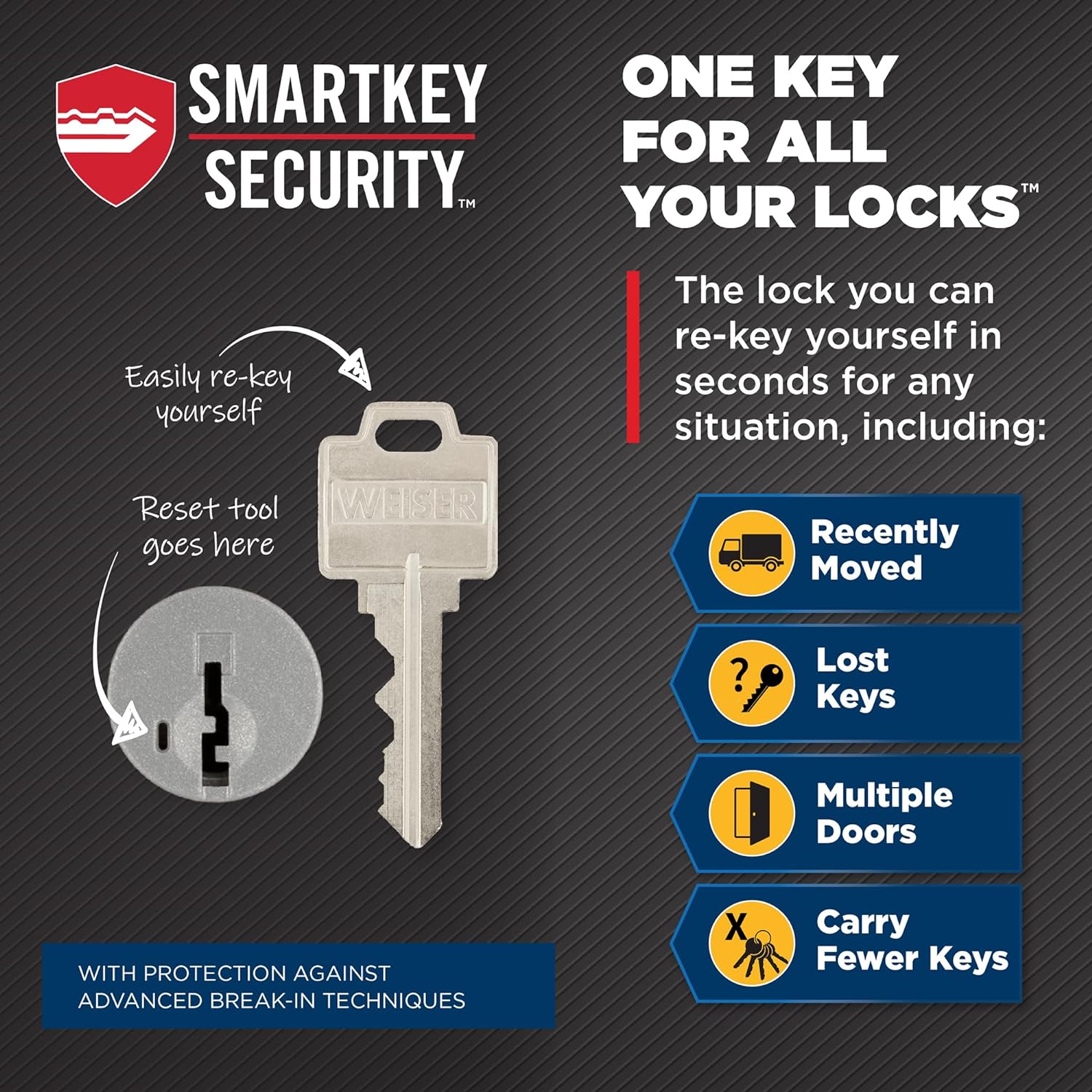
This diagram illustrates the process of re-keying a Weiser SmartKey lock. It shows the SmartKey tool being inserted into the re-key slot on the side of the keyhole. The process allows users to re-key the lock themselves in seconds, which is useful for situations like moving to a new home, losing keys, or consolidating multiple locks to a single key. This technology also provides enhanced protection against advanced break-in techniques.
The SmartKey technology allows you to re-key your lock yourself in seconds, providing convenience and enhanced security. This is useful if you lose a key, move to a new home, or wish to have one key for multiple Weiser SmartKey locks.
- Insert your functioning key fully into the cylinder.
- Rotate the key 90 degrees clockwise to the horizontal position.
- Insert the SmartKey tool firmly and fully into the SmartKey hole.
- Remove the SmartKey tool.
- Remove your functioning key.
- Insert the new key you wish to use fully into the cylinder.
- Rotate the new key 90 degrees counter-clockwise back to the vertical position.
- Remove the new key. The lock is now re-keyed to the new key.
Maintenance
- Battery Replacement: The lock requires 4 AA batteries. Replace them when the low battery indicator appears or when the lock's response time slows. Use high-quality alkaline batteries for best performance.
- Cleaning: Clean the lock's exterior with a soft, damp cloth. Avoid abrasive cleaners or solvents that could damage the finish or electronic components.
- Lubrication: Do not lubricate the cylinder with oil-based lubricants. Use a graphite-based lubricant if the key insertion or turning becomes stiff.
Troubleshooting
| Problem | Possible Cause | Solution |
|---|---|---|
| Keypad does not respond. | Dead batteries; Incorrect installation; Lock is in sleep mode. | Replace batteries; Recheck installation steps; Touch any key to wake up the keypad. |
| Lock does not lock/unlock via keypad. | Incorrect user code; Door handing process not completed; Latch bolt is jammed. | Verify user code; Perform door handing process; Check for obstructions around the latch bolt and strike plate. |
| Bluetooth connection issues. | Out of range; Bluetooth disabled on phone; App issue. | Move closer to the lock; Enable Bluetooth on your device; Restart the Weiser App or your phone. |
| Intrusion Alert triggered. | 3 incorrect codes entered. | Wait 60 seconds for the keypad to reset before attempting to enter a code again. |

This image illustrates the intrusion alert feature of the Weiser Aura Smart Lock. If three incorrect user codes are entered consecutively, the keypad will flash red 15 times and sound an alarm 15 times. This security feature disables the keypad temporarily to deter unauthorized access attempts.
Specifications
- Model Name: Aura Bluetooth Electronic Deadbolt
- Model Number: 9GED18500-002
- Connectivity: Bluetooth
- Lock Type: Keypad, Electronic Deadbolt
- Material: Metal
- Color: Matte Black
- Dimensions (Exterior): Approximately 2.71" W x 4.6" H (1.1" D)
- Power Source: 4 AA Batteries (included)
- User Codes: Up to 250 customizable passcodes
- Security Features: SmartKey Technology, 128-bit Encryption, BHMA Grade 2 Certified, 20-minute fire rating, UL Certified
- Control Method: App (Weiser App), Keypad, Mechanical Key, Turnpiece
- Item Weight: 3.1 Pounds
- Country of Origin: Canada
Warranty and Support
Warranty Information
Weiser provides a limited lifetime mechanical and finish warranty and a one-year electronic warranty to the original residential user of the Weiser Aura Bluetooth Smart Lock. For detailed warranty terms and conditions, please refer to the official Weiser website or contact customer support.
Customer Support
For technical assistance, troubleshooting, or warranty claims, please contact Weiser Customer Support:
- Website: www.weiserlock.com (Check for support section or contact page)
- Phone: Refer to the Weiser website for regional contact numbers.
When contacting support, please have your product model number (9GED18500-002) and purchase date available.
Ask a question about this manual
Ask about setup, troubleshooting, compatibility, parts, safety, or missing instructions. Manuals+ will review the question and use this page’s manual context to help answer it.