
1. Introduction
Thank you for choosing the oneConcept Duster 2-in-1 Vacuum Cleaner. This appliance is designed for efficient and versatile cleaning of various surfaces in your home. It functions as both a powerful floor vacuum cleaner and a convenient handheld unit, featuring a bagless cyclonic filter system and a HEPA filter for improved air quality. Please read this manual thoroughly before first use to ensure safe operation and optimal performance.

Image 1.1: The oneConcept Duster vacuum cleaner showcasing its versatility as both a handheld and a floor vacuum. The compact design and red dust container are visible.
2. Safety Instructions
Always observe the following safety precautions to reduce the risk of fire, electric shock, or injury.
- Ensure the power supply voltage matches the rating label on the appliance.
- Do not use the vacuum cleaner to pick up water or other liquids, hot ashes, sharp objects, or flammable/explosive materials.
- Do not operate the appliance with a damaged cord or plug. If damaged, contact qualified service personnel.
- Unplug the vacuum cleaner from the power outlet before cleaning or performing any maintenance.
- Keep hair, loose clothing, fingers, and all parts of the body away from openings and moving parts.
- This appliance is for household use only. Do not use outdoors or on wet surfaces.
- Children should be supervised to ensure they do not play with the appliance.
3. Product Overview and Components
The oneConcept Duster is a versatile 2-in-1 vacuum cleaner designed for ease of use and efficient cleaning.
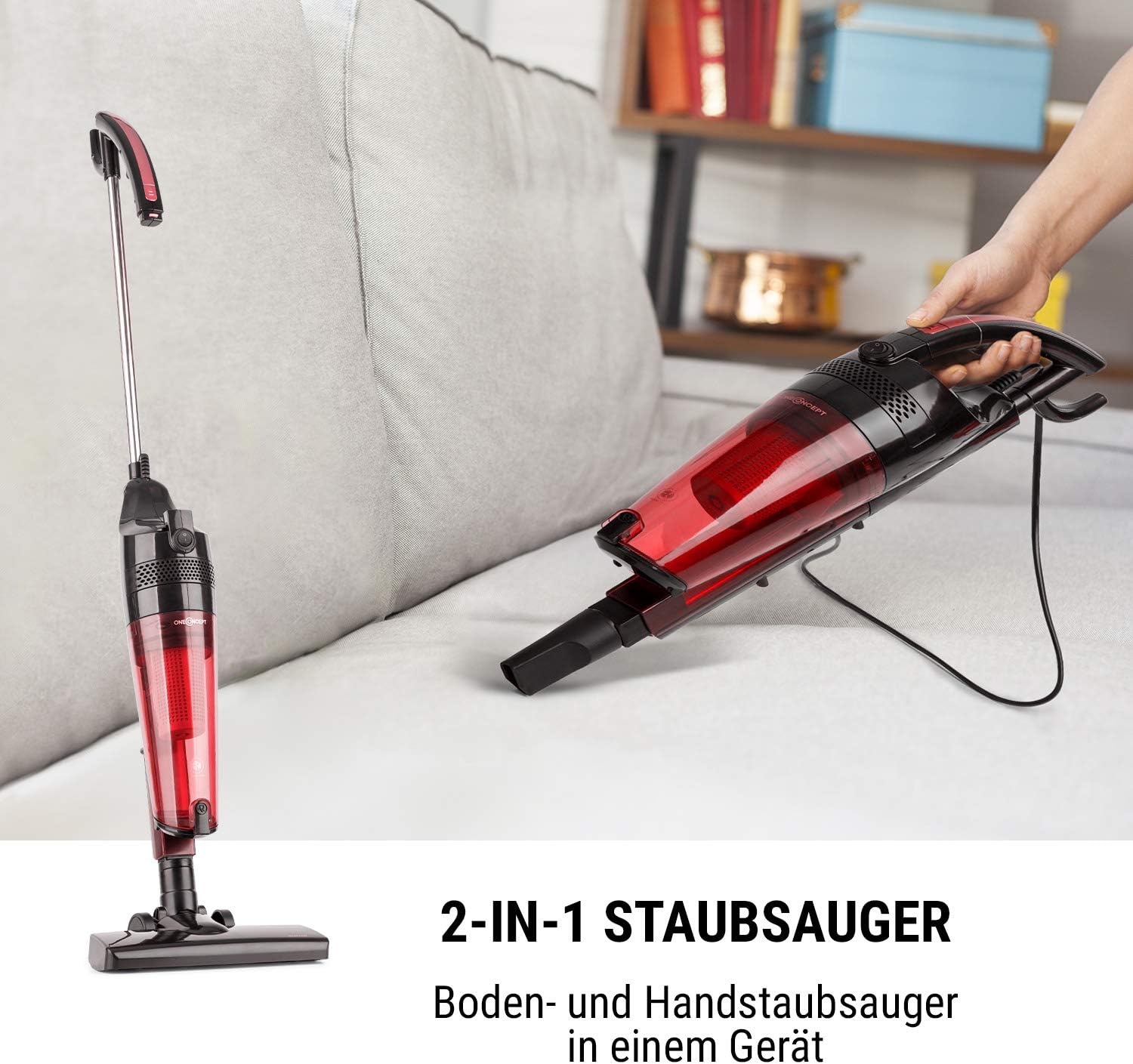
Image 3.1: Illustration of the vacuum cleaner's dual functionality, highlighting its ability to transform from a full-size floor vacuum to a compact handheld unit.
Key Components:
- Main Unit: Contains the motor, dust container, and filter system.
- Extension Tube/Handle: For upright floor cleaning.
- Floor Nozzle: Designed for various floor types.
- Crevice Nozzle: For narrow spaces and corners.
- Dust Container: 1.5-liter capacity, bagless design.
- HEPA Filter: High-efficiency particulate air filter for trapping fine dust and allergens.

Image 3.2: The vacuum cleaner main unit displayed with its essential accessories, including the floor nozzle and the crevice nozzle, ready for various cleaning tasks.
4. Setup
4.1 Assembling for Floor Cleaning:
- Insert the extension tube into the main unit until it clicks securely into place.
- Attach the floor nozzle to the bottom end of the extension tube, ensuring it is firmly connected.
- Ensure the dust container and HEPA filter are correctly installed before use.
4.2 Converting to Handheld Mode:
The oneConcept Duster can be easily converted into a handheld vacuum for quick clean-ups and hard-to-reach areas.
- Press the release button on the main unit to detach the extension tube.
- Attach the desired accessory (e.g., crevice nozzle) directly to the main unit's suction opening.

Image 4.1: A user demonstrating the quick and easy detachment of the handheld vacuum unit from the main body, illustrating the product's flexible design.
5. Operating Instructions
5.1 Powering On/Off:
Plug the power cord into a suitable electrical outlet. Locate the power switch on the main unit.
- To turn on: Press the power switch to the "ON" position.
- To turn off: Press the power switch to the "OFF" position.

Image 5.1: A detailed view of the simple on/off switch located on the main body of the vacuum cleaner, emphasizing its user-friendly design.
5.2 Using the Floor Vacuum:
For cleaning hard floors, carpets, and rugs.
- Ensure the floor nozzle is attached.
- Move the vacuum cleaner slowly and steadily over the surface to be cleaned.
- The lightweight design (approx. 1.9 kg) makes it easy to maneuver.

Image 5.2: A person demonstrating the ease of use of the oneConcept Duster in its floor vacuum configuration, highlighting its lightweight and maneuverable design on a wooden floor.
5.3 Using the Handheld Vacuum:
Ideal for cleaning furniture, car interiors, stairs, and other small areas.
- Detach the main unit from the extension tube.
- Attach the crevice nozzle for tight spaces or use the main unit directly for wider areas.
- The handheld unit weighs approximately 1.5 kg.
6. Maintenance
Regular maintenance ensures the longevity and optimal performance of your vacuum cleaner. Always unplug the appliance before performing any maintenance.
6.1 Emptying the Dust Container:
The 1.5-liter dust container should be emptied regularly, especially when the dust level reaches the "MAX" line.
- Press the release button to detach the dust container from the main unit.
- Hold the dust container over a trash bin and open the bottom flap to empty the contents.
- Close the flap securely and reattach the dust container to the main unit.

Image 6.1: A hand demonstrating the process of emptying the 1.5-liter dust container of the oneConcept Duster, showing the collected debris being disposed of into a waste bin.
6.2 Cleaning the HEPA Filter:
The HEPA filter should be cleaned periodically to maintain suction power and air filtration efficiency.
- Remove the dust container as described above.
- Carefully remove the HEPA filter from inside the dust container.
- Tap the filter gently over a trash bin to remove loose dust. You may also rinse it under cold running water.
- Allow the filter to air dry completely for at least 24 hours before reinserting it. Do not use a hairdryer or other heating devices.
- Reinsert the dry HEPA filter and reattach the dust container.

Image 6.2: An exploded view diagram illustrating the components of the cyclonic filter system, including the removable HEPA filter, demonstrating how to access and clean it.
6.3 General Cleaning:
- Wipe the exterior of the vacuum cleaner with a soft, damp cloth. Do not use abrasive cleaners or solvents.
- Check the nozzles and tubes for any blockages and remove them if found.
7. Troubleshooting
Before contacting customer support, please refer to the following table for common issues and their solutions.
| Problem | Possible Cause | Solution |
|---|---|---|
| Vacuum cleaner does not turn on. | No power supply; Power switch is off; Plug not fully inserted. | Check power cord and outlet; Ensure switch is "ON"; Reinsert plug firmly. |
| Low suction power. | Dust container full; Filter clogged; Nozzle/hose blocked. | Empty dust container; Clean HEPA filter; Remove any blockages from nozzles or tubes. |
| Unusual noise during operation. | Blockage in nozzle/tube; Filter incorrectly installed; Motor issue. | Check for and remove blockages; Ensure filter is correctly seated; If noise persists, contact support. |
| Dust escaping from the vacuum. | Dust container not properly closed; Filter missing or damaged. | Ensure dust container is securely closed; Check and correctly install or replace filter. |
8. Specifications
| Feature | Detail |
|---|---|
| Model Number | VCM18-Duster B&R |
| Power | 600 W |
| Dust Container Volume | 1.5 Liters |
| Energy Efficiency Class | A |
| Noise Level | 72 dB |
| Weight (Floor Vacuum) | Approx. 1.9 kg |
| Weight (Handheld Vacuum) | Approx. 1.5 kg |
| Dimensions (Floor Vacuum Extended) | Approx. 25 x 104 x 16 cm (W x H x D) |
| Power Supply | 220-240 V~ | 50-60 Hz |
| Filter Type | HEPA Filter, Cyclonic Filter System |
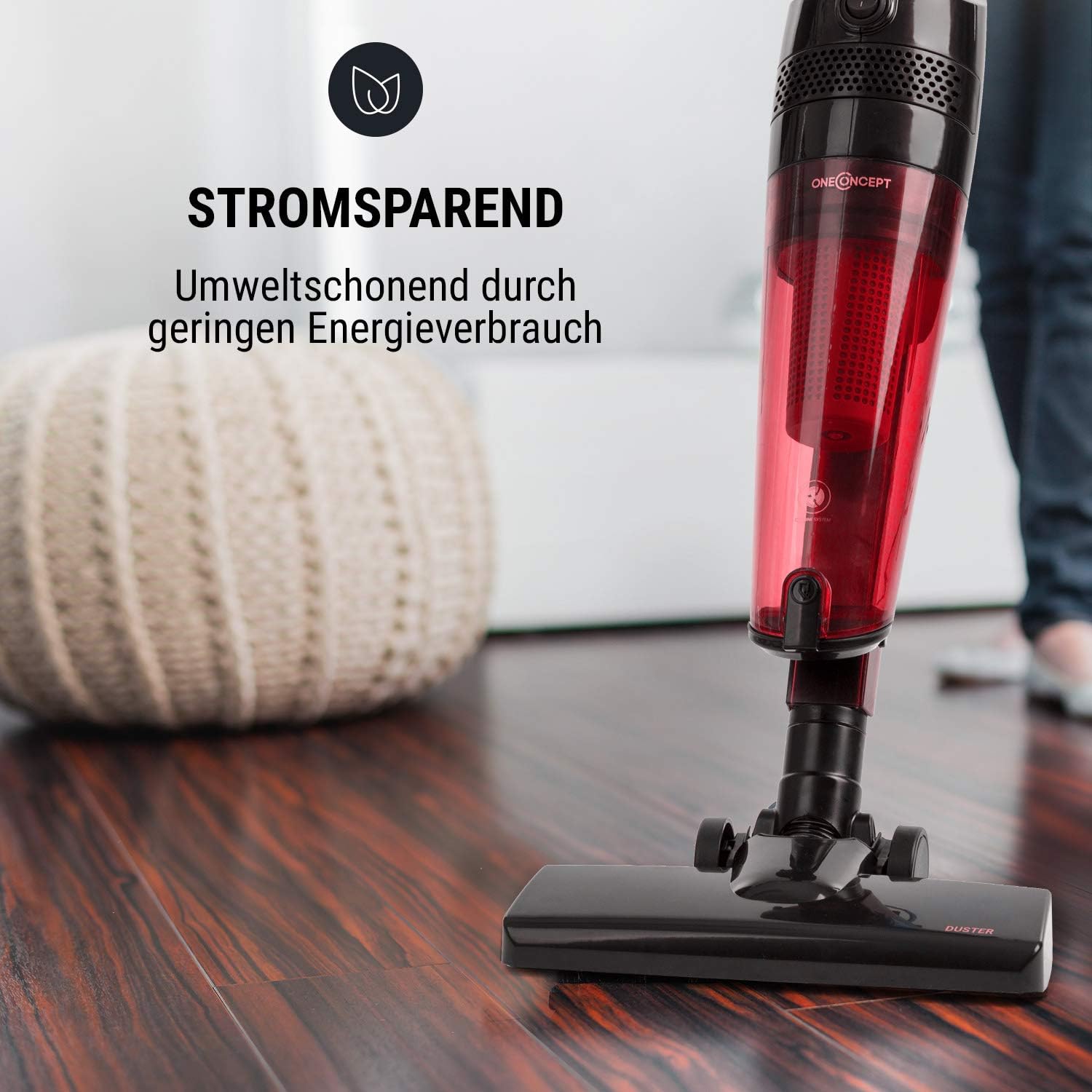
Image 8.1: The vacuum cleaner highlighting its energy-saving feature, indicating efficient power consumption during operation.
9. Warranty and Support
Information regarding product warranty and customer support details is typically provided with your purchase documentation or on the manufacturer's official website. Please refer to those resources for specific warranty terms, conditions, and contact information for technical assistance or service.
Note: Specific warranty and support contact information was not available in the provided product data.
10. Official Product Videos
No official product videos from the seller were provided in the available data. Please check the product page or manufacturer's website for any available video demonstrations or guides.