
Product Overview
The Yakry Y23 HD 1080P Digital Wireless Dual Backup Camera System is designed to enhance safety and convenience for various vehicles, including RVs, trailers, trucks, 5th wheels, and cars. It features a 5-inch monitor and two wireless cameras, offering clear, high-definition views for reversing, parking, and highway monitoring.
- HD 1080P Digital Wireless Dual Backup Camera
- 5-inch Monitor with Highway Monitoring System
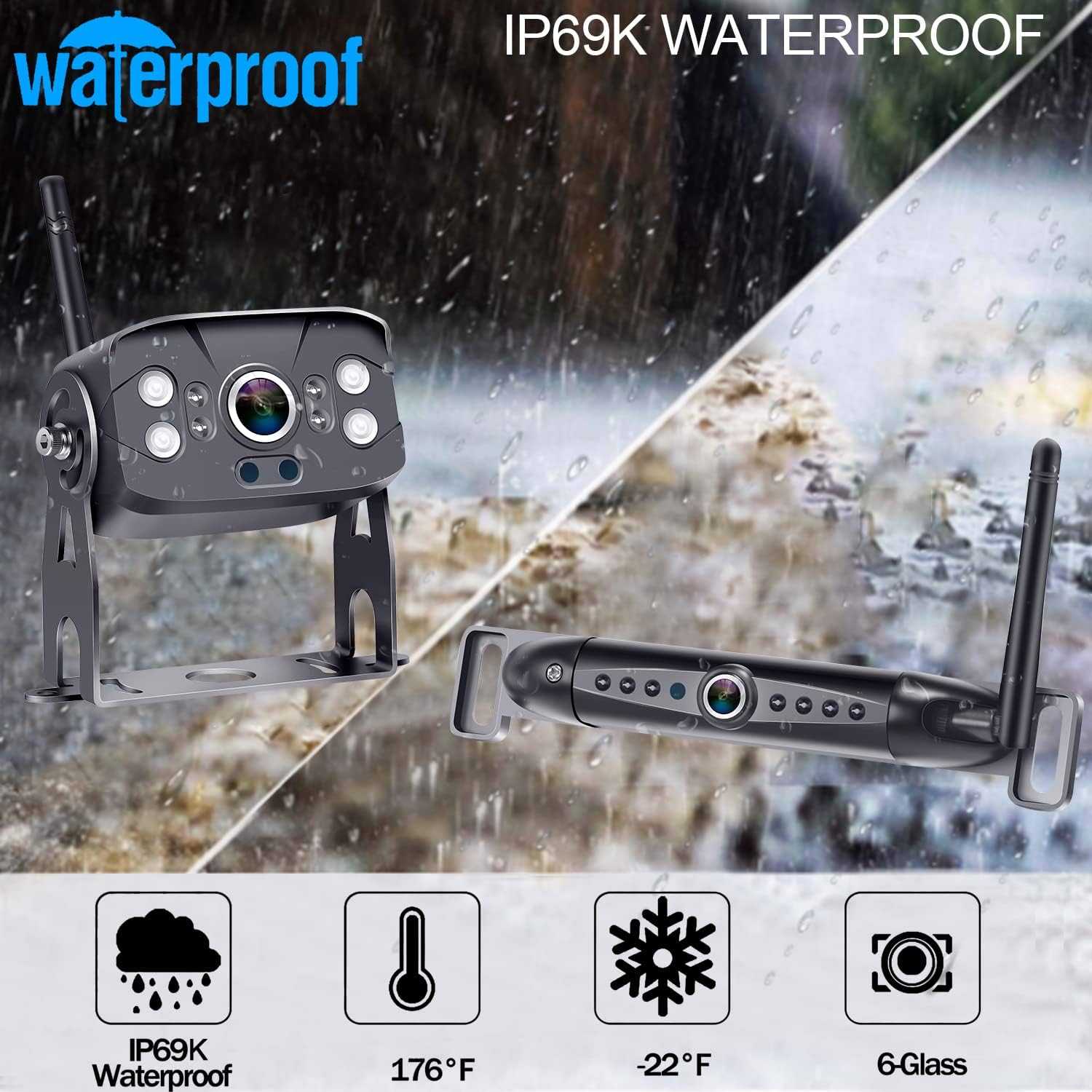
- IP69K Waterproof Cameras with Super Night Vision
- Supports up to 4 cameras with single, split, or quad-screen display options
- Continuous Loop Video Recording capability
- Adjustable Guide Lines for precise maneuvering

Package Contents
Before beginning installation, please verify that all components listed below are included in your package:
- 1 x 5-inch HD 1080P Monitor
- 1 x Wireless RV Camera (IP69K Waterproof)
- 1 x Wireless License Plate Camera (IP69K Waterproof)
- 2 x Power Cables (for cameras)
- 1 x Monitor Power Cable (e.g., cigarette lighter adapter)
- Mounting Brackets and Screws
- User Manual

Setup and Installation
Monitor Installation
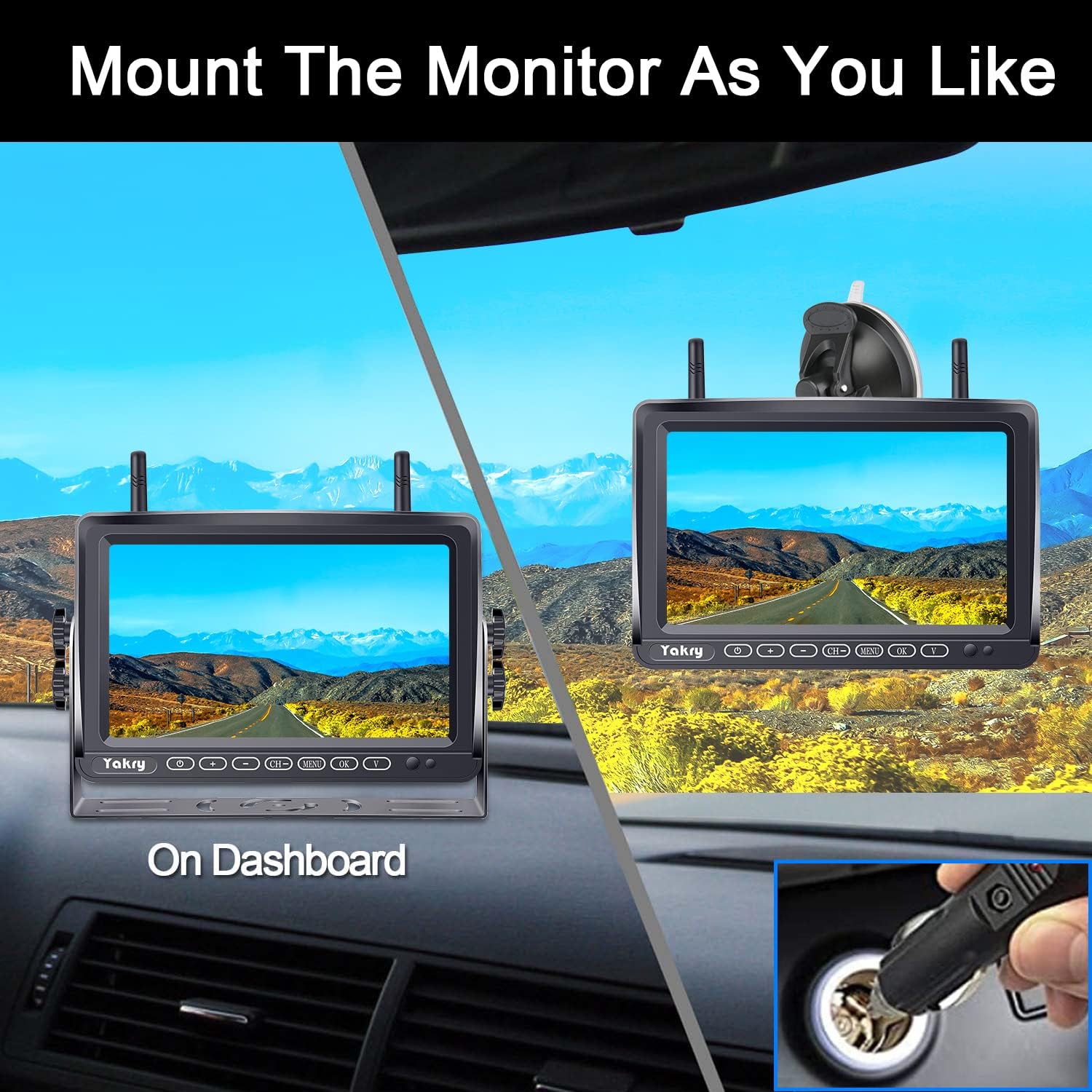
The 5-inch monitor can be mounted on the dashboard or windshield using the provided suction cup or adhesive mount. Ensure the chosen location does not obstruct your view or interfere with driving. Clean the mounting surface thoroughly before attaching the mount. Connect the monitor to a 12V-35V power source, typically via a cigarette lighter adapter.

Camera Installation
The system includes two cameras: one for license plate mounting and one for RV/trailer mounting.
License Plate Camera
Mount the license plate camera above your vehicle's license plate. Connect its power cable to the vehicle's reverse light circuit for automatic activation when reversing, or to a constant 12V source for continuous monitoring.
RV/Trailer Camera
The RV camera is designed for mounting on the rear of an RV, trailer, or 5th wheel. It can be powered by the vehicle's running lights or a dedicated power source. Ensure the camera is mounted securely and has a clear line of sight. For Furrion pre-wired RVs, specific bracket adapters and power pigtail outlet wires are available to simplify installation.


Operating Instructions
Powering On/Off
Press the power button on the monitor to turn the system on or off. The cameras will automatically power on when connected to a power source.
Switching Camera Channels
The monitor supports up to four camera channels. Use the 'CH' button on the monitor to cycle through connected cameras or view multiple cameras simultaneously in split or quad-screen mode.
Screen Modes (Single/Split/Quad)
The monitor can display a single camera view, a split-screen view of two cameras, or a quad-screen view of up to four cameras. Use the 'V' button to change display modes.
Adjusting Guide Lines
The system features adjustable guide lines to assist with parking and reversing. You can turn them on/off, and adjust their position (left/right, up/down) via the monitor settings.
Loop Recording
The system supports continuous loop video recording to an SD card (not included). When the SD card is full, the oldest footage will be overwritten. An alert can be set to notify you when the card is full.
Maintenance
- Cleaning: Use a soft, damp cloth to clean the monitor and camera lenses. Avoid abrasive cleaners or solvents.
- Waterproofing: The cameras are IP69K waterproof, designed to withstand harsh weather conditions. However, avoid direct high-pressure water jets on the camera lens.
- Cable Connections: Periodically check all cable connections for tightness and signs of wear.
- SD Card: If using the recording function, regularly back up important footage and format the SD card to maintain optimal performance.
Troubleshooting
| Problem | Possible Cause | Solution |
|---|---|---|
| No Signal on Monitor |
|
|
| Image is Flickering/Unstable |
|
|
| Image is Reversed |
|
|
Specifications
| Feature | Detail |
|---|---|
| Model Number | Y23 (55-YTE) |
| Screen Size | 5 Inches |
| Video Capture Resolution | 1080p HD |
| Display Technology | LCD |
| Real Angle of View | 150 Degrees |
| Waterproof Rating | IP69K |
| Voltage | 12 Volts, 35 Volts |
| Connectivity | Wireless |
| Operating Temperature | -22°F to 176°F |
Warranty and Support
For warranty information and technical support, please refer to the official Yakry website or contact their customer service directly. Keep your purchase receipt for warranty claims.
Yakry offers 24-hour service for customer inquiries and support.
