
Introduction
Thank you for purchasing the RUMIXI H01 Bluetooth 5.0 Wireless Earbuds. This manual provides detailed instructions on how to set up, operate, maintain, and troubleshoot your new earbuds. Please read this guide carefully to ensure optimal performance and a satisfying user experience.
Product Overview
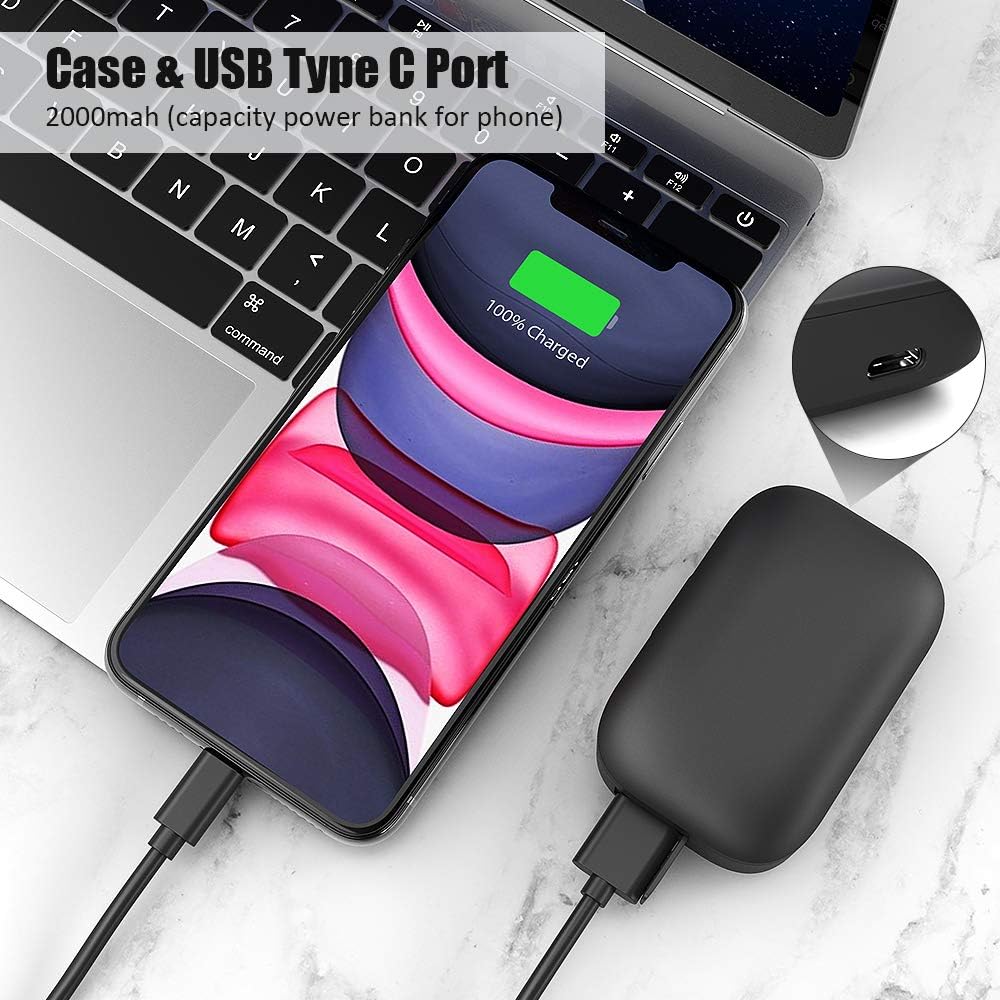
The RUMIXI H01 earbuds offer advanced Bluetooth 5.0 technology for stable connectivity, high-quality stereo sound with deep bass, and a convenient charging case that doubles as a power bank. They are designed for comfort and durability, featuring IPX7 water resistance.
Package Contents
- RUMIXI H01 Wireless Earbuds (Left and Right)
- Portable Charging Case
- USB Type-C Charging Cable
- Multiple Sizes of Ear Tips
- User Manual

Setup
Initial Charging
Before first use, fully charge the charging case and earbuds. Place the earbuds into the charging case. Connect the USB Type-C cable to the charging port on the case and the other end to a USB power adapter (not included).
- The charging case has a 2200mAh battery capacity.
- A 15-minute charge can provide approximately 3 hours of earbud use.
- The fully charged case can recharge the earbuds about 19 times, offering up to 152 hours of continuous music playback.
Pairing Your Earbuds
The earbuds are designed for instant and automatic pairing.
- Open the charging case.
- Remove both earbuds from the case. They will automatically power on and enter pairing mode.
- On your device (smartphone, tablet, etc.), go to Bluetooth settings and select "H01" from the list of available devices.
- Once connected, you will hear a confirmation prompt, and the earbuds are ready for use.

Operating Instructions
Power On/Off
- Power On: Remove earbuds from the charging case. They will power on automatically. Alternatively, press and hold the touch area on both earbuds for 3 seconds.
- Power Off: Place earbuds back into the charging case. They will power off automatically. Alternatively, press and hold the touch area on both earbuds for 5 seconds.
Music Playback
- Play/Pause: Tap the touch area on either earbud once.
- Next Track: Double-tap the touch area on the right earbud.
- Previous Track: Double-tap the touch area on the left earbud.
Call Management
- Answer/End Call: Tap the touch area on either earbud once.
- Reject Call: Press and hold the touch area on either earbud for 2 seconds.

Bluetooth Connection Stability
The RUMIXI H01 earbuds utilize advanced Bluetooth 5.0 technology, ensuring a fast, stable, and reliable connection within a range of up to 33 feet (10 meters). This technology minimizes interruptions and provides a seamless audio experience.

Audio Quality
Equipped with a high-quality audio chip, the earbuds deliver clear high and low frequencies, creating an immersive stereo sound experience with excellent surround bass. This ensures a rich and dynamic audio output for your music and calls.

Maintenance
Water Resistance (IPX7)
The RUMIXI H01 earbuds feature an IPX7 waterproof rating, making them resistant to sweat, water splashes, and rain. This design allows for use during workouts, running, yoga, and other activities without concern for moisture damage.
Important Note:
- After using the earbuds during sports or in rainy conditions, ensure you dry the surface of the earbuds thoroughly.
- This prevents water from entering the charging case and damaging internal electronic components.

Cleaning
- Regularly clean the earbuds and charging case with a soft, dry, lint-free cloth.
- Do not use abrasive cleaners, alcohol, or chemical solvents.
- Ensure charging contacts on both earbuds and the case are clean and dry for proper charging.
Storage
- When not in use, store the earbuds in their charging case to protect them and keep them charged.
- Avoid storing in extreme temperatures or high humidity.
Troubleshooting
| Problem | Solution |
|---|---|
| Earbuds not pairing with device. |
|
| No sound from one earbud. |
|
| Charging case not charging. |
|
Specifications
| Feature | Detail |
|---|---|
| Brand | RUMIXI |
| Model Name | H01 |
| Connectivity Technology | Wireless (Bluetooth) |
| Wireless Communication Technology | Bluetooth 5.0 |
| Ear Placement | In-Ear |
| Headphones Form Factor | In-Ear |
| Noise Control | Active Noise Cancellation (ANC) |
| Headphone Jack | USB |
| Earbud Battery Life | Up to 5.5 hours |
| Total Playtime (with charging case) | Up to 152 hours |
| Charging Case Capacity | 2200mAh |
| Waterproof Rating | IPX7 |
| Included Components | Alternative ear tips |
Warranty and Support
Warranty Information
The RUMIXI H01 Wireless Earbuds come with a one-year warranty from the date of purchase. This warranty covers manufacturing defects and ensures your product is free from material and workmanship flaws under normal use.
Please retain your proof of purchase for warranty claims.
Customer Support
If you encounter any issues or have questions regarding your RUMIXI H01 earbuds, please do not hesitate to contact our customer service team for assistance. Our dedicated support staff is ready to help you.
For support, please refer to the contact information provided on the product packaging or the official RUMIXI website.