
DALI 203061
DALI IO-6 Premium Wireless Over-The-Ear ANC Headphones User Manual
Model: IO-6
Introduction
The DALI IO-6 are premium wireless over-the-ear headphones designed to deliver exceptional audio quality with the added benefit of Active Noise Cancellation (ANC). These headphones offer versatile connectivity options including Bluetooth, USB-C, and a traditional 3.5mm wired connection. Engineered with DALI's expertise in Hi-Fi audio, the IO-6 aims to reproduce music with natural and authentic sound.
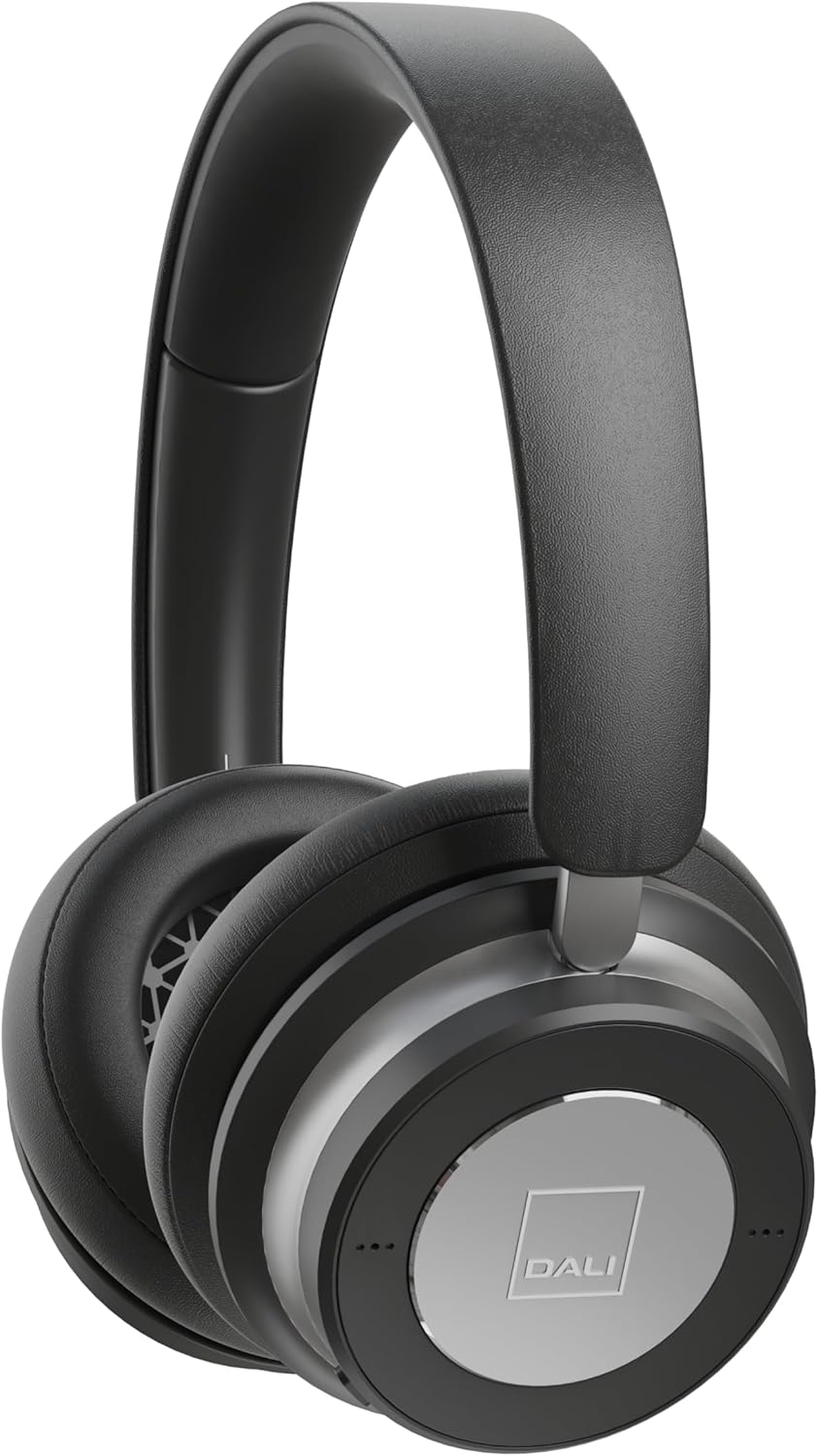
Image: Front view of the DALI IO-6 headphones in Iron Black, showcasing the sleek design and earcups.
What's in the Box
Verify that all components are present in the packaging:
- DALI IO-6 Headphones
- USB-C Cable (for charging and wired audio)
- 3.5mm Stereo Cable (for wired audio)
- Flight Adaptor
- Travel Case

Image: The DALI IO-6 headphones neatly folded and placed inside their included grey fabric travel case.
Setup
1. Charging the Headphones
Before first use, fully charge your DALI IO-6 headphones. Connect the supplied USB-C cable to the USB-C port on the headphones and the other end to a USB power source (e.g., computer USB port or USB wall adapter). The charging indicator light will show charging status. A full charge takes approximately 2.5 hours.
2. Powering On/Off
To power on, press and hold the power button until the indicator light illuminates. To power off, press and hold the power button again until the light turns off.
3. Bluetooth Pairing
- Ensure the headphones are powered off.
- Press and hold the power button for approximately 5 seconds until the indicator light flashes rapidly, indicating pairing mode.
- On your device (smartphone, tablet, computer), enable Bluetooth and search for available devices.
- Select "DALI IO-6" from the list of found devices.
- Once paired, the indicator light on the headphones will turn solid blue.
The DALI IO-6 supports aptX, aptX HD, and Apple AAC codecs for high-quality audio streaming.

Image: A view from above the DALI IO-6 headphones, highlighting the control buttons and ports located on the right earcup.
Operating the Headphones
Audio Playback and Calls
- Play/Pause: Press the multi-function button once.
- Next Track: Press the multi-function button twice.
- Previous Track: Press the multi-function button three times.
- Volume Up/Down: Use the dedicated volume buttons (+/-).
- Answer/End Call: Press the multi-function button once during an incoming call.
- Reject Call: Press and hold the multi-function button during an incoming call.
Active Noise Cancellation (ANC)
The DALI IO-6 features Active Noise Cancellation to reduce ambient noise. There are typically multiple ANC modes:
- ANC On: Activates noise cancellation.
- Transparency Mode: Allows ambient sounds to pass through, enabling you to hear your surroundings without removing the headphones.
- ANC Off: Disables active noise cancellation, relying on passive noise isolation.
Cycle through ANC modes by pressing the dedicated ANC button. Refer to the indicator lights for the current mode.
Wired Connection
The DALI IO-6 can be used with the supplied 3.5mm stereo cable for a traditional wired connection to audio sources. It can also function as a USB audio device when connected via the USB-C cable to a computer.

Image: The DALI IO-6 headphones positioned on a dark surface, with a vinyl record player in the background, suggesting their use for high-fidelity audio listening.
Maintenance
- Cleaning: Use a soft, dry cloth to clean the headphones. Do not use abrasive cleaners or solvents.
- Storage: When not in use, store the headphones in their provided travel case to protect them from dust and damage.
- Battery Care: To prolong battery life, avoid fully discharging the battery frequently. Charge the headphones regularly, even if not in constant use.
- Temperature: Avoid exposing the headphones to extreme temperatures (hot or cold) or high humidity.

Image: A detailed view of the inside of a DALI IO-6 earcup, revealing the patterned speaker grille and soft ear cushion.
Troubleshooting
| Problem | Solution |
|---|---|
| Headphones do not power on. | Ensure the battery is charged. Connect to a power source using the USB-C cable. |
| Cannot pair via Bluetooth. | Ensure headphones are in pairing mode (flashing light). Turn off and on Bluetooth on your device. Move closer to the device. |
| No sound from headphones. | Check volume levels on both headphones and connected device. Ensure correct input source is selected (Bluetooth, 3.5mm, USB). |
| ANC not working effectively. | Ensure ANC mode is activated. Check that earcups form a good seal around your ears. |
Specifications
| Feature | Detail |
|---|---|
| Model Name | IO-6 Over-The-Ear Headphone |
| Noise Control | Active Noise Cancellation |
| Connectivity Technology | Bluetooth 5.0, 3.5 mm Jack, USB-C |
| Supported Audio Codecs | aptX, aptX HD, Apple AAC |
| Battery Life (ANC active) | Up to 30 hours |
| Charging Time | Approx. 2.5 hours |
| Audio Driver Size | 50 mm Dynamic Driver |
| Frequency Range | 10 - 20,000 Hz |
| Impedance | 25 Ohm |
| Item Weight | 0.32 Kilograms (11.3 ounces) |
| Dimensions | 8.86 x 9.65 x 3.15 inches |

Image: An exploded diagram showing the internal components of the DALI IO-6 headphones, including the driver, circuit board, and earcup layers.
Warranty and Support
DALI products are manufactured to the highest quality standards. For warranty information and support, please refer to the warranty card included with your product or visit the official DALI website. Keep your proof of purchase for warranty claims.
For further assistance, you may contact DALI customer support through their official channels. Visit the DALI Store on Amazon for more product information and resources.
Related documents203061


Ask a question about this manual
Ask about setup, troubleshooting, compatibility, parts, safety, or missing instructions. Manuals+ will review the question and use this page’s manual context to help answer it.