
Sanus VXF730-B2
SANUS Advanced Universal Full-Motion Premium TV Wall Mount User Manual
Model: VXF730-B2
Product Overview
The SANUS Advanced Universal Full-Motion Premium TV Wall Mount (Model VXF730-B2) is designed for 46" to 95" flat screen TVs, offering exceptional flexibility and a sleek, low-profile design. Its robust construction ensures secure mounting, while FluidMotion design allows for effortless extension, tilt, and swivel of your television.
Key features include:
- Stylish brushed metal exterior with an ultra-strong solid steel frame.
- Low-profile depth, positioning TVs closer to the wall for a streamlined look.
- FluidMotion design for unparalleled smoothness in movement.
- Up to 8° of tilt and 55° of swivel (left to right) for optimal viewing angles.
- Steady Set functionality to prevent drifting or unwanted movement.
- Integrated cable management for a clean installation.
- Universal VESA compatibility from 200x200 through 600x400.
- UL Listed and Safety Tested for reliability.

Image: The SANUS VXF730-B2 Full-Motion TV Wall Mount, showcasing its robust articulated arm design.
What's in the Box
Upon opening the package, verify that all components are present:
- VXF730-B2 Extra Large Full Motion TV Mount
- Assortment of TV screws, washers, and spacers
- Mounting instructions (this manual)
Setup and Installation
The SANUS VXF730-B2 mount is designed for a clear and hassle-free installation, typically completed within 30 minutes. Professional installation is recommended for optimal safety and performance, especially for larger televisions.
Pre-Installation Checklist:
- Ensure you have the necessary tools (e.g., drill, stud finder, level, measuring tape).
- Verify your wall type is suitable for mounting (wood studs, concrete, or masonry).
- Confirm your TV's weight and VESA pattern are within the mount's specifications.
- Identify the exact mounting location, considering viewing angles and stud locations.
Installation Steps:
- Attach TV Brackets: Secure the vertical TV brackets to the back of your television using the appropriate screws, washers, and spacers from the provided hardware kit. Ensure the brackets are centered and level.

Image: A close-up view of the mount's articulated arms, showing the robust construction and connection points for the TV.
- Mount Wall Plate: Locate and mark the stud centers on your wall. Use the provided template to mark drilling locations. Drill pilot holes and securely attach the wall plate of the mount to the wall studs using the lag bolts. Use a level to ensure the wall plate is perfectly horizontal.

Image: The SANUS TV mount with a focus on its integrated cable management channels, designed to keep wires tidy.
- Hang TV on Mount: With assistance, carefully lift the television and hook the TV brackets onto the wall plate. Ensure the TV is securely seated on the mount.
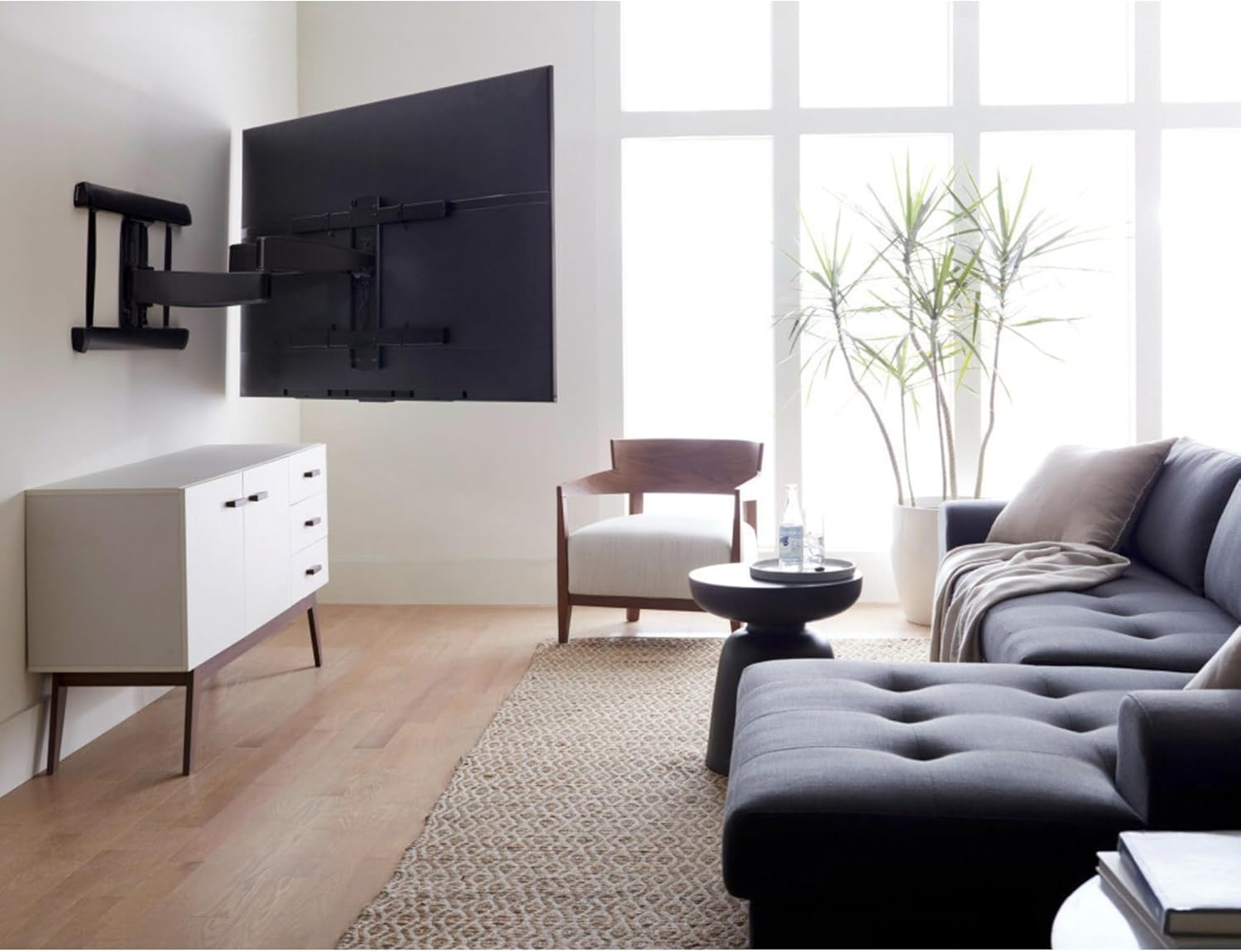
Image: The SANUS TV mount installed on a wall, holding a large flat-screen TV in a modern living room, demonstrating its low-profile design when retracted.
- Secure TV to Mount: Fasten the safety screws or locking mechanisms to prevent the TV from accidentally lifting off the mount.
- Adjust and Level: Utilize the mount's post-installation leveling and side-to-side shift features to fine-tune the TV's position.

Image: An illustration demonstrating the post-installation leveling and side-to-side adjustment capabilities of the SANUS TV mount, indicated by green arrows and a level tool.
Operating the Mount
The FluidMotion design of the VXF730-B2 allows for smooth and effortless adjustment of your television's position.
- Extension: Gently pull the TV away from the wall to extend the mount's arm. This provides access to the back of the TV for cable management or to achieve a desired viewing distance.

Image: The SANUS TV mount fully extended from the wall, showcasing its full-motion capability with a TV attached, allowing for flexible positioning.
- Swivel: Pivot the TV left or right to achieve the optimal viewing angle from different positions in the room. The mount supports up to 55° of swivel in each direction.
- Tilt: Adjust the vertical angle of the TV by tilting it up or down. The mount offers 8° of upward tilt and 17° of downward tilt to reduce glare or improve viewing from various heights.

Image: The SANUS TV mount demonstrating its tilt functionality, with green arrows indicating the range of vertical adjustment for the television.
- Steady Set: This feature ensures that once you position your TV, it remains exactly where you want it, preventing any unwanted drifting or shifting.
Maintenance
To ensure the longevity and continued smooth operation of your SANUS TV mount, follow these simple maintenance guidelines:
- Regular Inspection: Periodically check all mounting bolts and screws to ensure they remain tight and secure.
- Cleaning: Wipe the mount's surfaces with a soft, dry cloth. Avoid abrasive cleaners or solvents that could damage the finish.
- Lubrication: The FluidMotion design is engineered for smooth operation and typically does not require lubrication. If you notice any stiffness, consult customer support.
- Cable Management: Ensure cables are routed neatly through the integrated management channels and are not pinched or under excessive tension.
Troubleshooting
If you encounter issues with your SANUS TV mount, refer to the following common solutions:
- TV is not level after installation: Use the post-installation leveling adjustment feature. Loosen the leveling screws slightly, adjust the TV, and then re-tighten.
- Mount feels stiff or difficult to move: Ensure no cables are obstructing the movement. Check for any debris in the articulating joints. The FluidMotion design should provide smooth movement; if stiffness persists, contact customer support.
- TV is drifting or shifting: This indicates the Steady Set functionality may not be fully engaged or adjusted. Refer to the installation instructions for proper adjustment of the Steady Set mechanism.
- Mounting screws for TV do not fit: The kit includes a variety of screws. Ensure you are using the correct diameter and length for your specific TV model. If none fit, you may need to acquire specific metric machine screws (e.g., 22mm length for some LG models) and appropriate washers.
- TV height is incorrect after using online height finder: While online tools are helpful, always double-check measurements and consider the specific TV model's VESA hole placement relative to its top/bottom edge. Adjust the wall plate height as needed.
For issues not covered here, please contact SANUS customer support.
Specifications
| Feature | Specification |
|---|---|
| Brand | Sanus |
| Model Number | VXF730-B2 |
| TV Size Range | 46" - 95" (compatible with some 100" TVs) |
| Maximum TV Weight | 175 lbs (79.3 kg) |
| Tilt Range | 8° / -17° |
| Swivel Range | 55° / -55° |
| Roll Adjustment | 2° / -2° |
| VESA Compatibility | 200x200 through 600x400 |
| Profile Depth (from wall) | 2.46" (retracted) to 30.32" (extended) |
| Product Dimensions (W x H x D) | 36.73" x 22.03" x 2.46" |
| Material | Alloy Steel |
| Color | Black |
Warranty and Support
SANUS products are designed and engineered in the U.S. and come with a Limited Warranty, reflecting decades of experience and commitment to quality.
- Limited Warranty: This product is backed by a limited warranty. For specific terms and conditions, please refer to the warranty card included with your product or visit the official SANUS website.
- Customer Support: For any questions regarding installation, operation, or troubleshooting, SANUS offers 7-day-a-week U.S.-based expert customer care.
For further assistance, visit the SANUS Store on Amazon or their official website.
Related documentsVXF730-B2


Ask a question about this manual
Ask about setup, troubleshooting, compatibility, parts, safety, or missing instructions. Manuals+ will review the question and use this page’s manual context to help answer it.