
1. Product Overview
The OIVO PS4 Controller Charging Station is designed to efficiently charge two PlayStation 4, PS4 Slim, or PS4 Pro controllers simultaneously. It features LED indicators to display charging status and incorporates intelligent protection mechanisms to ensure safe and reliable operation.
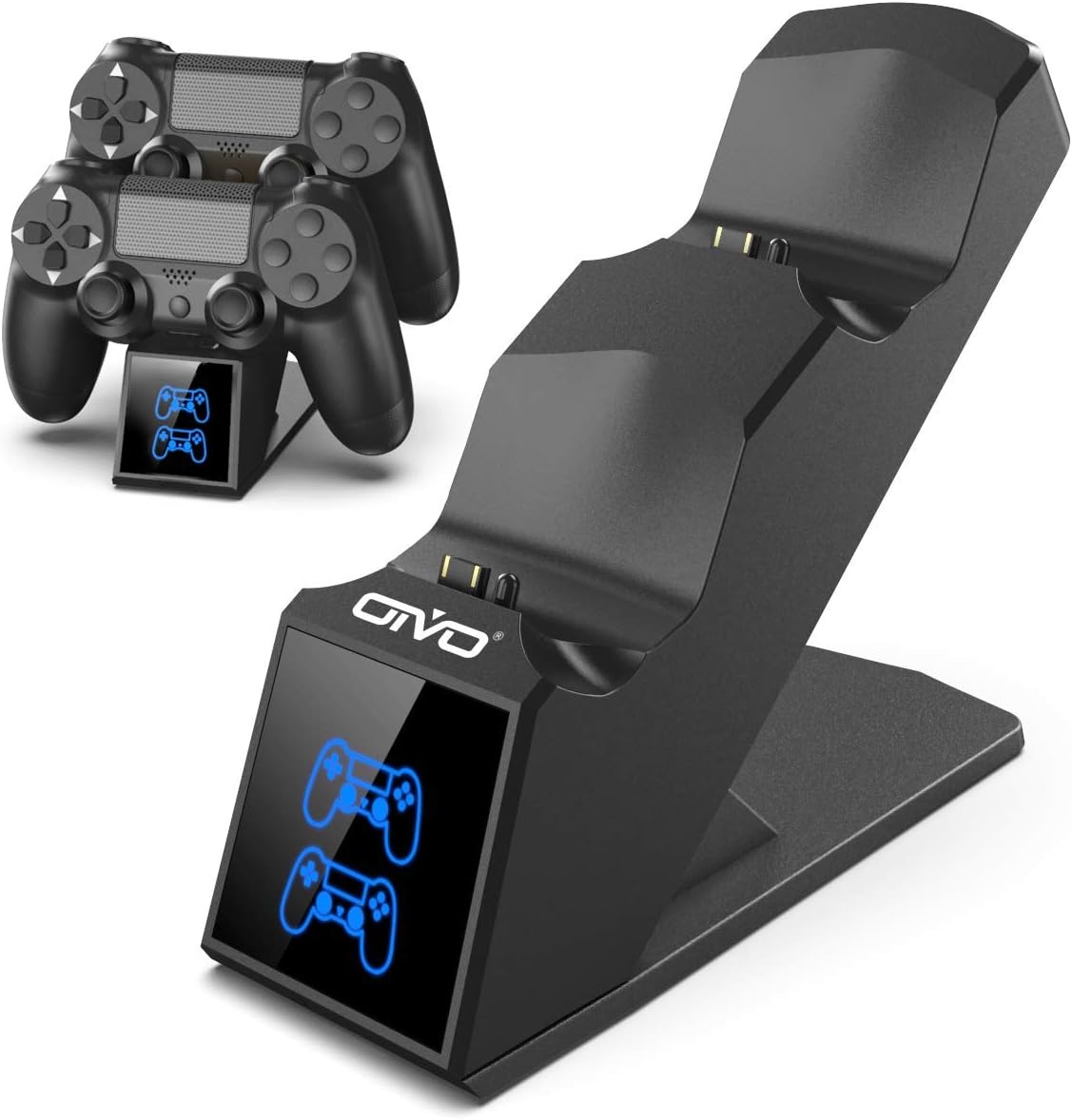
Image 1.1: The OIVO PS4 Controller Charging Station, capable of charging two controllers simultaneously.
2. Package Contents
Please verify that all items listed below are included in your package:
- 1 x OIVO PS4 Controller Charging Station
- 1 x Charging Cable (Micro USB)
- 1 x User Manual (this document)
3. Setup Instructions
- Connect the Charging Station: Insert the provided charging cable into the Micro USB port on the back of the charging station. Connect the other end of the cable to a compatible 5V/1A power source. Compatible sources include a computer USB port, PS4/Slim/Pro console USB port, wall adapter (not included), or a power bank.
- Place Controllers for Charging: Align the charging port on your PS4 controller with the connector pins on the charging station. Gently push the controller down until it securely docks. The LED indicator on the station will change color to show the charging status.

Image 3.1: Illustration of compatible power sources and how to correctly place a PS4 controller onto the charging station.
4. Operating Instructions
4.1 Charging Controllers
Once controllers are docked, the charging process begins automatically. The station is designed to charge two controllers simultaneously in approximately 1.8 hours.
- LED Indicator: The front panel features LED indicators for each charging slot.
- Red Light: Indicates that the PS4 controller is currently charging.
- Blue Light: Indicates that the PS4 controller is fully charged or the station is in standby mode (no controller or fully charged controller).

Image 4.1: The LED indicators on the charging station display red when charging and blue when fully charged or in standby.
4.2 Fast Charging Capability
The charging station is equipped with an upgraded copper chip, enabling fast charging for both controllers. This allows for a full charge of two controllers in approximately 1.8 hours.

Image 4.2: Visual representation of the 1.8-hour fast charging cycle for two controllers.
5. Safety Features
The OIVO PS4 Controller Charging Station integrates smart chips and high-quality components to provide comprehensive protection for your controllers and the charging station itself. These protections include:
- Over-Heated Protection: Prevents overheating during charging.
- Short-Circuit Protection: Safeguards against short circuits.
- Over-Current Protection: Protects against excessive current flow.
- Over-Voltage Protection: Shields against voltage spikes.

Image 5.1: Visual representation of the intelligent protection features built into the charging station.
6. Maintenance
- Cleaning: Disconnect the charging station from the power source before cleaning. Use a soft, dry cloth to wipe the surface. Do not use liquid cleaners or abrasive materials.
- Storage: When not in use, store the charging station in a cool, dry place away from direct sunlight and extreme temperatures.
- Handling: Avoid dropping or subjecting the device to strong impacts. Do not attempt to disassemble or repair the unit yourself.
7. Troubleshooting
| Problem | Solution |
|---|---|
| Controller not charging (no LED light) |
|
| Charging is slow |
|
| LED light is blue but controller is not fully charged |
|
8. Specifications
| Feature | Detail |
|---|---|
| Brand | OIVO |
| Model Number | 12359687031 |
| Color | Blue |
| Connector Type | USB |
| Compatible Devices | Game Console (PS4, PS4 Slim, PS4 Pro controllers) |
| Special Features | Fast Charging |
| Total USB Ports | 2 (for charging controllers) |
| Input Voltage | 5 Volts |
| Amperage | 1 A |
| Included Components | USB Cable |
| Manufacturer | OIVO |
| Country of Origin | China |
9. Warranty and Support
This OIVO product comes with a 2-year manufacturer's warranty from the date of purchase. This warranty covers defects in materials and workmanship under normal use.
The warranty does not cover damage caused by accident, misuse, abuse, neglect, unauthorized modification or repair, or damage from external causes such as power surges.
For warranty claims or technical support, please contact OIVO customer service through the retailer where the product was purchased or visit the official OIVO website for contact information.