
LIGHTAILING 71040
LIGHTAILING LED Light Kit Instruction Manual
For Disney Castle Building Blocks Model (Compatible with 71040)
Model: 71040
Introduction
This manual provides detailed instructions for the installation, operation, and maintenance of your LIGHTAILING LED Light Kit, designed to illuminate the Disney Castle building blocks model (model not included). Our light kits are handcrafted with high-quality, safe materials to bring new vitality and shine to your building creations.
The kit includes 6 USB Light components, an instruction guide, a battery box, and 1 USB connector. Please read all instructions carefully before beginning installation.

Figure 1: Disney Castle model illuminated by the LIGHTAILING LED Light Kit.
Setup and Installation
Follow these steps to set up your LIGHTAILING LED Light Kit. It is recommended to install the lights as you build or reassemble sections of your Disney Castle model for optimal wire management and integration.
1. Unboxing and Component Check
Carefully unpack all components from the box. Verify that you have received all items listed:
- 6 x USB Light Kits
- 1 x Instruction Guide
- 1 x Battery Box (requires 3 AA batteries, not included)
- 1 x USB Connector

Figure 2: Contents of the LIGHTAILING LED Light Kit package.
2. Power Supply Options
Your light kit can be powered by either:
- Three (3) AA batteries (not included) inserted into the provided battery box.
- A USB charger with a voltage of less than 5V. Using a charger with higher voltage may damage the lights.
3. Installation Guidelines
The light set installation is designed to be integrated with your building blocks. Please install your LED lights carefully. Avoid hard pulling, bending, or shaking the wires and components, as this can cause damage. Refer to the detailed paper instructions included in the package for specific placement. For visual guidance, scan the QR code below for online installation videos.
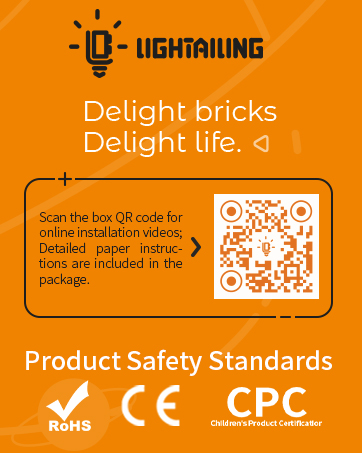
Figure 3: Scan for online installation videos.
Operating the Light Kit
Once installed, connect the light kit to your chosen power source (battery box or USB charger). The lights will illuminate, bringing your Disney Castle model to life. The kit features various lights to highlight different sections and details of the castle, creating a magical display.

Figure 4: Interior lighting of the Disney Castle model.

Figure 5: Detailed view of the illuminated clock tower.

Figure 6: Illuminated interior room with intricate details.

Figure 7: Illuminated main hall entrance.
Official Product Video
Watch the official product video for a dynamic demonstration of the LIGHTAILING LED Light Kit in action with the Disney Castle model.
Video 1: Demonstration of the LIGHTAILING LED Light Kit for the Disney Castle 71040 model, showcasing various lighting effects and illuminated sections of the castle.
Maintenance
To ensure the longevity and optimal performance of your LIGHTAILING LED Light Kit, follow these simple maintenance guidelines:
- Cleaning: Use a soft, dry cloth to gently wipe away any dust from the lights and wires. Avoid using liquid cleaners directly on the electrical components.
- Battery Replacement: If using the battery box, replace all three AA batteries when the lights begin to dim or stop working. Ensure correct polarity when inserting new batteries.
- Wire Care: Periodically check wires for any signs of wear or damage. Ensure wires are not pinched or excessively bent, which can lead to breakage.
- Storage: If disassembling the model or storing the light kit, carefully disconnect components and store them in a dry, safe place away from extreme temperatures or direct sunlight.
Troubleshooting
If you encounter any issues with your LIGHTAILING LED Light Kit, please refer to the following common troubleshooting steps:
| Problem | Possible Cause | Solution |
|---|---|---|
| Lights do not turn on. | No power, loose connection, or faulty component. | Check if batteries are correctly inserted or if USB charger is properly connected. Ensure all light kit connectors are securely plugged in. Test individual light components if possible. |
| Lights are dim. | Low battery power or insufficient power from USB. | Replace batteries with fresh ones. If using USB, ensure the charger provides stable power and is less than 5V. |
| Some lights are not working. | Damaged wire or LED, or loose connection for specific light. | Carefully inspect the wires and connections for the non-working lights. Ensure no wires are pinched by building blocks. If a component is damaged, contact customer support. |
| Flickering lights. | Unstable power supply or loose connection. | Verify power source stability. Check all connections for tightness. |
Specifications
- Product Dimensions: 8.07 x 6.1 x 1.97 inches
- Item Weight: 13.4 ounces
- Item Model Number: 71040
- Manufacturer Recommended Age: 6 years and up
- Manufacturer: LIGHTAILING
- Power Input: 3 x AA Batteries (not included) or USB Charger (<5V)
Warranty and Support
LIGHTAILING is committed to providing high-quality products and excellent customer service. Our LED light kits are designed to enhance your building experience and are made with care.
If you encounter any problems with your LIGHTAILING LED Light Kit that are not resolved by the troubleshooting steps, or if you have any questions, please do not hesitate to contact our customer support team. We are here to help ensure you have a happy shopping and building experience.
For support, please visit the official LIGHTAILING store or contact us through the platform where you purchased the product. You can find more information and contact details at the LIGHTAILING Store on Amazon.
Related documents71040


Ask a question about this manual
Ask about setup, troubleshooting, compatibility, parts, safety, or missing instructions. Manuals+ will review the question and use this page’s manual context to help answer it.