
BAOFENG BF-F9 V2N
BAOFENG BF-F9 V2N Dual Band Two-Way Radio User Manual
Model: BF-F9 V2N (Item Model Number: BF2020)
Frequency Range: 144-148MHz / 420-450MHz
Introduction
This manual provides comprehensive instructions for the setup, operation, and maintenance of your BAOFENG BF-F9 V2N Dual Band Two-Way Radio. Designed for reliable communication, this portable walkie-talkie features an 8-watt powerful output, a high-capacity 2100mAh Li-ion battery, and supports up to 128 channels across VHF and UHF frequencies. Please read this manual thoroughly to ensure optimal performance and safe use of your device.

Image: BAOFENG BF-F9 V2N Dual Band Two-Way Radio with charging base and earpiece.
What's in the Box
Upon unboxing your BAOFENG BF-F9 V2N, please verify that all the following components are included:
- BF-F9V2N Two-Way Radio Unit
- BaoFeng Radio User Manual
- Antenna
- 2100mAh Li-ion Battery
- Belt Clip
- Earphone
- Desktop Charger
- Adapter (110-240V)

Image: All components included in the BAOFENG BF-F9 V2N package, laid out on a surface.
Product Overview
Familiarize yourself with the key components and controls of your BAOFENG BF-F9 V2N radio:

Image: Front view of the radio with labels pointing to the flashlight, knob (On/Off/Volume), LCD display, frequency mode/channel mode button (VFO/MR), LED indicator, speaker/microphone (SP.&MIC), frequency display switches (A/B), and keyboard.

Image: Side view of the radio showing the ST-side Key1/CALL (radio, alarm), PTT key (push-to-talk), SK-side key2/MONI (flashing, monitor), speaker, and microphone ports.
Key Features:
- Dual Band Operation: Supports both VHF (144-148MHz) and UHF (420-450MHz) frequencies.
- High Power Output: 8-Watt transmission for extended range.
- Long-lasting Battery: Equipped with a 2100mAh Li-ion battery for prolonged use.
- 128 Channels: Ample channel capacity for various communication needs.
- Built-in FM Radio: Listen to FM broadcasts (65-108MHz).
- LED Flashlight: Integrated flashlight for convenience in low-light conditions.
- VOX Function: Hands-free voice-activated transmission.
- Flexible Antenna: Durable and flexible antenna for improved signal reception.
Setup
-
Battery Installation:
Align the 2100mAh Li-ion battery with the battery compartment on the back of the radio. Slide the battery upwards until it clicks securely into place. To remove, press the release button located at the bottom of the battery and slide it downwards.
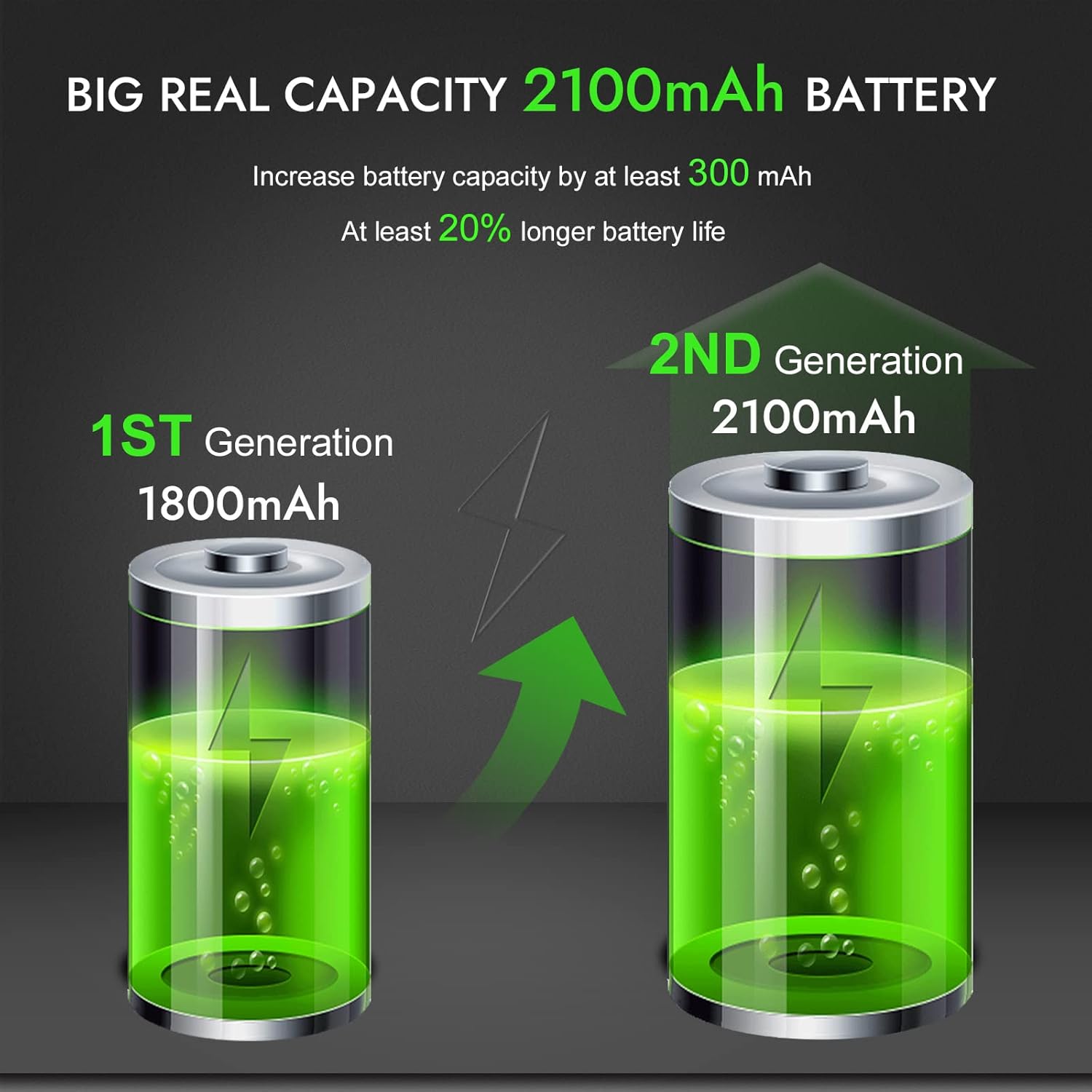
Image: Visual comparison showing the 2100mAh 2nd Generation battery offers at least 20% longer battery life than the 1800mAh 1st Generation.
-
Antenna Attachment:
Screw the provided antenna clockwise into the antenna connector on top of the radio until it is finger-tight. Do not overtighten.

Image: The radio with its 5db new-tech antenna, illustrating up to 20% increased distance.
-
Charging the Battery:
Place the radio (with battery installed) into the desktop charger. Ensure the charging contacts align. Plug the adapter into a standard 110-240V AC outlet. The charger's LED indicator will show charging status (typically red for charging, green for fully charged). A full charge can provide up to 8 hours of working time or 3 days of standby time.

Image: Graphic showing 3 days standby time and 2 days continuous use time for the radio.
-
Attaching Accessories:
The belt clip can be screwed onto the back of the radio for easy carrying. The earphone can be plugged into the side port for private listening and hands-free communication.
Operating Instructions
-
Power On/Off and Volume:
Rotate the top knob clockwise to power on the radio. Continue rotating to adjust the volume. Rotate counter-clockwise until a click is heard to power off.
-
Switching Modes (VFO/MR):
Press the VFO/MR button to switch between Frequency Mode (VFO) and Channel Mode (MR). In Frequency Mode, you can manually input frequencies. In Channel Mode, you can select from pre-programmed channels (up to 128).
-
Transmitting and Receiving:
To transmit, press and hold the PTT (Push-To-Talk) button on the left side of the radio. Speak clearly into the microphone. The LED indicator will turn red during transmission. Release the PTT button to receive. The LED indicator will turn green when receiving a signal.
Video: Demonstrates the clear and loud sound transmission of the Baofeng two-way radio, highlighting its effective communication capabilities.
-
FM Radio Function:
Press the CALL button (top side button) once to activate the FM radio. Press it again to switch back to two-way radio mode. Use the up/down arrow keys on the keypad to change FM frequencies.
-
LED Flashlight:
Press the MONI button (bottom side button) once to turn on the LED flashlight. Press it again to activate strobe mode. A third press will turn the flashlight off.
-
Channel Selection and Privacy:
The radio supports 128 channels. You can program specific channels for private communication. Refer to the detailed user manual for advanced programming instructions, including setting CTCSS/DCS tones for privacy.

Image: Collage showing the radio being used in various outdoor and professional settings, including mountain climbing, cross-country travel, camping, and construction sites.
Maintenance
- Cleaning: Use a soft, damp cloth to clean the radio's exterior. Do not use harsh chemicals or abrasive cleaners.
- Battery Care: To prolong battery life, avoid overcharging and fully discharging the battery frequently. Store the battery in a cool, dry place when not in use for extended periods.
- Storage: Store the radio in a dry environment, away from extreme temperatures and direct sunlight.
- Water Resistance: The radio is water-resistant, but not waterproof. Avoid submerging it in water.
Troubleshooting
| Problem | Possible Cause | Solution |
|---|---|---|
| Radio does not power on. | Low or dead battery; improperly installed battery. | Charge the battery; ensure battery is correctly installed. |
| Cannot transmit or receive. | Incorrect frequency/channel; out of range; antenna not attached. | Verify frequency/channel settings; move closer to other radios; ensure antenna is securely attached. |
| Poor audio quality. | Low battery; interference; antenna issue. | Charge battery; move away from sources of interference; check antenna connection. |
| FM radio not working. | Not in FM mode; weak signal. | Press CALL button to enter FM mode; try different locations for better reception. |
Specifications
| Feature | Detail |
|---|---|
| Brand | BAOFENG |
| Model Number | BF2020 (BF-F9 V2N) |
| Item Weight | 4.6 ounces |
| Product Dimensions | 4.8 x 2.4 x 1.6 inches |
| Battery Type | 1 Lithium Ion batteries (included) |
| Battery Capacity | 2100mAh |
| Display Type | LCD |
| Number of Channels | 128 |
| Frequency Range | 144-148MHz (TX), 420-450MHz (TX) |
| Talking Range Maximum | 10 Kilometers (approx. 6.2 miles) |
| Tuner Technology | UHF, VHF |
| Voltage | 110 Volts (for adapter) |
| Water Resistance Level | Waterproof |
Warranty and Support
All BAOFENG radios sold qualify for BAOFENG's 5-year warranty and support. This ensures you receive high-quality professional services for any questions or issues you may encounter with your radio.
For support, please utilize the following channels:
- Amazon Message Center
- Product Q&A Section
Ask a question about this manual
Ask about setup, troubleshooting, compatibility, parts, safety, or missing instructions. Manuals+ will review the question and use this page’s manual context to help answer it.