
1. Introduction
This manual provides detailed instructions for the safe and efficient installation, operation, and maintenance of your Sylvania Solar Flood Light Luminaire Model 65000. This outdoor LED luminaire is designed to provide illumination using solar power, featuring a daylight sensor for automatic operation.
Please read this manual thoroughly before installation and retain it for future reference.
2. Safety Information
- Ensure the product is installed in a location that receives ample direct sunlight for optimal charging.
- This luminaire is designed for outdoor use and is IP44 rated, meaning it is protected against solid objects larger than 1mm and splashing water from any direction.
- Do not attempt to disassemble, modify, or repair the unit. This may void the warranty and pose safety risks.
- Keep the solar panel clean and free from obstructions (e.g., dirt, snow, leaves) to ensure efficient charging.
- The operating temperature range for this product is -4°F (-20°C) to 104°F (40°C).
- Dispose of the product and its battery responsibly according to local regulations.
3. Package Contents
Verify that all components are present before beginning installation:
- 1 x Sylvania Solar Flood Light Luminaire (Model 65000)
- Mounting hardware (screws, anchors)
- Integrated LED and rechargeable battery (pre-installed)
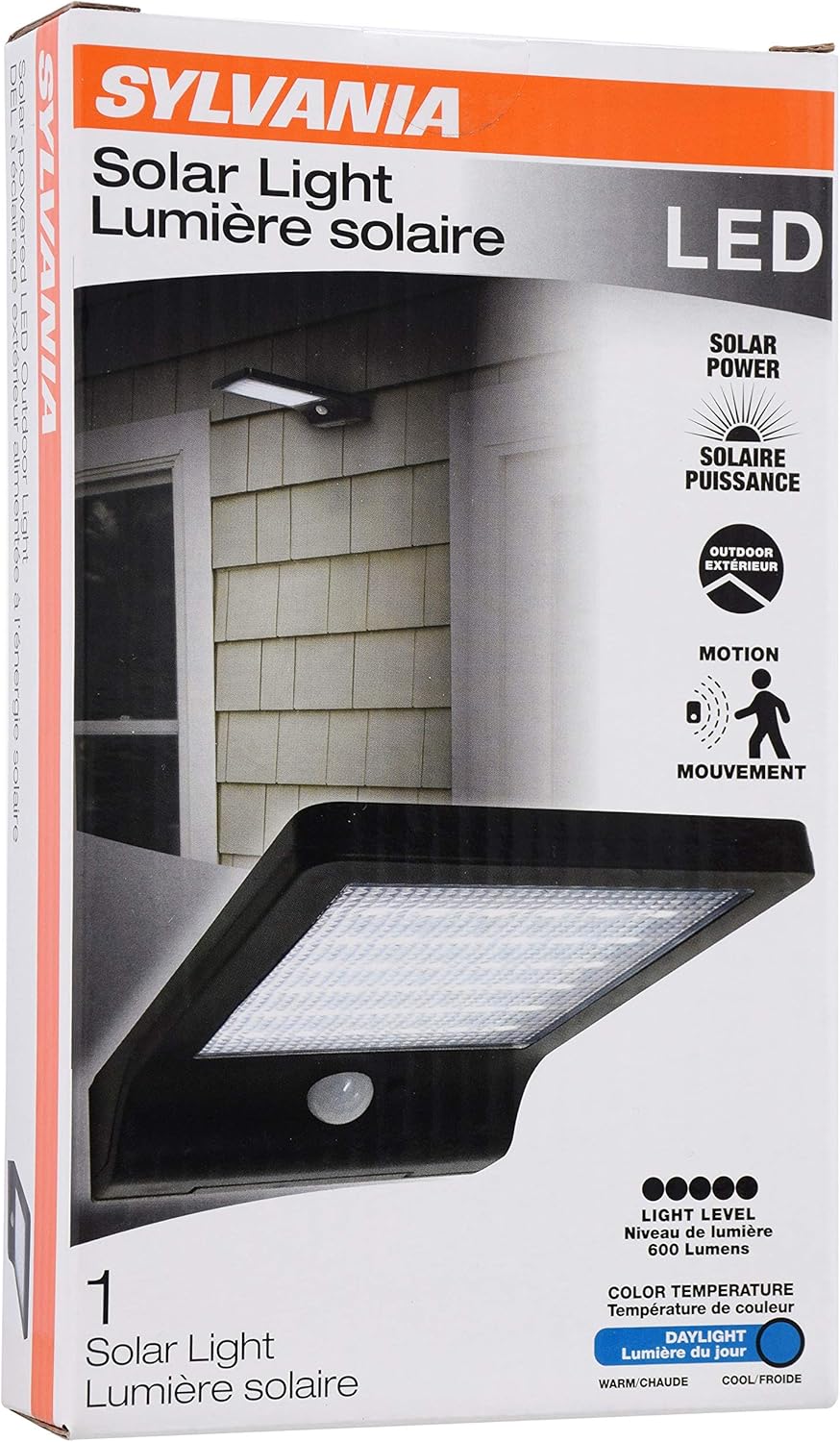
4. Setup and Installation
The Sylvania Solar Flood Light Luminaire is designed for easy, wireless installation. No electrical wiring is required.
- Choose a Location: Select an outdoor location that receives a minimum of 8-10 hours of direct sunlight daily. This is crucial for the solar panel to fully charge the internal battery. Avoid areas shaded by trees, buildings, or other obstructions.
- Mounting Surface: Ensure the mounting surface is stable and can support the weight of the luminaire.
- Secure the Luminaire: Use the provided mounting hardware (screws and anchors) to securely attach the luminaire to your chosen surface. The luminaire should be positioned to allow the solar panel to face the sun directly for maximum exposure.
- Initial Charge: After installation, allow the luminaire to charge for at least 24-48 hours in direct sunlight before its first use to ensure the battery is fully charged.

5. Operating Instructions
The Sylvania Solar Flood Light Luminaire features an integrated daylight sensor for automatic operation.
- Automatic Operation: The luminaire is designed to automatically turn on at dusk and turn off at dawn. The integrated daylight sensor detects ambient light levels to manage this function.
- Charging: During daylight hours, the solar panel converts sunlight into electricity, which is stored in the internal rechargeable battery. A full charge (approximately 10 hours of direct sunlight) provides up to 12 hours of illumination.
- Control Button: The unit may include a "Mode" or "On/Off" button. Refer to the specific markings on your unit for its function. Typically, a single press activates the light, and subsequent presses may cycle through modes (if available) or turn it off. Ensure the light is in the "ON" position for automatic dusk-to-dawn operation.

6. Maintenance
The Sylvania Solar Flood Light Luminaire is designed to be largely maintenance-free.
- Cleaning: Periodically wipe the solar panel and LED lens with a soft, damp cloth to remove dust, dirt, or debris. A clean solar panel ensures optimal charging efficiency.
- Battery: The luminaire includes a pre-installed rechargeable battery. This battery is designed for the product's lifespan and typically does not require replacement. The LEDs are also integrated and do not require bulb changes.
- Winter Care: In areas with heavy snow, ensure the solar panel is cleared of snow to allow for charging.
7. Troubleshooting
If your Sylvania Solar Flood Light Luminaire is not functioning as expected, consider the following:
- Light does not turn on at night:
- Ensure the luminaire is installed in a location receiving sufficient direct sunlight (8-10 hours daily).
- Check if the solar panel is clean and free from obstructions.
- Verify that the control button (if present) is set to the "ON" position for automatic operation.
- Allow for initial charging time (24-48 hours) after installation or prolonged storage.
- Light is dim or only stays on for a short period:
- The battery may not be fully charged. Ensure the solar panel receives maximum direct sunlight.
- Clean the solar panel to improve charging efficiency.
- Environmental factors like cloudy weather or shorter winter days can reduce charging capacity.
8. Specifications
| Feature | Specification |
|---|---|
| Model Number | 65000 |
| Brand | LEDVANCE (Sylvania General Lighting) |
| Light Source Type | LED |
| Power Source | Solar Powered |
| Brightness | 350 Lumens |
| Color Temperature | 5000 Kelvin (Daylight White) |
| Wattage | 3.5 watts |
| Material | Plastic |
| Finish | Black Finish |
| Product Dimensions | 4.33"L x 1.18"W x 7.56"H |
| Item Weight | 10.2 ounces (0.29 Kilograms) |
| Water Resistance Level | IP44 (Water Resistant) |
| Special Feature | Rechargeable, Daylight Sensor |
| Operating Temperature | -4°F (-20°C) to 104°F (40°C) |
9. Warranty and Support
This Sylvania Solar Flood Light Luminaire Model 65000 is backed by a 3-year warranty from the date of purchase. This warranty covers defects in materials and workmanship under normal use.
For warranty claims, technical support, or any questions regarding your product, please contact LEDVANCE customer service. Keep your proof of purchase for warranty validation.
For more information, you may visit the LEDVANCE Store on Amazon.