Introduction
Thank you for choosing the Zamkol Wireless Bluetooth Speaker. This portable and waterproof speaker is designed to deliver powerful 30W stereo sound with enhanced bass, making it ideal for both outdoor adventures and home use. Please read this manual carefully to ensure proper use and maintenance of your device.
Safety Information
- Do not expose the speaker to extreme temperatures or direct sunlight for extended periods.
- Do not disassemble, repair, or modify the speaker. This will void the warranty.
- Keep the speaker away from medical devices.
- Ensure the charging port cover is securely closed when using the speaker near water to maintain its IPX6 waterproof rating.
- Use only the provided charging cable or a certified equivalent.
What's in the Box
- Zamkol Wireless Bluetooth Speaker (Model: ZK202)
- USB Type-C Charging Cable
- 3.5mm Audio Cable (AUX)
- User Manual
Product Overview

Front view of the Zamkol ZK202 Wireless Bluetooth Speaker, showcasing its cylindrical design, control buttons, and red fabric mesh.
Key Features:
- Powerful 30W Stereo Sound: Engineered with two power drivers for strong bass and clear midrange and treble.
- True Wireless Stereo (TWS) Pairing: Connect two ZK202 speakers for a combined 60W stereo sound experience.
- Portable and Unique Design: Cylindrical shape for easy portability and attachment to bicycles or backpacks. Features a rotary volume knob for convenient one-handed control.
- Extended Playtime: Built-in 6600mAh battery provides up to 15 hours of playtime (varies by volume level).
- IPX6 Water Resistance: Suitable for use in bathrooms, by the pool, or at the beach, protected against splashing and rain.
- Stable Bluetooth 5.0 Connectivity: Connects easily to devices up to 60 unobstructed feet away.
- Versatile Compatibility: Supports non-Bluetooth devices via Micro SD card slot and 3.5mm audio cable.
Setup
1. Charging the Speaker
Before first use, fully charge the speaker. Connect the USB Type-C charging cable to the speaker's charging port and the other end to a USB power adapter (not included) or a computer's USB port. The LED indicator will show charging status (e.g., red while charging, green when fully charged).
2. Powering On/Off
To power on the speaker, press and hold the central power button (circle icon) for a few seconds until you hear an audible prompt and the LED indicator lights up. To power off, press and hold the same button until the speaker shuts down.
3. Bluetooth Pairing
- Ensure the speaker is powered on and in Bluetooth pairing mode (the LED indicator will typically flash blue).
- On your device (smartphone, tablet, laptop), enable Bluetooth and search for available devices.
- Select "ZK202" from the list of found devices.
- Once connected, the speaker will provide an audible confirmation, and the LED indicator will turn solid blue.
4. True Wireless Stereo (TWS) Pairing
For an enhanced stereo experience, you can pair two ZK202 speakers together:
- Ensure both ZK202 speakers are powered on and not connected to any other Bluetooth device.
- On one of the speakers (this will be the primary speaker), double-click the central power button (circle icon). The speaker will enter TWS pairing mode.
- The two speakers will automatically search for and connect to each other. Once connected, you will hear an audible confirmation.
- Now, connect your device to the primary speaker via Bluetooth as described in step 3. Both speakers will play audio in stereo.
5. Connecting Non-Bluetooth Devices
The speaker supports audio playback from Micro SD cards and via a 3.5mm AUX cable.
- Micro SD Card: Insert a Micro SD card (with supported audio formats like WAV, MP3, WMA, FLAC in the root directory) into the Micro SD slot. The speaker will automatically switch to Micro SD mode and begin playback.
- AUX Input: Connect one end of the 3.5mm audio cable to the speaker's AUX port and the other end to your audio source (e.g., MP3 player, laptop). The speaker will automatically switch to AUX mode.
Operating Instructions
Control Buttons and Rotary Knob:
Close-up of the control panel on the Zamkol ZK202 speaker, showing the volume buttons, power/play button, mode button, and Micro SD/AUX ports.
| Button/Control | Function |
|---|---|
| Rotary Knob (Top) | Rotate clockwise to increase volume, counter-clockwise to decrease volume. |
| '+' Button | Short press: Increase volume. Long press: Next track. |
| '-' Button | Short press: Decrease volume. Long press: Previous track. |
| Central Circle Button (Power/Play/Pause) | Long press: Power On/Off. Short press: Play/Pause music. Single click: Activate voice assistant. Double click: Activate TWS pairing mode. |
| 'M' Button (Mode) | Short press: Play/Pause music or Answer/End calls. Long press (2s): Switch between Bluetooth, Micro SD, and AUX modes. Long press (8s): Reset speaker. |
Call Handling:
- Answer/End Call: Short press the 'M' button.
- Reject Call: Press and hold the 'M' button for 2 seconds.
Water Resistance (IPX6):

A hand holding the Zamkol ZK202 speaker under splashing water, demonstrating its IPX6 water resistance.
The ZK202 speaker is IPX6 water-resistant, meaning it can withstand powerful water jets. It is suitable for use in wet environments like bathrooms, by the pool, or at the beach. Important: Ensure the rubber cover for the charging and AUX ports is securely sealed before exposing the speaker to water. Do not submerge the speaker completely in water.
Maintenance
- Clean the speaker with a soft, damp cloth. Do not use abrasive cleaners or solvents.
- Keep the charging port free of dust and debris.
- Store the speaker in a cool, dry place when not in use for extended periods.
- Avoid dropping the speaker or subjecting it to strong impacts.
Troubleshooting
| Problem | Possible Solution |
|---|---|
| Speaker won't turn on. | Ensure the speaker is charged. Connect it to a power source and try again. |
| Cannot pair via Bluetooth. |
|
| No sound or low volume. |
|
| TWS pairing failed. |
|
Specifications
| Feature | Detail |
|---|---|
| Model Name | ZK202 |
| Speaker Type | Outdoor |
| Speaker Maximum Output Power | 30 Watts |
| Wireless Communication Technology | Bluetooth 5.0 |
| Bluetooth Range | 60 Feet (unobstructed) |
| Battery Life | 15 Hours |
| Battery Capacity | 6600 mAh |
| Water Resistance Rating | IPX6 |
| Control Method | Touch, Rotary Knob |
| Audio Output Mode | Stereo |
| Item Weight | 660 Grams (1.46 pounds) |
| Product Dimensions | 2.83 x 2.83 x 7.28 inches |
| Compatible Devices | Smartphone, TV, Laptop, Projector, MP3 Player, Desktop, Tablet |
| Connectivity Protocol | Bluetooth, Micro SD, 3.5mm AUX |
| UPC | 781360211007 |

Graphic illustrating the 15-hour battery life of the Zamkol ZK202 speaker.
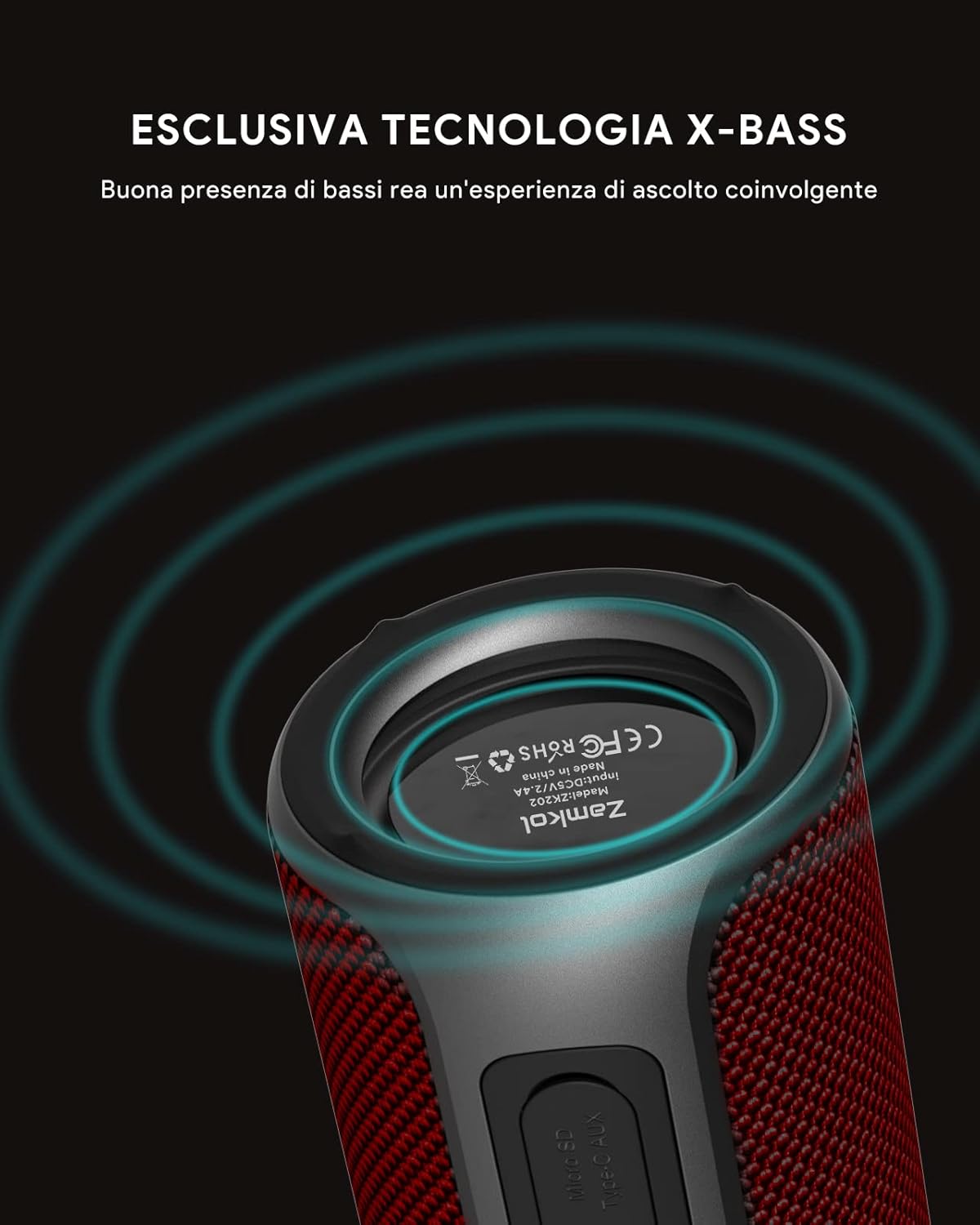
Graphic highlighting the exclusive X-Bass technology for enhanced bass performance.
Warranty and Support
The Zamkol ZK202 Wireless Bluetooth Speaker comes with a limited warranty. For detailed warranty information, technical support, or customer service, please refer to the contact information provided on the product packaging or visit the official ZAMKOL website.
Manufacturer: Zamkol