
iTouchless IT13MXL-1
Contents
iTouchless 13 Gallon Pet-Proof Sensor Trash Can User Manual
Model: IT13MXL-1 | Brand: iTouchless
Product Overview
This iTouchless 13 Gallon Pet-Proof Sensor Trash Can offers a hygienic and convenient solution for waste management in your home or office. Featuring touchless operation, an AbsorbX odor filter, and a unique PetGuard lock, it is designed to keep your space clean and odor-free while preventing pets from accessing the contents.
Key Features
- PetGuard Lock: The patent-pending PetGuard lock feature makes it easy to keep pets out of the trash, even when you're not home.
- 100% Touchless: Just the motion of your hand opens the lid automatically! It’s the hygienic and convenient choice.
- AbsorbX Odor Filter: One AbsorbX Natural Activated Carbon Odor Filter is included to absorb and neutralize trash odors, for a healthier and fresh and clean smelling home.
- Dual Power Options: Powered by batteries (not included), or optional AC Adapter (sold separately) for battery-free power.
- Durable Stainless Steel: Fingerprint-proof surface is easy to clean. Modern design is perfect for any kitchen or office décor.
Setup
Unpacking and Initial Setup
Carefully remove all packaging materials. Place the trash can on a flat, stable surface.
Power Options
The trash can can be powered by 4 Size D batteries (not included) or an optional AC Adapter (sold separately).
Battery Installation
Locate the battery compartment on the underside of the lid. Insert 4 Size D batteries, ensuring correct polarity (+/-).
AC Adapter Connection (Optional)
If using the AC adapter, plug it into the designated port on the back of the lid and then into a wall outlet.
AbsorbX Odor Filter Installation
The AbsorbX odor filter helps to absorb and neutralize trash odors.
- Open the lid of the trash can.
- Locate the filter compartment on the underside of the lid.
- Insert the AbsorbX odor filter into the compartment.
- Close the filter compartment securely.

Image: Installation of the AbsorbX odor filter into its designated slot on the underside of the lid.
Operating Instructions
Touchless Operation
The trash can features a motion sensor for hands-free operation.
- To open the lid, simply wave your hand approximately 6 inches above the sensor located on the front of the lid.
- The lid will open automatically and remain open for a few seconds.
- After a few seconds of inactivity, the lid will close automatically.

Image: A hand waving over the sensor to activate the automatic lid opening.
Video: Demonstrates the touchless operation of the iTouchless 13 Gallon Sensor Kitchen Trash Can, highlighting its automatic lid opening and odor filter functionality.
Video: Overview of iTouchless trash cans and waste receptacles, showcasing their odor control features and touchless operation.
Manual Open/Close Buttons
For extended open times or manual control, use the "Open" and "Close" buttons on the lid.
- Press the "Open" button to keep the lid open indefinitely.
- Press the "Close" button to close the lid.
PetGuard Lock Feature
The PetGuard lock prevents pets from opening the lid.
- To engage the PetGuard lock, slide the small lever located on the side of the lid to the locked position.
- To disengage, slide the lever back to the unlocked position.
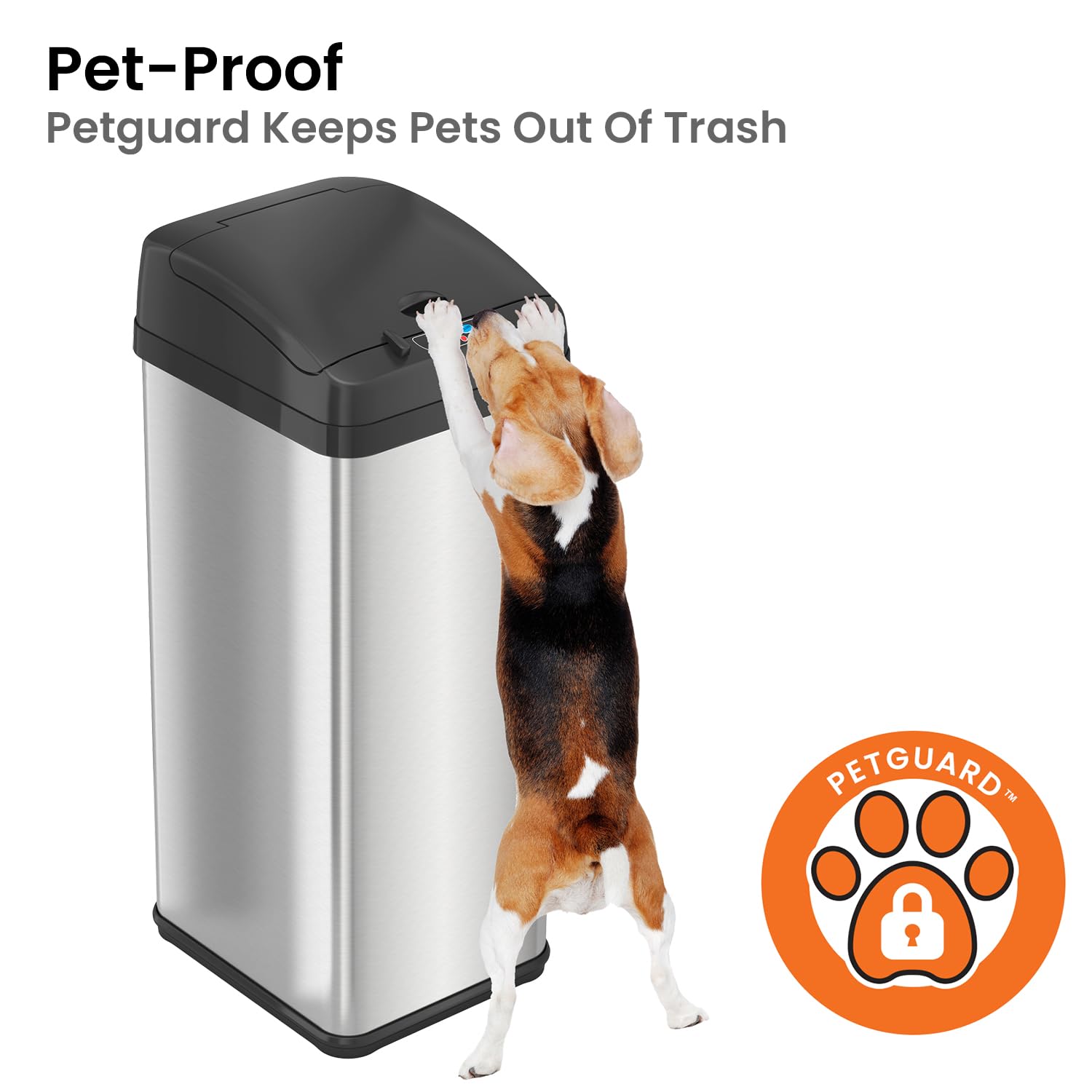
Image: A dog attempting to open the trash can, demonstrating the effectiveness of the PetGuard feature.
Video: Demonstrates the PetGuard feature of the iTouchless trash can, showing how it prevents pets from accessing the trash.
Maintenance
Cleaning
To clean the stainless steel body, use a soft cloth and a stainless steel cleaner. Avoid abrasive cleaners.
For the lid, wipe with a damp cloth. Do not immerse the lid in water.
AbsorbX Odor Filter Replacement
Replace the AbsorbX odor filter every 3 months or as needed, depending on usage.
- Open the lid and locate the filter compartment.
- Remove the old filter.
- Insert a new AbsorbX odor filter.
- Close the compartment.
Troubleshooting
Lid Not Opening/Closing
- Check battery power. Replace batteries if low.
- Ensure the AC adapter is securely plugged in (if used).
- Verify the PetGuard lock is disengaged.
- Clean the sensor window to remove any obstructions.
Odor Persists
- Replace the AbsorbX odor filter.
- Ensure the lid closes completely.
- Clean the interior of the trash can and lid thoroughly.
Pet Still Accessing Trash
- Ensure the PetGuard lock is fully engaged.
- Verify the lid is closing completely and securely.
Specifications

Image: Product dimensions of the iTouchless 13 Gallon Pet-Proof Sensor Trash Can.
| Feature | Detail |
|---|---|
| Brand | iTouchless |
| Model Number | IT13MXL-1 |
| Capacity | 13 Gallons |
| Product Dimensions | 13 x 11 x 28 inches; 8 Pounds |
| Material | Stainless Steel |
| Opening Mechanism | Motion-Sensor |
| Special Feature | Sensor Activate, Touchless Trash Can, Manual open and close, AbsorbX Odor Filter System |
| Color | Light Silver / Black |
| Manufacturer | iTouchless Housewares & Products Inc. |
Warranty & Support
For warranty information or technical support, please visit the official iTouchless website or contact their customer service.
User Manual (PDF): Download PDF
Troubleshooting Guide (PDF): Download PDF
Documents and downloads
Ask a question about this manual
Ask about setup, troubleshooting, compatibility, parts, safety, or missing instructions. Manuals+ will review the question and use this page’s manual context to help answer it.