
PROHEAR 033
PROHEAR 033 Bluetooth Hearing Protection Headphones User Manual
Model: 033 | Brand: PROHEAR
Introduction
The PROHEAR 033 Bluetooth Hearing Protection Headphones are designed to provide effective noise reduction while allowing for audio entertainment and communication. Featuring Bluetooth 5.4 technology, AM/FM radio, and an AUX input, these earmuffs are suitable for various noisy environments such as mowing, landscaping, factory work, and workshops. They are equipped with a rechargeable lithium battery for extended use and are built with durable, comfortable materials.
Safety Information
Always read and understand all safety warnings and instructions before using this product. Failure to follow these instructions may result in serious injury.
- Ensure the earmuffs are properly fitted to achieve the stated Noise Reduction Rating (NRR).
- Do not modify the product in any way, as this may compromise its protective capabilities.
- Avoid exposing the product to extreme temperatures or direct sunlight for prolonged periods.
- Keep the product away from water and moisture to prevent electrical damage.
- Use only the provided charging cable and power adapter for charging.
- If you experience any discomfort or hearing issues while using the product, discontinue use immediately and consult a professional.
Product Overview
The PROHEAR 033 combines robust hearing protection with integrated audio features. Key components and features include:
- Noise Reduction Rating (NRR): 25dB for effective hearing protection.
- Bluetooth 5.4: For stable wireless connection, hands-free calling, and music streaming.
- AM/FM Digital Radio: Built-in radio with LCD display, automatic station search, and memory for 10 AM and 10 FM stations.
- AUX Input: Allows connection to external audio devices (cable included).
- Rechargeable Battery: Integrated 2000 mAH lithium battery provides up to 30 hours of playtime in Bluetooth mode.
- Comfort & Durability: Features a durable ABS shell, ultra-soft padded headband, and skin-friendly ear cushions with a snap-in design for easy replacement.

Figure 1: PROHEAR 033 Bluetooth Hearing Protection Headphones with included accessories.
Setup
1. Charging the Battery
The PROHEAR 033 headphones are powered by a 2000 mAH rechargeable lithium battery. Before first use, or when the battery is low, charge the device using the provided USB charging cable.
- Connect the small end of the USB charging cable to the charging port on the earmuffs.
- Connect the larger end of the USB charging cable to a 5V charger (not included) or a computer USB port.
- The charging indicator light will illuminate during charging and turn off when fully charged. A full charge takes approximately 6 hours.
- Once fully charged, the headphones provide up to 30 hours of continuous playtime in Bluetooth mode.
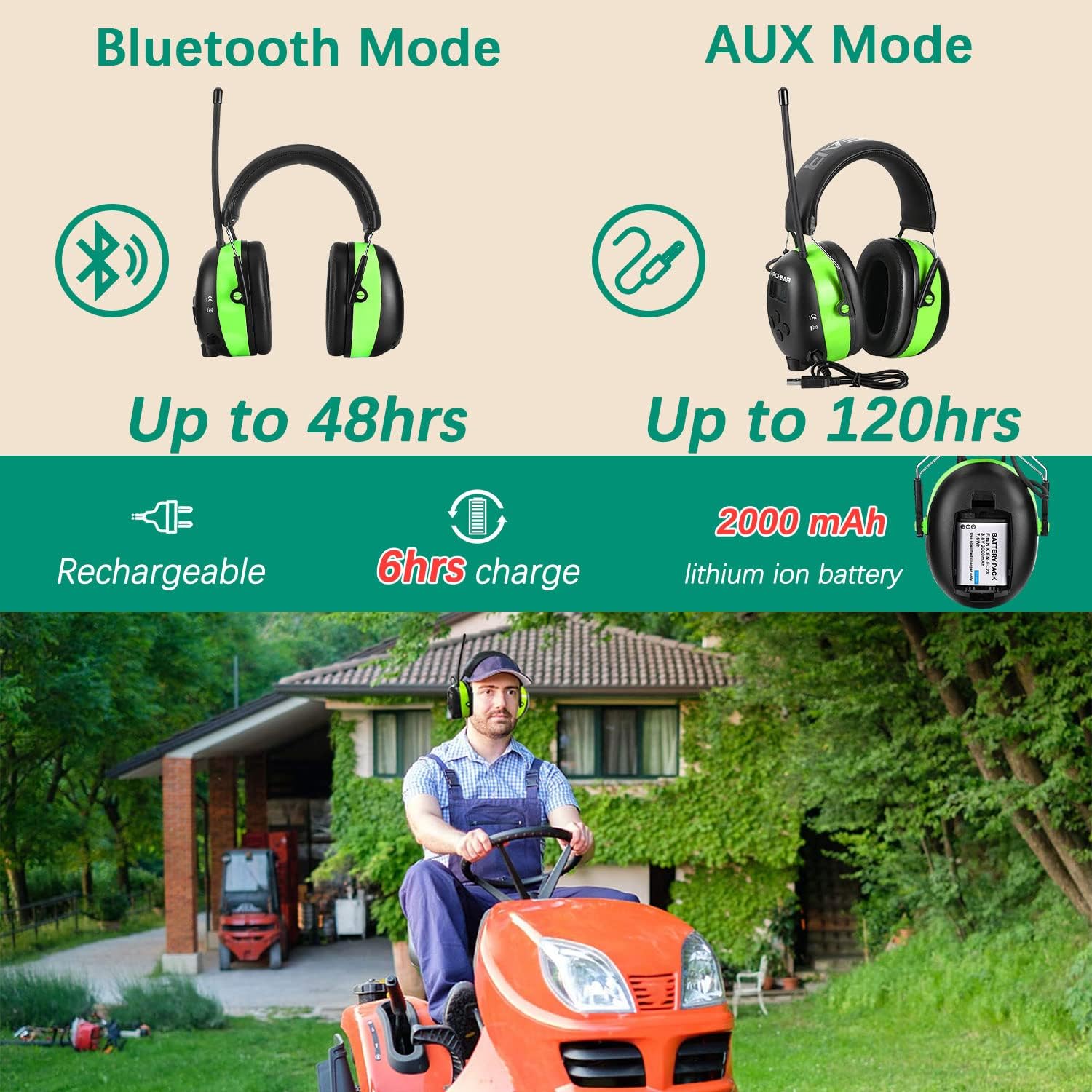
Figure 2: Battery and charging information for the PROHEAR 033 headphones.
2. Adjusting the Fit
For optimal noise reduction and comfort, ensure the earmuffs fit snugly over your ears.
- Extend the headband by pulling the earcups downwards until they fit comfortably over your ears.
- The ultra-padded headband and soft foam ear pads are designed for extended wear.

Figure 3: Key features and dimensions of the PROHEAR 033 headphones, including the adjustable headband and ear pads.
Operating Instructions
1. Power On/Off
Locate the power button on the earcup. Press and hold the power button for a few seconds to turn the headphones on or off. The LCD display will illuminate when the device is powered on.
2. Volume Control
Adjust the volume using the easy-to-use knob located on the earcup. Rotate the knob clockwise to increase volume and counter-clockwise to decrease volume. The headphones allow you to set your own volume limit.
3. Bluetooth Mode
The PROHEAR 033 uses Bluetooth 5.4 for wireless connectivity.
- Ensure the headphones are powered on.
- Activate Bluetooth on your mobile device and search for "PROHEAR 033".
- Select "PROHEAR 033" to pair. A voice prompt will confirm successful pairing.
- Use the multifunctional buttons on the earcup to answer, cancel, reject, or redial calls.
- Enjoy hands-free calling and music streaming.

Figure 4: Overview of Bluetooth 5.4 capabilities and other audio features.

Figure 5: Enjoying music and hands-free calls while working with PROHEAR 033 headphones.
4. AM/FM Radio Mode
The integrated digital radio allows you to listen to AM and FM broadcasts.
- Press the Mode button to switch to AM or FM radio mode.
- Use the search buttons to automatically scan for available radio stations. The LCD display will show the frequency.
- You can store up to 10 AM and 10 FM stations in memory for quick access. Refer to the quick start guide for detailed instructions on saving and recalling stations.
5. AUX Input Mode
Connect external audio devices using the provided AUX cable.
- Connect one end of the AUX cable to the AUX input jack on the earmuffs.
- Connect the other end of the AUX cable to the audio output of your external device (e.g., MP3 player, smartphone).
- The headphones will automatically switch to AUX mode.
Maintenance
- Cleaning: Wipe the earmuffs with a soft, damp cloth. Do not use abrasive cleaners or immerse the product in water.
- Ear Cushion Replacement: The ear cushions feature a snap-in design, allowing for easy maintenance and replacement. Gently pull to remove old ear cushions and snap new ones into place.
- Storage: Store the headphones in a cool, dry place, away from direct sunlight and extreme temperatures. Use the included carrying bag for protection when not in use.

Figure 6: Package contents, including the English manual and accessories for maintenance.
Troubleshooting
| Problem | Possible Cause | Solution |
|---|---|---|
| No power | Battery is depleted. | Charge the battery fully. |
| Cannot pair Bluetooth | Headphones not in pairing mode; device Bluetooth off; too far from device. | Ensure headphones are on and in Bluetooth mode. Turn on device Bluetooth. Move closer to device (within 33 feet). |
| Poor radio reception | Weak signal area; antenna not extended. | Move to an area with better signal. Extend the antenna fully. |
| No sound in AUX mode | AUX cable not fully inserted; external device volume low. | Ensure AUX cable is securely connected. Increase volume on both headphones and external device. |
Specifications
- Model: PROHEAR 033
- Noise Reduction Rating (NRR): 25dB
- Bluetooth Version: 5.4
- Battery: 2000 mAH Rechargeable Lithium Ion
- Playtime (Bluetooth Mode): Up to 30 hours
- Charging Time: Approximately 6 hours
- Dimensions: 8.3 x 6.7 x 4.6 inches
- Item Weight: 1.19 pounds
- Material: ABS Durable Shell, Soft Padded Headband, Skin-friendly Ear Cushion
- Included Components: Power Adapter, USB Charging Cable, AUX cable, Quick Start Guide
Warranty and Support
PROHEAR is committed to providing high-quality products. All PROHEAR hearing protection products undergo strict quality control. We offer a satisfaction service for our products. If you have any questions or require assistance, please feel free to contact us. We are available to provide support 24 hours a day.
For support, please refer to the contact information provided in your product packaging or visit the official PROHEAR website.
Related documents033


Ask a question about this manual
Ask about setup, troubleshooting, compatibility, parts, safety, or missing instructions. Manuals+ will review the question and use this page’s manual context to help answer it.