
1. Introduction
Thank you for choosing the hansgrohe Logis Faucet, Model 71402000. This high-quality faucet is designed for reliability and ease of use, featuring a built-in thermostat for precise temperature control and hansgrohe's innovative CoolStart technology. This manual provides essential information for the safe installation, operation, and maintenance of your new faucet. Please read these instructions carefully before installation and retain them for future reference.
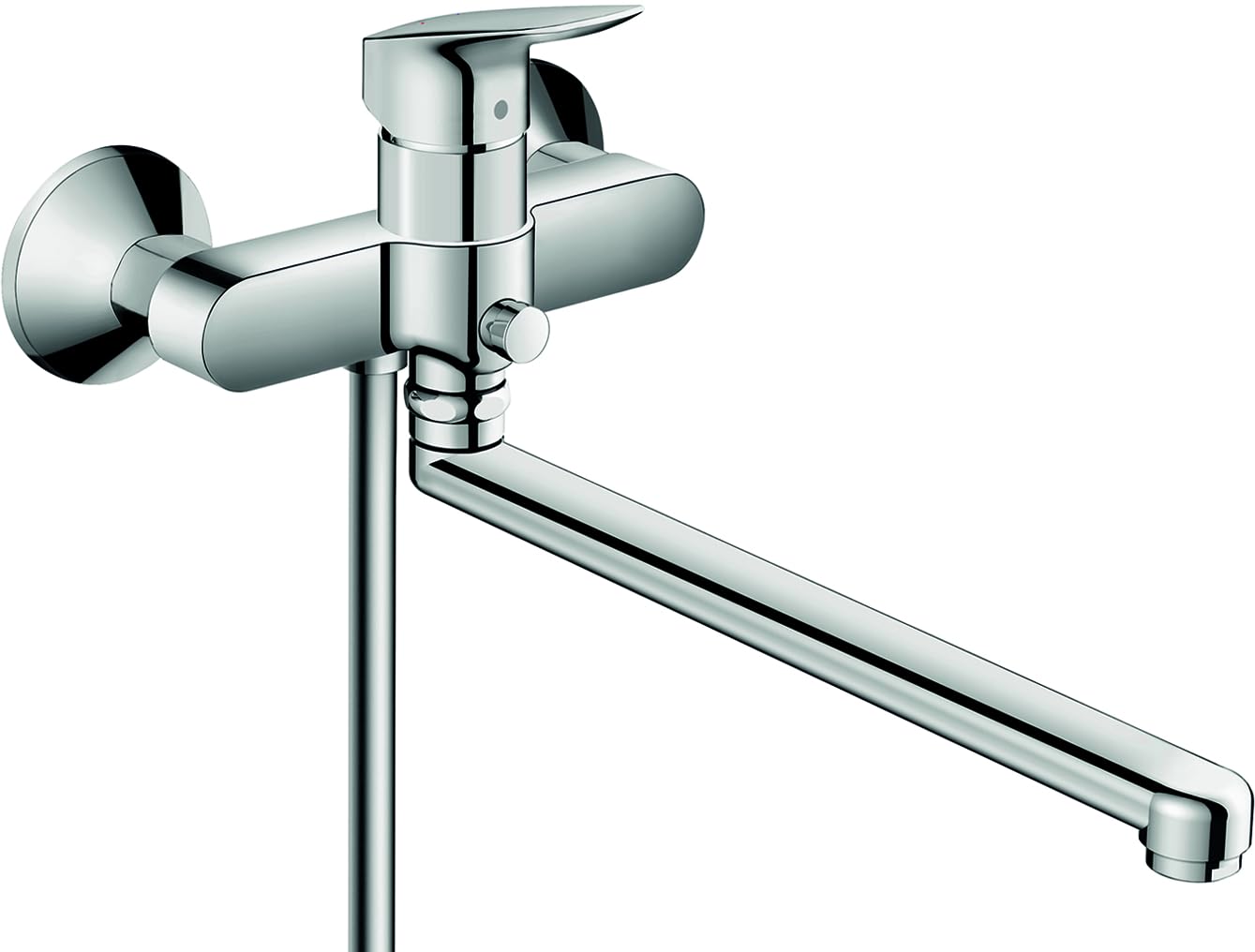
Image showing the hansgrohe Logis Faucet with its chrome finish and lever handle design.
2. Safety Information
- Professional Installation Recommended: Installation of plumbing fixtures should ideally be performed by a qualified professional to ensure proper function and compliance with local codes.
- Water Supply: Ensure the main water supply is turned off before beginning any installation or maintenance work.
- Hot Water Safety: The thermostat function helps prevent scalding, but always test water temperature before use, especially for children or individuals with sensitive skin.
- Damage Prevention: Avoid using abrasive cleaners or tools that could damage the chrome finish.
- Operating Pressure: Ensure your home's water pressure is within the recommended limits for the faucet to function optimally.
3. Package Contents
Please verify that all components are present before beginning installation:
- hansgrohe Logis Faucet (Model 71402000)
- Installation Hardware (gaskets, mounting nuts, etc.)
- Instruction Manual (this document)
4. Setup and Installation
The hansgrohe Logis Faucet (Model 71402000) is designed for wall-mount, single-hole installation. Follow these general steps for installation. Refer to the detailed diagrams provided with the physical product for specific mounting instructions.
- Prepare the Installation Area: Turn off the main water supply. Clear the wall area where the faucet will be mounted.
- Mount the Faucet Body: Secure the faucet body to the wall using the provided installation hardware. Ensure it is level and tightly fastened to prevent movement.
- Connect Water Lines: Connect the hot and cold water supply lines to the corresponding inlets on the faucet. Use appropriate sealing materials (e.g., plumber's tape) to prevent leaks.
- Check for Leaks: Slowly turn on the main water supply and inspect all connections for leaks. Tighten any connections as necessary.
- Test Functionality: Operate the faucet to ensure proper water flow and temperature control.
Note: If you are unsure about any step, consult a professional plumber.
5. Operating Instructions
The Logis Faucet features a single lever handle for controlling water flow and temperature, along with a built-in thermostat for consistent water temperature.
- Water Flow Control: Move the lever handle up to increase water flow and down to decrease it.
- Temperature Control: Move the lever handle to the left for hotter water and to the right for colder water. The integrated thermostat maintains your desired temperature.
- CoolStart Technology: This faucet incorporates CoolStart technology. When the handle is in the central position, only cold water flows. Hot water is only added when the handle is moved to the left, helping to save energy by avoiding unnecessary heating of water.
6. Maintenance
Regular cleaning and maintenance will ensure the longevity and optimal performance of your hansgrohe Logis Faucet.
- Cleaning the Finish: Clean the chrome finish with a soft cloth and a mild, non-abrasive cleaner. Avoid cleaners containing alcohol, ammonia, or abrasive particles, as these can damage the surface.
- Aerator Cleaning: If water flow decreases, the aerator may be clogged. Unscrew the aerator from the spout, clean any debris or mineral deposits, and then reattach it.
- Thermostat Calibration: If the water temperature is not consistent, the thermostat may need recalibration. Refer to the specific instructions provided with the physical product or consult a professional.
7. Troubleshooting
If you encounter issues with your faucet, refer to the following common problems and solutions:
| Problem | Possible Cause | Solution |
|---|---|---|
| Low water flow | Clogged aerator or partially closed shut-off valve. | Clean the aerator. Ensure shut-off valves are fully open. |
| Inconsistent water temperature | Thermostat needs calibration or insufficient hot/cold water supply. | Calibrate the thermostat. Check hot and cold water supply. |
| Leaks from connections | Loose connections or worn seals. | Tighten connections. Replace seals if necessary. |
| No water flow | Main water supply off or severe blockage. | Check main water supply. Consult a plumber for severe blockages. |
If the problem persists after attempting these solutions, please contact hansgrohe customer support or a qualified plumber.
8. Specifications
| Feature | Detail |
|---|---|
| Brand | hansgrohe |
| Model Name | Logis |
| Model Number | 71402000 |
| Mounting Type | Wall Mount |
| Finish Type | Chrome |
| Material | Brass |
| Included Components | Installation Hardware |
| Hole Count | 1 |
| Special Feature | CoolStart technology |
| Installation Type | Single Hole |
| Handle Type | Lever |
| Valve Type | Disc Valve |
| Item Weight | 2.66 kg |
9. Warranty and Support
For information regarding the product warranty, please refer to the warranty card included with your purchase or visit the official hansgrohe website. For technical support, replacement parts, or any other inquiries, please contact hansgrohe customer service.
You can find more information and contact details on the official hansgrohe store: hansgrohe Store


