Introduction
The Lincoln Electric K2464-1 Remote Control Kit is designed for use with Classic and Pipeliner engine-driven welders that have a Wire Feed Module installed. This kit provides convenient remote adjustment of welding parameters, enhancing operational flexibility and efficiency.
Setup
Proper setup of the K2464-1 Remote Control Kit is crucial for safe and effective operation. Follow these steps to connect the remote control to your welding machine:
- Ensure Power is Off: Before connecting or disconnecting any cables, ensure that the welding machine is completely powered off and disconnected from its power source.
- Locate Remote Control Receptacle: Identify the remote control receptacle on your Classic or Pipeliner engine-driven welder. This receptacle is specifically designed for remote control accessories.
- Connect Remote Control Cable: Insert the plug of the K2464-1 remote control cable firmly into the remote control receptacle on the welding machine. Ensure a secure connection to prevent intermittent operation.
- Position Remote Control Box: Place the remote control box in a convenient and stable location near the welding area, ensuring the 100-foot cable provides sufficient reach without creating a tripping hazard.
- Verify Connection: After connecting, visually inspect the cable and plug for any damage or loose connections before powering on the welding machine.
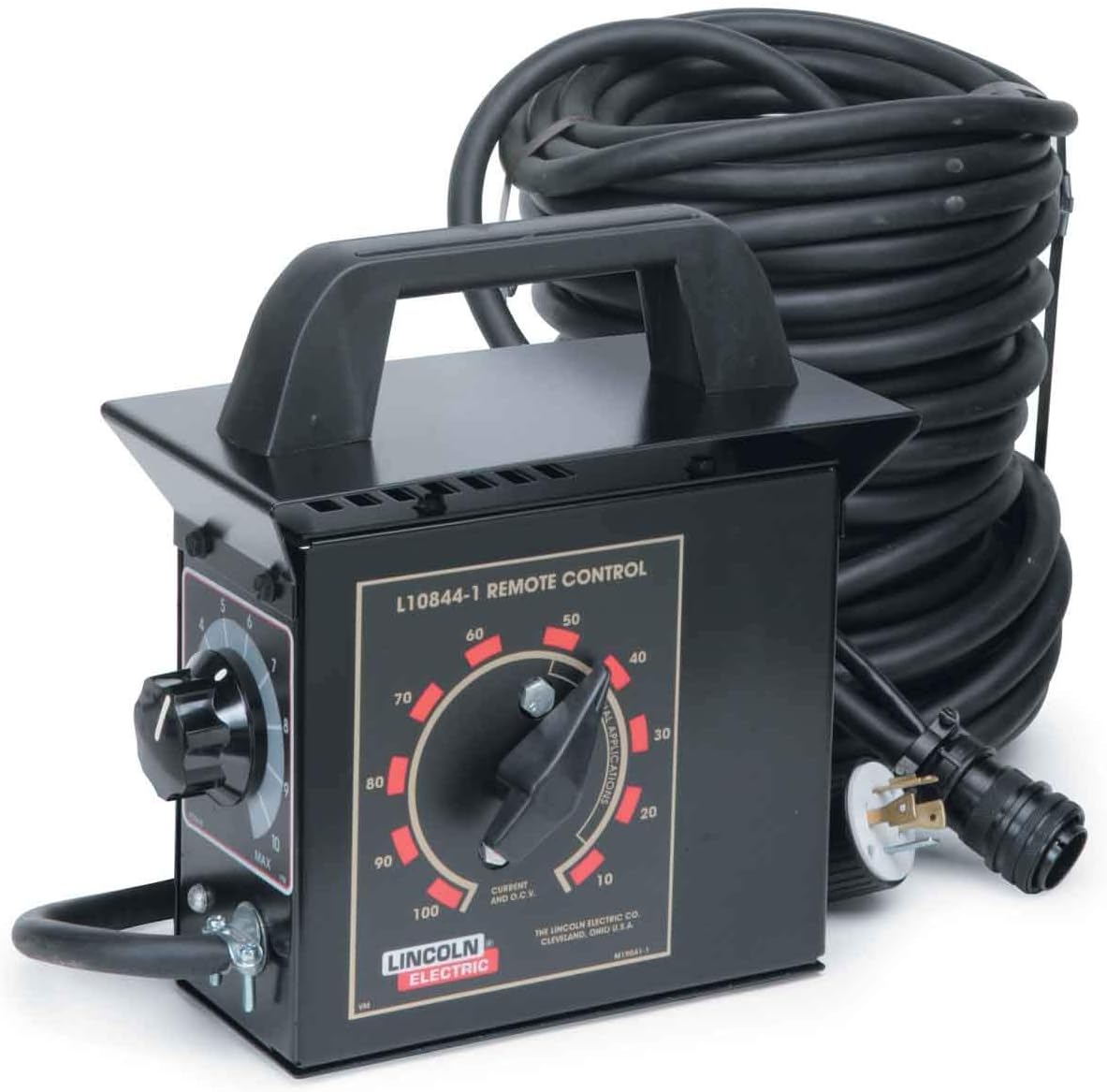
Figure 1: The Lincoln Electric K2464-1 Remote Control Kit, featuring the control box with its adjustment dials and a long, coiled 100-foot cable with a connector.
Operating Instructions
The K2464-1 Remote Control allows for precise adjustment of welding parameters directly from your work location. Familiarize yourself with the control dials:
- Current and O.C.V. Dial: This main dial (labeled 10-100) adjusts the welding current and Open Circuit Voltage (O.C.V.). Rotate the dial clockwise to increase the output and counter-clockwise to decrease it. Refer to your welding machine's manual for specific current and voltage ranges.
- Applications Dial: This secondary dial (labeled 1-10 and MAX) is used for fine-tuning or selecting specific application modes, depending on your welding machine's capabilities. Consult your welder's manual for detailed information on how this dial interacts with different welding processes or settings.
Always make adjustments incrementally and observe the welding arc and puddle for desired results. Disconnect the remote control when not in use or when performing maintenance on the welding machine.
Maintenance
Regular maintenance ensures the longevity and reliable performance of your K2464-1 Remote Control Kit.
- Cleaning: Keep the control box and cable clean. Wipe down surfaces with a dry, clean cloth. Avoid using harsh chemicals or solvents that could damage the housing or labels.
- Cable Inspection: Periodically inspect the entire length of the 100-foot cable for cuts, abrasions, or kinks. Check the plug and connector for any signs of damage or corrosion. Damaged cables should be replaced immediately by qualified personnel to prevent electrical hazards.
- Storage: When not in use, coil the cable neatly and store the remote control kit in a dry, clean environment, away from extreme temperatures, moisture, and direct sunlight.
Troubleshooting
If you encounter issues with your K2464-1 Remote Control Kit, refer to the following common problems and solutions:
| Problem | Possible Cause | Solution |
|---|---|---|
| Remote control not responding. | Loose or improper connection to welder. | Ensure the remote control cable is securely plugged into the welder's remote receptacle. |
| No change in welding output when adjusting dials. | Welder not set to remote control mode (if applicable). | Check your welding machine's manual to confirm it is configured to accept remote input. |
| Intermittent control. | Damaged cable or connector. | Inspect the cable and connector for visible damage. Replace if necessary. |
If the problem persists after attempting these solutions, contact Lincoln Electric customer support or a qualified service technician.
Specifications
| Feature | Detail |
|---|---|
| Model Number | K2464-1 |
| Brand | Lincoln Electric |
| Product Dimensions | 6 x 1 x 1 inches |
| Item Weight | 23 pounds |
| Connectivity Technology | Infrared (Note: This might be a misclassification in the source data, as the product image and description indicate a wired connection.) |
| Controller Type | Button Control / Dial Control |
| Special Feature | Ergonomic |
| Cable Length | 100 ft |
Warranty and Support
For detailed warranty information, technical support, or to purchase replacement parts, please refer to the official Lincoln Electric website or contact their customer service department. Keep your purchase receipt as proof of ownership for warranty claims.
You can typically find support contact information and warranty details on the manufacturer's official website: www.lincolnelectric.com


