
Google GA01180-US
Google Pixel 4 XL Smartphone User Manual
Model: GA01180-US | Brand: Google
Introduction
The Google Pixel 4 XL is a smartphone designed with advanced Google software and features. This manual provides essential information for setting up, operating, and maintaining your device, ensuring you can fully utilize its capabilities.
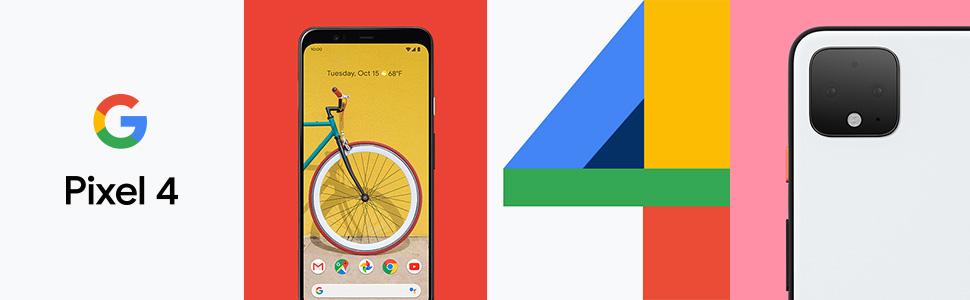
Figure 1: Google Pixel 4 XL showcasing its design and interface.
What's in the Box
Verify that all items are present in your product packaging:
- Google Pixel 4 XL Smartphone
- AC Adapter
- USB Cable
- OTG Dongle
- SIM Tray Ejector
- Quick Start Guide
Setup
1. Insert SIM Card
Locate the SIM tray on the side of your Pixel 4 XL. Use the provided SIM tray ejector tool to open the tray. Insert your nano SIM card into the tray with the gold contacts facing down. Close the tray securely.
2. Power On
Press and hold the power button located on the right side of the device until the Google logo appears on the screen. Follow the on-screen instructions to complete the initial setup, including connecting to Wi-Fi, signing in with your Google account, and setting up security features.

Figure 2: Front and back view of the Google Pixel 4 XL. The SIM tray is located on the left side of the device.
Key Features
Camera Features
The Pixel 4 XL features an advanced camera system designed to capture high-quality photos in various conditions.
- Night Sight: Capture clear and detailed photos in low-light environments, even capable of astrophotography.
- Dual Exposure Controls: Adjust brightness and shadows independently before taking a photo, providing greater creative control.
- Telephoto Lens: Utilize the dedicated telephoto lens for enhanced zoom capabilities.
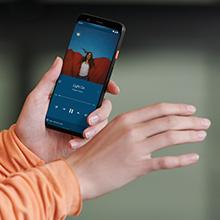
Figure 3: The rear camera module of the Google Pixel 4 XL, featuring multiple lenses and a flash.
Motion Sense and Face Unlock
Interact with your phone using gestures and secure facial recognition.
- Quick Gestures: Skip songs, silence calls, and perform other actions by waving your hand above the screen without touching the device.
- Face Unlock: Securely unlock your phone by simply looking at it. The device uses IR cameras to scan your face.
90Hz Smooth Display
Experience incredibly smooth scrolling and responsiveness with the 90Hz refresh rate display.
Google Assistant
The new Google Assistant provides an intuitive way to send texts, share photos, and manage tasks using your voice.
Video 1: Official Google Pixel 4 features overview, demonstrating Google Assistant and Motion Sense.
Operating Instructions
Navigation
The Pixel 4 XL uses gesture navigation. Swipe up from the bottom of the screen to go home, swipe up and hold to view recent apps, and swipe from the left or right edge to go back.
Accessing Settings
Swipe down from the top of the screen twice to open Quick Settings, then tap the gear icon to access the full Settings menu. Here you can customize Wi-Fi, Bluetooth, display, sound, and other device preferences.
Maintenance
Battery Management
To optimize battery life, enable Battery Saver mode when your battery is low. You can also adjust screen brightness, reduce screen timeout, and disable unused features like Wi-Fi or Bluetooth when not in use. The Pixel 4 XL supports up to 10W wireless charging with Pixel Stand (Sold Separately).
Storage
The device comes with 64 GB of internal storage. To manage storage, regularly clear cached data from apps, delete unnecessary files, and utilize cloud storage services like Google Drive or Google Photos for backups.
Troubleshooting
If you encounter issues with your Pixel 4 XL, try the following basic troubleshooting steps:
- Restart Device: A simple restart can resolve many minor software glitches.
- Check for Updates: Ensure your device's software is up to date by checking for system updates in the Settings menu.
- Clear App Cache: If a specific app is misbehaving, try clearing its cache or data in App Info settings.
- Factory Reset: As a last resort, you can perform a factory reset. This will erase all data on your device, so ensure you have backed up important information beforehand.
Specifications
| Feature | Specification |
|---|---|
| Model Name | Pixel 4 XL |
| Screen Size | 6.3 Inches |
| Resolution | 1080 x 2340 |
| Refresh Rate | 60 Hz (Adaptive up to 90 Hz) |
| Operating System | Android |
| RAM | 6 GB |
| Memory Storage Capacity | 64 GB |
| Battery Capacity | 3700 Milliamp Hours |
| Item Weight | 6.9 ounces |
| Product Dimensions | 0.36 x 2.95 x 6.31 inches |
| Connectivity Technologies | Bluetooth, USB |
| Special Features | 4K Video Recording, Bluetooth Enabled, Built-In GPS, Dual Camera, Smartphone, Text/Messaging, Touchscreen, Video Calling |
Warranty and Support
For warranty information and customer support, please refer to the documentation included in your product packaging or visit the official Google support website. Keep your proof of purchase for warranty claims.
Related documentsGA01180-US


Ask a question about this manual
Ask about setup, troubleshooting, compatibility, parts, safety, or missing instructions. Manuals+ will review the question and use this page’s manual context to help answer it.