
Introduction
The iTouchless Glide 18 Gallon Sensor Trash Can is designed for convenient and hygienic waste disposal. Featuring a motion-sensor lid, integrated wheels for mobility, and an odor control system, this trash can is suitable for various environments including kitchens, offices, and commercial spaces.
Key features include:
- Completely Mobile: Equipped with 4 removable wheels with a locking feature, allowing easy movement from room to room.
- Effortless and Hygienic: 100% touchless operation with a sensor-operated lid.
- Odor Control: Includes 1 Natural Carbon Odor Filter to absorb and neutralize trash odors.
- Extra-Large Capacity: 18 Gallon (68 Liter) capacity, ideal for high-traffic areas.
- Dual Power Options: Can be powered by 4 D batteries (not included) or an optional AC Adapter (sold separately).

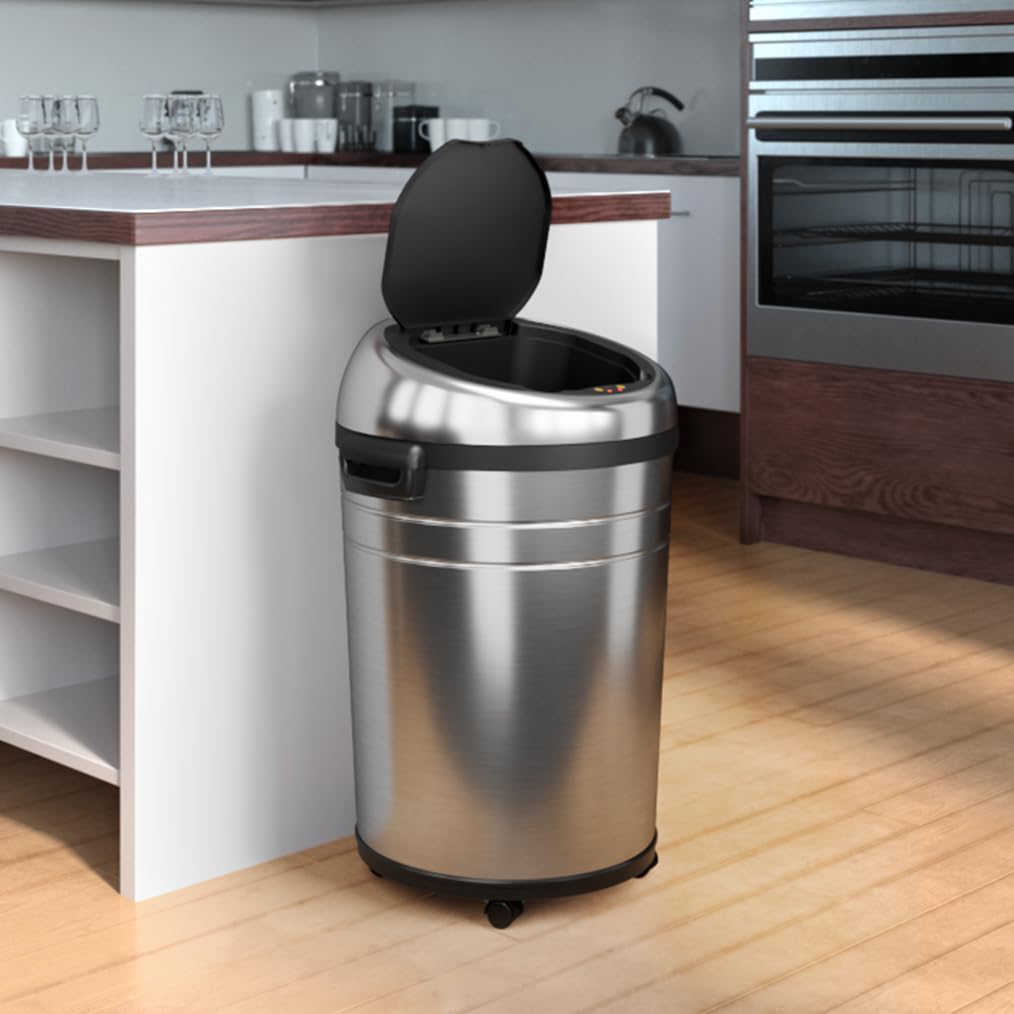
The iTouchless Glide 18 Gallon Sensor Trash Can in a kitchen setting.
What's in the Box
Please check the package contents to ensure all items are present:
- 1 Lid
- 1 Can Body
- 2 Filters
- 2 Filter Gates
- 1 Ring
- 4 Wheels
- User Manual
Setup Instructions
- Unpack Components: Carefully remove all parts from the packaging.
- Install Wheels: Attach the four removable wheels to the bottom of the can body. Ensure they are securely locked if you intend for the can to remain stationary.
- Insert Trash Bag: Place a trash bag into the can body. Use the included ring to secure the bag in place, preventing it from slipping.
- Install Odor Filters: Open the filter gates located on the underside of the lid. Insert the AbsorbX odor filters into the compartments and close the gates.
- Power Options:
- Battery Power: Insert 4 D-size batteries (not included) into the battery compartment on the underside of the lid.
- AC Adapter (Optional): If using the optional AC adapter (sold separately), plug it into the designated port on the lid and then into a wall outlet.

Visual representation of the two power options: D batteries or an AC adapter.
- Place Lid: Carefully place the lid onto the can body, ensuring it is properly aligned.

The base of the iTouchless Glide trash can showing the installed wheels.

A hand inserting an AbsorbX odor filter into its designated slot on the lid.
Operating Instructions
- Sensor Operation: Wave your hand or an object within 6 inches (15 cm) of the sensor located on the front of the lid. The lid will open automatically. It will close automatically after a few seconds of inactivity.
- Manual Open/Close: For longer open times, use the manual open/close buttons on the lid. Press the 'Open' button to keep the lid open indefinitely, and press 'Close' to shut it.
- Mobility: To move the trash can, unlock the wheels if they are locked. Push or pull the can to its desired location. Lock the wheels again to secure it.

A hand activating the motion sensor to open the trash can lid.

A person easily moving the trash can across a floor using its integrated wheels.
Video demonstrating the iTouchless 18 Gallon Sensor Trash Can with Wheels in use.
Maintenance
- Cleaning the Exterior: Wipe the stainless steel exterior with a soft, damp cloth and a mild, non-abrasive cleaner. Avoid harsh chemicals or abrasive pads that could scratch the surface.
- Cleaning the Interior: Periodically clean the interior of the can body with soap and water. Ensure it is completely dry before reinserting a trash bag.
- Replacing Odor Filters: The AbsorbX odor filters should be replaced every 3 months, or sooner if odors persist. To replace, open the filter gates on the lid, remove the old filters, and insert new ones.
- Battery Replacement: If the sensor light dims or the lid operation becomes sluggish, it may be time to replace the batteries. Follow the instructions for battery installation in the Setup section.

Two AbsorbX odor filters, essential for maintaining a fresh environment.
Video demonstrating the odor control features and filter replacement for iTouchless trash cans.
Troubleshooting
| Problem | Possible Cause | Solution |
|---|---|---|
| Lid does not open automatically. | 1. Batteries are low or incorrectly installed. 2. Sensor is obstructed or dirty. | 1. Replace batteries or check installation. Ensure AC adapter is properly connected if used. 2. Clean the sensor window with a soft cloth. Ensure no objects are blocking the sensor. |
| Lid closes too quickly or slowly. | Sensor sensitivity setting. | Refer to the full user manual for instructions on adjusting sensor sensitivity, if applicable. |
| Unpleasant odors persist. | Odor filters need replacement. | Replace the AbsorbX odor filters as per maintenance instructions. Ensure trash bags are properly sealed. |
| Wheels do not roll smoothly. | Debris caught in wheels or wheels are locked. | Check for and remove any debris from the wheels. Ensure the wheel locks are disengaged for movement. |
Specifications
| Feature | Detail |
|---|---|
| Brand | iTouchless |
| Model | Glide 18 Gallon Sensor Trash Can |
| Capacity | 18 Gallons (68 Liters) |
| Color | Silver |
| Opening Mechanism | Motion-Sensor |
| Material | Stainless Steel |
| Dimensions (L x W x H) | 18.7"L x 18.1"W x 34.1"H |
| Power Options | 4 D Batteries (not included) or Optional AC Adapter (sold separately) |
| Special Features | Sensor Activate, Touchless, Manual Open/Close, AbsorbX Odor Filter System, Wheels |
Detailed dimensions of the iTouchless Glide 18 Gallon Sensor Trash Can.
Warranty and Support
For warranty information, product registration, or technical support, please visit the official iTouchless website or contact their customer service department. Keep your purchase receipt for warranty claims.


