
1. Important Safety Information
Please read and understand all instructions before using this appliance. Failure to follow these instructions may result in electric shock, fire, or serious injury.
- Always unplug the fan from the power outlet before cleaning, servicing, or moving it.
- Do not operate any fan with a damaged cord or plug. Discard fan or return to an authorized service facility for examination and/or repair.
- Do not run cord under carpeting. Do not cover cord with throw rugs, runners, or similar coverings. Do not route cord under furniture or appliances. Arrange cord away from traffic area and where it will not be tripped over.
- Do not insert or allow fingers or foreign objects to enter any ventilation or exhaust opening as this may cause an electric shock or fire, or damage the fan.
- Do not block air intakes or exhaust in any manner.
- Do not use this fan with any solid-state speed control device.
- This appliance is not intended for use by persons (including children) with reduced physical, sensory or mental capabilities, or lack of experience and knowledge, unless they have been given supervision or instruction concerning use of the appliance by a person responsible for their safety.
- Children should be supervised to ensure that they do not play with the appliance.
- Do not use outdoors. For indoor use only.
2. Product Overview
The Amazon Basics WDF9-1S Twin Window Fan is designed to provide cooling airflow and exhaust capabilities for small to medium spaces. It features two 9-inch blades, two-speed settings, and expandable side panels for a secure fit in most standard windows.

Figure 1: Front view of the Amazon Basics WDF9-1S Twin Window Fan.
Key Features:
- Twin 9-inch Blades: Designed for powerful and smooth airflow.
- Two Speed Settings: Adjust airflow to High (H) or Low (L).
- Expandable Side Panels: Fits standard windows from 25 to 32 inches wide.
- Reversible Airflow: Can be set to intake (draw air in) or exhaust (push air out).
- Durable Copper Motor: Ensures consistent and reliable operation.
- Removable Feet: Simplifies storage when not in use.
- Carrying Handle: For easy portability.
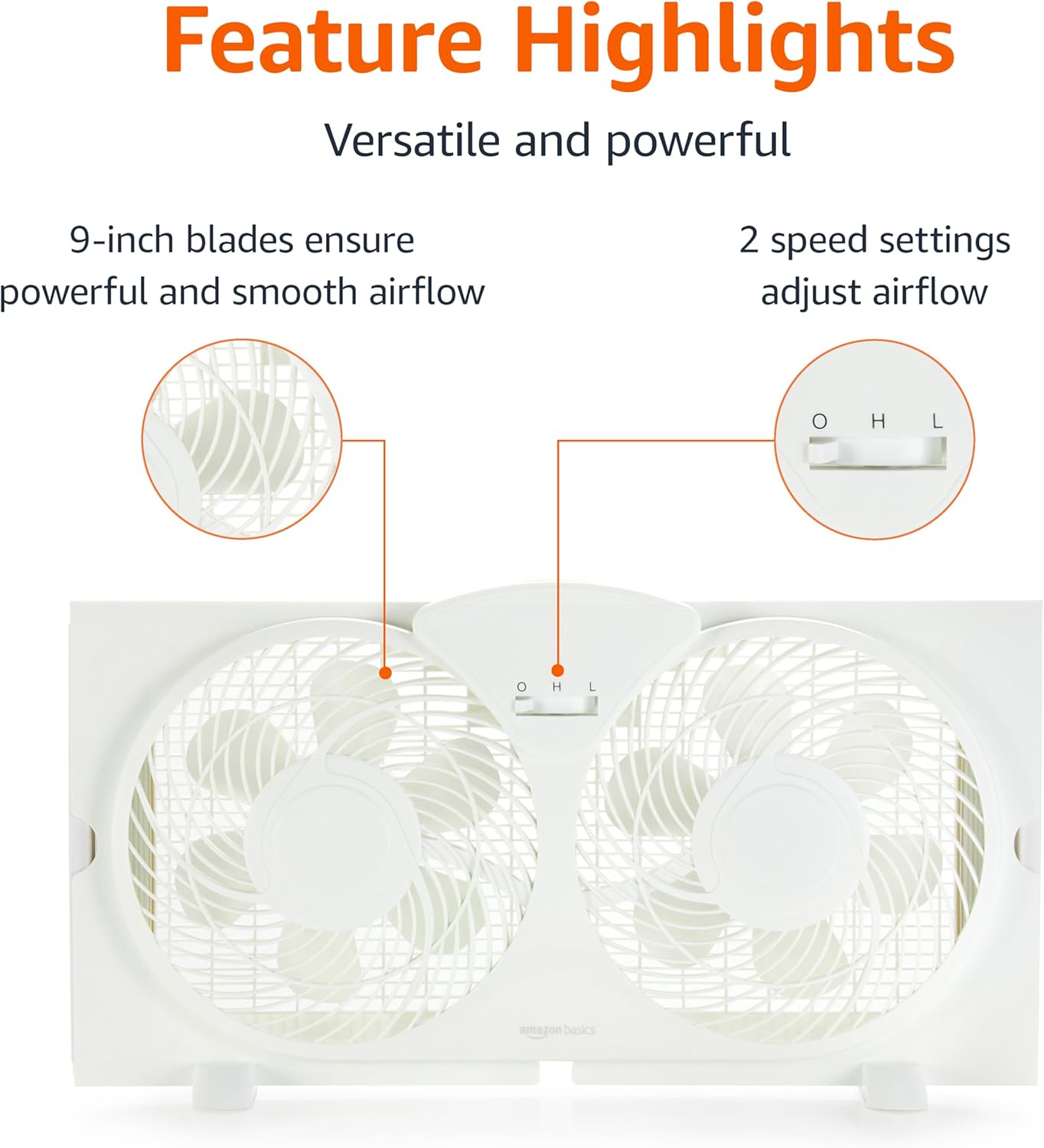
Figure 2: Illustration of the fan's 9-inch blades and two-speed control switch.
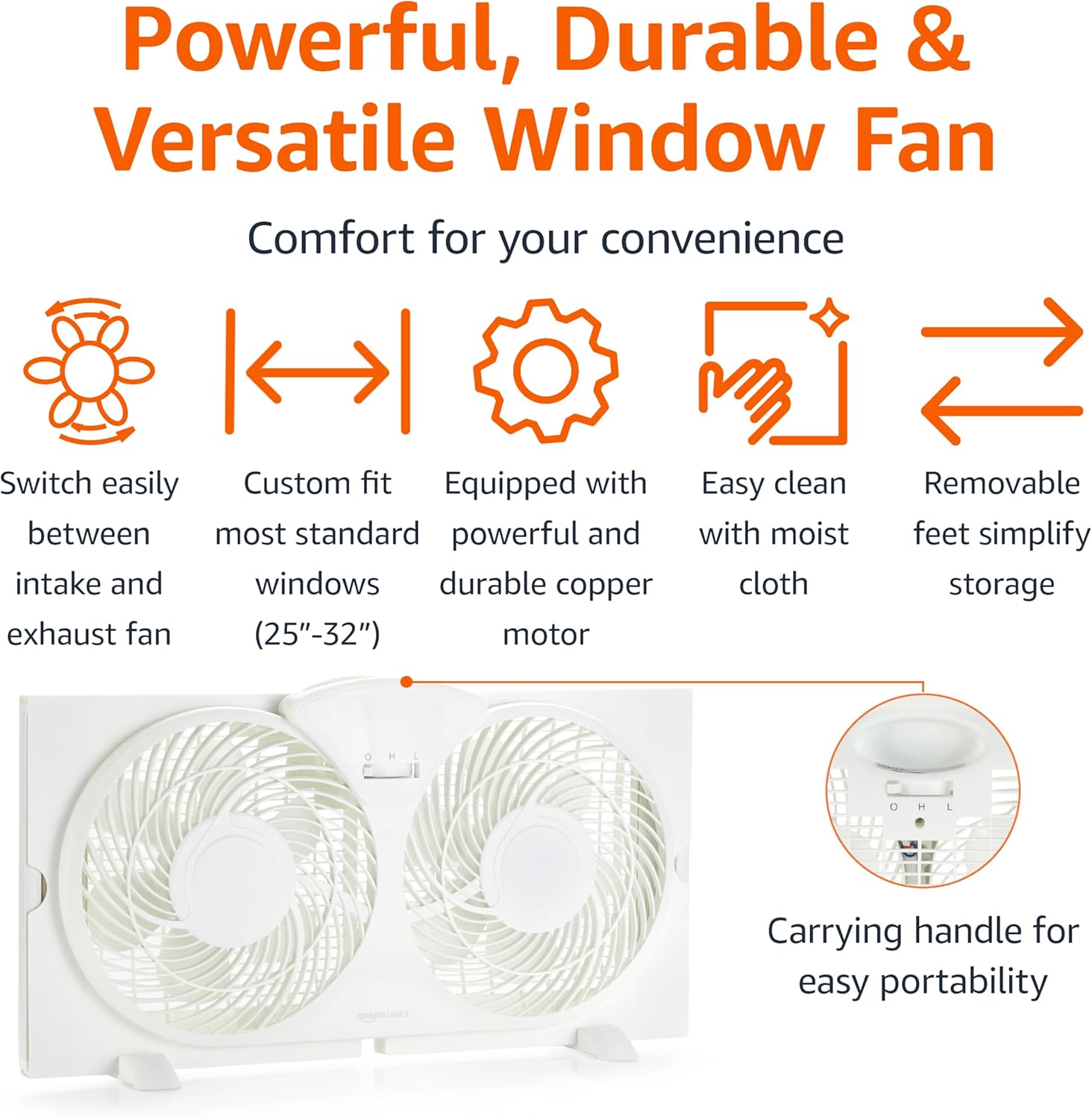
Figure 3: Overview of the fan's versatile features, including reversible airflow and durable construction.
3. Setup and Installation
Follow these steps to properly install your window fan.
- Prepare the Window: Ensure the window opening is clean and clear of obstructions. The fan is designed for vertical sliding windows.
- Position the Fan: Place the fan unit into the window opening. The fan should sit securely on the windowsill.
- Adjust Side Panels: Extend the accordion-style side panels outwards until they firmly meet the sides of the window frame. This creates a secure fit and minimizes air leakage. The fan fits windows between 25 and 32 inches wide.
- Lower Window Sash: Carefully lower the window sash until it rests on top of the fan unit, securing it in place.
- Attach Feet (Optional): If desired, attach the included feet to the bottom of the fan for added stability when used freestanding, or for easier storage.
- Plug In: Connect the power cord to a standard 120V AC electrical outlet.
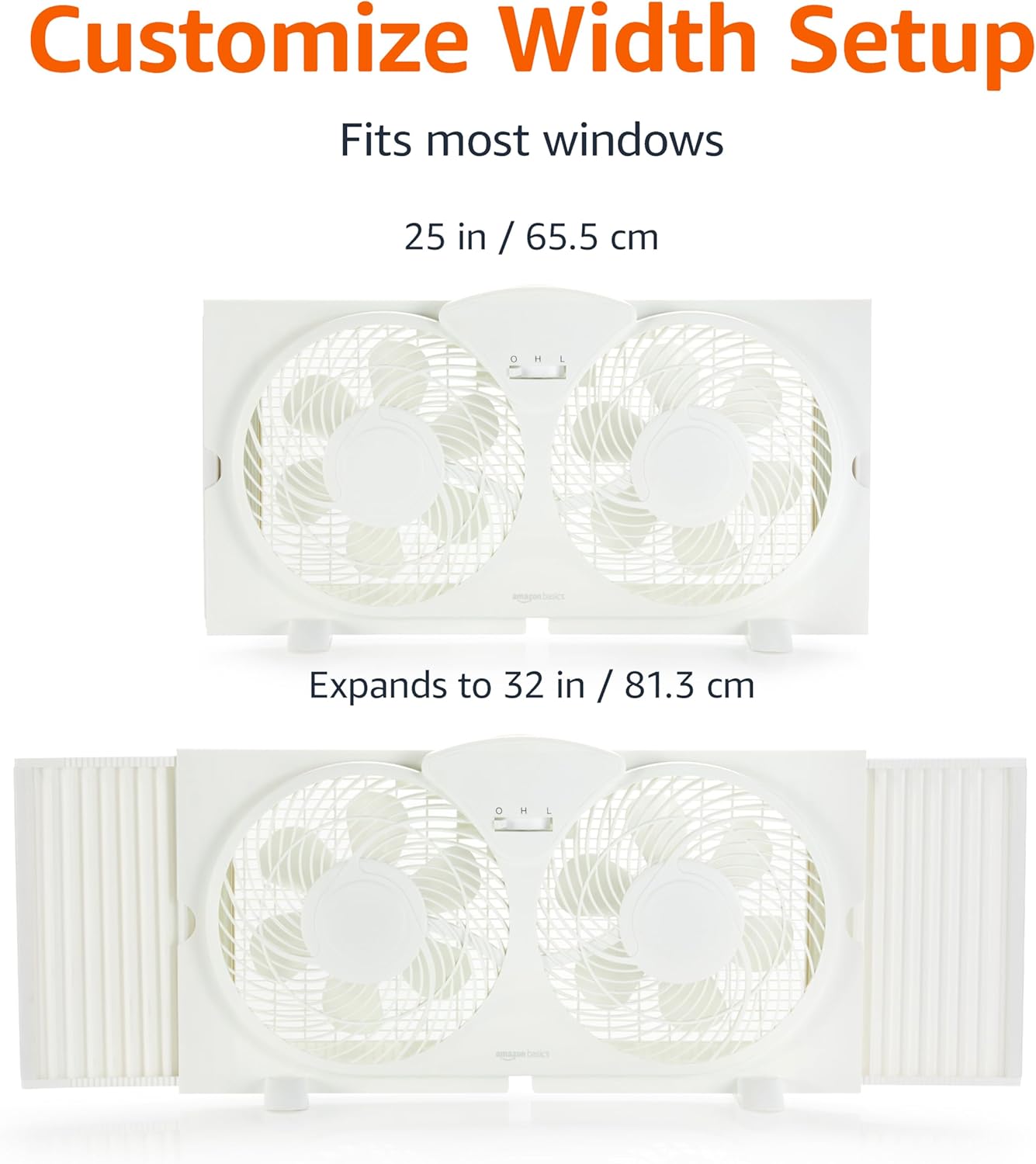
Figure 4: Demonstrates how the fan's width can be customized using the expandable side panels.
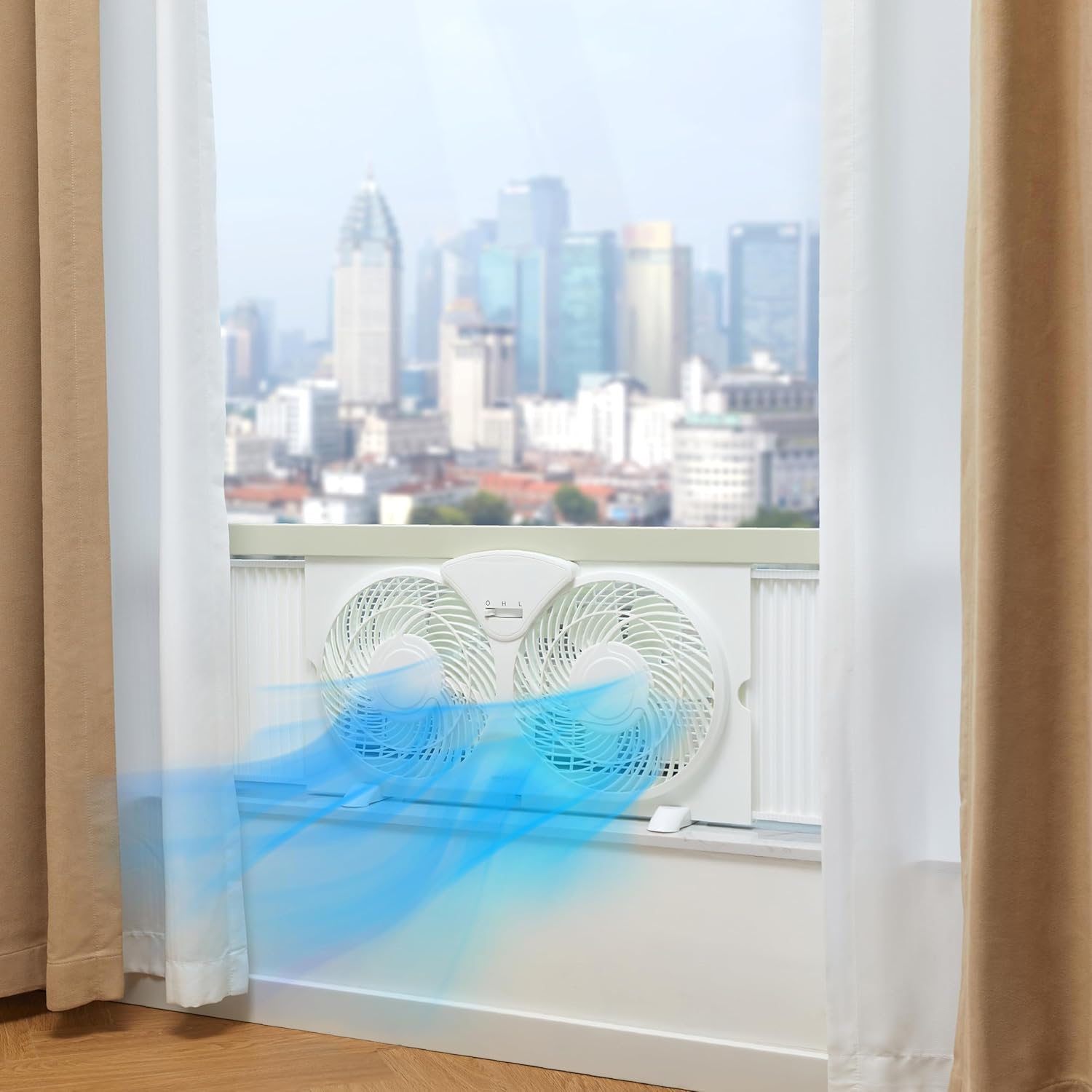
Figure 5: The fan installed in a window, illustrating airflow.
4. Operation
The fan features simple manual controls for adjusting speed and airflow direction.
4.1 Speed Control
The fan has a central switch to control the fan speed:
- O: Off
- L: Low Speed
- H: High Speed
Slide the switch to the desired setting (L or H) to turn on the fan and select the speed. Slide to O to turn off the fan.
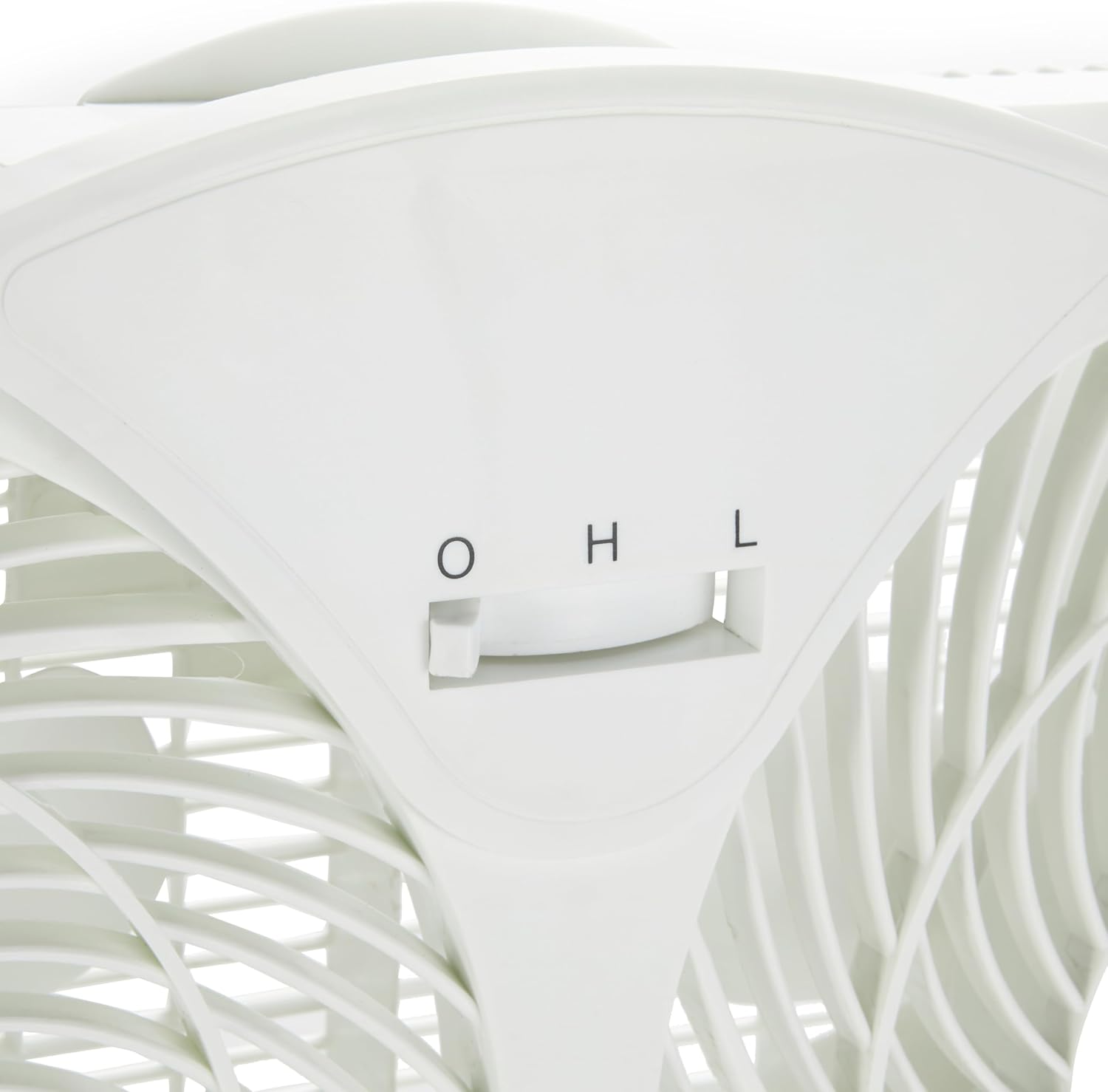
Figure 6: Detail of the manual speed control switch.
4.2 Airflow Direction
Each fan head can be independently set to intake or exhaust air. Locate the small switches near each fan blade. These switches allow you to reverse the direction of the fan blades without removing the unit from the window.
- Intake: Draws fresh air into the room.
- Exhaust: Pushes stale or hot air out of the room.
- Circulation: Set one fan to intake and the other to exhaust for optimal air circulation.
5. Maintenance and Care
Regular cleaning helps maintain the fan's performance and extends its lifespan.
- Disconnect Power: Always unplug the fan from the power outlet before cleaning.
- Clean Exterior: Wipe the exterior surfaces of the fan with a soft, slightly moist cloth. Do not use abrasive cleaners or solvents.
- Clean Blades and Grills: Use a vacuum cleaner with a brush attachment or a soft brush to remove dust and debris from the fan blades and grills. Ensure the fan is completely dry before plugging it back in.
- Storage: When not in use, store the fan in a cool, dry place. You may remove the feet for more compact storage.
6. Troubleshooting
If you encounter issues with your fan, refer to the following common problems and solutions:
| Problem | Possible Cause | Solution |
|---|---|---|
| Fan does not turn on. |
|
|
| Weak airflow. |
|
|
| Fan is noisy. |
|
|
7. Specifications
| Feature | Detail |
|---|---|
| Model Name | WDF9-1S |
| Brand | Amazon Basics |
| Electric Fan Design | Window Fan |
| Color | White |
| Power Source | AC |
| Wattage | 68 watts |
| Voltage | 120V |
| Number of Power Levels | 2 (Low, High) |
| Blade Length | 9 Inches |
| Product Dimensions (DxWxH) | 5.35"D x 23.43"W x 12.6"H |
| Expandable Width | 25 to 32 inches |
| Item Weight | 5.72 pounds |
| Control Method | Manual (Touch) |
| Indoor/Outdoor Usage | Indoor |
| Assembly Required | Yes (minor, e.g., feet) |
| Care Instructions | Wipe with a soft, slightly moist cloth |
8. Warranty and Support
For warranty information or customer support, please refer to the documentation included with your purchase or visit the official Amazon Basics website. Keep your purchase receipt for warranty claims.
Online Support: Visit the Amazon Basics Store


