
1. Introduction
Thank you for choosing the iDOO Cordless Vacuum Cleaner. This 4-in-1 handheld stick vacuum is designed for versatile cleaning across various surfaces, including hard floors, carpets, tiles, and for picking up pet hair. Its lightweight and cordless design offers enhanced maneuverability and convenience. Please read this manual thoroughly before use to ensure proper operation and maintenance.
2. Product Components
Familiarize yourself with the components included in your iDOO Cordless Vacuum Cleaner package:
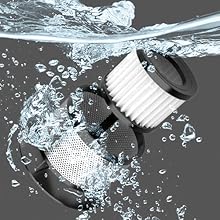
Figure 2.1: Overview of iDOO Cordless Vacuum Cleaner components.
- Cordless Vacuum Main Unit
- Wall Mounted Charging Base
- Charging Adapter
- Aluminum Tube (Extension Wand)
- Floor Brush (with LED headlights)
- Dusting Brush
- Carpet Brush (Roller)
- Crevice Nozzle
3. Setup
3.1 Assembly
- Attach the desired cleaning head (Floor Brush or Carpet Brush) to the end of the Aluminum Tube. Ensure it clicks securely into place.
- Connect the other end of the Aluminum Tube to the main Cordless Vacuum Unit. Verify a secure connection.
- For handheld use, attach accessories like the Dusting Brush or Crevice Nozzle directly to the main unit.
3.2 Charging
Before first use, fully charge the vacuum cleaner. The 2200mAh lithium battery requires approximately 5 hours for a full charge.
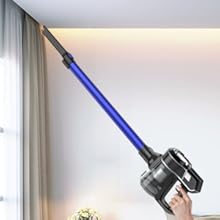
Figure 3.1: Charging methods for the iDOO Cordless Vacuum Cleaner.
- Wall-Mount Charging: Install the Wall Mounted Charging Base in a convenient location. Place the vacuum cleaner onto the base to charge.
- Direct Charging: Connect the Charging Adapter directly to the charging port on the main vacuum unit.
The battery indicator lights on the main unit will show the charging status and remaining battery life.
4. Operating Instructions
4.1 Power On/Off and Suction Modes
- To power on, press and hold the power button for two seconds. The vacuum will start in standard mode (7Kpa suction).
- Press the power button again to switch to maximum mode (11Kpa suction) for more powerful cleaning.
- To power off, press and hold the power button again.
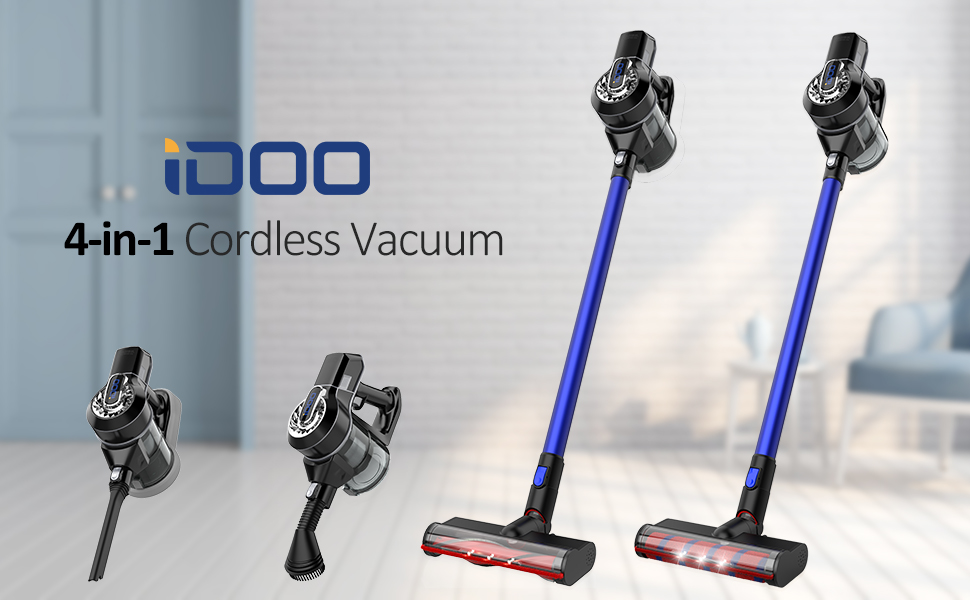
Figure 4.1: Demonstrating the two suction modes for various debris.
4.2 Using Attachments
The iDOO Cordless Vacuum Cleaner is designed for versatility with its 4-in-1 functionality. Select the appropriate attachment for your cleaning task:
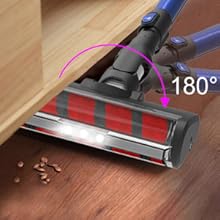
Figure 4.2: The vacuum's 4-in-1 multifunctional design.
- Floor Brush: Ideal for hard floors and general cleaning. Features LED headlights to illuminate dust and debris.
- Carpet Brush: Specifically designed for carpets and rugs.
- Dusting Brush: Use for delicate surfaces, upholstery, and removing dust from furniture.
- Crevice Nozzle: Perfect for reaching tight spaces, corners, and edges, such as between couch cushions or along baseboards.
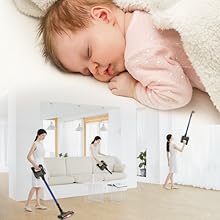
Figure 4.3: Rotatable head with LED headlights for enhanced visibility.
4.3 Operational Videos
Video 4.1: Demonstrating the iDOO Cordless Vacuum Cleaner in action, highlighting its ease of use and cleaning capabilities.
Video 4.2: Showcasing the lightweight design and powerful suction of the vacuum on various surfaces.
Video 4.3: Illustrating the vacuum's ability to clean under furniture and in hard-to-reach areas.
5. Maintenance
Regular maintenance ensures optimal performance and extends the lifespan of your vacuum cleaner.
5.1 Filtration System
The vacuum features a 4-stage filtration system with a washable stainless filter, designed to capture 99.99% of microscopic dust.
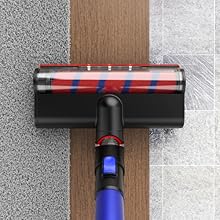
Figure 5.1: The 4-stage high-efficiency filtration system.
- Dust Cup: Empty the dust cup regularly, especially when it reaches the MAX fill line, to maintain suction power.
- Stainless Filter: The stainless filter is washable. Rinse it under running water and ensure it is completely dry before reinserting.
- HEPA Filter: Periodically clean or replace the HEPA filter as recommended in the full product manual to ensure efficient dust capture.
5.2 Brush Roll Cleaning
Inspect the brush rolls (carpet and floor) regularly for tangled hair or debris. Remove any obstructions to prevent damage and maintain effective cleaning.
6. Troubleshooting
If you encounter any issues with your iDOO Cordless Vacuum Cleaner, please refer to the following common troubleshooting steps:
- No Power: Ensure the battery is fully charged. Check if the power button is pressed correctly.
- Reduced Suction: Empty the dust cup. Clean or replace the filters. Check for blockages in the nozzle, tube, or brush head.
- Brush Roll Not Spinning: Remove any tangled hair or debris from the brush roll. Ensure the brush head is correctly attached.
- Unusual Noise: Turn off the vacuum and check for any foreign objects lodged in the brush roll or air pathways.
For persistent issues, please contact iDOO customer support.
7. Specifications
| Feature | Specification |
|---|---|
| Brand | iDOO |
| Model Name | CVC-001 (Item model number: VT-DH002) |
| Suction Modes | 2 (7Kpa Standard, 11Kpa Max) |
| Wattage | 150 watts |
| Battery Type | Lithium-Ion (2200mAh) |
| Run Time | Up to 32 minutes (Standard Mode), Up to 22 minutes (Max Mode) |
| Charging Time | Approx. 5 hours |
| Filtration System | 4-stage, washable stainless filter, HEPA |
| Dust Cup Capacity | 0.6 Liters |
| Item Weight | 4.8 pounds (main body 3lbs) |
| Product Dimensions | 47.2 x 7.8 x 5.3 inches |
| Noise Level | 70 Decibels |
8. Warranty and Support
For warranty information, product registration, or technical support, please refer to the official iDOO website or contact their customer service directly. Keep your purchase receipt as proof of purchase.