1. Introduction
The Leica DD120 Utility Locator is an advanced instrument designed for the accurate detection and mapping of buried underground services. This device simplifies the process of locating cables and pipes, minimizing the risk of accidental strikes during excavation. Its user-friendly design requires minimal adjustment, ensuring that detectable services are not overlooked. The DD120 features a numeric signal strength readout for easy cable identification and a 'Hazard Zone' alert to warn users of shallow services within 30cm, enhancing safety on site.
2. Safety Information
Caution: This device is designed to locate buried utilities. Always use with care to avoid damaging underground services. Keep away from heat and moisture. Do not dispose of batteries in fire.
- Always perform a site risk assessment before commencing any excavation work.
- Ensure all personnel operating the device are trained and familiar with its functions.
- Wear appropriate personal protective equipment (PPE).
- Do not operate the device in explosive atmospheres or near flammable materials.
- Regularly inspect the device for any damage before use.
3. Setup
Before operating the Leica DD120, ensure proper setup for optimal performance and safety.
- Battery Installation: Open the battery compartment and insert the required alkaline batteries, ensuring correct polarity. Close the compartment securely. (Note: Batteries are not included with the unit.)
- Power On: Press and hold the power button until the display illuminates.
- In-built Self Test: The DD120 features an in-built self-test function. Upon powering on, the unit will automatically perform a quick check to ensure all internal systems are functioning correctly. This test can also be initiated manually as a routine check.
- Initial Check: Before use, perform a quick check to ensure the unit is working correctly. This is particularly important when off-hiring locators or handing them over to new users.
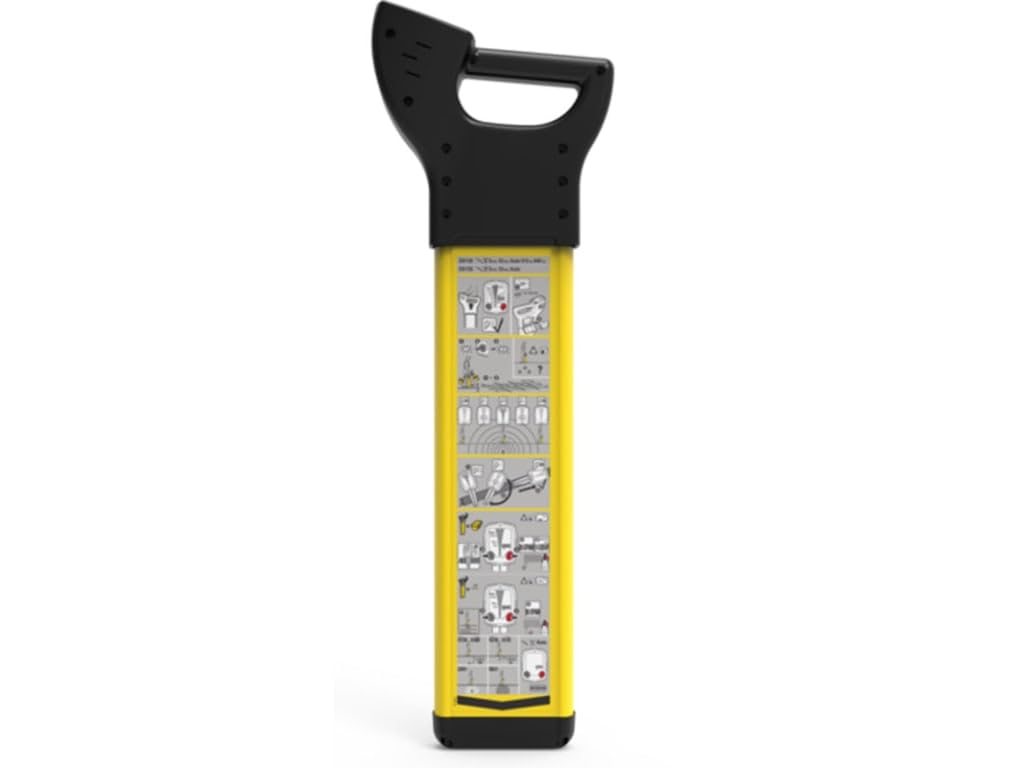
Figure 3.1: The Leica DD120 Utility Locator. This image displays the main unit, highlighting its robust yellow casing and the user interface screen.
4. Operating Instructions
The Leica DD120 is designed for ease of use, requiring minimal adjustment to locate services effectively.
4.1 Detection Modes
The DD120 operates in several detection modes to suit various site conditions and utility types:
- Auto Mode: Automatically selects the optimal frequency for detection.
- Power Mode: Detects live electrical cables by sensing their electromagnetic fields (60Hz mains power region).
- Radio Mode: Detects re-radiated radio signals from buried metallic utilities.
- Transmitter Mode: Used in conjunction with a separate signal transmitter (sold separately) to apply a specific frequency to a utility for precise tracing.
4.2 Signal Strength Indication (SSI)
The DD120 features a numeric Signal Strength Indication (SSI) readout on its display. This provides a clear, quantifiable measure of the signal strength, specifically designed for easy and accurate cable identification. A higher numeric value indicates a stronger signal and closer proximity to the utility.
4.3 Hazard Zone Alert
The Hazard Zone feature alerts the user to shallow services located within 30cm (approximately 12 inches) of the locator. When a shallow utility is detected, an audible and visual alarm will activate. This critical safety feature enables users to adjust their excavation methods, significantly reducing the risk of cable strikes and potential injury.
5. Maintenance
Proper maintenance ensures the longevity and accuracy of your Leica DD120 Utility Locator.
- Cleaning: Wipe the device with a soft, damp cloth. Do not use abrasive cleaners or solvents. Ensure no moisture enters the battery compartment or other openings.
- Storage: Store the locator in a dry, cool place, away from direct sunlight and extreme temperatures. Remove batteries if the device will not be used for an extended period.
- Battery Care: Use only alkaline batteries as specified. Replace batteries promptly when the low battery indicator appears.
- Inspection: Periodically check the casing for cracks or damage. Ensure all buttons and the display are functioning correctly.
6. Troubleshooting
If you encounter issues with your Leica DD120, refer to the following common problems and solutions:
- Device not powering on: Check battery installation and ensure batteries are fresh. If the issue persists, contact support.
- Inaccurate readings or no signal: Ensure you are in the correct detection mode for the utility you are trying to locate. Check for strong electromagnetic interference from other sources. Perform the in-built self-test.
- Display not working: Check battery level. If the display remains blank or faulty, contact customer support.
- Hazard Zone alert constantly active: This may indicate multiple shallow utilities or strong interference. Adjust your search pattern or consider using a transmitter for more precise location.
For issues not covered here, please contact Leica Geosystems customer support.
7. Specifications
| Feature | Detail |
|---|---|
| Manufacturer | LEICA GEOSYSTEMS INC |
| Part Number | DD120 - 872939 |
| Item Weight | 8.03 pounds |
| Product Dimensions | 1 x 1 x 1 inches |
| Item Model Number | DD120 - 872939 |
| Size | Small |
| Color | Yellow |
| Material | Plastic |
| Power Source | See product details |
| Item Package Quantity | 1 |
| Measurement System | Imperial |
| Display Style | LCD |
| Usage | Professional |
| Included Components | DD120 - 872939 |
| Batteries Included? | No |
| Batteries Required? | No |
| Description Pile | Alkaline |
| Date First Available | July 4, 2019 |
8. Warranty and Support
Specific warranty information for the Leica DD120 Utility Locator is not provided in this manual. For details regarding warranty coverage, technical support, or service, please contact Leica Geosystems directly or refer to the documentation provided at the time of purchase. You may also visit the official Leica Geosystems website for contact information and support resources.


