
Introduction
This manual provides essential instructions for the setup, operation, and maintenance of your Easytry123 Infrared Replacement Remote Control, model 410633. This remote is designed as a replacement for the Bose Soundlink Air Digital Music System. Please read this manual carefully before use to ensure proper functionality and to avoid potential issues.
Important: This is an infrared replacement remote. Ensure your original remote matches the appearance of this replacement and that your Bose Soundlink Air Digital Music System is compatible with infrared remote controls. Functionality may vary slightly compared to the original remote.
Product Overview
The Easytry123 Replacement Remote Control is a compact, black infrared remote featuring 12 buttons for controlling your Bose Soundlink Air Digital Music System. It operates using infrared technology, requiring a direct line of sight to the device.
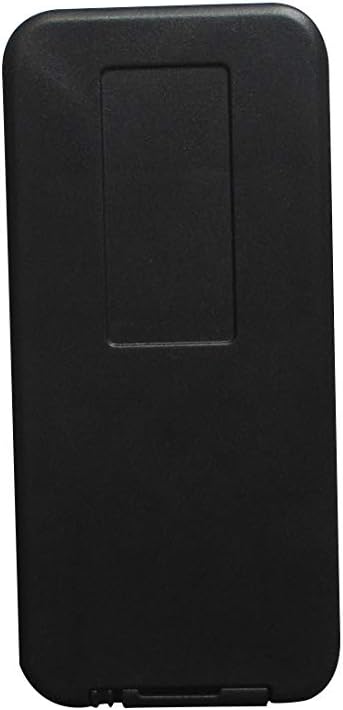
Figure 1: Front view of the Easytry123 replacement remote control. This image shows the sleek black design and the layout of the control buttons.
Setup
1. Battery Installation
The remote control requires two (2) CR2 batteries (not included). Follow these steps to install the batteries:
- Locate the battery compartment on the back of the remote control.
- Gently slide or pry open the battery cover.
- Insert two CR2 batteries, ensuring the positive (+) and negative (-) terminals match the diagrams inside the compartment.
- Replace the battery cover until it clicks securely into place.

Figure 2: Back view of the remote control with the battery cover removed, showing the compartment for battery insertion.
Caution: Incorrect battery installation can damage the remote control. Do not mix old and new batteries, or different types of batteries.
Operating Instructions
Once batteries are installed, the remote is ready for use. Point the remote control directly at your Bose Soundlink Air Digital Music System. Ensure there are no obstructions between the remote and the system.
- Power Button: Press to turn the system on or off.
- Volume Up/Down: Adjust the audio volume.
- Source Selection: Cycle through available audio sources (e.g., AirPlay, Aux).
- Play/Pause: Control media playback.
- Track Skip: Skip to the next or previous track.
Refer to your Bose Soundlink Air Digital Music System's original manual for specific functions of each button if they are not immediately clear.
Maintenance
Battery Replacement
Replace batteries when the remote's range decreases or it stops responding. Follow the battery installation steps outlined in the "Setup" section.
Cleaning
Wipe the remote control with a soft, dry cloth. Do not use liquid cleaners or abrasive materials, as these can damage the remote's surface or internal components.
Storage
Store the remote in a cool, dry place away from direct sunlight and extreme temperatures. If storing for an extended period, remove the batteries to prevent leakage.
Troubleshooting
- Remote not responding:
- Check if the batteries are correctly installed and have sufficient charge. Replace if necessary.
- Ensure there is a clear line of sight between the remote's infrared emitter and the Bose Soundlink Air Digital Music System's receiver.
- Move closer to the system.
- Some functions do not work:
- This replacement remote may not offer all functions identical to your original Bose remote. Verify the button functions against your system's original manual.
- Ensure your Bose Soundlink Air Digital Music System is fully compatible with this specific replacement model (410633).
Specifications
| Brand | Easytry123 |
| Model Name | 410633 |
| Connectivity Technology | Infrared |
| Compatible Devices | Bose Soundlink Air Digital Music System |
| Number of Buttons | 12 |
| Battery Type | CR2 (2 required) |
| Color | Black |
Support
If you encounter any issues or have questions regarding the Easytry123 Remote Control, please contact the seller for assistance. Provide your product model number (410633) and a detailed description of the issue for quicker support.