
Westcott 6350
Westcott Solix Bi-Color LED Light
Instruction Manual
Model: 6350 | Brand: Westcott
Introduction
Thank you for choosing the Westcott Solix Bi-Color 1-Light Compact Kit. This professional-grade LED light is designed for both photo and video applications, offering versatile lighting solutions with adjustable color temperature and intensity. This manual provides essential information for the safe and effective use of your Solix LED light.
Package Contents
- Solix Bi-Color LED Light Head
- Power Adapter
- Barndoors
- Diffusion Panel
- 12" Collapsible Softbox
- Carry Case
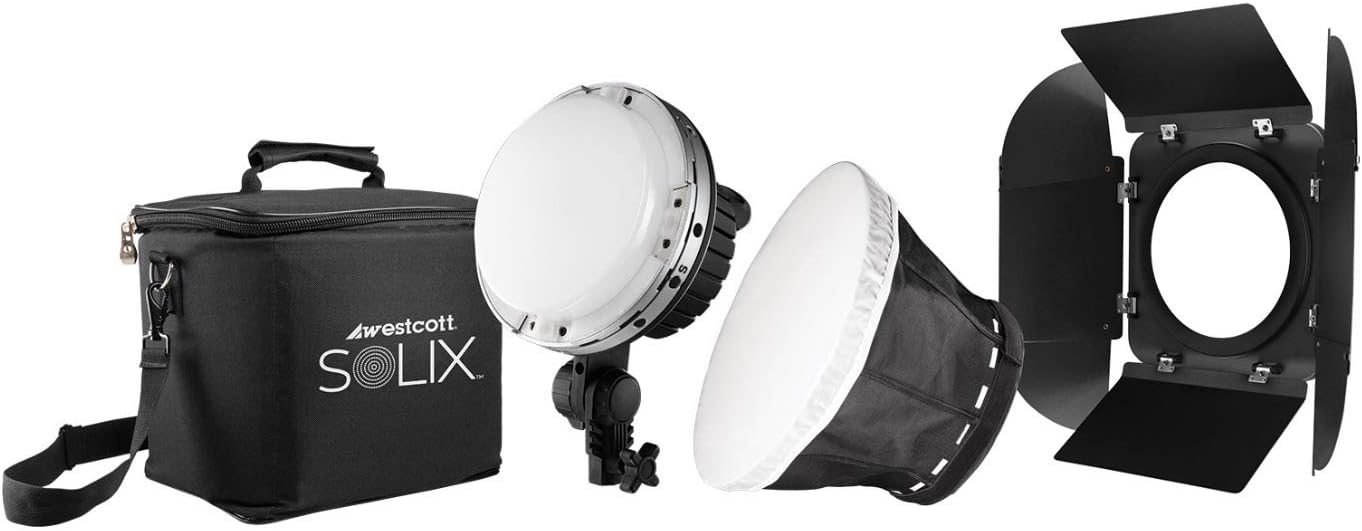
Image: The complete Westcott Solix Bi-Color 1-Light Compact Kit, including the LED light head, softbox, barndoors, and carry case.
Setup
- Mounting the Light Head: Attach the Solix LED light head to a compatible light stand using the integrated mounting bracket. Secure it firmly by tightening the knob on the bracket.
- Power Connection: Connect the power adapter to the DC input port on the back of the Solix light. Plug the other end of the power adapter into a standard AC power outlet. Ensure the power source matches the light's requirements.
- Attaching Modifiers:
- Barndoors: Align the barndoors with the magnetic mounting system on the front of the Solix light and allow them to snap into place.
- Softbox: The 12" collapsible softbox attaches directly to the integrated speedring on the Solix light. Expand the softbox and secure it to the light head.

Image: A detailed view of the Westcott Solix LED light head, highlighting its compact design and mounting points.

Image: The Westcott Solix LED light with the 12-inch collapsible softbox attached, ready for use.
Video: An overview of the Westcott Solix Bi-Color LED light, demonstrating its features and setup.
Operating Instructions
- Power On/Off: Locate the power button or control dial on the back of the unit. A long press typically powers the unit on or off. The digital display will illuminate upon power-on.
- Adjusting Intensity: Use the 'Intensity' control dial to adjust the brightness of the light. Rotate clockwise to increase intensity and counter-clockwise to decrease it. The current intensity level will be shown on the digital display.
- Adjusting Color Temperature: Use the 'Color' control dial to change the color temperature. The Solix Bi-Color light offers a range from 3200K (warm) to 5600K (daylight). Rotate the dial to select your desired color temperature.
- AC/DC Power: The Solix light can be powered by the included AC adapter or compatible 14.4V batteries for portable use. Ensure the correct power source is connected before operation.
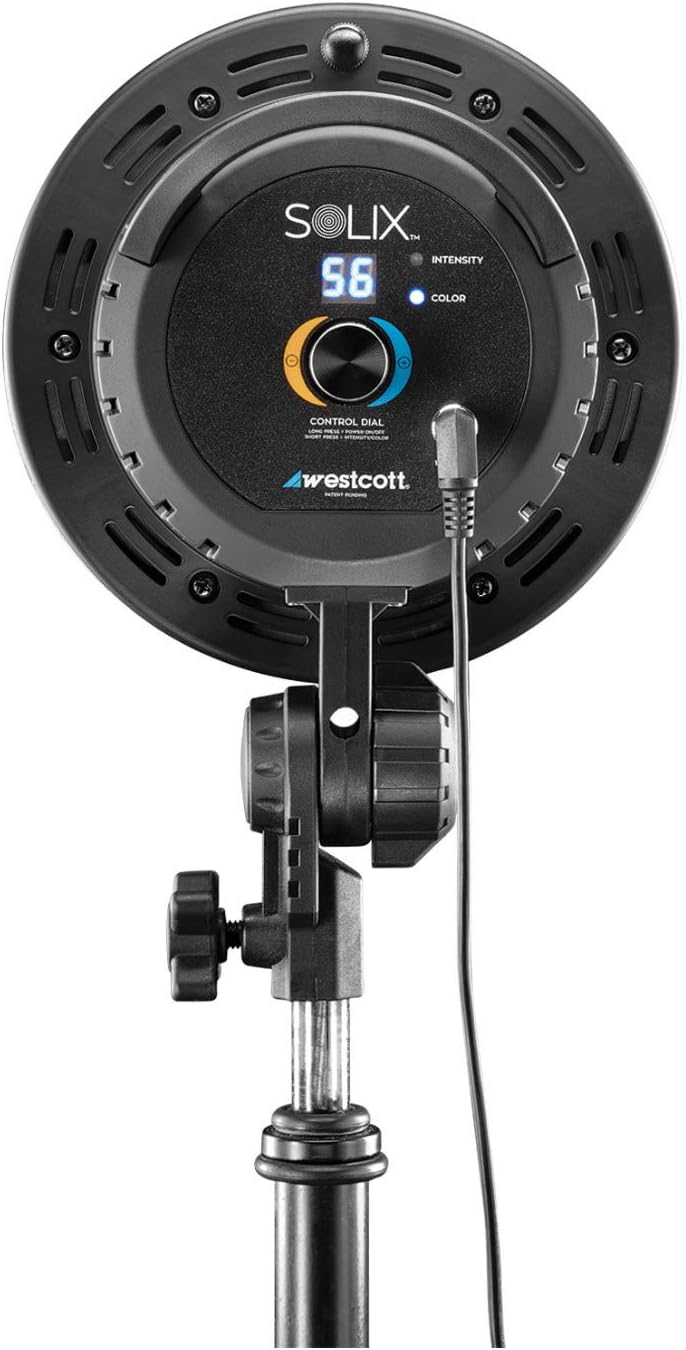
Image: The rear control panel of the Solix LED light, featuring the intensity and color temperature dials and digital display.
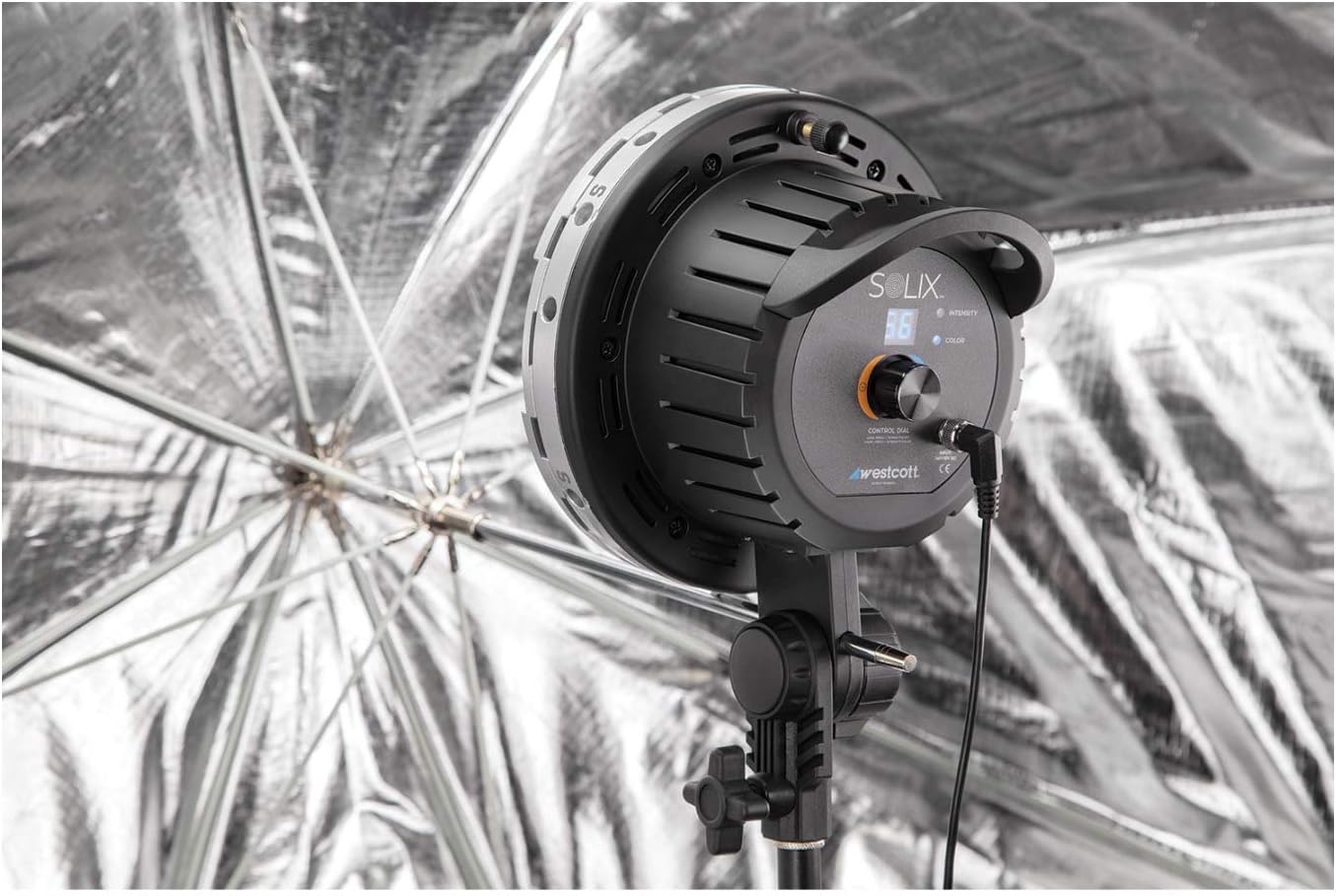
Image: The Westcott Solix LED light mounted on a stand with an umbrella, demonstrating a typical studio setup.
Maintenance
- Cleaning: Use a soft, dry cloth to clean the exterior of the light. For the LED panel, use a microfiber cloth to gently wipe away dust or smudges. Avoid using harsh chemicals or abrasive materials.
- Storage: When not in use, store the Solix LED light and its accessories in the provided carry case in a cool, dry place, away from direct sunlight and extreme temperatures.
- Safety: Always disconnect the power before cleaning or performing any maintenance. Do not block the ventilation openings on the light head.
Troubleshooting
If you encounter issues with your Westcott Solix LED light, please refer to the following common troubleshooting steps:
| Problem | Possible Cause | Solution |
|---|---|---|
| Light does not turn on. |
|
|
| Controls are unresponsive. |
|
|
| Light output is inconsistent. |
|
|
For issues not covered here, please refer to the support section or contact Westcott customer service.
Specifications
| Feature | Detail |
|---|---|
| Product Dimensions | 9.1 x 9.1 x 9.1 inches |
| Item Weight | 9.08 pounds |
| Item Model Number | 6350 |
| Manufacturer | Westcott |
| Color | White (Light output) |
| Brand | Westcott |
| Material | Metal |
| Light Source Type | LED |
| Color Temperature | 3200K - 5600K (Bi-Color) |
| CRI / TLCI | CRI 97+ / TLCI 98+ (as per video) |
| Power | 90 Watt Bi-Color LED (as per video) |
| Power Source | AC/DC (Compatible with 14.4V batteries) |
Warranty and Support
For detailed warranty information, please refer to the official Westcott website or the warranty card included with your product. Westcott stands behind the quality of its products and offers support for any manufacturing defects.
For technical assistance, product inquiries, or to report an issue, please visit the Westcott Store on Amazon or their official company website.
Related documents6350


Ask a question about this manual
Ask about setup, troubleshooting, compatibility, parts, safety, or missing instructions. Manuals+ will review the question and use this page’s manual context to help answer it.