Introduction
This user manual provides essential instructions for the safe and efficient operation, maintenance, and troubleshooting of your Nivona NICR 820 Espresso Machine. Please read this manual thoroughly before using the appliance and retain it for future reference.
Safety Instructions
Always observe the following safety precautions to prevent injury or damage to the appliance.
- Ensure the appliance is connected to a grounded power outlet with the correct voltage (230 Volts).
- Do not immerse the machine, power cord, or plug in water or other liquids.
- Keep children away from the appliance during operation.
- Unplug the machine before cleaning or when not in use for extended periods.
- Do not operate the machine if the power cord or plug is damaged. Contact authorized service personnel.
- Use only fresh, cold water in the water tank.
- Never put anything other than coffee beans into the bean hopper.
Product Overview
The Nivona NICR 820 is a semi-automatic espresso machine designed for preparing various coffee and milk-based beverages. Key components include the water tank, bean hopper, brewing unit, drip tray, and milk frothing system.

The Nivona NICR 820 espresso machine, shown in black, with two freshly prepared latte macchiatos in clear glass cups. The machine features a digital display and control knob.
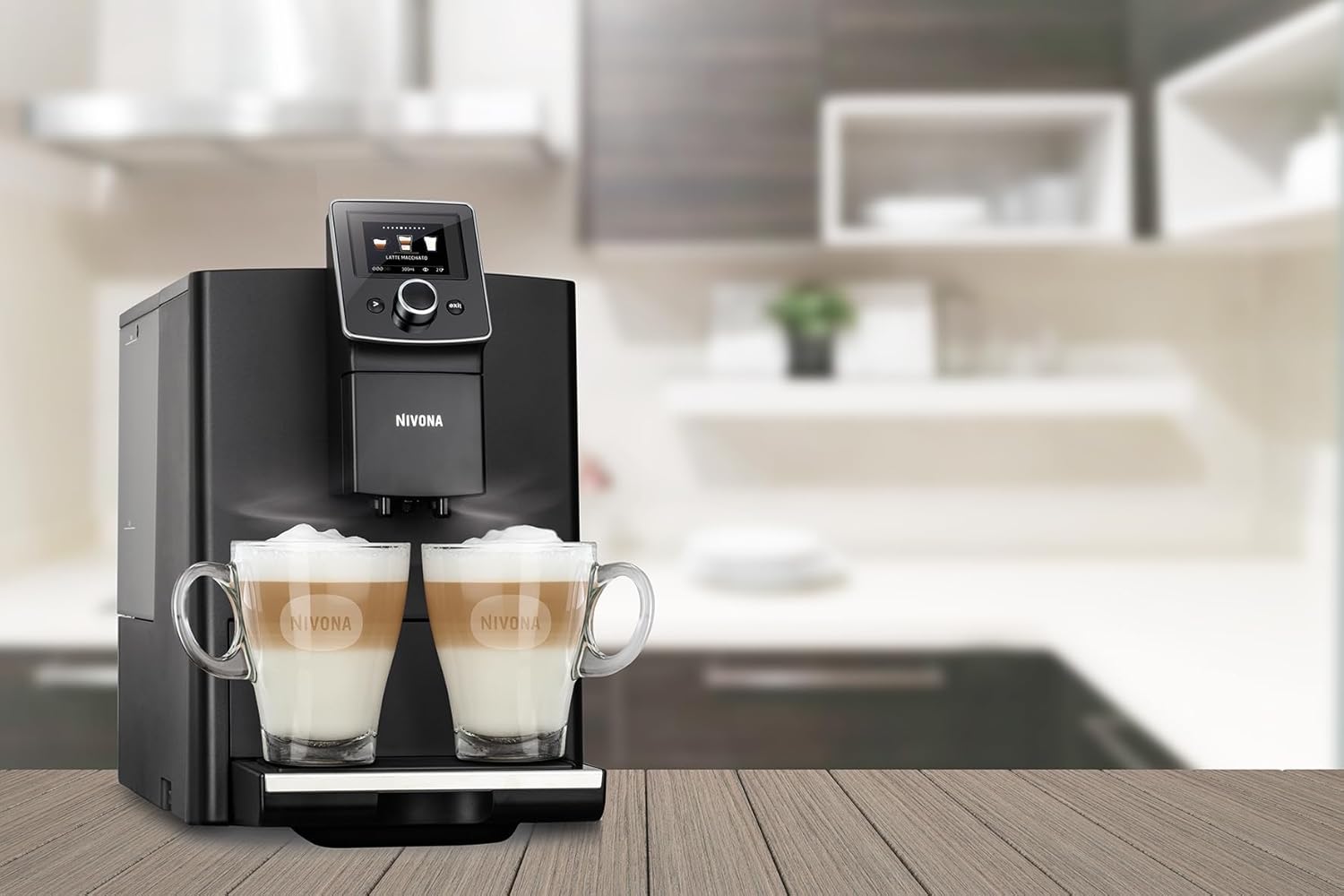
The Nivona NICR 820 espresso machine positioned on a wooden kitchen counter, with a blurred modern kitchen background. Two latte macchiatos are visible in front of the machine.
Setup
- Unpacking: Carefully remove all packaging materials. Check for any damage during transit.
- Initial Cleaning: Before first use, clean the water tank, drip tray, and coffee grounds container with warm water and a mild detergent. Rinse thoroughly.
- Fill Water Tank: Remove the water tank, fill it with fresh, cold tap water up to the MAX mark, and reinsert it securely.
- Fill Bean Hopper: Open the lid of the bean hopper and fill it with whole coffee beans. Do not overfill.
- Power Connection: Plug the power cord into a suitable grounded electrical outlet.
- First Use / System Rinse: Follow the on-screen instructions for the initial system rinse. This primes the system and cleans internal components.
Operating Instructions
Control Panel Overview
The machine features an intuitive digital display and a central rotary knob for navigation and selection. Various buttons provide direct access to functions like brewing, milk frothing, and menu settings.
Making Coffee/Espresso
- Ensure the water tank is filled and the bean hopper contains coffee beans.
- Place a cup under the coffee spout.
- Select your desired coffee beverage (e.g., Espresso, Coffee) from the display using the rotary knob.
- Adjust settings such as coffee strength, volume, and temperature if desired.
- Press the start button to begin the brewing process.
Preparing Milk-based Drinks
- Connect the milk hose to the machine and immerse the other end into a container of cold milk.
- Place a suitable cup under the combined coffee and milk spout.
- Select your desired milk-based beverage (e.g., Latte Macchiato, Cappuccino) from the display.
- Adjust settings as needed and press the start button. The machine will automatically froth the milk and brew the coffee.
Adjusting Settings
The Nivona NICR 820 allows for customization of various parameters:
- Grind Fineness: Adjust the grinder setting (usually located inside the bean hopper) to achieve desired coffee strength. Adjust only when the grinder is running.
- Coffee Strength: Select from pre-set levels on the display.
- Coffee Volume: Customize the amount of coffee dispensed per cup.
- Temperature: Adjust the brewing temperature for optimal flavor extraction.
Maintenance and Cleaning
Regular cleaning and maintenance ensure optimal performance and longevity of your espresso machine.
Daily Cleaning
- Drip Tray and Coffee Grounds Container: Empty and rinse daily.
- Milk System: Perform the automatic milk system rinse after each milk preparation.
Brewing Unit Cleaning
The brewing unit should be removed and rinsed under running water weekly. Refer to the display for instructions on how to remove it safely.
Descaling
The machine will prompt you when descaling is required. Use Nivona descaling solution and follow the on-screen instructions precisely. Descaling removes mineral deposits that can affect performance and taste.
Water Filter Replacement
If using a water filter, replace it approximately every two months or as indicated by the machine. This helps reduce limescale buildup and improves water quality.
Troubleshooting
Below are common issues and their potential solutions.
| Problem | Possible Cause | Solution |
|---|---|---|
| No coffee dispensed | Water tank empty, bean hopper empty, brewing unit blocked. | Fill water tank/bean hopper. Clean brewing unit. |
| Coffee is too weak | Grind too coarse, insufficient coffee strength setting. | Adjust grind finer, increase coffee strength setting. |
| Milk not frothing properly | Milk system dirty, milk too warm, incorrect milk type. | Clean milk system. Use cold, fresh milk. Try different milk fat content. |
| Error message on display | Specific internal issue. | Refer to the specific error code on the display and consult the full manual or Nivona support. |
If the problem persists after attempting these solutions, please contact Nivona customer support.
Technical Specifications
- Model: NICR 820
- Brand: Nivona
- Capacity: 1.8 Liters (Water Tank)
- Wattage: 1465 watts
- Voltage: 230 Volts
- Product Dimensions: 15.35 x 9.06 x 5.51 inches
- Item Weight: 24 pounds (10.92 Kilograms)
- Built-in Grinder: Yes
Warranty and Customer Support
Your Nivona NICR 820 Espresso Machine comes with a manufacturer's warranty. For detailed information regarding warranty terms, registration, or to obtain customer support, please refer to the warranty card included with your product or visit the official Nivona website. When contacting support, please have your model number (NICR 820) and purchase information readily available.


