
1. Introduction
This manual provides comprehensive instructions for the Billboard Cross Wireless Sport Earphones, Model BB-E322-CROSS. Please read this manual carefully before using the product to ensure proper operation and to maximize your user experience. Keep this manual for future reference.
2. Product Overview
The Billboard Cross Wireless Sport Earphones are designed for active lifestyles, offering wireless audio with an integrated microphone and volume control. They provide a comfortable and secure fit for various activities.

Image: Billboard Cross Wireless Sport Earphones, featuring the main unit with ear hooks and inline controls.
Key Features:
- Wireless Connectivity: Bluetooth technology for seamless audio streaming.
- Integrated Microphone: Enables hands-free calling.
- Inline Volume Control: Easy adjustment of audio levels and track navigation.
- Ergonomic Design: Provides a secure and comfortable fit, ideal for sports.
- Rechargeable Battery: Up to 3 hours of playback on a single charge.

Image: Visual representation of the earphones highlighting features such as wireless audio, 3-hour battery life, rechargeable capability, and volume control.
3. Specifications
| Feature | Detail |
|---|---|
| Model Name | Cross Wireless Sport Earphones |
| Model Number | BB-E322-CROSS |
| Brand | Billboard |
| Connectivity Technology | Wireless (Bluetooth) |
| Earphone Connector | USB (for charging) |
| Frequency Response | 20 Hz - 20 kHz |
| Speaker Size | 10 mm |
| Power Output | 5 mW |
| Speaker Sensitivity | 115 dB |
| Microphone | Integrated |
| Battery Life | Up to 3 hours |
| Control Type | Volume Control, Tactile |
| Water Resistance | Not water resistant |
| Weight | 1.5 kg (Note: This weight seems unusually high for earphones and may be a data entry error. Please refer to product packaging for accurate weight.) |
4. Setup
4.1 Charging the Earphones
- Connect the provided USB charging cable to the charging port on the earphone control module.
- Connect the other end of the USB cable to a compatible USB power source (e.g., computer USB port, USB wall adapter).
- The indicator light will illuminate during charging and turn off or change color once fully charged.
- A full charge provides up to 3 hours of playback time.
4.2 Bluetooth Pairing
- Ensure the earphones are fully charged.
- Press and hold the power button on the control module until the indicator light flashes, indicating pairing mode.
- On your device (smartphone, tablet, computer), enable Bluetooth and search for available devices.
- Select "Billboard Cross" or a similar name from the list of found devices.
- Once connected, the indicator light will stop flashing and remain solid, or turn off, depending on the model.
- The earphones should automatically reconnect to the last paired device when powered on and within range.
5. Operating Instructions
The inline control module allows for easy management of audio and calls.
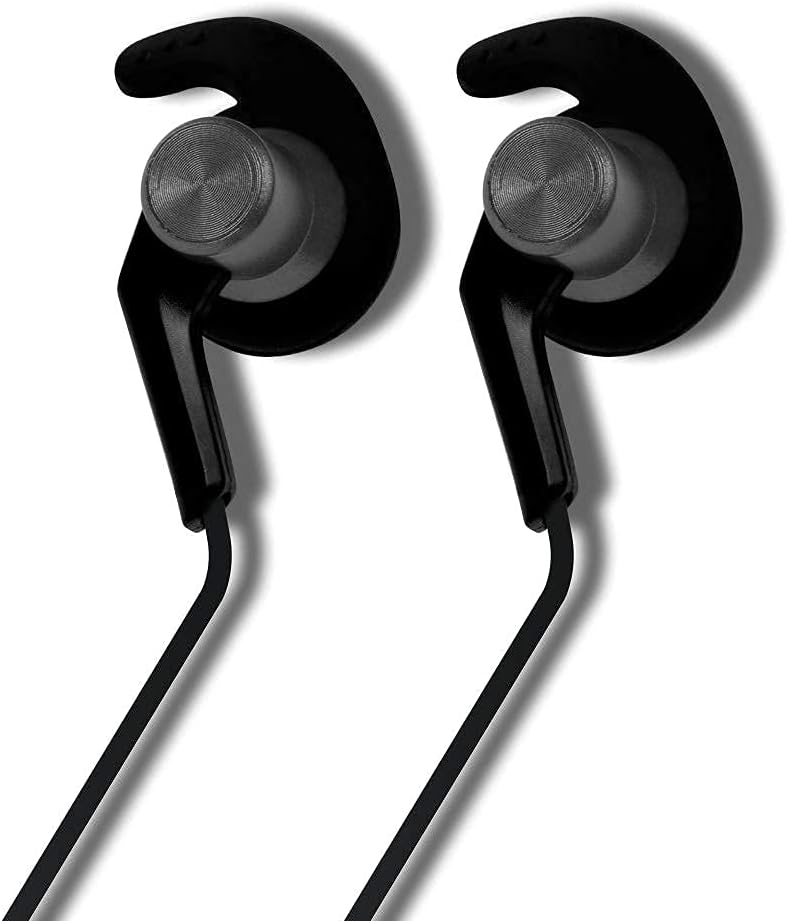
Image: Detailed view of the earphone's inline control module, illustrating the button layout for various functions.
5.1 Power On/Off
- Power On: Press and hold the power button (usually the middle button) until the indicator light illuminates.
- Power Off: Press and hold the power button until the indicator light turns off.
5.2 Music Playback
- Play/Pause: Press the power button once.
- Volume Up: Press the '+' button.
- Volume Down: Press the '-' button.
- Next Track: Press and hold the '+' button.
- Previous Track: Press and hold the '-' button.
5.3 Call Management
- Answer/End Call: Press the power button once during an incoming call or an active call.
- Reject Call: Press and hold the power button during an incoming call.
- Redial Last Number: Double-press the power button when not on a call.
6. Maintenance
- Cleaning: Use a soft, dry cloth to clean the earphones. Do not use harsh chemicals or abrasive materials.
- Storage: Store the earphones in a cool, dry place away from direct sunlight and extreme temperatures.
- Water Exposure: These earphones are not water resistant. Avoid exposure to water, sweat, or moisture to prevent damage.
- Charging: Only use the provided charging cable or a certified equivalent.
7. Troubleshooting
7.1 No Power
- Ensure the earphones are fully charged. Connect them to a power source and check the charging indicator.
7.2 Cannot Pair with Device
- Ensure Bluetooth is enabled on your device.
- Make sure the earphones are in pairing mode (indicator light flashing).
- Move the earphones closer to your device.
- Turn off and on both the earphones and your device, then try pairing again.
- Clear previous Bluetooth connections on your device if you have too many saved.
7.3 No Sound or Low Volume
- Check the volume levels on both the earphones and your connected device.
- Ensure the earphones are properly connected to your device via Bluetooth.
- Try playing different audio sources to rule out an issue with the media file.
7.4 Poor Sound Quality
- Ensure there are no obstructions between the earphones and your device.
- Move away from other wireless devices that might cause interference.
- Check if the ear tips are properly seated in your ears for optimal sound.
8. Warranty and Support
For warranty information or technical support, please refer to the product packaging or contact the retailer where the product was purchased. Keep your proof of purchase for any warranty claims.