Introduction
Thank you for choosing the TIMEMORE Basic 2.0 Digital Coffee Scale. This manual provides detailed instructions for the setup, operation, and maintenance of your new coffee scale. Designed for precision and versatility, this scale features accurate weighing, an integrated timer, automatic tare, and flow rate display, making it ideal for various coffee brewing methods including espresso and pour-over.
Key Features
- Precise Weighing: Equipped with a high-precision sensor, offering measurements up to 2000g (70oz) with 0.1g (0.01oz) accuracy.
- Integrated Timer: Allows simultaneous measurement of weight and brewing time for consistent results.
- Multiple Brewing Methods: Suitable for pour-over, espresso, French press, Aeropress, and more, thanks to its high capacity, accuracy, and flow rate display.
- User-Friendly Interface: Features a clear LCD screen for instant and accurate readings, intuitive controls, automatic tare, and auto-off function.
- Portable and Rechargeable: Compact design with a built-in rechargeable battery and Type-C charging port for convenience at home or on the go.
Setup
- Unpacking: Carefully remove the scale and all accessories from the packaging.
- Initial Charge: Before first use, fully charge the scale using the provided Type-C cable. The battery indicator on the display will show charging status.
- Placement: Place the scale on a flat, stable surface to ensure accurate readings.
- Power On: Press the Power ON/OFF switch button (usually labeled ⏻ or similar) to turn on the scale.

Image: The TIMEMORE Basic 2.0 Coffee Scale, ready for use.
Operating Instructions
1. Power On/Off
Press the Power ON/OFF button (usually on the side or bottom) to turn the scale on. Press and hold the same button to turn it off.
2. Unit Conversion (g/oz)
Press the "U" button to switch between grams (g) and ounces (oz).

Image: The scale displaying weight in grams, with an option to switch to ounces.
3. Tare Function
Place an empty container on the scale. Press the "T" button (often integrated with the power button) to reset the weight to zero before adding ingredients.
4. Manual Timer Mode
In manual timer mode, press the Play/Pause button (often labeled with a triangle icon) to start or pause the timer. Press the "T" button to reset the timer and weight to zero.
Video: Demonstrating the manual timer mode and tare function on the coffee scale.
5. Automatic Timer Mode (Espresso/Pour-Over)
The scale can automatically detect when water is poured and start the timer. Place your brewing setup (e.g., portafilter with cup, pour-over dripper with server) on the scale. After taring, the timer will start automatically once liquid is detected. The display will show both time and weight, and for some models, flow rate.

Image: The scale automatically starting the timer when water is poured for pour-over coffee.
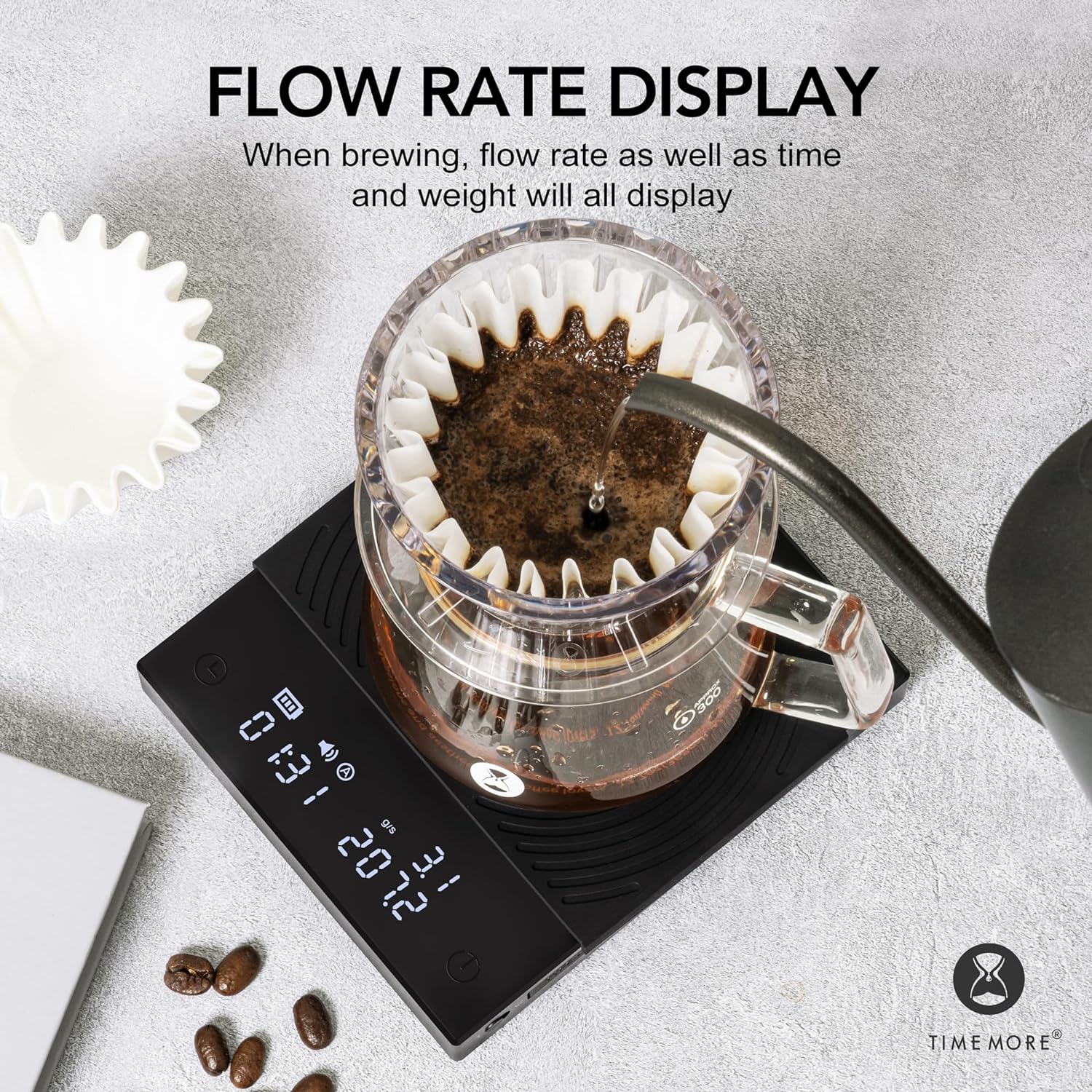
Image: The scale displaying flow rate, time, and weight during brewing.
Maintenance
- Cleaning: Wipe the scale surface with a soft, damp cloth. Do not use abrasive cleaners or immerse the scale in water.
- Silicone Pad: The heat-resistant and waterproof silicone pad can be removed for cleaning. Ensure it is dry before placing it back on the scale.
- Storage: Store the scale in a dry place away from extreme temperatures and direct sunlight.
- Battery Care: Recharge the battery when the low battery indicator appears. Avoid fully draining the battery frequently to prolong its lifespan.

Image: The removable heat-resistant and waterproof silicone pad for easy cleaning.

Image: The Type-C charging port and built-in rechargeable battery for convenience.
Troubleshooting
| Problem | Possible Cause | Solution |
|---|---|---|
| Scale does not turn on | Low battery or power button not pressed correctly. | Charge the scale using the Type-C cable. Press and hold the power button firmly. |
| Inaccurate readings | Uneven surface, scale overloaded, or external interference. | Place on a flat, stable surface. Ensure weight does not exceed 2000g. Avoid strong vibrations or air currents. |
| Timer not starting automatically | Not in automatic timer mode or insufficient liquid flow detected. | Ensure the scale is in the correct mode. Pour liquid steadily to trigger the sensor. |
| Display shows "Lo" | Low battery. | Recharge the scale. |
| Display shows "O-Ld" | Overload. | Remove items from the scale immediately to prevent damage. Do not exceed 2000g. |
Specifications
| Feature | Detail |
|---|---|
| Brand | TIMEMORE |
| Model Number | TM56 |
| Product Dimensions | 14.99 x 14.99 x 3.94 cm (approximately 5.9 x 5.9 x 1.55 inches) |
| Item Weight | 391.22 grams (approximately 13.8 ounces) |
| Color | Basic 2.0 (Black) |
| Recommended Uses | Coffee brewing |
| Special Features | Automatic shut-off, Timer |
| Display Type | LCD |
| Weight Limit | 2 Kilograms (2000g) |
| Form Factor | Handheld (Portable) |
| Material | Acrylic |
| Reading Accuracy | +/- 0.1 grams |
Warranty and Support
For warranty information or technical support, please refer to the warranty card included with your product or contact TIMEMORE customer service directly. Keep your purchase receipt as proof of purchase.
For further assistance, you may visit the official TIMEMORE website or contact your local distributor.


