
Carlinkit 6972185561499
CarlinKit Wireless CarPlay Adapter Instruction Manual
Model: 6972185561499
1. Introduction
This manual provides detailed instructions for the installation, operation, and maintenance of your CarlinKit Wireless CarPlay Adapter. This device enables wireless CarPlay and Android Auto functionality in compatible BMW vehicles, integrating seamlessly with your existing car display without requiring screen removal.

Image: The CarlinKit Wireless CarPlay Adapter device.
2. Setup and Installation
Follow these steps to install the CarlinKit Wireless CarPlay Adapter in your BMW vehicle. No factory screen removal is required.
- Identify Connection Points: Locate the LVDS cable connection at the back of your car's screen and the OEM power plug at the back of the head unit.
- Connect LVDS Cable: Connect the unplugged LVDS cable from the car's screen to the host LVDS IN port on the CarlinKit adapter.
- Connect OEM Power: Connect the OEM power plug to the designated port on the CarlinKit adapter.
- Route USB Cable: Lead the USB cable from the adapter to the glove box. No additional wiring is typically needed for this step.

Image: Car interior with the CarlinKit adapter installed, illustrating the integration with the car's display.
3. Operating Instructions
After successful installation, follow these steps to access the CarPlay or Android Auto interface:
- Select AUX Input: On your car's media source menu, first select the "AUX" input.
- Switch to CarPlay/Android Auto: Press and hold the "MENU" button on your car's control panel for approximately 4 seconds to switch to the CarPlay or Android Auto interface.

Image: Car display showing the integrated interface, similar to CarPlay/Android Auto.
4. Maintenance
To ensure optimal performance and longevity of your CarlinKit Wireless CarPlay Adapter, consider the following maintenance guidelines:
- Keep the device free from dust and moisture.
- Avoid exposing the device to extreme temperatures.
- Do not attempt to open or repair the device yourself, as this may void the warranty.
- Ensure all cable connections are secure and free from damage.
5. Troubleshooting
If you encounter issues with your CarlinKit Wireless CarPlay Adapter, refer to the following common solutions:
- No Display/Black Screen:
- Ensure all cables are securely connected, especially the LVDS cable and power supply.
- Verify that the car's media source is set to "AUX".
- Try pressing and holding the "MENU" button for 4 seconds to switch the interface.
- No Sound:
- Check the car's audio settings to ensure the AUX input volume is not muted or too low.
- Confirm that your phone's volume is turned up.
- Connection Issues (CarPlay/Android Auto):
- Ensure Bluetooth and Wi-Fi are enabled on your smartphone.
- Forget the device from your phone's Bluetooth settings and attempt to reconnect.
- Restart both your car's infotainment system and your smartphone.
- Device Not Responding:
- Disconnect and reconnect the power supply to the CarlinKit adapter.
For persistent issues, please contact customer support.
6. Specifications
| Feature | Detail |
|---|---|
| Product Dimensions | 10 x 2 x 2.7 inches |
| Item Weight | 1.78 pounds |
| Model Number | 6972185561499 |
| Manufacturer | Carlinkit |
| Connectivity Technology | Bluetooth, USB |
| Controller Type | Android, iOS |
| Special Feature | Apple CarPlay, Android Auto |
| Compatible Devices | Smartphone |
| Connector Type | USB |
| Audio Encoding | Stereo |
| Audio Output Mode | Stereo |
| Surround Sound Channel Configuration | 5.1 |
7. Warranty and Support
Carlinkit provides comprehensive support and warranty services for your product:
1 Month Replacement/Refund
If any product-related problem occurs within one month of purchase, you may contact customer service for a replacement or a fast refund. This applies to non-artificial damage.
1 Year Free After-Sale Guarantee Service
A one-year free after-sale guarantee service is provided. For support, please email: support@carlinkit.com
24-Hour Response
If you encounter product problems, please contact customer service. A reply will be provided within 24 hours.
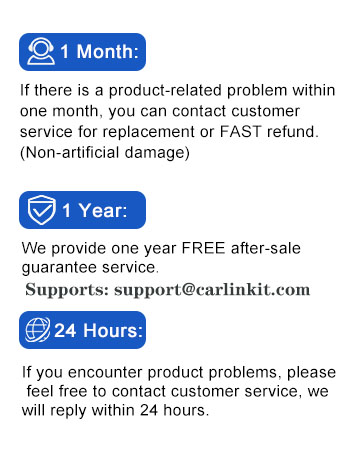
Image: Visual representation of CarlinKit's warranty and support policies.
Related documents6972185561499


Ask a question about this manual
Ask about setup, troubleshooting, compatibility, parts, safety, or missing instructions. Manuals+ will review the question and use this page’s manual context to help answer it.