
1. Introduction
The LAUNCH CRP909 is a professional-grade OBD2 diagnostic scan tool designed for comprehensive vehicle system analysis and maintenance. This device offers a wide range of diagnostic functions and reset services, making it suitable for both professional mechanics and advanced DIY enthusiasts. This manual provides detailed instructions for setting up, operating, maintaining, and troubleshooting your CRP909 device.
2. Setup
2.1. Unboxing and Initial Inspection
Upon receiving your LAUNCH CRP909, carefully open the packaging and inspect all components. The device comes in a durable hard case designed for protection and organization.
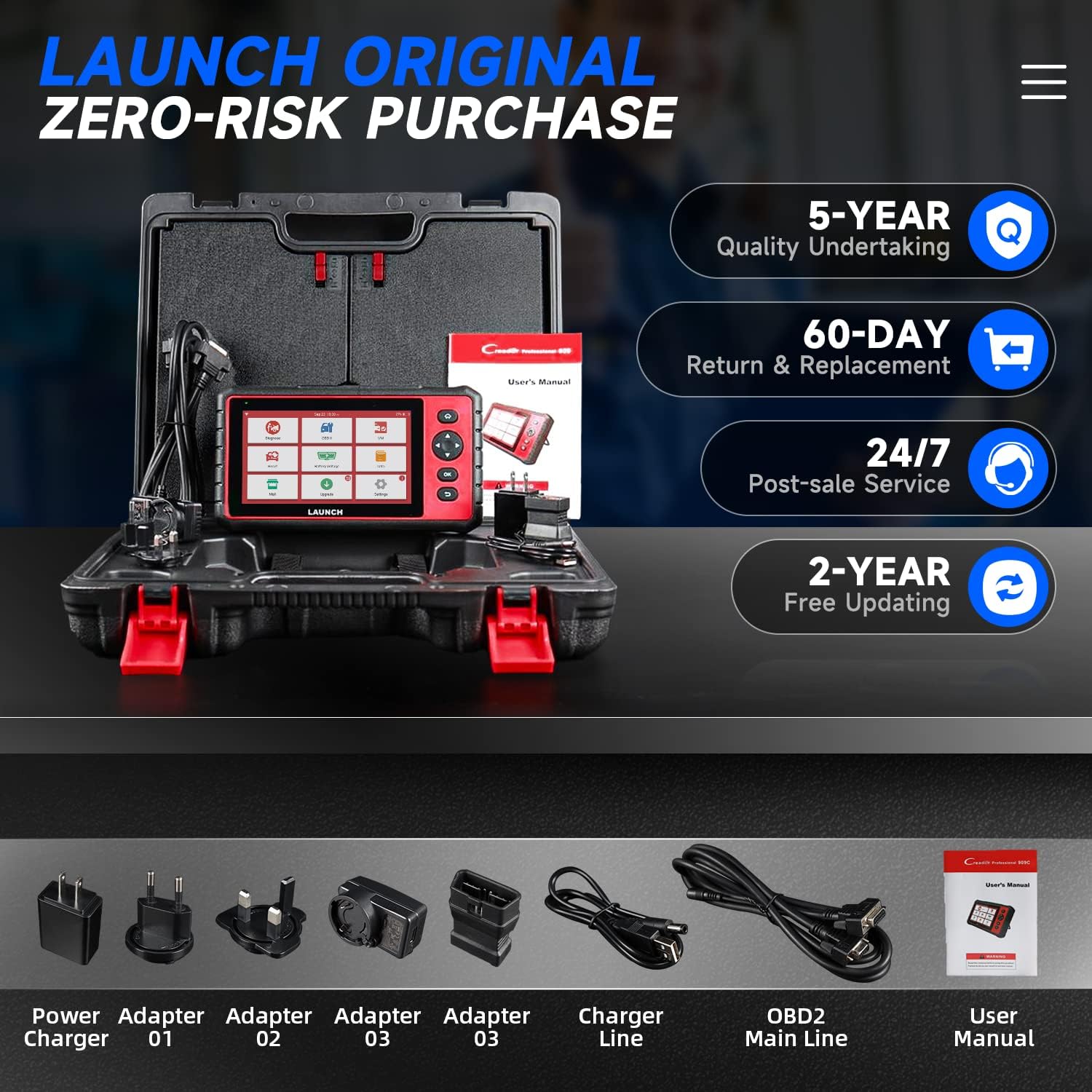
Video 2.1: This video demonstrates the unboxing of the LAUNCH CRP909, showcasing the robust carrying case and its contents, including the diagnostic tool, cables, and accessories. It provides a visual guide to what is included with the product.
2.2. Initial Power-On and Configuration
Power on the device using the dedicated power button. Follow the on-screen prompts to select your preferred language and time zone. For initial setup and updates, ensure the device is connected to a Wi-Fi network.
Video 2.2: This video shows the initial power-on sequence of the LAUNCH CRP909, including language selection and the process of connecting to a Wi-Fi network for updates. It highlights the user-friendly interface for basic configuration.
2.3. Connecting to the Vehicle
Locate your vehicle's OBD2 port, typically found under the dashboard on the driver's side. Connect the OBD2 main line from the CRP909 to the vehicle's OBD2 port. The device will draw power directly from the vehicle.
Video 2.3: This video demonstrates connecting the LAUNCH CRP909 to a Ford F-150's OBD2 port. It shows the physical connection process and the device powering on, ready for vehicle diagnostics.
3. Operating the Device
3.1. Automatic VIN Identification
The CRP909 features automatic VIN identification, allowing it to quickly read and display essential vehicle information such as year, make, and model, streamlining the diagnostic process.
Video 3.1: This video illustrates the automatic VIN scanning feature of the LAUNCH CRP909, showing how the device quickly identifies the vehicle's year, make, and model (e.g., 2003 Ford F-150) upon connection.
3.2. Full System Diagnosis
Perform a comprehensive scan of all available electronic control modules (ECUs) in your vehicle to identify and pinpoint issues across various systems.

Video 3.2: This video provides an overview of the LAUNCH CReader 909, detailing its features such as the 7-inch touch screen, comfortable design, adjustable bracket, clearly arranged buttons, powerful quad-core processor, long-lasting 6000mAh battery, 15 special reset functions, and automatic VIN identification. It also shows the device performing a full system diagnosis and generating a diagnostic report.
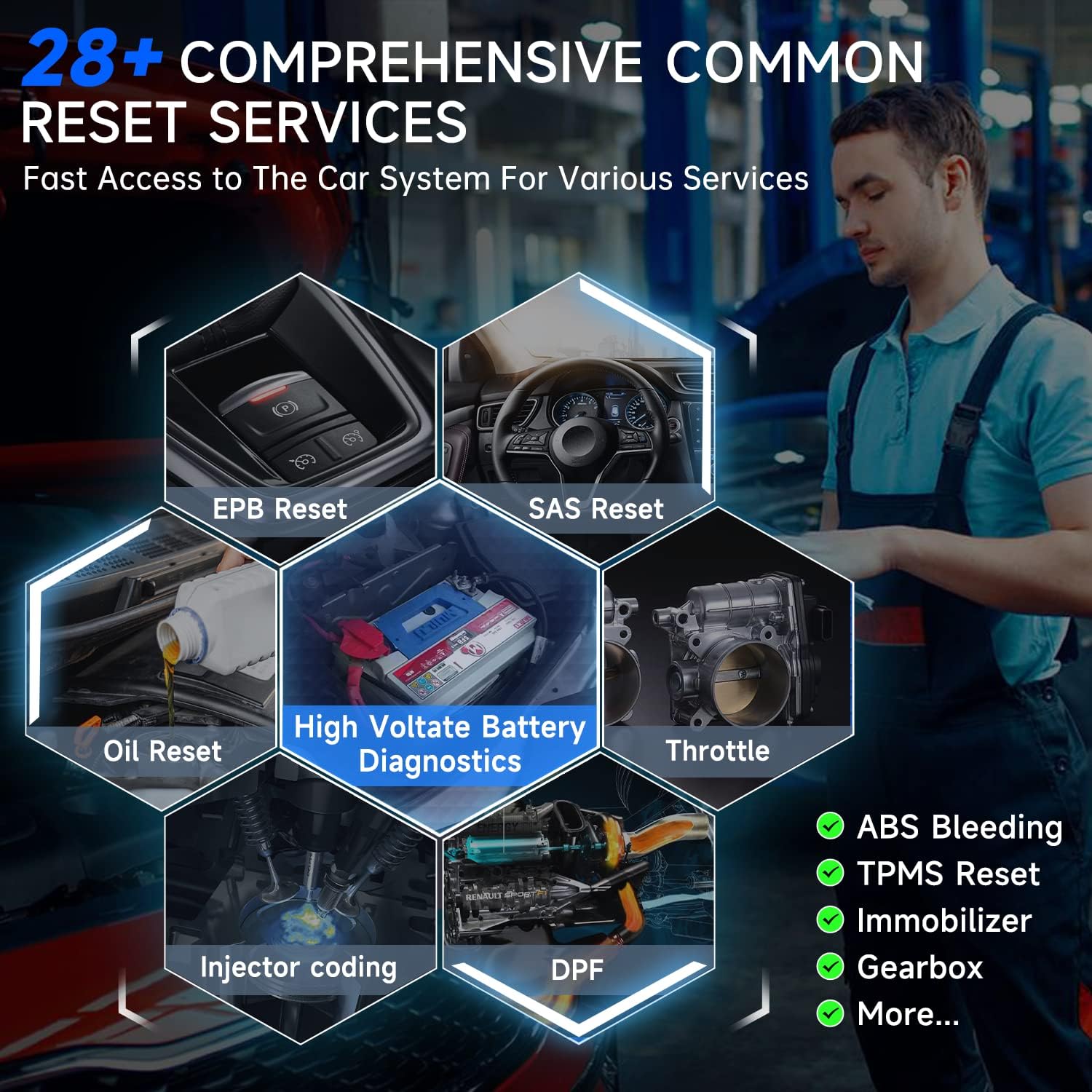
3.3. 28+ Reset Services
The CRP909 offers a wide array of reset and relearn services for various vehicle systems.

3.4. Full OBD-Level Diagnosis
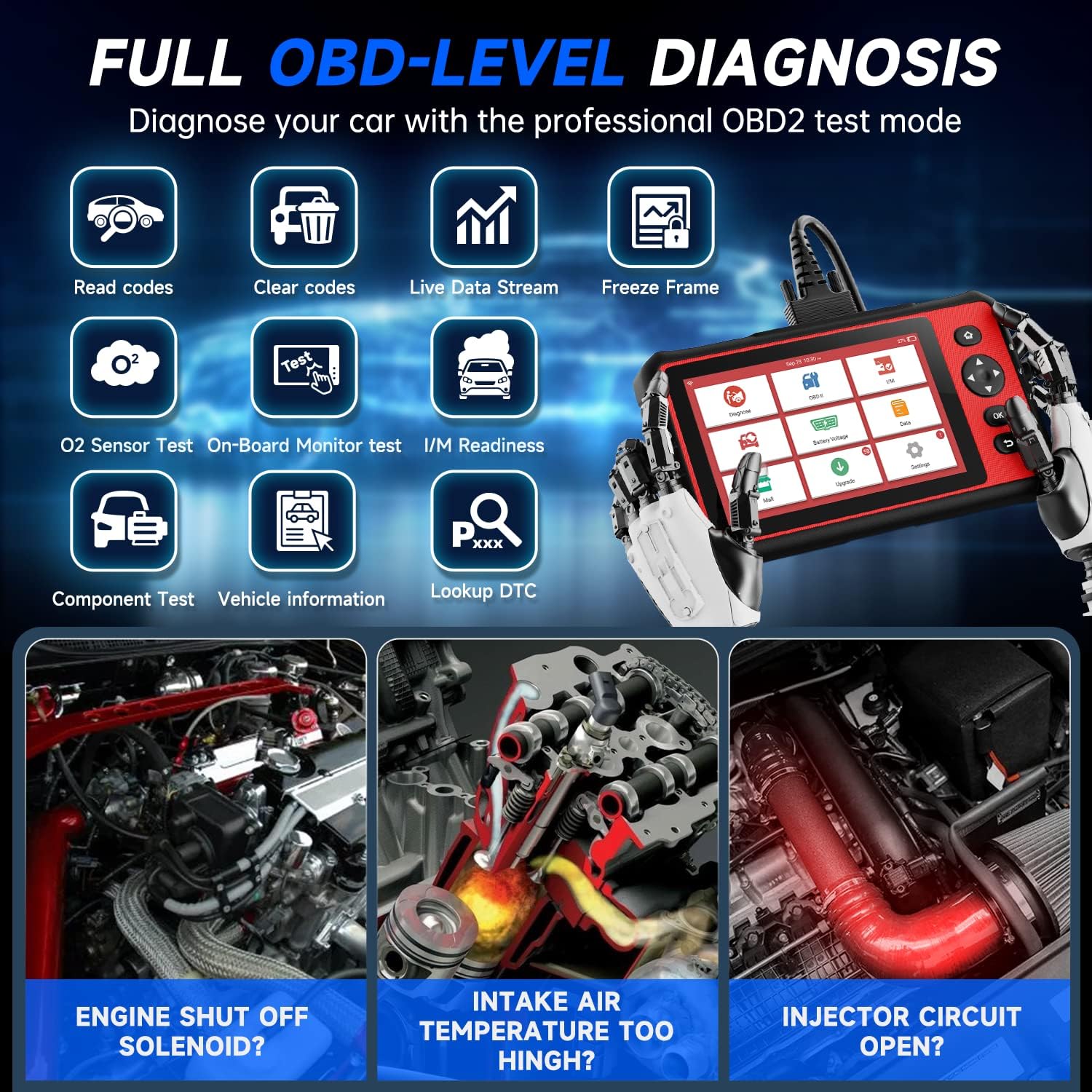
Access all 10 OBD2 test modes for comprehensive engine diagnostics.
- Read Codes: Retrieve Diagnostic Trouble Codes (DTCs).
- Clear Codes: Erase DTCs and turn off the Check Engine Light.
- Live Data Stream: View real-time data parameters from the vehicle's sensors.
- Freeze Frame: Capture a snapshot of sensor values when a DTC is set.
- O2 Sensor Test: Monitor and test the oxygen sensors.
- On-Board Monitor Test: Check the results of on-board diagnostic monitoring tests.
- I/M Readiness: Verify if the vehicle's emission systems are ready for inspection.
- Component Test: Perform tests on specific components.
- Vehicle Information: Retrieve vehicle identification information.
- DTC Lookup: Access a database of DTC definitions.
Video 3.3: This video showcases the One-Touch I/M Readiness feature of the LAUNCH CRP909. It quickly checks if the vehicle's emissions-related systems are operating correctly and are ready for inspection and maintenance testing, indicating completed or not ready monitors.
3.5. Data Record & Playback
Record live data streams during vehicle operation and play them back for detailed analysis. This feature is invaluable for diagnosing intermittent issues.

3.6. Battery Voltage Monitor
Monitor your vehicle's battery voltage in real-time to assess its health and the charging system's performance.
Video 3.4: This video demonstrates the battery voltage monitoring function of the LAUNCH CRP909. It shows the device displaying real-time battery voltage readings, which is crucial for diagnosing battery health and charging system performance.
4. Maintenance
4.1. One-Key Online Upgrade
Keep your CRP909 up-to-date with the latest software and vehicle coverage by utilizing the one-key online upgrade feature. This ensures compatibility with new vehicle models and access to improved functionalities.
Video 4.1: This video highlights the one-key online upgrade feature, demonstrating how to easily update the device's firmware and application programs to ensure optimal performance and compatibility.
4.2. General Device Care
- Keep the device clean and free from dust and moisture.
- Store the device in its protective case when not in use.
- Avoid exposing the device to extreme temperatures.
- Regularly check cables for damage and replace if necessary.
5. Troubleshooting
5.1. Diagnostic Report Interpretation
The CRP909 generates detailed diagnostic reports that provide vehicle information, inspection organization details, and a list of detected fault codes with their statuses (Normal/Abnormal).
Video 5.1: This video demonstrates a complete diagnostic process on a Ford F-150 using the LAUNCH CRP909. It shows the VIN scanning, vehicle system detection, and the generation of a detailed health report, including specific fault codes and their descriptions. The video highlights the tool's ability to identify and display various system statuses and error codes.
5.2. Common Fault Codes and Solutions
Below are examples of common fault codes that may appear in a diagnostic report and their possible causes:
- B1352 (Ignition Key-in Circuit Error): Indicates a malfunction or general failure in the ignition key-in circuit. This code is often set when the PCM detects an issue with circuits active when the ignition is switched off but the key is still in the ignition.
- U1262 (SCP Data Link Fault): Possible causes include a faulty Powertrain Control Module (PCM), an open or shorted PCM harness, or poor electrical connection in the PCM circuit.
- C1284 (Oil Pressure Switch Error/Note): This code may be invalid if it appears without other related symptoms. It suggests a faulty oil pressure switch, an open or shorted oil pressure switch harness, or a poor electrical connection.
- P0340 (CMP/Camshaft Position Sensor 'A' Circuit Malfunction): Indicates a malfunction in the camshaft position sensor circuit. This covers the entire circuit attached to the sensor, including wiring and the PCM. Replacing the sensor may not always resolve the issue.
- P1000 (On-Board Diagnostic (OBD) Systems Readiness Test Incomplete): This is a manufacturer-specific code, commonly used by Ford, Jaguar, and Mazda, indicating that the engine control computer (ECC) has not completed its emission systems testing.
- P0141 (HO2S/HTR12 Heater Circuit): Indicates a problem with the bank 1 sensor 2 oxygen sensor heater circuit.
- P0161 (HO2S/HTR22 Heater Circuit Fault): Indicates a problem with the bank 2 sensor 2 oxygen sensor heater circuit.
Video 5.2: This video shows the LAUNCH CRP909 being used to diagnose a BMW 135i. It illustrates the VIN scanning process and the display of diagnostic trouble codes (DTCs) related to the engine control module (DME), including fuel low pressure sensor, oxygen sensor, and combustion misfires. The video emphasizes the tool's capability to provide detailed fault information for specific vehicle systems.
5.3. Clearing Codes
After addressing the underlying issues, you can use the 'Clear Code' function to erase stored DTCs from the vehicle's ECU. This will turn off the Check Engine Light if the problem has been resolved.
6. Specifications
| Feature | Specification |
|---|---|
| Manufacturer | LAUNCH |
| Model Number | LAUNCH 909 |
| Item Weight | 7.48 pounds |
| Package Dimensions | 16.77 x 13.94 x 5.04 inches |
| Batteries | 2 Lithium Polymer batteries required (included) |
| Power Source | Battery Powered |
| Operating System | Android 8.0 |
| Screen Size | 7 Inches |

7. Warranty and Support
The LAUNCH CRP909 comes with comprehensive support and warranty benefits to ensure customer satisfaction.
- Quality Undertaking: 5-Year
- Return & Replacement: 60-Day
- Post-Sale Service: 24/7 availability
- Free Updating: 2-Year


