
REVOLT X15T Night Hawk
REVOLT R/C X15T Night Hawk Stunt Drone User Manual
Model: X15T Night Hawk
Brand: REVOLT (Manufactured by SYMA)
1. Introduction and Overview
The REVOLT R/C X15T Night Hawk Stunt Drone is designed for both beginners and experienced pilots, offering a blend of easy control and advanced stunt capabilities. Its transparent body illuminates, making it ideal for night flights with 6 different lighting modes. The drone features 16 pre-programmed stunts, including rotations and various flight patterns, and offers two speed settings for adaptable flying.
This manual provides essential information for the safe and effective operation of your drone, including setup, flight instructions, maintenance, and troubleshooting.
2. Package Contents
Please check the package contents to ensure all items are present:
- REVOLT R/C X15T Night Hawk Stunt Drone
- Remote Control (requires 4 AAA batteries, not included)
- 3.7V / 400mAh Li-ion Battery (for drone, included)
- 4 x Spare Propeller Blades
- USB Charging Cable

Image: The REVOLT R/C X15T Night Hawk Stunt Drone, its remote control, and the product retail box, showing all main components.
3. Safety Information
WARNING: Not suitable for children under 3 years due to small parts. Recommended for ages 8 and up.
- Always operate the drone in open, clear areas, away from people, animals, and obstacles.
- Do not fly near power lines, trees, or water.
- Avoid flying in strong winds or adverse weather conditions.
- Keep fingers, hair, and loose clothing away from rotating propellers.
- Do not modify the drone or its components.
- Ensure the drone battery is fully charged before each flight.
- Supervise children during operation.
4. Setup
4.1. Drone Battery Installation
- Locate the battery compartment on the drone.
- Carefully insert the included 3.7V / 400mAh Li-ion battery into the compartment.
- Connect the battery connector to the drone's power port.
- Close the battery compartment securely.
4.2. Remote Control Battery Installation
- Open the battery cover on the back of the remote control.
- Insert 4 new AAA batteries (not included) into the battery compartment, ensuring correct polarity (+/-).
- Close the battery cover securely.

Image: The remote control for the REVOLT R/C X15T Night Hawk Stunt Drone, showing its ergonomic design and control sticks.
4.3. Pairing the Drone and Remote Control
- Place the drone on a flat, level surface.
- Turn on the drone's power switch. The drone's lights will flash.
- Turn on the remote control's power switch.
- Push the left joystick (throttle) all the way up, then all the way down. The drone's lights will stop flashing and become solid, indicating successful pairing.
5. Operating Instructions
5.1. Basic Controls
- Left Joystick (Throttle): Push up to ascend, pull down to descend.
- Right Joystick (Directional): Push forward to fly forward, pull back to fly backward. Push left to fly left, push right to fly right.
- One-Button Take-off/Landing: Press the designated button on the remote for automatic take-off or landing.
- Auto-Hover: The drone features an auto-hover function to maintain altitude.
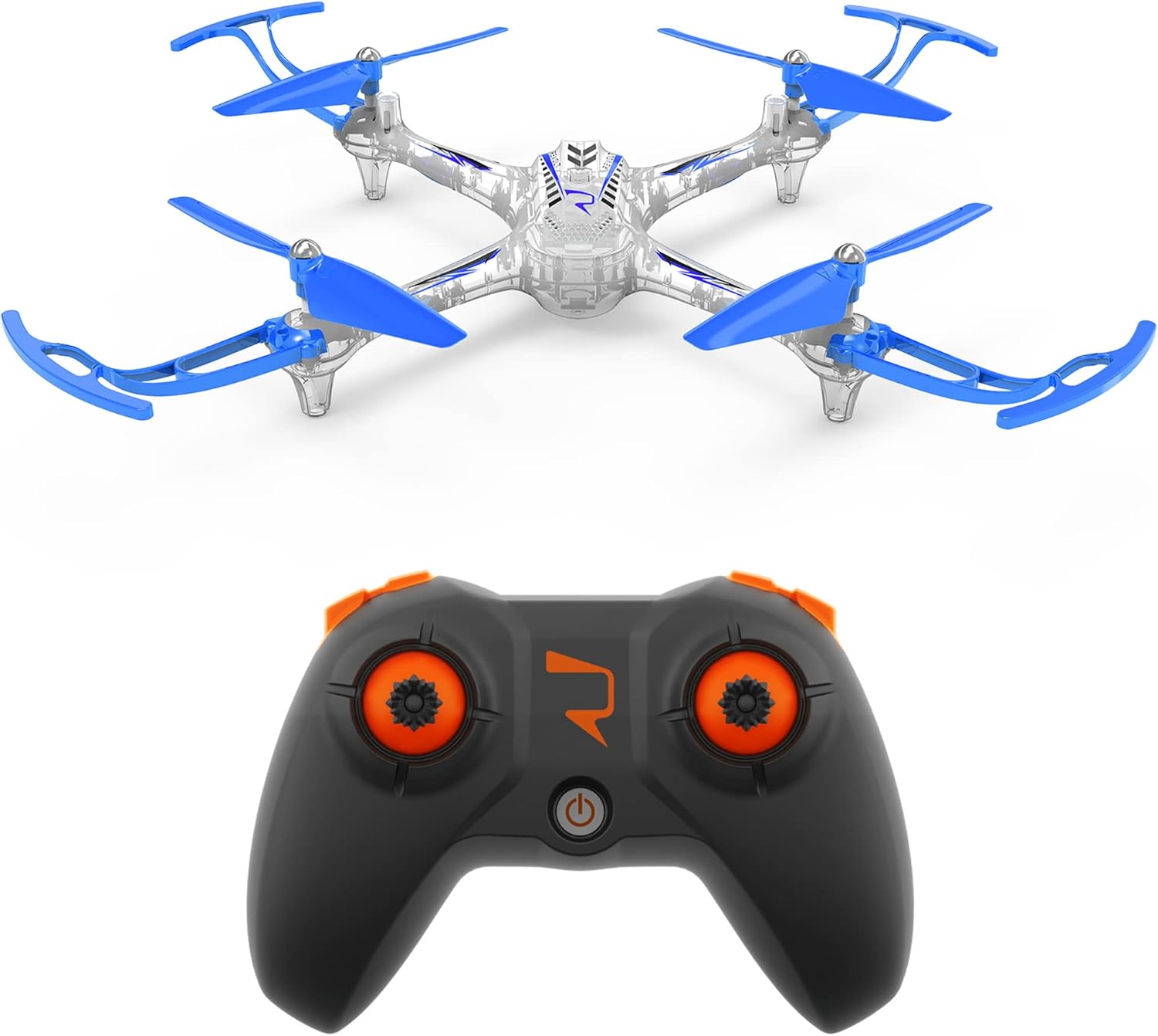
Image: The REVOLT R/C X15T Night Hawk Stunt Drone positioned next to its remote control, illustrating their relative sizes.
5.2. Speed Modes
The drone offers 2 speed settings. The lowest speed is recommended for beginners and indoor flight, while the higher speed is suitable for outdoor flight in calm conditions.
5.3. Stunt Functions
The Night Hawk Stunt Drone is pre-programmed with 16 different stunts. Refer to the remote control's specific buttons for activating these stunts. Practice in an open area until you are comfortable with the controls.
5.4. Lighting Modes
The drone features a transparent body with 6 different lighting modes, making it highly visible, especially during night flights. Use the designated button on the remote to cycle through the lighting options.

Image: A top-front view of the REVOLT R/C X15T Night Hawk Stunt Drone, highlighting its transparent body and blue propellers.
6. Charging
To charge the drone's Li-ion battery:
- Disconnect the drone battery from the drone.
- Connect the drone battery to the included USB charging cable.
- Plug the USB charging cable into a standard USB power source (e.g., computer USB port, USB wall adapter).
- The charging indicator light on the USB cable will show the charging status.
- A full charge takes approximately 60 minutes. Do not overcharge.
- Once fully charged, disconnect the battery from the charging cable.
A fully charged battery provides up to 7 minutes of flight time.
7. Maintenance
7.1. Cleaning
Gently wipe the drone's body with a clean, dry cloth. Do not use water or cleaning solvents, as they may damage the electronics.
7.2. Propeller Replacement
If a propeller is damaged, it can be replaced using the spare blades provided. Carefully remove the damaged propeller and snap the new one into place, ensuring it is securely attached and oriented correctly.

Image: A top-down view of the REVOLT R/C X15T Night Hawk Stunt Drone, showing the arrangement of its four blue propellers and landing skids.
8. Troubleshooting
| Problem | Possible Cause | Solution |
|---|---|---|
| Drone does not power on. | Battery not charged or connected; Drone power switch off. | Ensure battery is fully charged and properly connected. Turn on drone power switch. |
| Remote control does not power on. | AAA batteries are dead or incorrectly inserted; Remote power switch off. | Replace AAA batteries, ensuring correct polarity. Turn on remote power switch. |
| Drone and remote do not pair. | Pairing sequence not followed correctly; Interference. | Repeat the pairing steps (Section 4.3). Ensure no other 2.4GHz devices are nearby. |
| Drone flies erratically or is unstable. | Propellers damaged; Calibration needed; Strong wind. | Check for damaged propellers and replace if necessary. Perform a calibration (refer to remote instructions for specific steps). Fly in calm conditions. |
| Short flight time. | Battery not fully charged; Battery degradation. | Ensure battery is fully charged (60 minutes). If battery life significantly decreases, consider replacing the battery. |
9. Specifications
| Feature | Detail |
|---|---|
| Model | X15T Night Hawk |
| Manufacturer | Syma |
| Item Weight | 152 g |
| Product Dimensions (L x W x H) | 34.67 x 6.45 x 19.81 cm |
| Drone Battery | 3.7V / 400mAh Li-ion (included) |
| Remote Control Batteries | 4 x AAA (not included) |
| Charging Time | Approx. 60 minutes |
| Flight Time per Charge | Up to 7 minutes |
| Max Speed | Up to 7 km/h |
| Operating Frequency | 2.4 GHz |
| Control Range | Up to 25 meters |
| Material | Plastic |
| Age Recommendation | 8+ |
10. Warranty and Support
For warranty information and customer support, please refer to the documentation provided at the point of purchase or contact the retailer/manufacturer directly. Keep your proof of purchase for any warranty claims.
Ask a question about this manual
Ask about setup, troubleshooting, compatibility, parts, safety, or missing instructions. Manuals+ will review the question and use this page’s manual context to help answer it.