Programming Cable User Manual
Brand: Washinglee | Model: KPG-46
1. Product Overview
This USB programming cable is designed for use with various radio transceivers, primarily compatible with Kenwood TKR, TM, KDS, NX, NXB, TK, and TKB series radios. It also supports select Luiton and Baofeng radios, and the CS-800 UHF DMR mobile radio.
The cable facilitates the programming of radio frequencies and settings from a computer to the transceiver, ensuring seamless communication between devices.

Image 1.1: The Washinglee KPG-46 Programming Cable, featuring a USB connector on one end and an RJ-45 style connector on the other, designed for radio programming.
2. System Requirements and Driver Installation
2.1. Supported Operating Systems
- Windows XP / Vista / 7 / 8 / 2000 / 10 (32-bit and 64-bit)
- Windows Server 2003 / 2008
- Linux
- Mac OS
Note: Windows 11 is currently not supported.
2.2. Driver Installation
The cable incorporates a PL2303 chip. While it supports plug-and-play functionality on some systems, driver installation may be required for proper recognition and operation.
- Locate the driver: The necessary driver can be found and downloaded by scanning the QR code or following the link provided on the product packaging.
- Install the driver: Follow the on-screen instructions to install the driver. If the cable is not recognized after plugging it in, manually update the driver through your computer's Device Manager.
- Verification: After installation, ensure the cable is recognized by your operating system.

Image 2.1: Close-up view of the PL2303 chip, which is integrated into the programming cable to facilitate communication between the computer and the radio.
3. Operating Instructions: Programming a Radio Transceiver
This procedure outlines how to program a radio transceiver using the Washinglee KPG-46 programming cable to match frequencies between two transceivers.
- Run Programming Software: Start the radio programming software on your PC or laptop. This software is typically provided by the radio manufacturer or a third-party developer (e.g., CHIRP).
- Connect New Transceiver: Connect the new transceiver (the one from which you want to copy settings) to your PC/laptop using the programming cable.
- Read Frequency Data: Within the programming software, initiate the "Read" or "Scan" function to retrieve the frequency data from the new transceiver. The frequency data should then be displayed on your computer screen.
- Disconnect and Connect Old Transceiver: Disconnect the new transceiver from the cable. Then, connect the old transceiver (the one you wish to program) to your PC/laptop using the same programming cable.
- Program Old Transceiver: In the programming software, click the "Program" or "Write" icon. This action will transfer the frequency data from your computer to the old transceiver.
- Verify Operation: Once the programming is complete, the two transceivers should now operate on the same frequency.
- Repeat for Additional Transceivers: If you have more transceivers to program, repeat steps 2 through 5 for each additional device to ensure they all operate on the desired frequency.

Image 3.1: A person using a laptop and the programming cable to configure a Kenwood radio, demonstrating the typical setup for radio programming.

Image 3.2: A detailed view of the RJ-45 style connector end of the programming cable, showing the gold-plated pins. This end connects to the radio.
4. Maintenance and Care
- Storage: Store the cable in a cool, dry place away from direct sunlight and extreme temperatures.
- Cleaning: Use a soft, dry cloth to clean the cable. Avoid using harsh chemicals or abrasive materials.
- Handling: Do not bend or crimp the cable excessively, especially near the connectors, as this can damage internal wires. Always grasp the connector housing when plugging or unplugging the cable, not the cable itself.
- Inspection: Periodically inspect the cable and connectors for any signs of wear, fraying, or damage. Discontinue use if damage is observed.
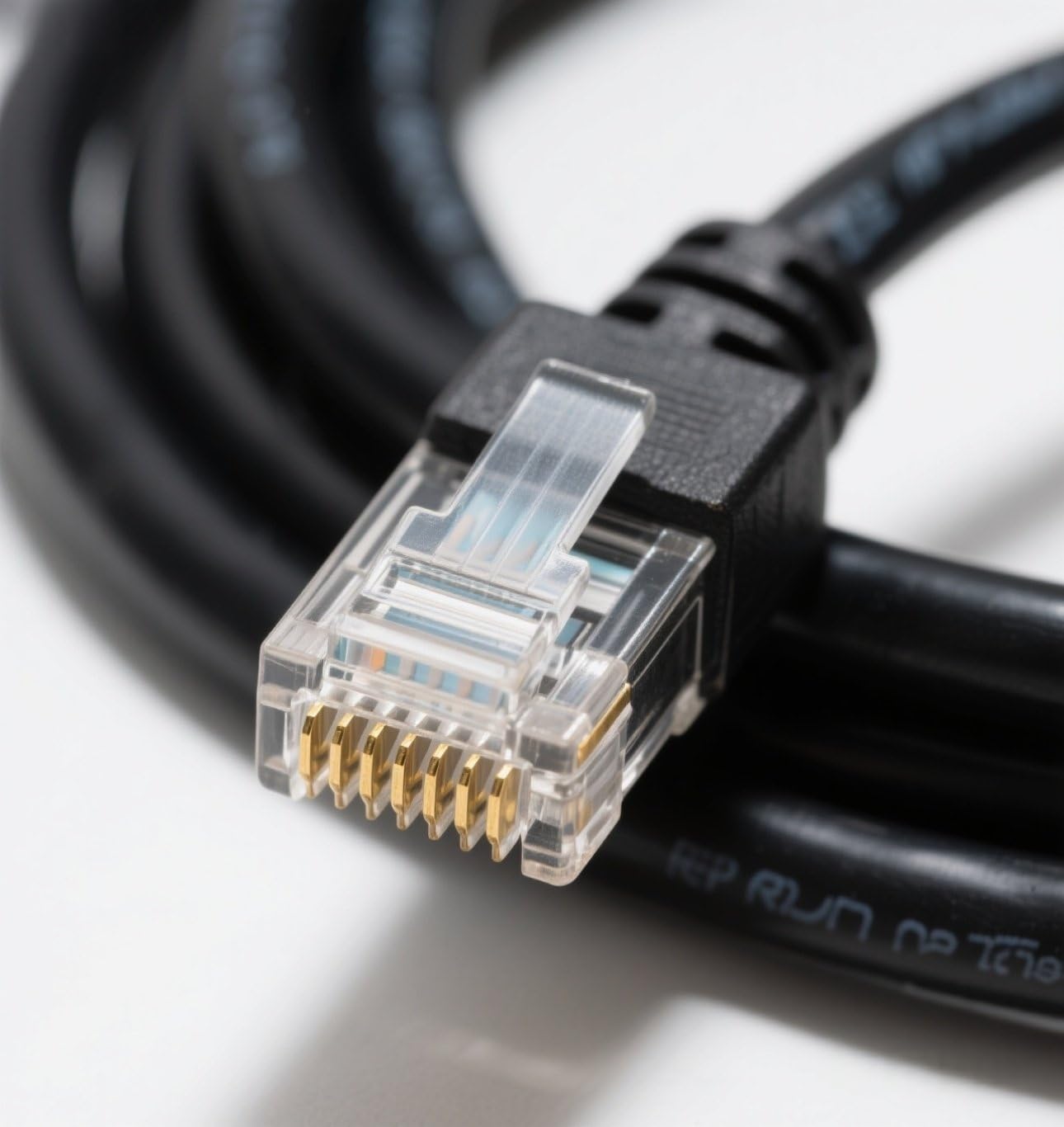
Image 4.1: The programming cable neatly coiled, illustrating proper storage to prevent damage and extend its lifespan.
5. Troubleshooting
| Problem | Possible Cause | Solution |
|---|---|---|
| Cable not recognized by computer. | Driver not installed or outdated. | Install or manually update the PL2303 driver. Refer to Section 2.2. |
| Programming software does not detect radio. | Incorrect COM port selected in software; Radio not powered on; Cable not fully connected. | Verify COM port settings in software. Ensure radio is powered on and cable is securely connected to both radio and computer. |
| Programming fails or results in errors. | Incompatible radio model; Corrupt software installation; Cable damage. | Check radio model compatibility (refer to Section 6). Reinstall programming software. Inspect cable for damage. |
| Windows 11 operating system. | Known incompatibility. | The cable is not supported on Windows 11. Use a compatible operating system. |
6. Specifications and Compatibility
6.1. Product Specifications
- Model Number: KPG-46
- Connector Type: USB Type A to RJ-45 style
- Cable Type: USB Programming Cable
- Special Feature: Data Transfer
- Chipset: Built-in PL2303 chip
- Length: Approximately 3 feet
- Manufacturer: Washinglee
6.2. Compatible Radio Models
This cable is compatible with a wide range of radio transceivers. Below is a detailed list:
Kenwood Series:
- TKR Series: TKR-720, TKR-730, TKR-740, TKR-750, TKR-750E (Version 2), TKR-751E, TKR-820, TKR-830, TKR-850, TKR-850E (Version 2), TKR-851E, TKR-7500, TKR-8400
- TM Series: TM-261A, TM-271A, TM-271E, TM-461A, TM-471A
- KDS Series: KDS-100
- NX Series: NX-700E, NX-700HK, NX-700K, NX-800E, NX-800HK, NX-800HK2, NX-800K, NX-800K2, NXR-800K3, NXR-7100, NXR-810
- NXB Series: NXB-710, NXB-810
- TK Series: TK-760, TK-760G, TK-762, TK-762G, TK-763, TK-763G, TK-768, TK-768G, TK-780, TK-780G, TK-785, TK-868, TK-868G, TK-880, TK-880G, TK-885, TK-980, TK-981, TK-6110, TK-7100, TK-7100H, TK-7102H, TK-7150, TK-7160, TK-7160E, TK-7160HM, TK-7160M, TK-7162E, TK-7180, TK-7180E, MPT TK-7189, TK-7189E, TK-7302E, TK-7302HM, TK-7302M, TK-8100, TK-8100H, TK-8102H, TK-8150, TK-8160, TK-8160E, TK-8160HM, TK-8160M, TK-8162E, TK-8180, TK-8180E, TK-8189, TK-8189E, TK-8302, TK-8302E, TK-8302HK2, TK-8302M, TK-90
- TKB Series: TKB-751, TKB-851
Other Brands:
- Leixen VV 898
- Select Baofeng Radios
- Select Luiton Radios
- CS-800 UHF DMR Mobile Radio
7. Warranty and Support
The Washinglee KPG-46 Programming Cable comes with a 1-year warranty from the manufacturer, Washinglee.
For technical support, driver assistance, or any inquiries regarding the product, please contact Washinglee engineers directly via email through the Amazon platform. A user manual and cable driver will also be sent to you via email after purchase.
For additional resources and driver downloads, refer to the label (QR Code or link) on the product packaging.


