
Introduction
Thank you for purchasing the FONESTAR BOOM-GO-B Portable Radio CD Player. This manual provides essential information for the safe and efficient operation of your device. Please read it thoroughly before use and retain it for future reference.
Safety Instructions
- Do not expose the unit to rain or moisture to prevent fire or electric shock.
- Do not block ventilation openings. Ensure adequate space around the unit for proper airflow.
- Avoid placing the unit near heat sources such as radiators, heat registers, stoves, or other apparatus (including amplifiers) that produce heat.
- Use only attachments/accessories specified by the manufacturer.
- Unplug this apparatus during lightning storms or when unused for long periods.
- Refer all servicing to qualified service personnel. Servicing is required when the apparatus has been damaged in any way.
- Keep the unit away from strong magnetic fields.
Product Overview
The FONESTAR BOOM-GO-B is a versatile portable radio CD player featuring 4W RMS output, Bluetooth connectivity, FM radio, USB/MP3 playback, AUX input, and integrated lighting effects. It is designed for convenient audio entertainment on the go.
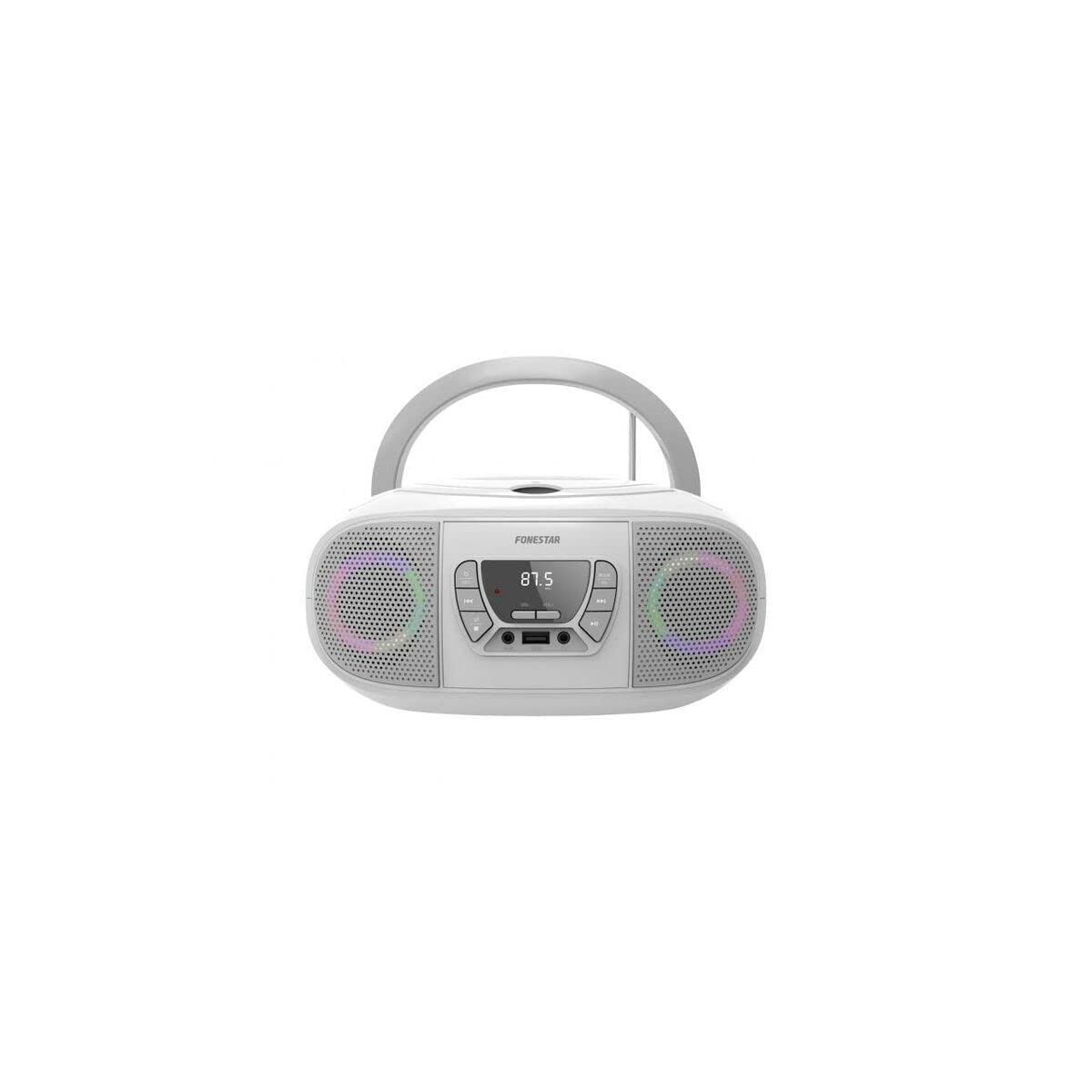
Setup
- Power Connection: Connect the provided AC power adapter to the DC IN jack on the unit and then to a wall outlet. Alternatively, for portable use, ensure the internal Lithium Ion battery is charged.
- Initial Charge: For first-time use, fully charge the internal battery for optimal performance and longevity.
- Antenna: Extend the FM antenna for better radio reception.
Operating Instructions
1. Power On/Off
Press the POWER button to turn the unit on or off.
2. Mode Selection
Press the MODE button repeatedly to cycle through available modes: CD, FM Radio, Bluetooth, USB, AUX.
3. CD Playback
- Open the CD compartment and insert a CD with the label side facing up. Close the compartment.
- Select CD mode. The CD will begin playing automatically.
- Use PLAY/PAUSE, SKIP FORWARD, and SKIP BACKWARD buttons to control playback.
4. FM Radio
- Select FM mode.
- Press and hold the SCAN button to automatically scan and save available FM stations.
- Use the PREV/NEXT buttons to navigate through saved stations or manually tune.
5. Bluetooth Pairing
- Select Bluetooth mode. The unit will enter pairing mode, indicated by a flashing Bluetooth indicator.
- Enable Bluetooth on your mobile device and search for "BOOM-GO-B".
- Select "BOOM-GO-B" to pair. Once connected, a confirmation tone will sound.
6. USB/MP3 Playback
- Insert a USB flash drive containing MP3 files into the USB port.
- Select USB mode. Playback will start automatically.
- Use playback controls (Play/Pause, Skip) as needed.
7. AUX Input
- Connect an external audio device (e.g., smartphone, tablet) to the AUX IN port using a 3.5mm audio cable (not included).
- Select AUX mode.
- Control playback from your external device.
8. Lighting Effects
Press the LIGHT button to cycle through different lighting modes or to turn the lighting effects off.
9. Volume Control
Rotate the VOLUME knob to adjust the audio level.
Maintenance
- Cleaning: Use a soft, dry cloth to clean the exterior of the unit. Do not use abrasive cleaners or solvents.
- CD Lens Care: If CD playback issues occur, use a commercially available CD lens cleaner disc.
- Battery Care: The unit uses a Lithium Ion rechargeable battery. For optimal battery life, avoid fully discharging the battery frequently and store the unit with a partial charge if not used for extended periods.
Troubleshooting
| Problem | Possible Cause | Solution |
|---|---|---|
| Unit does not power on. | No power, discharged battery. | Check AC adapter connection or charge the battery. |
| No sound. | Volume too low, incorrect mode, faulty connection. | Increase volume, select correct mode, check AUX cable. |
| CD skips or does not play. | Dirty or scratched CD, dirty lens. | Clean CD, use a CD lens cleaner. |
| Poor FM reception. | Antenna not extended, weak signal. | Fully extend the FM antenna, reposition the unit. |
| Bluetooth device won't pair. | Unit not in pairing mode, device too far. | Ensure unit is in Bluetooth pairing mode, move device closer. |
Specifications
- Brand: FONESTAR
- Model: BOOM-GO-B
- Output Power: 4W RMS
- Connectivity: Bluetooth, USB, AUX
- Media Playback: CD, MP3 (via USB)
- Radio: FM
- Power Source: AC adapter, Rechargeable Lithium Ion Battery
- Hardware Interface: USB
- ASIN: B07Y5BWQVX
- GTIN: 08422521001106
Warranty and Support
For warranty information or technical support, please refer to the documentation provided at the time of purchase or contact your local FONESTAR dealer or customer service. Keep your proof of purchase for any warranty claims.