1. Introduction
Thank you for choosing the leikefitness AB9300 Height Adjustable Ab Trainer. This machine is designed to provide an effective and versatile workout for your abdominal muscles, as well as targeting your legs, thighs, and buttocks. Its compact and foldable design makes it ideal for home use, allowing you to achieve your fitness goals conveniently. Please read this manual thoroughly before assembly and operation to ensure safe and optimal use of your new equipment.
2. Safety Information
- Consult your physician before starting any new exercise program.
- Always warm up before exercising and cool down afterwards.
- Ensure all parts are securely assembled and tightened before each use.
- Do not exceed the maximum weight capacity of 220 pounds (approximately 100 kg).
- Keep children and pets away from the equipment during use.
- Use the equipment on a flat, stable surface.
- Stop exercising immediately if you feel pain, dizziness, or nausea.
- Wear appropriate athletic footwear and clothing.
3. Package Contents
Please verify that all components are present before beginning assembly:
- Main Frame Assembly
- Handlebars with LCD Monitor
- Foam Rollers/Cushions (pre-installed or separate)
- Hardware Pack (screws, nuts, washers)
- Instruction Manual
4. Setup and Assembly
The leikefitness AB9300 is designed for quick and easy assembly, typically completed in 5 steps.
- Unpack all components and lay them out on a clean, flat surface.
- Attach the handlebars to the main frame using the provided screws. Ensure they are securely fastened.
- If not pre-installed, attach the foam rollers/cushions to their designated positions on the frame.
- Connect the LCD monitor cable to the sensor cable from the main frame.
- Verify all connections are tight and the frame is stable.

Figure 4.1: Fully assembled leikefitness AB9300 Ab Trainer.
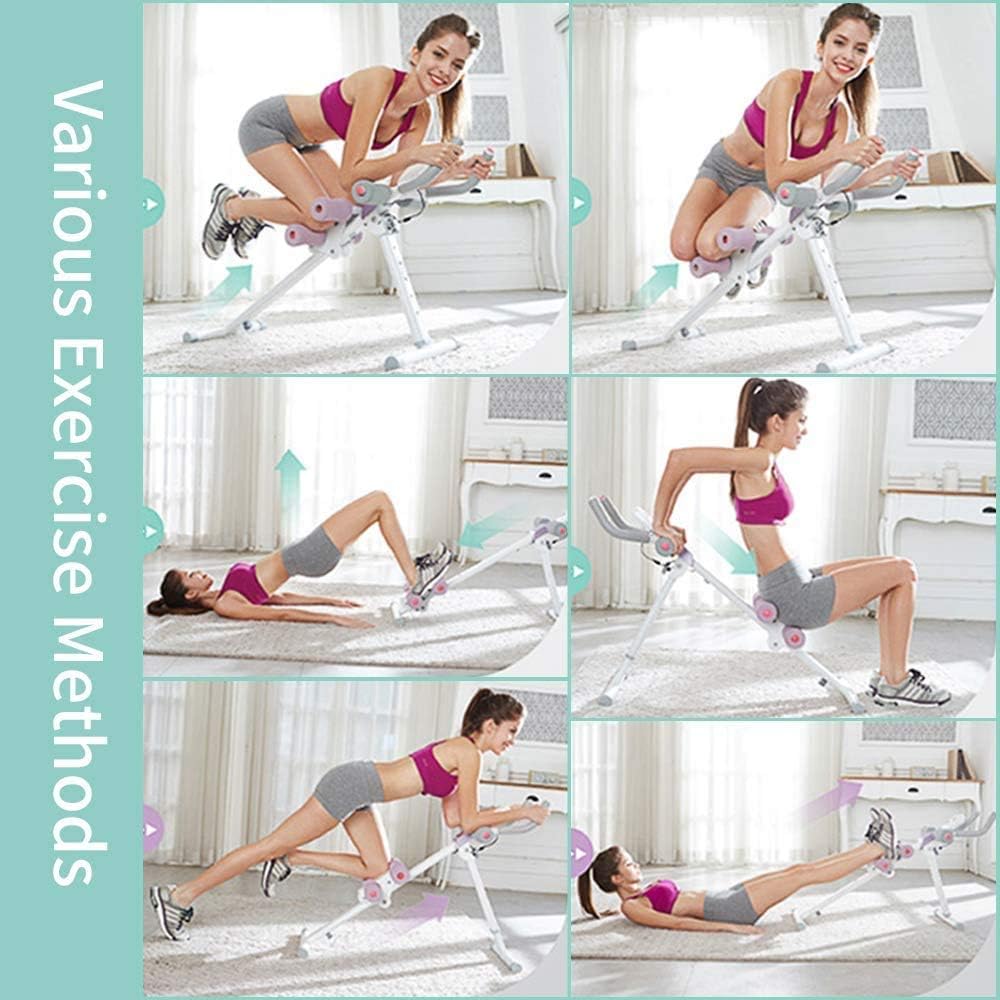
Figure 4.2: Detailed view of the 5-step angle adjustment mechanism, foam grips, and silent slide wheel, crucial for assembly and operation.
5. Operating Instructions
5.1 Adjusting Resistance and Height
The AB9300 features 5 different training and resistance levels, allowing you to customize your workout intensity. To adjust the resistance, locate the adjustment pin on the main frame and select the desired height/angle. A higher angle typically increases the resistance and challenge.
5.2 Using the LCD Monitor
The integrated LCD monitor tracks your workout progress. It typically displays metrics such as count (repetitions), time, and calories burned. To cycle through display modes, press the button on the monitor. To reset the count or other metrics, long press the button.

Figure 5.1: Close-up view of the LCD monitor, displaying workout metrics and the control button.
5.3 Exercise Modes
This Ab Trainer supports various exercise modes to target different muscle groups:
- Abdominal Crunches: Position yourself with your knees on the lower cushions and hands on the handlebars. Engage your core and pull your knees towards your chest.
- Leg and Thigh Workouts: Utilize the machine for exercises that engage your leg and thigh muscles, such as leg raises or extensions.
- Glute Activation: Certain movements can help target your glutes for a more comprehensive lower body workout.
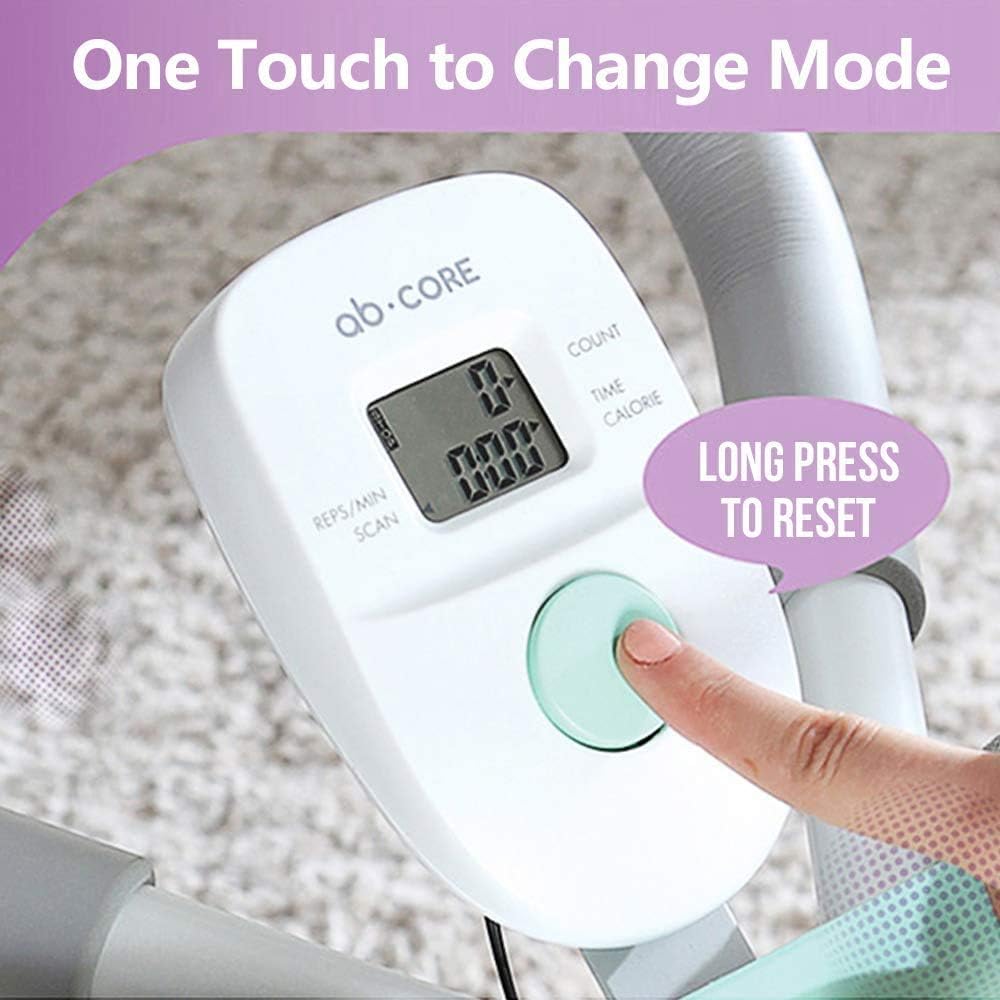
Figure 5.2: Examples of various exercise methods that can be performed using the leikefitness AB9300.
5.4 Storage
The leikefitness AB9300 is foldable for easy storage. To fold, locate the main folding knob (often a large, easy-to-turn knob) and loosen it. Carefully fold the machine into its compact position. This allows for convenient storage under a bed, couch, or against a wall.
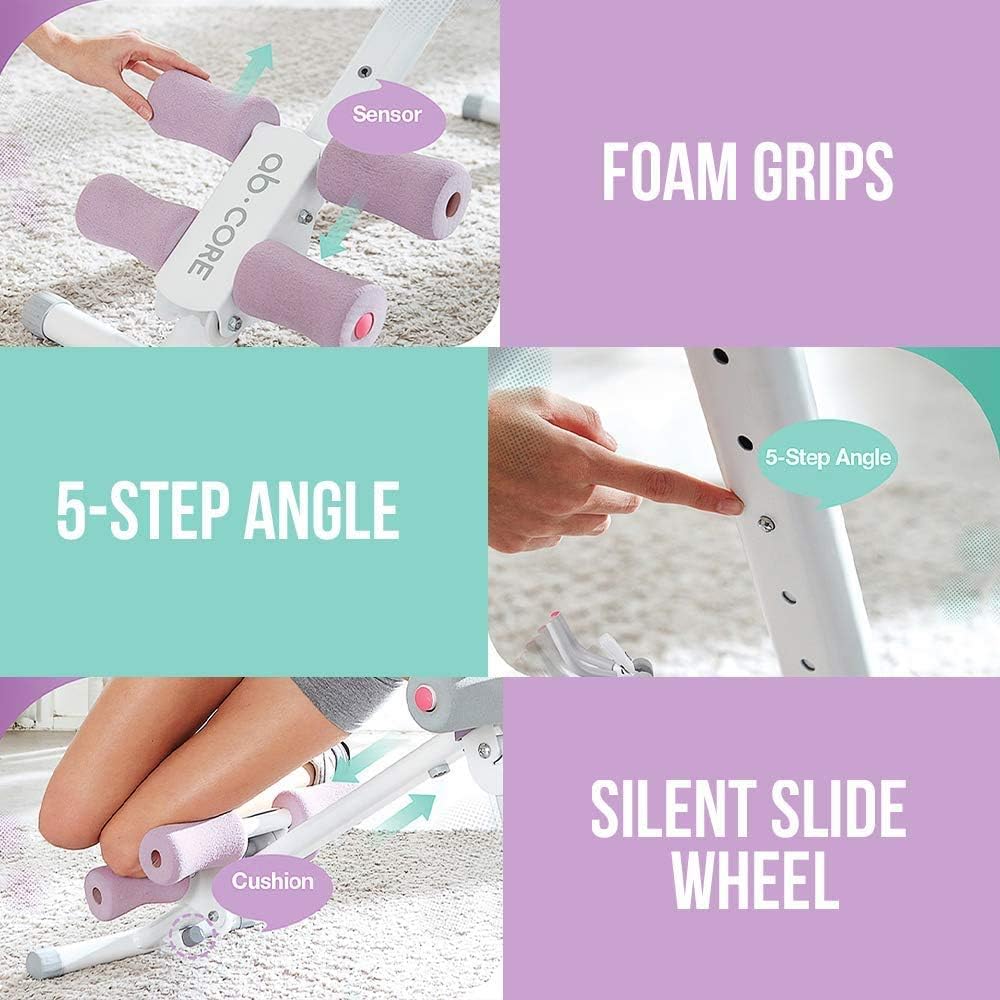
Figure 5.3: The leikefitness AB9300 can be easily folded and stored upright to save space.
6. Maintenance
- Regularly inspect all nuts and bolts to ensure they are tight. Tighten if necessary.
- Wipe down the equipment with a damp cloth after each use to remove sweat and dust. Avoid abrasive cleaners.
- Check the foam rollers and cushions for wear and tear. Replace if significantly damaged.
- If the LCD monitor is not functioning, check the battery and replace it if needed. The battery compartment is typically easily accessible.
- Store the machine in a dry place away from direct sunlight and extreme temperatures.
7. Troubleshooting
| Problem | Possible Cause | Solution |
|---|---|---|
| Machine wobbles during use | Loose bolts or uneven surface. | Ensure all assembly bolts are tightened. Place the machine on a flat, level surface. |
| LCD monitor not displaying | Battery drained or loose connection. | Replace the battery. Check the connection cable between the monitor and the sensor. |
| Difficulty adjusting resistance level | Adjustment pin stuck or misaligned. | Ensure the pin is fully retracted before attempting to move it. Clean any debris from the adjustment holes. |
| Squeaking noise during operation | Lack of lubrication or loose parts. | Apply a small amount of silicone-based lubricant to moving joints. Check and tighten all bolts. |
8. Specifications
- Brand: leikefitness
- Model: AB9300
- Color: green
- Material: Alloy Steel
- Item Weight: 14 Pounds (approximately 6.35 kg)
- Style: Cruncher
- Maximum Weight Recommendation: 220 Pounds (approximately 100 kg)
- Product Dimensions (L x W x H): 41" x 7" x 22" (approximately 104.14 cm x 17.78 cm x 55.88 cm)
- Manufacturer: Leike Sports
- UPC: 787794004826
- First Available Date: February 14, 2019

Figure 8.1: Product dimensions of the leikefitness AB9300 Ab Trainer.
9. Warranty and Support
For warranty information, product support, or to inquire about replacement parts, please contact leikefitness customer service directly. Refer to the contact information provided with your purchase or visit the official leikefitness website.
