
1. Introduction
The Alphacool Eisblock XPX Aurora Edge is a high-performance CPU water block designed for custom liquid cooling systems. It features a patented ramp system for efficient coolant flow over the CPU die and integrated addressable digital RGB (aRGB) illumination for customizable lighting effects. This manual provides essential information for the proper installation, operation, and maintenance of your water block.

Figure 1: Top view of the Alphacool Eisblock XPX Aurora Edge CPU Water Block, showcasing the clear plexi top and internal flow channels.
2. Safety Information
- Always disconnect power from your computer system before performing any installation, maintenance, or inspection.
- Ensure all fittings are securely tightened to prevent leaks. Leaks can cause severe damage to computer components.
- Use only coolants specifically designed for liquid cooling systems. Do not use tap water or automotive coolants.
- Handle the water block and other components with care to avoid damage.
- Keep small parts and tools out of reach of children.
3. Package Contents
Verify that all components are present before beginning installation:
- Alphacool Eisblock XPX Aurora Edge CPU Water Block
- Mounting hardware for Intel and AMD sockets
- Thermal paste
- Digital RGB connection cable (3-Pin, 5V)
- Installation guide (this document)
4. Setup and Installation
4.1. Compatibility
This water block is compatible with the following CPU sockets:
- Intel: 775, 1056, 1150, 1151, 1155, 1200, 2011, 2011-3, 2066
- AMD: AM2, AM2+, AM3, AM3+, FM1, FM2, FM2+, AM4, AM5
4.2. Preparation
- Ensure your CPU socket area is clean and free of dust or old thermal paste.
- Apply a small amount of thermal paste to the center of your CPU's integrated heat spreader (IHS). A pea-sized dot is typically sufficient.
4.3. Mounting the Water Block
- Refer to the specific mounting instructions provided with your hardware kit for your CPU socket type.
- Carefully place the water block onto the CPU, ensuring the mounting holes align.
- Secure the water block using the provided screws and backplate (if applicable). Tighten screws in a diagonal pattern, a few turns at a time, until snug. Do not overtighten.
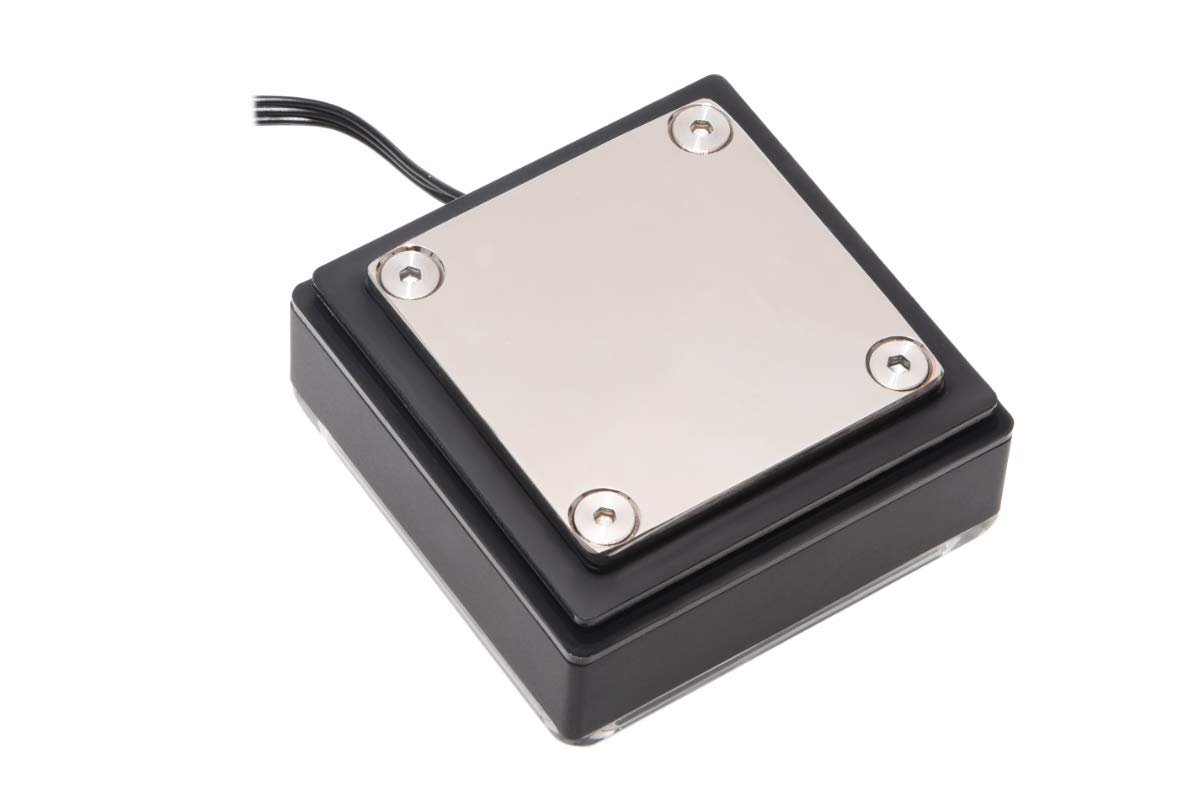
Figure 2: Bottom view of the water block, illustrating the nickel-plated copper cold plate that makes contact with the CPU.
4.4. Connecting Tubing
- Install your G1/4" fittings into the two ports on the water block. Ensure they are hand-tightened securely.
- Connect your liquid cooling tubing to the fittings. The ports are typically marked 'IN' and 'OUT' for optimal flow direction, but the patented ramp system allows for flexible orientation.

Figure 3: Close-up view of the G1/4" threaded ports on the water block, ready for fitting installation.
4.5. Digital RGB Connection
Connect the integrated 3-Pin, 5V digital RGB cable from the water block to a compatible aRGB header on your motherboard or an external aRGB controller. Ensure the correct pin orientation to avoid damage.
5. Operating
5.1. Initial Fill and Leak Test
Before powering on your computer, fill your liquid cooling loop with coolant. Perform a leak test by running your pump for several hours (e.g., 12-24 hours) with the rest of your system powered off. Monitor for any signs of leaks.
5.2. System Startup
After a successful leak test, power on your system. Monitor CPU temperatures using appropriate software. Ensure the pump is operating correctly and coolant is flowing.
5.3. Digital RGB Control
The integrated aRGB lighting can be controlled via your motherboard's RGB software (if connected to an aRGB header) or through an external aRGB controller. Refer to your motherboard or controller manual for specific instructions on customizing lighting effects.
6. Maintenance
- Regular Inspection: Periodically inspect all components of your liquid cooling loop, including the water block, tubing, and fittings, for any signs of leaks, corrosion, or wear.
- Coolant Levels: Check your reservoir's coolant level regularly and top it off if necessary.
- Cleaning: Dust can accumulate on surrounding components, affecting overall system cooling. Clean dust from radiators and fans regularly. For internal cleaning of the water block or loop, it is recommended to drain the system and flush it with distilled water or a specialized cleaning solution. This should be done by experienced users or professionals.
- Coolant Replacement: Replace your coolant according to the manufacturer's recommendations, typically every 6-12 months, to prevent buildup and maintain optimal performance.
7. Troubleshooting
- No RGB Lighting: Ensure the 3-Pin, 5V aRGB cable is correctly connected to a compatible header or controller. Check software settings for RGB control.
- High CPU Temperatures:
- Verify that the water block is securely mounted and making proper contact with the CPU.
- Check thermal paste application.
- Ensure your pump is operating and coolant is flowing through the loop. Look for air bubbles in the system.
- Confirm that your radiator fans are spinning and not obstructed.
- Leaks: If a leak is detected, immediately shut down your system. Identify the source of the leak and tighten or replace the affected component. Do not power on the system until the leak is resolved and any spilled coolant is cleaned.
- Poor Coolant Flow: The Eisblock XPX Aurora Edge is designed for efficient cooling but can be restrictive in complex liquid cooling loops. Ensure your pump is adequately powerful for your entire system, including all blocks, radiators, and tubing. Check for potential blockages within the loop.
8. Specifications
| Feature | Specification |
|---|---|
| Model | 12948 |
| Dimensions (WxTxH) | 70 x 70 x 32.5 mm (2.76"L x 2.76"W x 1.28"H) |
| Net Weight | 407 g |
| Max Working Temperature | 60 °C |
| Cooler Material | Nickel-plated copper |
| Bottom Part Material | Brass |
| Top Material | Plexi |
| Threads | 2 x G1/4“ |
| Digital RGB Power Supply | 3-Pin 5V |
| Pressure Tested | 1.5 Bar |
| Certificates | CE, FC, ROHS |
| Compatible Devices | Desktop |
| Cooling Method | Water |
| Noise Level | 30 Decibels (Note: This typically refers to pump noise, not the passive water block itself) |

Figure 4: Dimensional drawing of the water block.
9. Warranty
This Alphacool product is covered by a one-year manufacturer's warranty. Please retain your proof of purchase for any warranty claims. For detailed terms and conditions, including limitations and exclusions, please refer to the official Alphacool website or contact customer support directly.
10. Support
For technical assistance, troubleshooting, or further inquiries regarding your Alphacool Eisblock XPX Aurora Edge CPU Water Block, please visit the official Alphacool website or contact their customer support team. You can find more information and contact details at the Alphacool Store.


