
PIONEER FH-S722BS
Pioneer FH-S722BS Double Din CD Receiver User Manual
Model: FH-S722BS | Brand: PIONEER
Introduction
This manual provides essential instructions for the setup, operation, and maintenance of your Pioneer FH-S722BS Double Din CD Receiver. Designed for enhanced in-car audio, this receiver offers seamless connectivity, versatile media playback, and superior sound quality. Please read this manual thoroughly before use to ensure proper installation and optimal performance.
Setup and Installation
Package Contents
Verify that all items are present in the package:
- CD receiver (10A fuse)
- Wiring harness
- Microphone with bracket (attached 10' cable terminated by a right-angle 2.5mm connector)
- 12 Installation Screws
- Quick Start Guide
Installation Considerations
The FH-S722BS is a Double DIN receiver. Ensure your vehicle's dashboard opening is compatible with a 4-inch tall unit for proper fitment. Professional installation is recommended for optimal performance and safety.

Wiring and Connections
Connect the included wiring harness to your vehicle's electrical system according to the wiring diagram in the Quick Start Guide. Ensure all connections are secure to prevent malfunctions. The rear panel provides various input/output options for system flexibility.

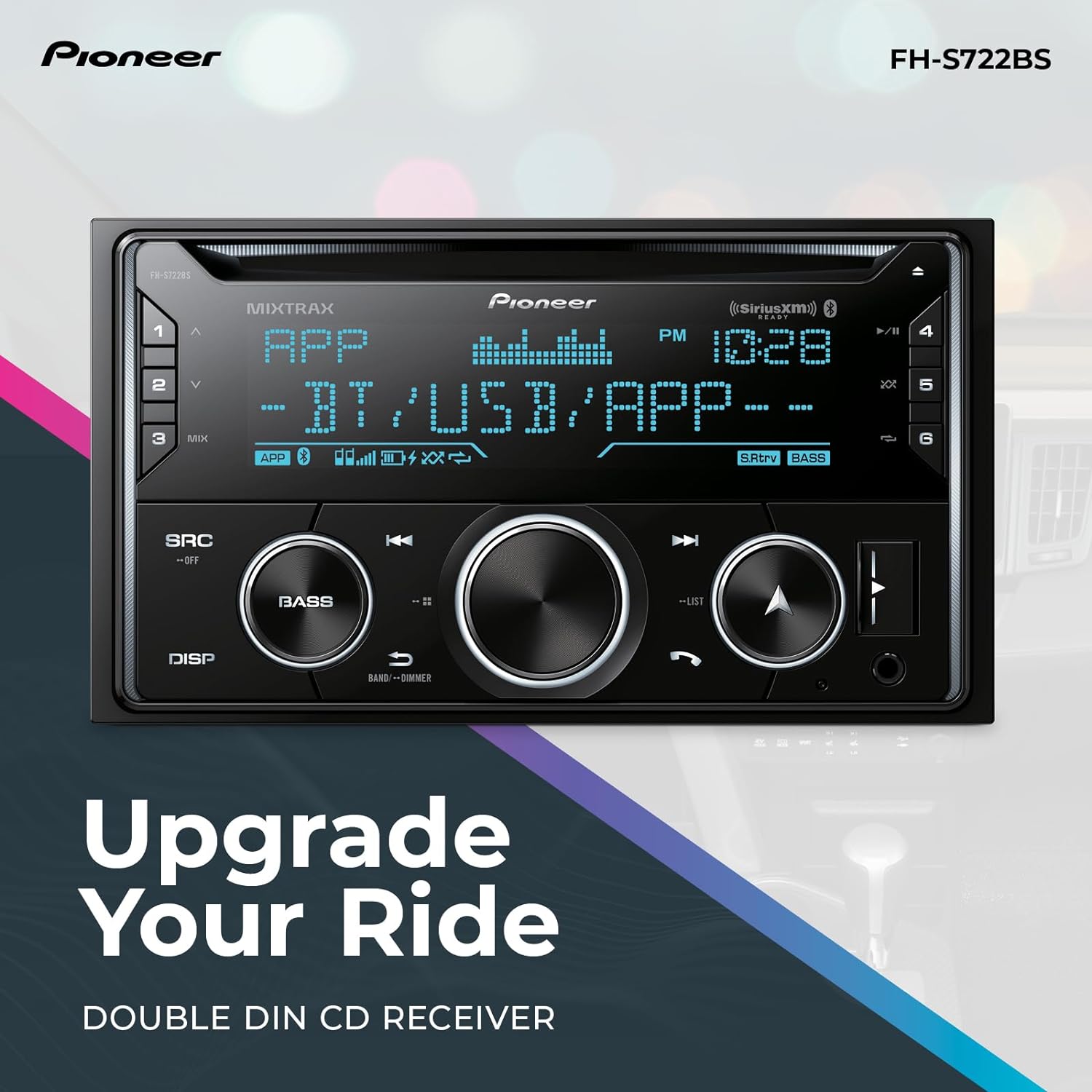
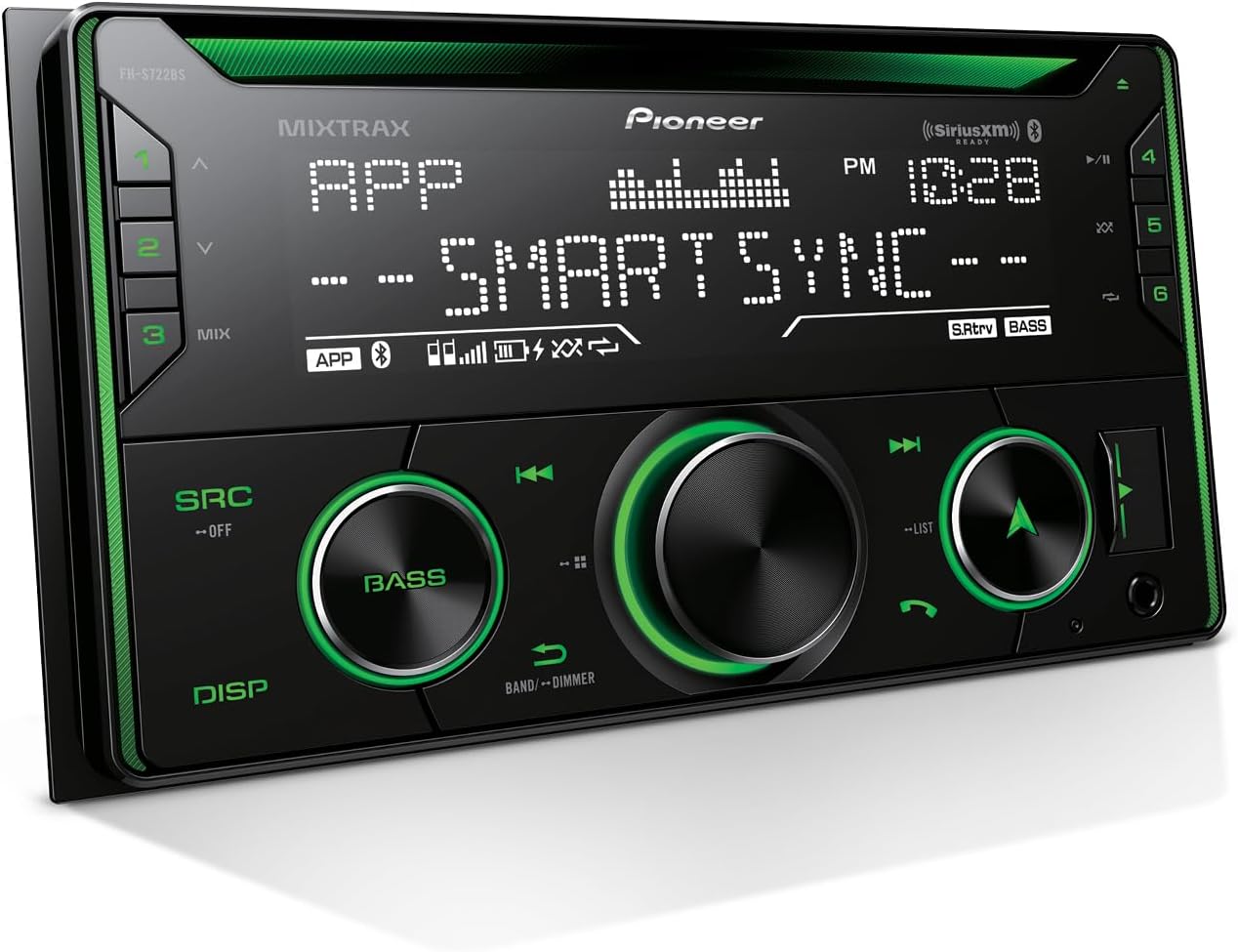
The front panel features a USB port and an auxiliary input for connecting portable devices.
Operating Instructions
The Pioneer FH-S722BS offers multiple ways to enjoy your audio and integrate with your smartphone.
Basic Controls
The receiver features a mechanical knob for volume control and push buttons for various functions. The display provides information on the current source, radio frequency, and time.
Bluetooth Connectivity
Pair your smartphone wirelessly via Bluetooth for hands-free calling and audio streaming. This allows you to make and receive calls safely and stream music from your device.
USB and Auxiliary Inputs
Connect smartphones, MP3 players, or USB drives to the front USB port or auxiliary input. The USB port supports MP3, WMA, and WAV audio formats and can also charge your device.
Pioneer Smart Sync App
Enhance your receiver's features by connecting your iOS or Android smartphone with the Pioneer Smart Sync app. This app provides an expanded interface for navigation, voice control, multimedia control, and vehicle performance monitoring (with an optional OBD-II device).

SiriusXM-Ready
The FH-S722BS is SiriusXM-Ready. A SiriusXM tuner (sold separately) and subscription are required to access over 140 channels of music, sports, news, and entertainment.
Advanced Sound Retriever
This feature restores audio details lost during digital compression, providing clearer and more dynamic sound reproduction for a superior listening experience.
Product Overview Video
Video 1: A comprehensive overview of the Pioneer FH-S722BS CD Receiver, demonstrating its key features and functionalities including Bluetooth, USB, AUX, and CD playback.
Pioneer Smart Sync App Overview Video
Video 2: An overview of the Pioneer Smart Sync app version 4.0, detailing its exclusive new features, improved Bluetooth connectivity, customizable widgets, and vehicle performance monitoring capabilities.
Maintenance
Cleaning the Unit
Wipe the unit's front panel with a soft, dry cloth. For stubborn dirt, dampen the cloth with water or a mild, non-abrasive cleaner. Avoid using harsh chemicals or abrasive materials, as they can damage the surface.
CD Player Care
Handle CDs by their edges to prevent scratches. Keep the CD slot free of dust and debris. If the CD player malfunctions, try using a commercially available CD lens cleaner.
Troubleshooting
If you experience issues with your FH-S722BS receiver, refer to the following common solutions:
- No Power: Check the vehicle's fuse box and the receiver's inline fuse. Ensure the wiring harness is correctly connected.
- No Sound: Verify speaker connections. Check audio source selection and volume levels. Ensure the mute function is not activated.
- Bluetooth Connection Issues: Ensure Bluetooth is enabled on both the receiver and your smartphone. Delete previous pairings and attempt to re-pair the devices.
- USB Device Not Recognized: Ensure the USB device is formatted correctly (FAT16/FAT32) and contains compatible audio files. Try a different USB device.
- CD Playback Errors: Check the CD for scratches or dirt. Ensure the CD is inserted correctly.
For persistent issues, consult the full operation manual or contact Pioneer customer support.
Specifications
| Feature | Specification |
|---|---|
| Model Number | FH-S722BS |
| Product Dimensions | 6.5 x 7 x 3.88 inches |
| Item Weight | 2.9 pounds |
| Brand | PIONEER |
| Connectivity Technology | USB, Bluetooth |
| Controller Type | Mechanical knob, Push Button |
| Special Feature | Built-In Bluetooth |
| Compatible Devices | Apple iPhone, Smartphone |
| Connector Type | RCA |
| Audio Encoding | Stereo |
| Audio Output Mode | Stereo |
| Surround Sound Channel Configuration | 5.1 |
| Color | Black |
| Manufacturer | Pioneer Corporation |
Warranty and Support
For warranty information, please refer to the documentation included with your product or visit the official Pioneer website. For technical support, product inquiries, or service, please contact Pioneer customer support directly.
Important Safety Information: Read the operation manual as well as all instructions and cautions before use. Pay attention to the road, limit glances to the device, and do not use any feature if it cannot be operated both safely and legally in your location and environment. Distracted driving may result in serious injury, including death.
Related Documents - FH-S722BS
 |
Pioneer MVH-S622BS Audio Digital Media Receiver & Metra 95-3305 Installation Kit User Manual Comprehensive user manual for the Pioneer MVH-S622BS Double DIN Audio Digital Media Receiver and Metra Electronics 95-3305 Double DIN Installation Multi Kit. Covers installation, operation, smartphone integration, Bluetooth, Pandora, Spotify, SiriusXM, and vehicle-specific fitment. |
 |
Pioneer FH-X820BS/X720BT/X721BT/X520UI CD RDS Receiver Owner's Manual Comprehensive owner's manual for Pioneer FH-X820BS, FH-X720BT, FH-X721BT, and FH-X520UI CD RDS receivers. Covers installation, operation, Bluetooth, iPod/iPhone, Pandora, SiriusXM, and troubleshooting. |
 |
Pioneer AVH-4200NEX DVD RDS AV RECEIVER Owner's Manual Comprehensive owner's manual for the Pioneer AVH-4200NEX DVD RDS AV Receiver. Learn about features like HD Radio, SiriusXM, Pandora, and proper operation for an enhanced in-car entertainment experience. |
 |
Pioneer FH-X830BHS/FH-X730BS/FH-X731BT CD RDS Receiver User Manual Owner's manual for Pioneer FH-X830BHS, FH-X730BS, FH-X731BT CD RDS receivers. Covers setup, Bluetooth, HD Radio, iPod/iPhone, Pandora, Spotify, and more. |
 |
Pioneer Audio Receiver Firmware Update v8.36: FH-X830BHS, DEH-X8800BHS & More Download and install firmware version 8.36 for Pioneer car stereos and audio receivers, including models FH-X830BHS, DEH-X8800BHS, DEH-X7800BHS, and others. Improve Bluetooth, MTP, and USB performance. |
 |
Pioneer FH-X720BT CD RDS-ontvanger Bedieningshandleiding Handleiding voor de Pioneer FH-X720BT CD RDS-ontvanger, inclusief gedetailleerde instructies voor installatie, bediening, Bluetooth-connectiviteit, iPod/iPhone-integratie, USB-afspelen, radiofuncties en aanpasbare instellingen. |